

The best MacBook Air alternative gets $200 off the MSRP in Amazon deal – an excellent general productivity notebook

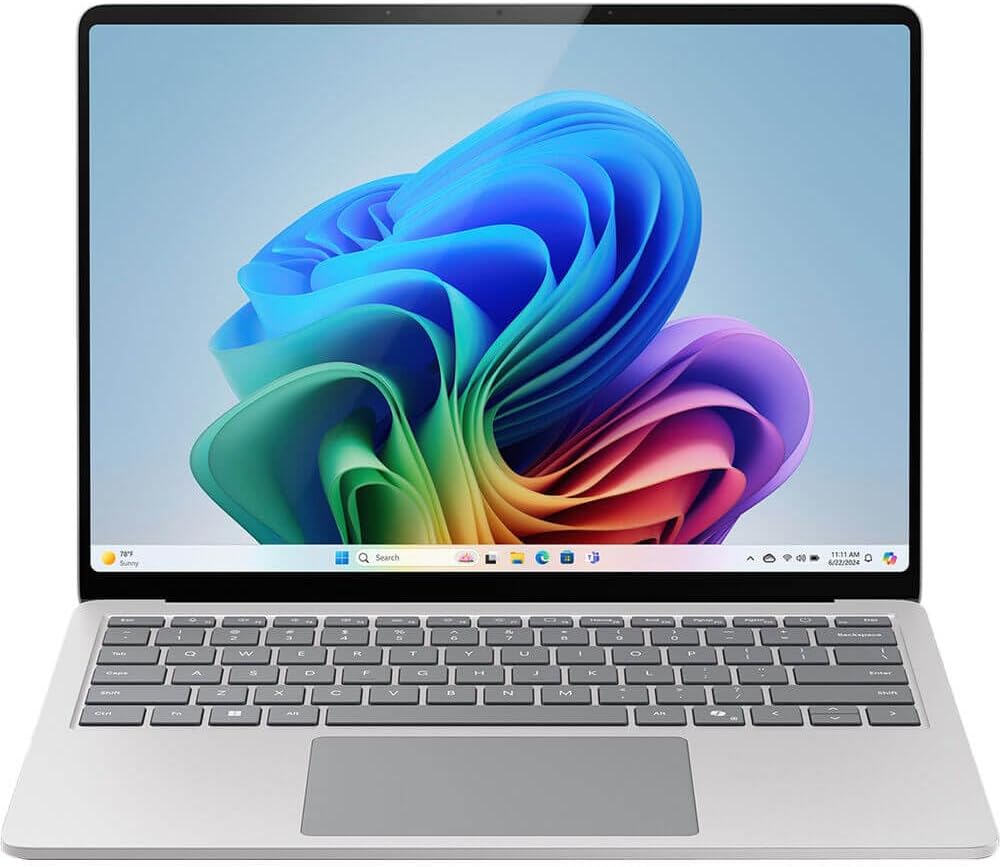

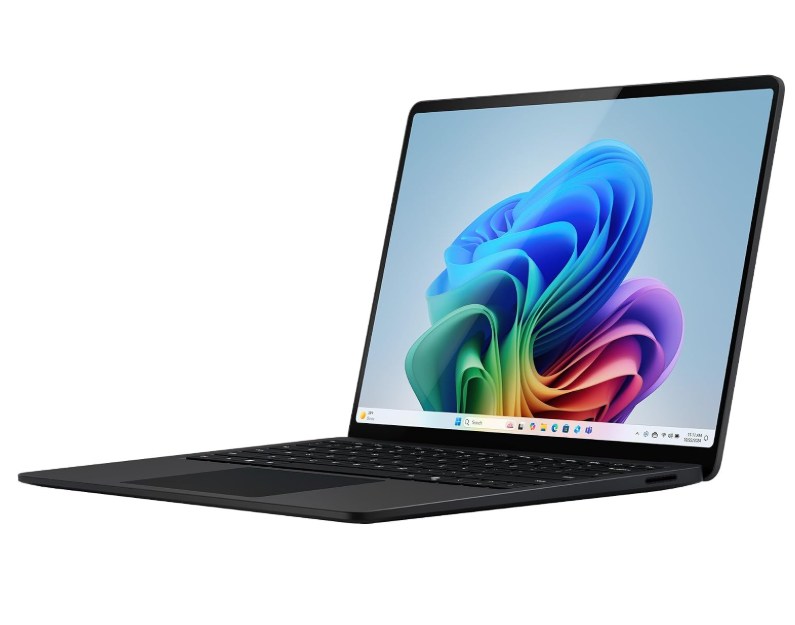
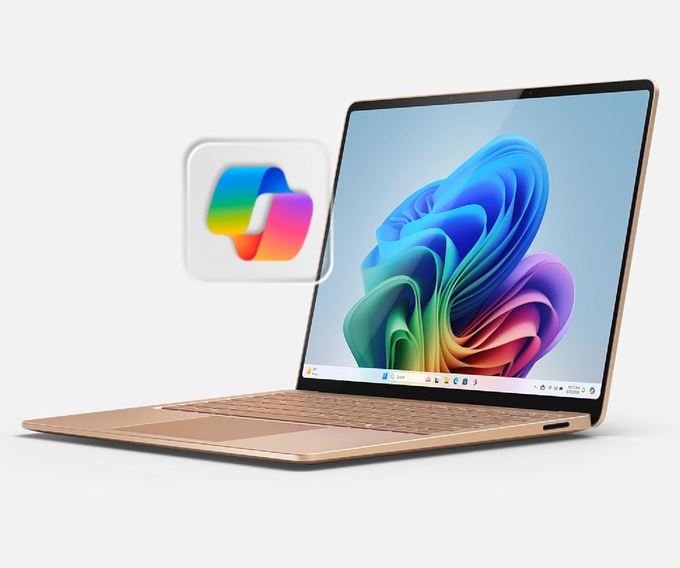
The 2024 version of the Microsoft Surface Laptop was the first ever machine to truly match the MacBook Air at its own game, and this previous gen version is still going strong as a great general productivity laptop – I’ve got one myself and it’s an absolute beast! This 13.8-inch Microsoft Surface Laptop combines a 10-core Snapdragon X Plus processor with 16GB of memory, a 512GB SSD and a high-quality 3:2 touchscreen in a compact aluminium chassis. Its efficient Arm-based platform, responsive haptic touchpad and strong battery life make it particularly attractive for office work, study, travel and general productivity. Most mainstream applications now work well, but specialist software, hardware drivers and certain games should be checked for Windows-on-Arm compatibility before purchase. Buy it now for $200 off the MSRP!
Prices and savings can change. Check the retailer for the current price.
The anodised aluminium chassis gives the Surface Laptop a clean and understated appearance. The Sapphire finish adds colour without the aggressive styling associated with gaming notebooks. It measures approximately 11.85 inches long, 8.67 inches wide and 0.69 inches thick, with a stated weight of 2.96 pounds. That makes it light enough for regular commuting while retaining a screen larger than those found on many ultraportables. The laptop meets Microsoft’s stated MIL-STD-810H environmental testing criteria, including testing related to temperature, dust, humidity and vibration. This does not make it rugged or immune to damage, but it indicates a broader validation process than ordinary cosmetic design claims.
Take a gander below for additional specs info, or see the bottom of this page for more laptop deals.
Latest tech deals.
- AMD Ryzen™ 9 9900X 12-Core - was $499 now $331
- Sony INZONE M10S 27-inch - was $899 now $748
- Thermaltake LCGS View i1470S-170 - was $2,399 now $2,099
- Apple 2026 MacBook Air - was $1,999 now $1,891
- Bose QuietComfort Headphones - was $359 now $169
- LG 77-inch OLED C6 - was $2,499 now $1,999
- MSI Prestige 16 Flip - was $2,149 now $1,870
- Hisense 85-inch U6 Pro Series - was $1,999 now $997
Prices correct as of November 5th, 2026.
What we like about this 13.8-inch Microsoft Surface Laptop (2024) with Snapdragon X Plus
Excellent everyday efficiency
The Snapdragon X Plus platform is designed to provide responsive performance without the battery demand of a conventional high-power laptop processor. Ten CPU cores give it enough capacity for browsing, office applications, communication, research and general multitasking. It is especially well suited to workloads that already have native Arm64 applications. Everyday tasks feel immediate, while the platform’s efficient standby behaviour allows the laptop to wake quickly when the lid is opened.
Emulated software can still perform well, but the experience depends on the application. Buyers should judge the computer according to the software they actually use rather than assuming every Windows program will behave exactly as it would on an Intel or AMD machine.
A bright 3:2 touchscreen
The 13.8-inch PixelSense Flow display has a resolution of 2304 x 1536, a density of 201 pixels per inch and a 3:2 aspect ratio. The taller shape provides more vertical working space than a conventional 16:9 display, which is useful for documents, web pages, spreadsheets and programming. Microsoft specifies a typical maximum brightness of 600 nits in SDR and 600-nit peak luminance for HDR. That is bright enough for use in varied indoor environments and can help outdoors, although the glossy surface remains susceptible to reflections.
The screen supports a dynamic refresh rate of up to 120Hz. Scrolling, interface animation and touch interaction can therefore appear smoother than on a standard 60Hz laptop, while dynamic control can reduce the refresh rate when the additional speed is unnecessary. Its 1,400:1 contrast ratio is respectable for an LCD laptop panel, though it cannot produce the perfect blacks of OLED. Dolby Vision IQ, adaptive colour, adaptive contrast and automatic colour management are included, and each display is individually colour calibrated.
Ten-point touch is supported, but Microsoft states that this generation is not compatible with Surface Pen or Surface Slim Pen input. The touchscreen is therefore useful for navigation and direct interaction rather than handwriting or precision illustration.
Strong real-world battery life
Microsoft claims up to 20 hours of local video playback or up to 13 hours of active web use for the 13.8-inch Snapdragon X Plus model. The distinction matters because the 20-hour figure comes from a relatively controlled video test rather than a full working day of varied heavy use. Microsoft conducted its video test at 150 nits with a locally stored 1080p file, while the web figure involved browsing several sites under similarly controlled brightness conditions. Actual battery life will change with display brightness, refresh rate, wireless activity, emulated applications, video calls and workload intensity.
Even with those qualifications, the efficient Arm platform and 54Wh nominal battery make endurance one of the Surface Laptop’s principal attractions. It is a sensible choice for travel, lectures, meetings and work away from a socket.
Useful video-call hardware
A 1080p Surface Studio Camera is positioned above the display. It supports Windows Studio Effects such as automatic framing, portrait blur, eye-contact adjustment and portrait lighting, with compatible effects accelerated by the NPU. Windows Hello facial authentication allows secure sign-in without entering a password or touching a fingerprint sensor. Dual Studio microphones with voice focus assist with calls, while the OmniSonic speakers support Dolby Atmos. The hardware is well suited to hybrid work and online study.
45-TOPS NPU and Copilot+ features
The Hexagon NPU can perform up to 45 trillion operations per second and qualifies the laptop as a Copilot+ PC. It handles supported AI workloads locally with lower power consumption than repeatedly using the CPU or GPU. Windows Studio Effects are among the clearest everyday uses. Other Copilot+ features vary according to Windows version, region, application support and Microsoft’s rollout schedule, so the NPU should not be treated as a promise that every program will gain useful AI acceleration. Automatic Super Resolution can improve the presentation of supported games by rendering at a lower resolution and reconstructing a sharper image. It does not transform the integrated Adreno GPU into a high-end gaming device, and game compatibility remains a separate consideration.
Practical mixture of modern and legacy ports
The laptop includes two USB-C/USB4 ports, one USB-A 3.1 Gen 2 connection, a 3.5mm audio jack and Microsoft’s Surface Connect port. Both USB4 ports support charging, data transfer and DisplayPort 1.4a video output. The inclusion of USB-A is useful for existing mice, storage devices and accessories. Surface Connect provides a dedicated charging and docking option without occupying either USB-C port.
There is no built-in HDMI output or memory-card reader on the 13.8-inch model. HDMI displays require an appropriate USB-C adapter, dock or cable, while photographers may need an external card reader.
Wi-Fi 7 and Bluetooth 5.4
Wireless connectivity includes Wi-Fi 7 and Bluetooth 5.4 according to Microsoft’s current specifications. The Amazon table’s Bluetooth 5.3 field is therefore outdated or incorrect for this model. Use of Wi-Fi 7’s full capabilities requires a compatible router, suitable network conditions and regional support for the relevant frequency bands. The laptop remains compatible with earlier Wi-Fi standards.
Replaceable Gen4 SSD
The 512GB storage device is a removable PCIe Gen4 SSD. This provides much faster potential storage performance and allows the drive to be replaced for servicing or capacity expansion. Microsoft describes SSD removal as something intended for authorised service providers or skilled technicians. It should not be interpreted as a simple tool-free consumer upgrade, and replacing it may involve recovery-image, warranty and compatibility considerations.
A 512GB drive is adequate for productivity and cloud-based workflows, but it can become restrictive for large creative projects or extensive local media libraries.
16GB is sufficient for everyday use
Sixteen gigabytes of LPDDR5x memory is suitable for mainstream office work, browsing, communication and moderate creative use. It should handle normal multitasking comfortably when applications are reasonably managed.
The memory is integrated with the motherboard and cannot be upgraded after purchase. Users running large datasets, many development tools, heavy creative applications or numerous virtualised workloads should consider a 32GB configuration at the outset.
Charging options are flexible
A compact 39W Surface power supply is included. The laptop can also charge through either USB-C port, making it possible to use a compatible USB-C charger while travelling. Microsoft specifies a minimum 65W supply for fast charging on this generation. The included 39W adapter handles normal charging but does not provide the fastest supported charge rate, so a suitable 65W USB-C Power Delivery or Surface Connect charger is needed for faster replenishment.
Security is built into the platform
The consumer model includes Microsoft Pluton TPM 2.0, Secured-core PC protection, Windows Hello facial authentication and Windows 11 security features. These form a useful foundation for protecting encryption keys, sign-in credentials and system integrity.
Who should consider this Microsoft Surface Laptop deal?
The Microsoft Surface Laptop is best suited to students, professionals and frequent travellers who value battery life, low weight and a high-quality productivity display. Its 3:2 touchscreen is particularly comfortable for documents, research, web work and spreadsheets. It is also attractive to users who spend most of their time in Microsoft 365, modern browsers, communication tools and other mainstream applications with native Arm64 support. For those workloads, the Surface Laptop offers a responsive and efficient experience in a polished chassis.
The 16GB and 512GB configuration suits conventional productivity more than intensive technical work. Memory cannot be upgraded, while the SSD capacity may require external or cloud storage for large media collections. Anyone dependent on specialist Windows software should check compatibility before buying. Engineering programs, older plug-ins, niche business tools, audio hardware and peripherals requiring proprietary drivers deserve particular attention. An Intel- or AMD-based laptop remains the safer option when complete traditional Windows compatibility is more important than maximum efficiency. The Surface Laptop is also unsuitable as a primary high-performance gaming machine. Its integrated Adreno graphics, Arm compatibility considerations and absence of a discrete GPU make it better for occasional light gaming than demanding releases.
For the right user, however, it delivers an unusually cohesive combination of a bright 120Hz touchscreen, strong battery potential, excellent input hardware, modern wireless connectivity and quiet everyday performance.
More laptop deals

Prices and savings can change. Check the retailer for the current price.
Written by
