



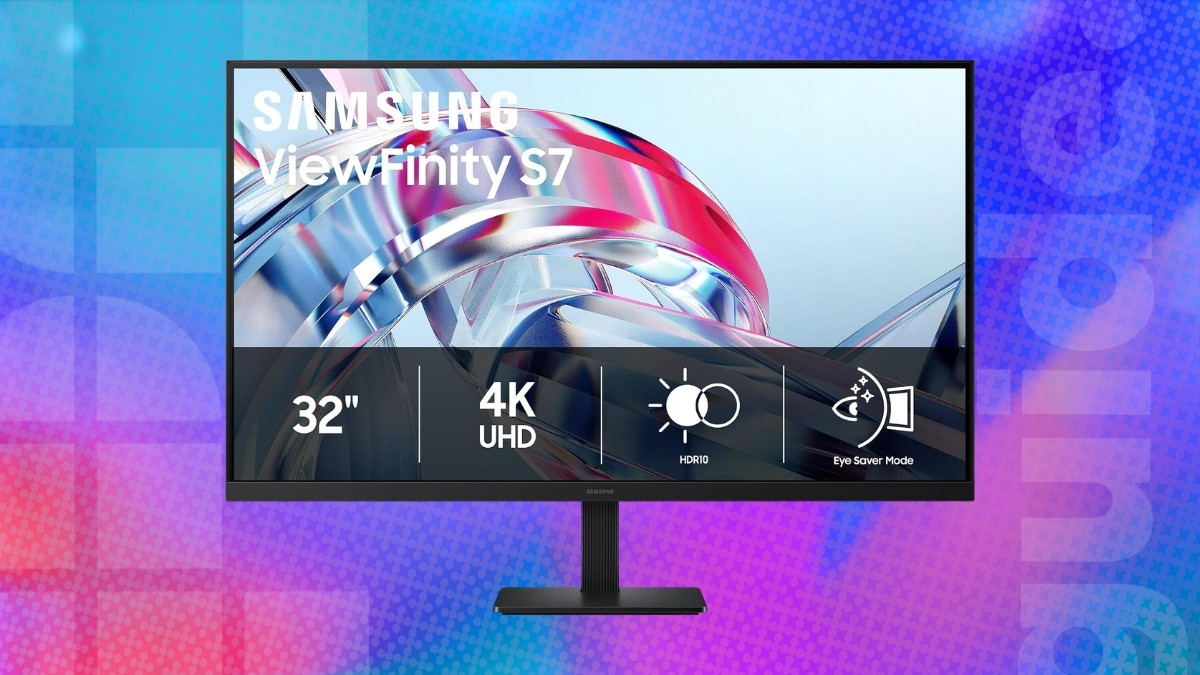
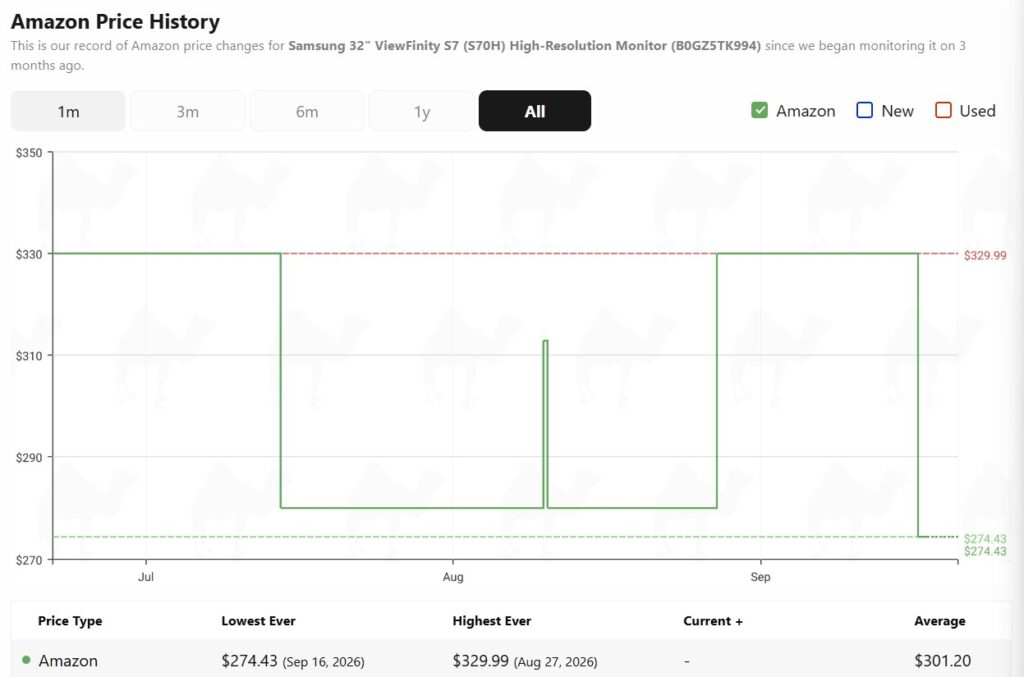
The Samsung ViewFinity S7 is a 32-inch 4K productivity monitor designed for people who want a large, sharp workspace for office work, creative applications, multitasking, and everyday entertainment. And right now, this model is available for $274.43 on Amazon, which is the lowest it has ever dropped to on the platform.
Prices and savings can change. Check the retailer for the current price.
Key features and highlights of the Samsung ViewFinity S7
The 32-inch screen size is particularly well suited to 4K resolution. At this size, you get enough physical space to take advantage of the extra pixels without text and interface elements feeling excessively small. On top of that, its 3840 x 2160 4K UHD resolution contains four times as many pixels as Full HD. That additional pixel density helps text look sharper and allows fine details in photos, videos, diagrams, and other content to appear clearer.
The additional detail can be especially useful for photo and video editing. High-resolution photos can be viewed with more detail, while a video editor can dedicate more screen space to a preview window, timeline, and editing controls. Even for ordinary office work, the combination of 32 inches and 4K provides plenty of room for placing a document beside a browser or keeping several applications visible simultaneously.
Latest tech deals.
- AMD Ryzen™ 9 9900X 12-Core - was $499 now $331
- Sony INZONE M10S 27” - was $899 now $748
- Thermaltake LCGS View i1470S-170 - was $2,399 now $2,099
- Apple 2026 MacBook Air - was $1,999 now $1,891
- Bose QuietComfort Headphones - was $359 now $169
- LG 77-inch OLED C6 - was $2,499 now $1,999
- MSI Prestige 16 Flip - was $2,149 now $1,870
-
Hisense 85" U6 Pro Series-
Prices correct as of November 5th, 2026.
The ViewFinity S7 also supports HDR10. HDR allows compatible content to use a wider range between darker and brighter portions of an image, helping highlights and shadows appear more distinct. It’s a useful addition for watching HDR movies and working with compatible visual content.
Samsung’s Display Manager adds several software tools that make better use of the large screen. For example, split-screen functionality can organize applications into different areas of the display, making it easier to create a workspace that resembles a multi-monitor arrangement without actually using two screens.
Connectivity includes both HDMI and DisplayPort, giving you straightforward options for connecting desktops, laptops, mini PCs, and other compatible hardware. Samsung has also included TÜV-certified eye-comfort technology. Eye Saver Mode reduces blue light, which can make the display more comfortable to look at during extended working sessions, particularly at night.
Is this monitor worth getting?
The Samsung ViewFinity S7 is worth considering if your main priority is having a large and sharp 4K workspace. The 32-inch screen provides plenty of physical room for multitasking, while the 3840 x 2160 resolution keeps text, images, and other fine details looking crisp. It isn’t designed to compete with high-refresh-rate gaming monitors or premium OLED displays, but that’s not really its purpose. For office productivity, studying, content creation, multitasking, and general 4K use, the ViewFinity S7 offers a practical combination of screen size, resolution, and productivity features.



Prices and savings can change. Check the retailer for the current price.
Written by
