


Table of Contents
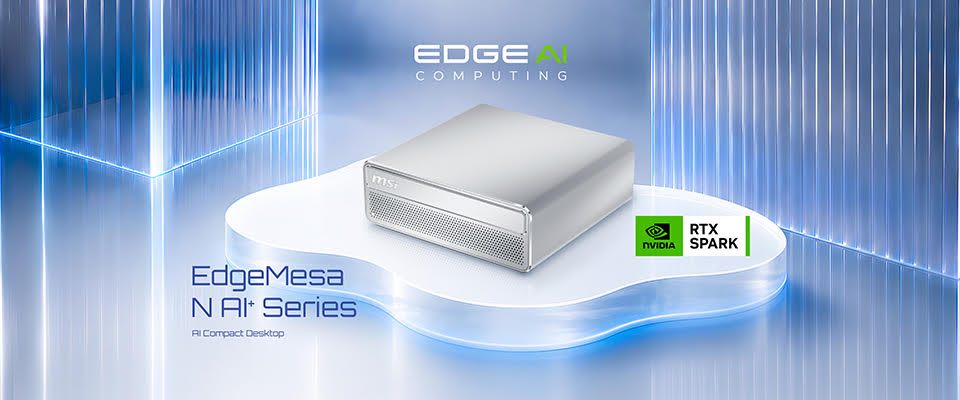
AI is fast becoming part of everyday computing, but what if you could take things a step further and run your own AI models, assistants and automated workflows directly from your desktop? That’s exactly what MSI is looking to achieve with its latest compact AI system, the MSI EdgeMesa N AI+.
Powered by NVIDIA RTX Spark N1X, the EdgeMesa N AI+ brings together a 20-core NVIDIA Grace CPU, up to a 6,144-core NVIDIA Blackwell RTX GPU and up to 128GB of unified memory in a remarkably compact 1.3-litre aluminium chassis. With up to 1 petaflop of FP4 AI performance, it’s designed to provide the computing power needed to develop and run demanding AI applications right from your home or business.
That said, the interesting thing about the EdgeMesa N AI+ isn’t necessarily what’s inside, but what you can actually do with it.
Latest tech deals.
- AMD Ryzen™ 9 9900X 12-Core - was $499 now $331
- Sony INZONE M10S 27-inch - was $899 now $748
- Thermaltake LCGS View i1470S-170 - was $2,399 now $2,099
- Apple 2026 MacBook Air - was $1,999 now $1,891
- Bose QuietComfort Headphones - was $359 now $169
- LG 77-inch OLED C6 - was $2,499 now $1,999
- MSI Prestige 16 Flip - was $2,149 now $1,870
- Hisense 85-inch U6 Pro Series - was $1,999 now $997
Prices correct as of November 5th, 2026.
Running Windows 11 Pro and supporting NVIDIA CUDA acceleration, MSI’s latest desktop provides a familiar environment for developers, creators and AI enthusiasts looking to experiment with local AI. Whether you’re interested in building your own assistant, automating everyday tasks or developing more advanced AI applications, there are plenty of opportunities to take advantage of its hardware.
Here are five ways you can put the MSI EdgeMesa N AI+ to work.


- NAme: MSI EdgeMesa N AI+
- Processor: NVIDIA RTX Spark N1X (20-core NVIDIA Grace CPU, 6,144-core NVIDIA Blackwell RTX GPU)
- AI Performance: Up to 1 petaflop FP4
- Memory & Storage: 64GB unified memory with a 1TB SSD, or 128GB with a 4TB SSD
- OS: Windows 11 Pro
- Connectivity: 10GbE, Wi-Fi 7, Bluetooth 5.4, up to four displays
- Size and weight: 1.3 litres (152 x 147 x 55mm), 1.32kg
- Price: £4,099 inc VAT (64GB/1TB), £6,999 inc VAT (128GB/4TB)
1. Build your own AI assistant
AI assistants have become increasingly accessible, but most people still rely on cloud-based services to handle their everyday queries. With the MSI EdgeMesa N AI+, you have the opportunity to take a different approach by running your own AI assistant locally.
Rather than simply asking questions and waiting for responses, you can experiment with AI agents that retrieve information, interact with tools and complete tasks based on set prompts that you give it. For example, you could develop a personal assistant that organises documents, retrieves useful information or helps manage everyday administrative tasks.
The advantage of running these workloads locally is that your information can remain on your own hardware, rather than needing to send every request to an external AI service. You also have greater control over the models and workflows you’re running.
This is where the EdgeMesa N AI+’s hardware becomes particularly interesting. Its NVIDIA RTX Spark N1X superchip combines GPU acceleration with a large pool of unified memory, giving AI developers the resources to experiment with larger models and more demanding agent workflows.
Layer on up to 128GB of LPDDR5X unified memory – shared between the CPU and GPU – and the system can run AI models of up to 120 billion parameters locally, with context of up to one million tokens It’s also designed for always-on operation, making it a natural platform for assistants that need to keep working long after you’ve stepped away from your desk.
2. Create your own private AI coding assistant
For developers and software engineers, AI-powered coding tools can be incredibly useful, helping with everything from generating code to identifying potential issues and documenting projects.
However, working with proprietary source code or sensitive development projects can make data privacy an important consideration. Running an AI coding assistant locally provides another option, allowing suitable models and workloads to operate directly on your own machine.
The EdgeMesa N AI+ is built with this type of development in mind. Its NVIDIA Blackwell RTX GPU and CUDA acceleration provide a platform for experimenting with GPU-accelerated AI development tools, while Windows 11 Pro offers a familiar environment for existing development workflows. As an Arm-based Windows PC, it runs native Arm64 apps, and Microsoft Prism lets many other Windows apps run too, though it’s worth checking that the specific tools you rely on are supported.
You could use a local coding assistant to help generate functions, review existing code, explain complicated sections or produce documentation. With the appropriate models and tools installed, you can also experiment with more advanced agentic workflows that can work through multiple development tasks.
3. Build a private knowledge assistant for your business
One of the most practical applications of local AI is retrieval-augmented generation, commonly known as RAG. Rather than relying solely on information contained within a model’s training data, RAG allows an AI system to retrieve information from a collection of documents or trusted knowledge sources before generating a response.
In practical terms, this means you could build an assistant that understands your own documentation, policies and business information. Instead of searching through hundreds of files manually, you could have the assistant retrieve relevant information from your own database within a fraction of the time, perfect for small businesses.
Imagine having an internal assistant that can answer employee questions about company policies, retrieve product information or help locate specific details within technical documentation. The EdgeMesa N AI+ provides a compact platform for developing and running these types of applications. Its unified memory architecture is designed to support larger AI models and extended context, while NVIDIA CUDA acceleration provides support for GPU-accelerated development tools.
Working locally also means that sensitive documents and business information can remain on the device when the relevant AI workloads are configured to run locally. With Wi-Fi 7 and 10GbE networking, the system also has the connectivity to access shared knowledge bases and other network resources when required.
For businesses looking to explore AI without making every workflow dependent on external cloud services, the EdgeMesa N AI+ is certainly one to consider.
Not sure where to start? Map your workflows first
Before choosing hardware, it helps to know which of your tasks are worth moving to a local AI system. MSI’s Spark Your AI Workflows hub is built around that question. Its free AI Workflow Assessment asks about your role, how your team works and how you use AI today, then returns a personalised report on where local and hybrid AI could save time, keep sensitive data on site and make running costs more predictable.
The hub also hosts MSI’s white paper on agentic AI at work, drawn from the MSI AI Insights series and real-world use cases, alongside practical guides to building agents and running models privately. If you already know what you need, you can go straight from there to UK retailers stocking the EdgeMesa N AI+.
4. Experiment with vision AI and voice AI
AI isn’t limited to text-based assistants and coding tools. Vision and voice applications are becoming increasingly popular in this field, opening up opportunities for developers to build systems that can understand images, interpret video and interact through natural speech.
With the MSI EdgeMesa N AI+, you can experiment with both types of applications using locally executed AI workloads.
Vision AI, for example, can be used to analyse images and video for a number of different reasons. This could include examining products for potential defects in a workshop, analysing visual information in a laboratory or developing applications that interpret footage from connected cameras.
Voice AI, on the other hand, offers a slightly different approach. Speech recognition, transcription and translation can all be incorporated into locally running applications, allowing developers to create interfaces and tools that can operate on a conversational basis by processing the spoken information.
The benefit of doing these tasks locally helps to reduce reliance on external services and network round trips. This can be particularly useful when working with sensitive recordings, images or video.
5. AI agents that work round the clock (while staying cool)
Perhaps one of the biggest advantages of the MSI EdgeMesa N AI+ is the benefit of never needing to sleep and continuous operation.
AI agents can do considerably more than respond to individual prompts, they can work through multi-step processes, retrieve information, call tools and coordinate tasks over time periods that far exceed our own capabilities.
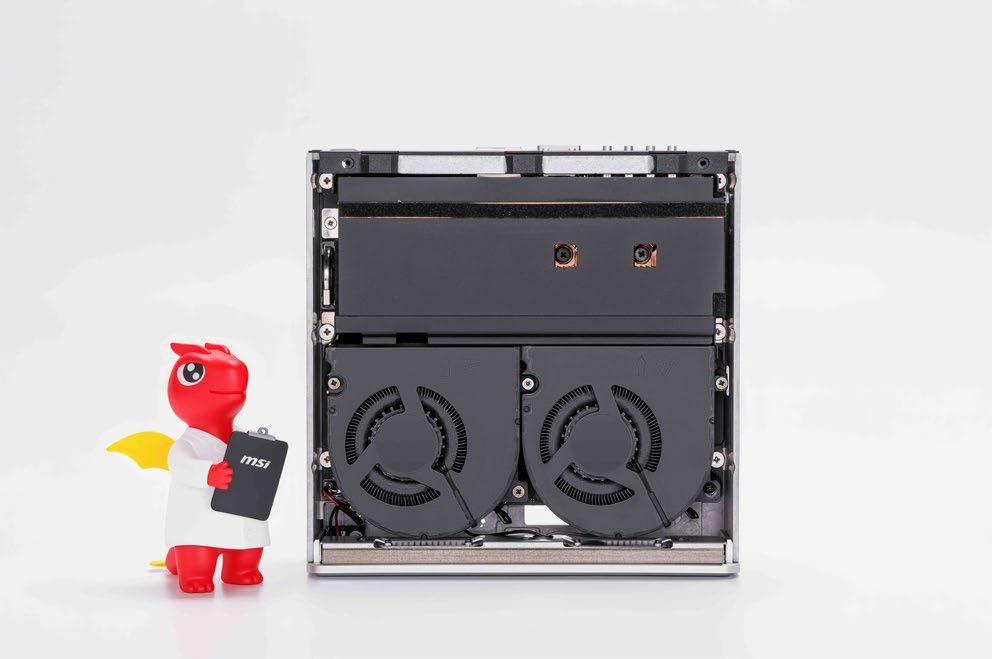
Despite measuring in at just 152 x 147 x 55mm, the system incorporates a high-end cooling solution that features two 109-blade blower fans, a 70-fin heatsink, a vapour chamber and copper heat pipes. MSI calls this approach AI-Pulse Cooling, with the architecture designed to manage heat during sustained workloads while maintaining a quiet acoustic profile.
The vapour chamber works alongside the heat pipes to distribute thermal energy away from the NVIDIA RTX Spark superchip and towards the heatsink. MSI also uses thermal interface materials to help manage temperatures of surrounding components, including the memory packages, MOSFETs and chokes. That is particularly relevant when running AI agents that need to remain active for hours at a time.
A compact desktop with plenty of AI potential
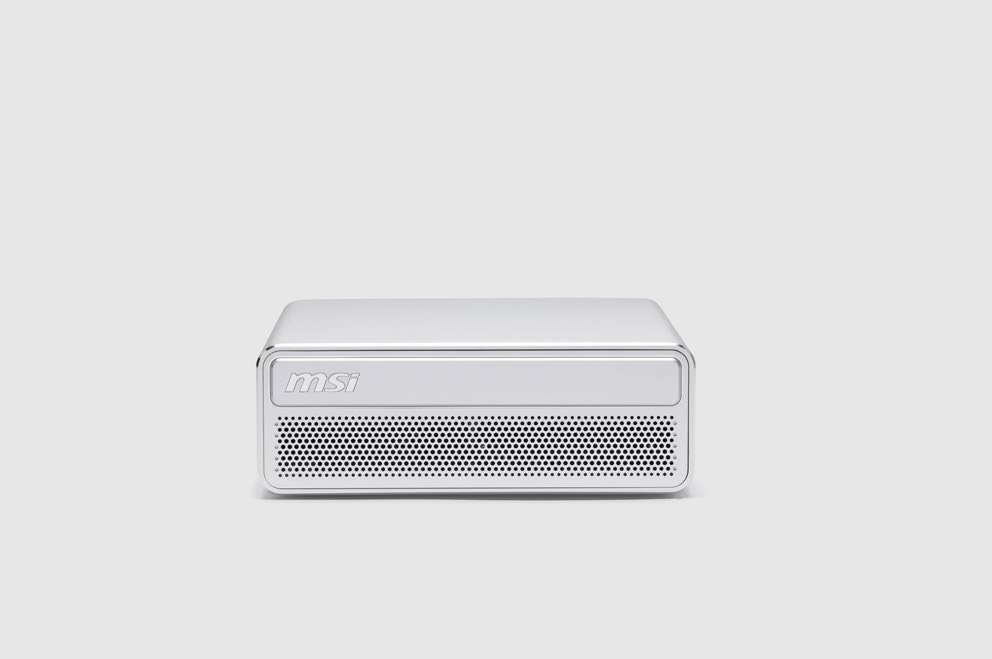
The MSI EdgeMesa N AI+ represents an new direction for desktop computing, particularly as more developers and enthusiasts look towards running AI models and agents locally.
Combining NVIDIA RTX Spark N1X with up to 128GB of unified memory, the system brings substantial AI computing capabilities into a chassis that measures just 1.3 litres. Its dedicated cooling architecture, Windows 11 Pro OS and high-speed networking also make it a strong choice for workloads that extend beyond occasional AI usage.
Whether you’re looking to build your own assistant, experiment with private coding tools, develop a business knowledge base or keep AI agents running around the clock, the EdgeMesa N AI+ provides a dedicated platform to explore what’s possible.
- NAme: MSI EdgeMesa N AI+
- Processor: NVIDIA RTX Spark N1X (20-core NVIDIA Grace CPU, 6,144-core NVIDIA Blackwell RTX GPU)
- AI Performance: Up to 1 petaflop FP4
- Memory & Storage: 64GB unified memory with a 1TB SSD, or 128GB with a 4TB SSD
- OS: Windows 11 Pro
- Connectivity: 10GbE, Wi-Fi 7, Bluetooth 5.4, up to four displays
- Size and weight: 1.3 litres (152 x 147 x 55mm), 1.32kg
- Price: £4,099 inc VAT (64GB/1TB), £6,999 inc VAT (128GB/4TB)
Frequently asked questions
What is the MSI EdgeMesa N AI+?
The MSI EdgeMesa N AI+ is a 1.3-litre Windows 11 Pro desktop powered by NVIDIA RTX Spark N1X, designed for developing and running local AI models and always-on AI agents. It combines a 20-core NVIDIA Grace CPU, a 6,144-core NVIDIA Blackwell RTX GPU and up to 128GB of unified memory.
What is NVIDIA RTX Spark?
NVIDIA RTX Spark is a superchip that combines an NVIDIA Grace CPU, a Blackwell RTX GPU and unified memory in one package. The EdgeMesa N AI+ uses the RTX Spark N1X with a 20-core CPU and a 6,144-core GPU, rated for up to 1 petaflop of FP4 AI performance.
Who is the EdgeMesa N AI+ for?
AI developers, software engineers, small businesses, creators and AI enthusiasts who want to build and run AI assistants, coding tools, knowledge assistants and AI agents on their own hardware.
Is it suitable for small businesses?
Yes. It can run private knowledge assistants, document processing and AI agents on site, so sensitive business data can stay on the device.
How can I tell whether local AI suits my business?
MSI’s free AI Workflow Assessment, on the Spark Your AI Workflows hub, asks about your role, work context and current AI use, then gives a personalised report on which workflows could move to local or hybrid AI.
What size AI models can it run?
With 128GB of unified memory, the EdgeMesa N AI+ can run AI models of up to 120 billion parameters locally, with context of up to one million tokens, according to NVIDIA. Real-world performance varies with the model, precision, context length and workload.
Should I choose 64GB or 128GB?
Choose 128GB to run the largest local models, use long context or run several agents at once. The 64GB model suits smaller models, coding assistants and knowledge assistants. Memory is built in, so it can’t be upgraded later.
Does it work without an internet connection?
Yes. Once models and tools are installed, AI workloads can run locally on the EdgeMesa N AI+ without a cloud connection, so agents can keep working and sensitive data can stay on the device.
Does it support NVIDIA CUDA?
Yes. NVIDIA CUDA runs natively on RTX Spark, so developers can use CUDA-accelerated AI tools and frameworks on Windows 11 Pro.
Can it run my existing Windows apps?
Yes, in many cases. The EdgeMesa N AI+ runs Windows 11 Pro on Arm: apps built for Arm64 run natively, and Microsoft’s Prism emulator runs many apps made for standard x64 Windows PCs. Software that depends on its own drivers, such as some VPNs, anti-cheat systems and tools for specialist hardware, may not work, so check that the tools you rely on support Windows on Arm.
Can it run 24/7, and is it quiet?
Yes, it’s designed for always-on operation. MSI’s AI-Pulse Cooling uses two blower fans, a 70-fin heatsink, a vapour chamber and copper heat pipes to manage heat during sustained workloads while keeping noise low.
How many displays can it drive?
Up to four, using three USB Type-C ports with DisplayPort Alt Mode 2.1 and one HDMI 2.1b port.
What ports and connectivity does it have?
Four USB 20Gbps Type-C ports (three with DisplayPort Alt Mode 2.1, one for power input), one HDMI 2.1b port, one 10GbE port and a Kensington lock slot, plus Wi-Fi 7 and Bluetooth 5.4.
How big is it, and what power supply does it use?
It measures 152 x 147 x 55mm, displaces 1.3 litres and weighs 1.32kg, and it is powered by a 240W adapter.
How much is it, and where can I buy it in the UK?
The EdgeMesa N AI+ costs £4,099 inc VAT with 64GB of unified memory and a 1TB SSD, or £6,999 inc VAT with 128GB and a 4TB SSD. It’s available from Chillblast, CyberPower, iCubes, Mesh Computers, Novatech, Overclockers UK and Scan.
Written by
