

360Hz ASUS ROG Strix OLED monitor gets $210 price cut for a limited time only as the Black Friday sales pick up steam


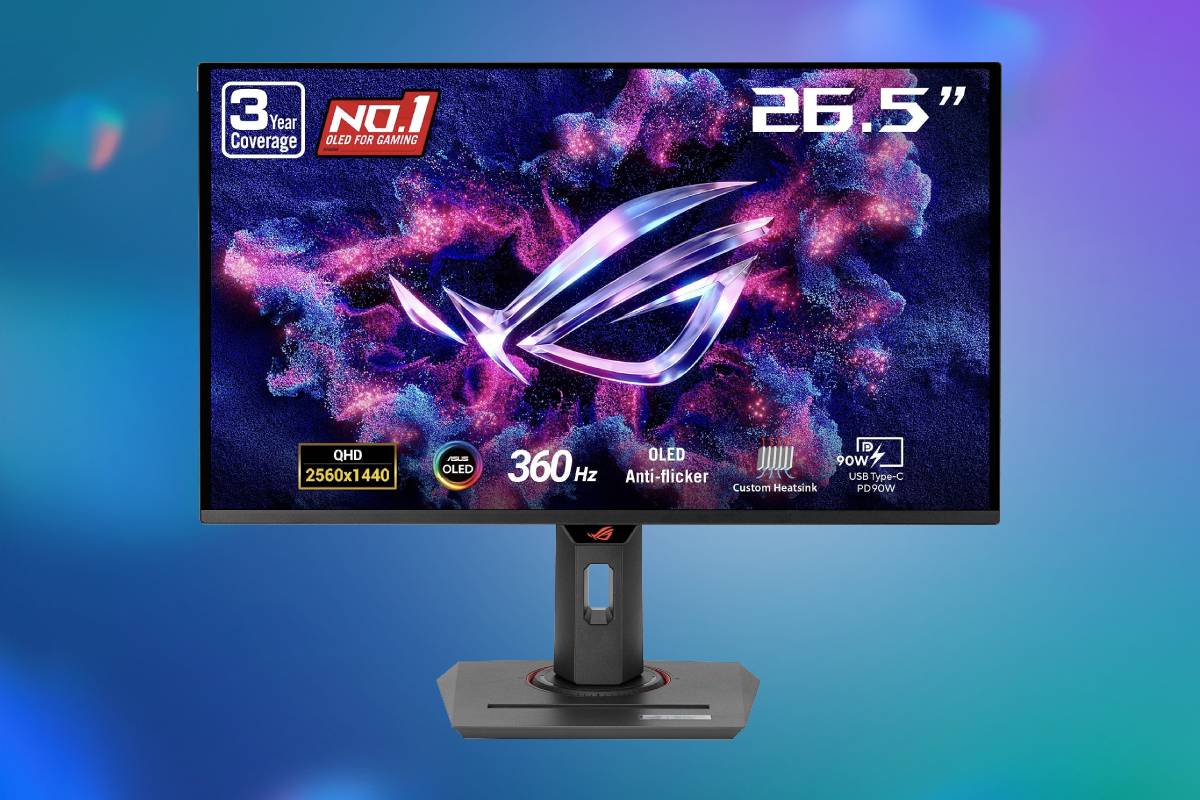
The ASUS ROG Strix OLED XG27ACDNG is an outstanding gaming monitor for anyone who wants QD-OLED image quality and a lightning quick 360Hz refresh rate for competitive gaming at 2560×1440 resolution. The OLED monitor panel effectively eliminates motion blur with its unbeatable response times. Adaptive refresh support includes AMD FreeSync Premium Pro, Nvidia G-SYNC compatibility and VESA AdaptiveSync certification. Accurate colour, HDMI 2.1, 90W USB-C charging, a KVM switch and a three-year burn-in warranty make it more versatile than many competing monitors built around the same panel. Pick this display up now while this deal lasts for a massive 28% off the price!
Prices and savings can change. Check the retailer for the current price.
The supplied stand supports height, tilt, swivel and pivot adjustment, making it easier to establish a comfortable viewing position. A 100x100mm VESA mounting pattern is available for monitor arms and wall mounts. The ROG base occupies more desk depth than a compact office-style stand. Users with shallow desks may benefit from a monitor arm, especially if they need to position the screen farther away or reclaim space for a large mouse mat.
What we like about this ASUS ROG Strix XG27ACDNG QD-OLED Gaming Monitor
Motion remains exceptionally clear at high refresh rates
The combination of 360Hz operation and OLED response behaviour produces very little persistence or transition blur. Fine details remain easier to follow during rapid camera movement, while fast targets appear more clearly defined than they would on a conventional 144Hz or 165Hz LCD. A 360Hz refresh cycle occurs approximately every 2.78 milliseconds, allowing newly rendered frames to reach the screen quickly. The improvement over 240Hz is smaller than the jump from 60Hz to 144Hz, but experienced competitive players may still appreciate the additional temporal resolution.
Latest tech deals.
- AMD Ryzen™ 9 9900X 12-Core - was $499 now $331
- Sony INZONE M10S 27-inch - was $899 now $748
- Thermaltake LCGS View i1470S-170 - was $2,399 now $2,099
- Apple 2026 MacBook Air - was $1,999 now $1,891
- Bose QuietComfort Headphones - was $359 now $169
- LG 77-inch OLED C6 - was $2,499 now $1,999
- MSI Prestige 16 Flip - was $2,149 now $1,870
- Hisense 85-inch U6 Pro Series - was $1,999 now $997
Prices correct as of November 5th, 2026.
QHD is a practical resolution for competitive gaming
At 26.5 inches, 2560 x 1440 provides a useful balance between desktop sharpness and achievable frame rates. Text, interfaces and game environments appear more detailed than on a similarly sized 1080p monitor, yet the graphics card has far fewer pixels to render than at 4K. Players interested solely in maximum esports speed may consider newer 480Hz or faster options. The XG27ACDNG is more balanced, offering high competitive performance without sacrificing the image detail expected from a modern premium monitor.
HDR benefits from pixel-level light control
The monitor’s perfect blacks allow HDR highlights to stand out without blooming. Dark games, films and space scenes are particularly effective because individual pixels can remain completely black beside illuminated objects.
Colour performance is suitable for creative use
Wide DCI-P3 coverage, 10-bit output and strong factory calibration make the XG27ACDNG useful for photo, video and design work alongside gaming. ASUS includes an sRGB mode for content intended for the standard web colour space, preventing wide-gamut oversaturation when configured correctly. Colour-critical professionals should still profile their individual unit and choose settings appropriate to the target colour space. Factory calibration reduces the amount of correction required but does not replace a controlled workflow, especially as panel behaviour and room lighting change over time.
HDMI 2.1 improves console compatibility
Two full-bandwidth HDMI 2.1 inputs allow modern consoles and compatible graphics cards to connect without relying exclusively on DisplayPort. The monitor can accept a 4K signal at up to 120Hz from a PlayStation 5 or Xbox Series console and scale it to its native 1440p panel. It does not become a 4K monitor when fed that signal. The image is downscaled to 2560 x 1440, though this can provide useful supersampling and avoids compatibility problems with consoles or applications that prefer a 4K output mode.
USB-C makes it useful with a work laptop
The USB-C port supports DisplayPort Alternate Mode and up to 90W Power Delivery. A compatible laptop can therefore receive video, connect to USB peripherals and charge through one cable. Ninety watts is enough for many business and creative laptops but may not sustain full performance on high-powered mobile workstations or gaming notebooks. Those devices may still require their original charger during demanding workloads.
The KVM switch supports two-computer setups
The integrated KVM function allows connected USB peripherals to move between two source devices. This is useful for someone sharing the monitor, keyboard and mouse between a desktop gaming PC and a work laptop. The USB hub officially includes three USB 3.2 Gen 1 Type-A downstream ports, alongside USB-B upstream connectivity. Amazon’s table lists only two USB ports and gives conflicting information elsewhere, so ASUS’s official model specification is the more reliable source.
The DisplayWidget Center simplifies configuration
ASUS DisplayWidget Center allows many settings to be changed from Windows with a mouse instead of relying entirely on the rear controls. Game profiles, display modes and OLED maintenance options can be accessed more conveniently.
Software control is optional, and the monitor retains a conventional on-screen display. Users who avoid background utilities can still configure the essential functions directly.
OLED Care+ provides extensive protection controls
ASUS includes pixel cleaning, screen movement, logo brightness adjustment, taskbar detection, boundary detection and related maintenance features. A custom heatsink and ventilated rear design are intended to control panel temperature, which can influence OLED longevity.
These measures reduce risk but cannot guarantee that burn-in will never occur. Static taskbars, application chrome, scoreboards and television logos can age portions of the panel unevenly when displayed for long periods. Allowing maintenance cycles to complete and varying full-screen content remain sensible precautions.
The three-year warranty explicitly covers burn-in
ASUS states that the monitor carries a three-year warranty including panel burn-in. That is important for a premium OLED used for both games and productivity.
Coverage remains subject to the manufacturer’s regional terms, exclusions and claims procedure. Buyers should register the monitor, retain proof of purchase and confirm that the retailer is authorised for the relevant market.
Who should buy this OLED monitor deal?
The ASUS ROG Strix OLED XG27ACDNG is best suited to competitive PC players who want extremely clear motion without returning to a lower-resolution 1080p panel. A powerful gaming system capable of producing very high frame rates is necessary to justify its 360Hz ceiling. It is also a strong option for users splitting their time between gaming and colour-sensitive creative work. Accurate wide-gamut colour, USB-C charging, the KVM switch and the USB hub make it more adaptable than a gaming-only display.
Console players can use its HDMI 2.1 ports, VRR support and 4K 120Hz input compatibility, although they will not benefit from 360Hz and the panel remains natively 1440p. A 4K OLED monitor or television may be a better match when console image detail and screen size matter more than competitive PC speed.
It is less appropriate for a brightly lit office, continuous static desktop work or anyone uncomfortable with OLED maintenance. Mini-LED and high-refresh IPS alternatives provide greater sustained brightness and eliminate burn-in concerns, though they cannot match QD-OLED’s response time and per-pixel black control.
More Black Friday gaming monitor deals


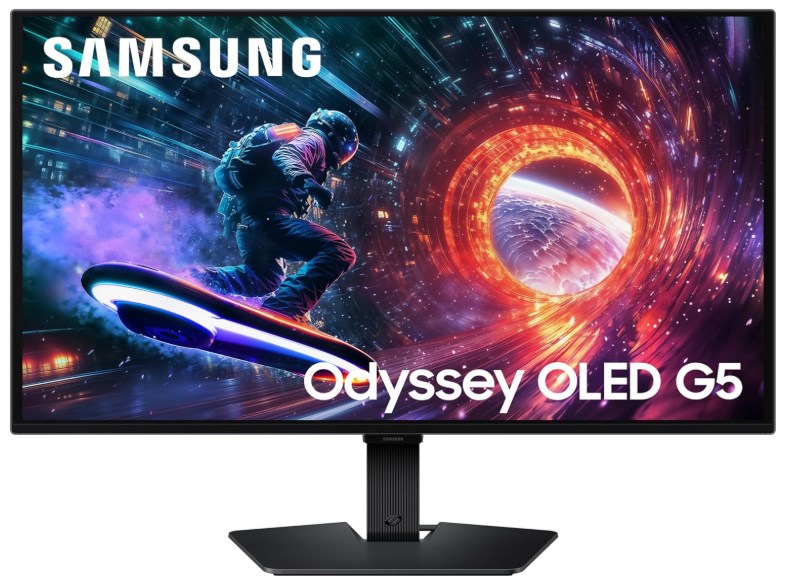
Prices and savings can change. Check the retailer for the current price.
Written by
