


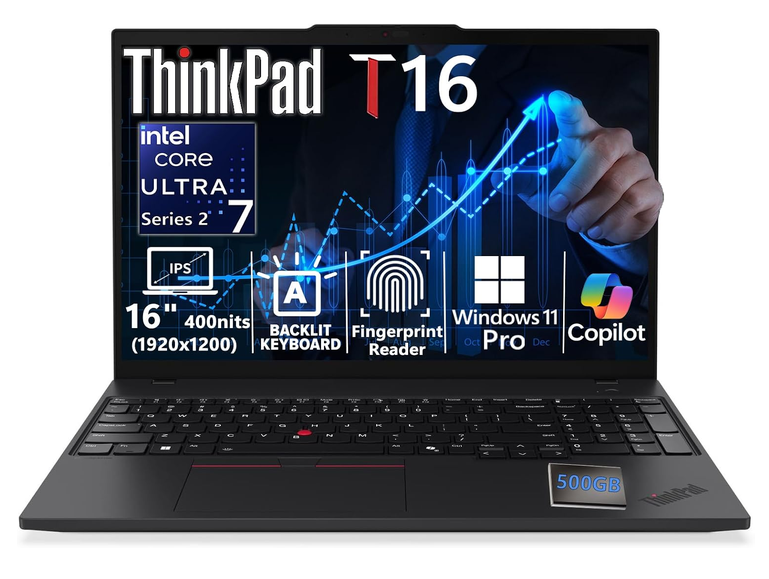
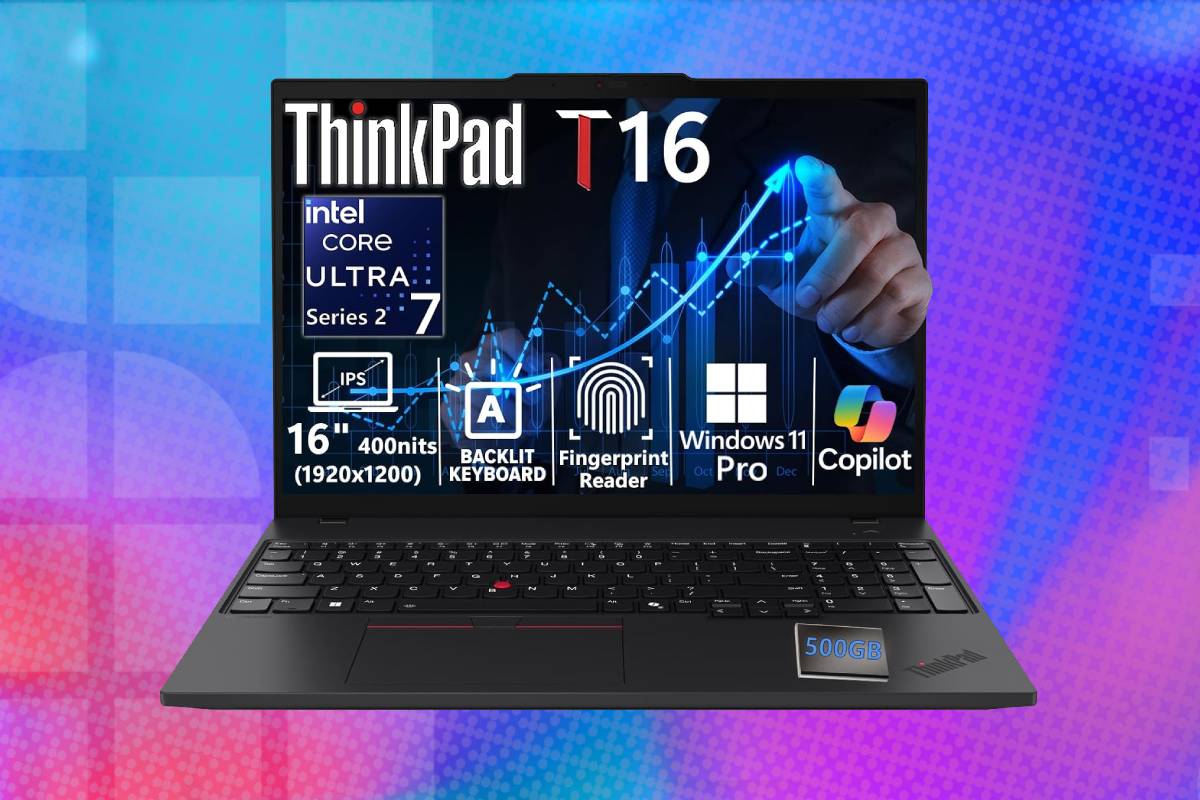
If you’re looking for the perfect business laptop with a huge amount of RAM and an excellent typing keyboard, this could be the one for you. This ThinkPad T16 Gen 4 configuration offers strong everyday business performance, generous memory and an excellent selection of full-sized ports in a durable, serviceable chassis. Its Core Ultra 7 255U is designed for efficient office workloads rather than demanding graphics or high-end AI processing, while the standard 1920×1200 display prioritises workspace over colour quality. You get a massive 48GB of RAM – suitable for extensive multitasking, as well as 1TB of SSD storage – grab it now for 33% off!
Prices and savings can change. Check the retailer for the current price.
Look below for more details on the specs of this laptop, or see the foot of this page for alternative laptop deals, covering a range of different brands.
What we like about this Lenovo ThinkPad T16 Gen 4 business laptop
Strong multitasking capacity
Forty-eight gigabytes of memory is more than most conventional office users need, but it can be valuable for developers, analysts and technical professionals. It allows large datasets, local development services, numerous browser tabs and several demanding applications to remain open without immediately forcing Windows to move inactive data to the SSD.
Latest tech deals.
- AMD Ryzen™ 9 9900X 12-Core - was $499 now $328
- CORSAIR 4000D PC Case - was $124.99 now $75.99
- Hisense 65" Class E6SR - was $549 now $377.99
- Apple 2026 MacBook Air - was $1,999 now $1,799
- Skytech Gaming PC Desktop (9850X3d) - was $4,299 now $3,799
- Apple Magic Mouse - was $79 now $59
- MSI Prestige 16 Flip - was $2,149 now $1,899
- Kotin 9700X Gaming PC - was $2,399 now $2,199
Prices correct as of October 9th, 2026.
Lenovo specifies DDR5-5600 support for this processor platform, whereas the Amazon listing claims 4,800MHz. Installed memory may run at a lower rate depending on the modules, firmware and configuration, so buyers should not assume that the retailer’s quoted speed represents Lenovo’s platform maximum. The precise module layout can be checked in Windows or the firmware setup after delivery.
The two accessible memory slots are an advantage over thin laptops with completely soldered RAM. They permit failed modules to be replaced and allow the system to reach Lenovo’s supported 64GB maximum without replacing the motherboard.
Efficient Core Ultra 7 performance
The Core Ultra 7 255U is well suited to the T16’s role as a large-screen business laptop. Its two performance cores provide strong responsiveness for lightly threaded applications, while the efficiency cores help with multitasking and background work. It should perform well in Microsoft 365, accounting software, browser-based business platforms, code editors and general data analysis. Short bursts of photo processing and video export are also possible, but sustained rendering will be slower than on an H-series processor with more performance cores.
The integrated NPU can reduce CPU load in software written to use it. Marketing descriptions suggesting that applications automatically “learn and optimise in real time” should be treated cautiously, however. NPU acceleration only applies when the operating system or application contains a compatible workload.
This processor is also a non-vPro model in Lenovo’s official platform table. Organisations requiring Intel vPro Enterprise for fleet management and hardware-assisted administration should confirm that the chosen configuration meets their IT policy rather than relying on the broader ThinkPad branding.
Practical 16-inch workspace
The 1920 x 1200 resolution uses a productivity-friendly 16:10 aspect ratio. Compared with a 1920 x 1080 screen, it provides 120 additional vertical pixels, reducing scrolling in documents, spreadsheets, websites and code.
The retailer describes this configuration as using a 400-nit, anti-glare IPS panel with 45% NTSC colour coverage. Four hundred nits is useful in bright offices, and the matte finish should reduce distracting reflections. Viewing angles are also considerably better than those of a basic TN screen.
The weak point is colour reproduction. A 45% NTSC specification generally corresponds to a relatively limited colour gamut, making this panel appropriate for office work but less suitable for colour-critical photography, design or video grading. Lenovo offers other T16 Gen 4 displays, including low-power 100% sRGB panels, but the presence of those options does not mean this Amazon configuration includes one.
The display is listed as non-touch, and the T16 platform does not support a pen on conventional non-touch configurations. Buyers wanting accurate colour should obtain the exact Lenovo machine-type model and verify the panel rather than assuming all T16 Gen 4 units share the same screen.
Excellent port selection
The ThinkPad T16 Gen 4 avoids the dongle dependence common to many modern laptops. It provides two Thunderbolt 4 ports with USB4 bandwidth, USB Power Delivery and DisplayPort 2.1 support, alongside two USB-A 5Gbps ports. A full-sized HDMI 2.1 connection supports an external display at up to 4K/60Hz. Gigabit Ethernet is built in for reliable wired networking, and the machine also includes a 3.5mm combination audio socket. One USB-A port supports always-on charging for compatible accessories.
This selection accommodates monitors, projectors, storage drives, wired networks, keyboards and mice without immediately requiring a dock. Thunderbolt remains available for a single-cable desk setup when additional displays, charging and peripherals are required.
Intel Wi-Fi 6E and Bluetooth 5.3 are listed for relevant Core Ultra 7 255U configurations. Wi-Fi 6E can use the less congested 6GHz band with a compatible router, although range and speed still depend on the network, building and regional regulations.
Familiar ThinkPad input design
The T16 retains Lenovo’s business-oriented keyboard layout, including a number pad, function row and TrackPoint pointing stick. A number pad is particularly useful for spreadsheets, finance and administrative data entry, although its presence shifts the main keyboard and touchpad slightly to the left of the chassis centre.
The listing states that this configuration has a backlit keyboard. Backlighting is not standard on every T16 Gen 4, so the exact part number should be checked if this feature is essential. Keyboard layout should also be confirmed because Amazon US models normally ship with a US arrangement rather than the UK layout.
A fingerprint reader integrated into the power button provides convenient Windows Hello authentication. Some T16 configurations also include an infrared camera for facial recognition, but Lenovo offers several camera combinations. The advertised fingerprint reader does not prove that the unit also has an IR camera.
Useful camera and conferencing hardware
The retailer lists a 5MP webcam with a physical privacy shutter. This higher resolution can provide a clearer image than the 720p and 1080p cameras still found in many business laptops, especially when software crops the frame for automatic positioning. Two 360-degree microphones are intended to capture speech from around the laptop, while Dolby Audio processing accompanies the pair of 2W speakers. This should be sufficient for video meetings and spoken content, though an external headset remains preferable in a noisy shared workspace.
The physical shutter provides a visible way to block the camera without relying on software. Lenovo’s ThinkShield platform also encompasses the discrete TPM 2.0 security chip, firmware protections and optional authentication hardware.
Business-focused security and Windows 11 Pro
Windows 11 Pro adds BitLocker management, Remote Desktop hosting, domain and Entra ID joining, Group Policy and other organisational features absent from Home editions. These capabilities matter to businesses that need managed encryption, central administration or controlled software policies. The SSD supports the Opal 2.0 standard in Lenovo factory configurations. Hardware support alone does not mean encryption has already been enabled or configured, so organisations should apply their own security policies during deployment.
A Kensington Nano Security Slot allows the laptop to be attached to a compatible physical lock. The platform also supports optional smart-card and WWAN-related hardware, but these components are configuration-dependent and should not be assumed to be present on this listing.
Fast internal storage
The 1TB M.2 NVMe SSD connects through PCIe 4.0 x4 on Core Ultra 7 255U models. It should provide quick boot times, responsive application launches and substantially better random access than a mechanical hard drive.
Lenovo provides one internal M.2 2280 storage slot on U-series configurations. There is therefore no free second internal slot for adding another SSD; increasing capacity requires replacing the existing drive. Lenovo officially lists support for a single drive of up to 2TB in its tested configurations.
Opal 2.0 support can help enterprises implement hardware-based storage security where compatible management software is used. Actual SSD manufacturer and performance may vary if the retailer has replaced the original factory drive.
External drive adds capacity
The offer includes a 500GB portable hard drive, but this appears to be a retailer-added accessory rather than part of Lenovo’s standard T16 package. The brand, interface and performance are not identified in the supplied information. A portable mechanical drive can be useful for offline copies of documents or transferring large files. It will be much slower and more vulnerable to physical shock than the laptop’s internal NVMe SSD, so active projects and applications should remain on the internal storage.
The drive should not be treated as a complete backup strategy by itself. Important business data is safer when multiple copies exist, ideally including one isolated or cloud-based copy that is not continually connected to the laptop.
Durable construction
Lenovo lists a carbon-fibre-reinforced polycarbonate construction for the top and bottom covers. The T16 platform is tested against Lenovo’s interpretation of MIL-STD-810H procedures, which helps assess its tolerance of environmental and mechanical stress. Military-standard testing does not make the computer indestructible or guarantee survival from every drop, liquid spill or accident. It is best understood as evidence of a more deliberate durability programme than a promise of damage-proof construction.
Weight depends on the battery and configuration. Lenovo quotes a starting point of approximately 3.89lb for some 52.5Wh versions and around 4.17lb for larger-battery configurations. The Amazon table’s five-pound figure may include accessories or packaging and should not be treated as the definitive laptop-only weight.
At 14.16 inches wide, the T16 requires a suitably sized bag. It remains portable for a 16-inch business machine, but frequent travellers who prioritise minimum weight may prefer a ThinkPad T14 or X1-series alternative.
Who’s this Lenovo ThinkPad T16 deal suitable for?
This ThinkPad T16 Gen 4 is best suited to office professionals, developers, analysts and students who regularly work with many applications or large datasets. Its 48GB of RAM, 16:10 display and strong port selection are particularly useful for desk-based multitasking and hybrid work. It is also a good fit for organisations that value a replaceable memory design, built-in Ethernet and traditional business security features. The keyboard, number pad, TrackPoint and matte display favour sustained productivity over entertainment-focused styling.
The laptop is less suitable for professional visual creators because the advertised 45% NTSC display has limited colour coverage. A photographer, designer or video editor should seek the 100% sRGB screen option or plan to use a calibrated external monitor. It is not a gaming or GPU workstation. Integrated Intel Graphics can handle desktop applications and light multimedia, but engineers using substantial 3D assemblies, AI researchers running local models and creators performing intensive rendering should look for a system with a dedicated GPU and a higher-powered processor.
The deal is most attractive if the seller can verify the exact factory model, installed battery, component brands and warranty. With those details confirmed, the combination of a Core Ultra 7 processor, 48GB of upgradeable memory, 1TB SSD and Windows 11 Pro makes this a capable long-term business machine.
More laptop deals



Prices and savings can change. Check the retailer for the current price.
Written by
