


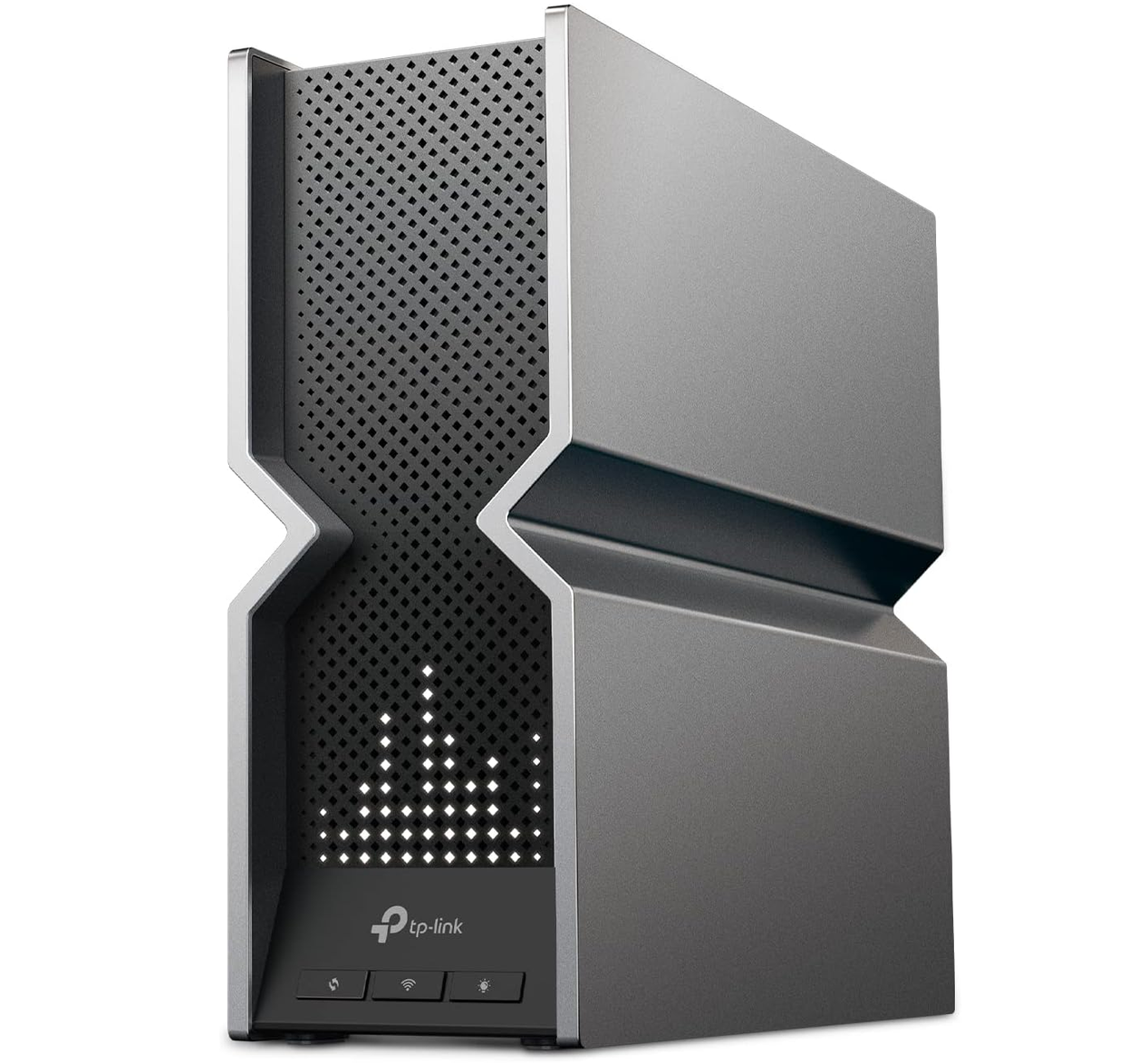
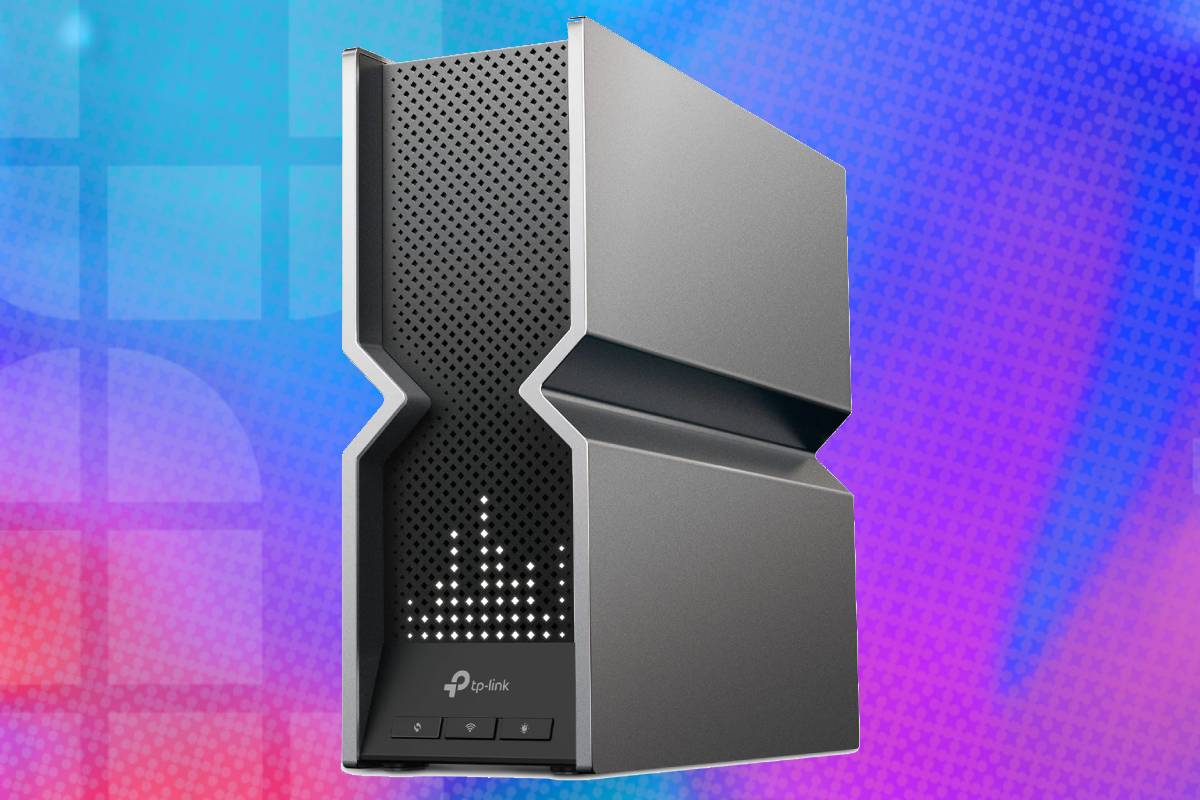
If you’re looking for a Black Friday router deal, this could be the one for you. The TP-Link Archer BE800 is a powerful router for homes with multi-gigabit broadband, fast wired devices and enough Wi-Fi 6E or Wi-Fi 7 hardware to benefit from its 6GHz band. Its extensive Ethernet connectivity, strong short-range wireless performance and flexible management options make it considerably more capable than a typical ISP-supplied router. It is overkill if you don’t have the internet package to back it up, but for those seeking a fast system for the home or office, it’s a great choice. Act fast and snap it up for just $310.
🔥 More offers: see our Black Friday router deals 2026 guide, updated daily, or browse all Black Friday deals.
Prices and savings can change. Check the retailer for the current price.
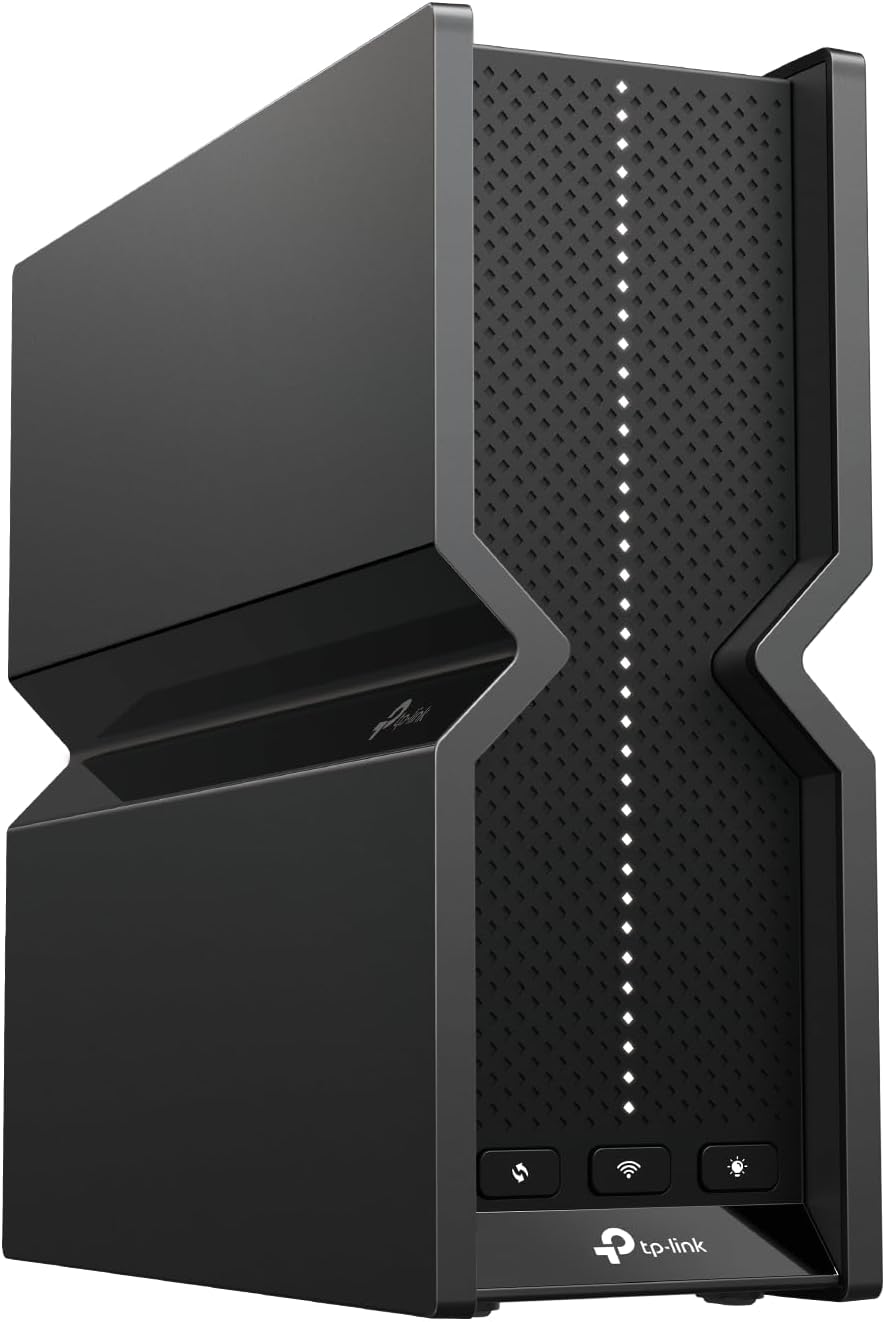
The BE800 measures approximately 11.9 x 10.3 x 3.8 inches and weighs close to 4.8 pounds. Its upright design avoids the spread of external antennas, but it still occupies a substantial area and requires access to power and network cabling. The Archer BE800 is rated as a BE19000 router, but that designation represents the combined theoretical capacity of its three wireless bands. TP-Link lists maximum link rates of 11,520Mbps on 6GHz, 5,760Mbps on 5GHz and 1,376Mbps on 2.4GHz, producing a combined figure of 18,656Mbps that is rounded to 19Gbps for marketing.
Black Friday is finally here. Below, you'll find some of the biggest and best deals from this year's most exciting sales event!
- Samsung 49" Odyssey - was $1,268.29 now $854.98
- HP HyperX OMEN 16 OLED - was $3,199 now $2,399
- Acer Predator X32 X 4K QD-OLED 240Hz - was $999.99 now $649.99
- Samsung 9100 PRO 2TB SSD - was $679.97 now $349.99
- CyberPowerPC RTX 5060 Ti gaming PC - was $1,629.99 now $1,549
- LG 77-inch OLED C6 - was $2,499.99 now $1,899.99
- MSI Prestige 16 Flip - was $2,149 now $1,789
- Sony 77-inch BRAVIA 6 OLED - was $2,999.99 now $1,798
Prices correct as of November 27th, 2026 (Black Friday evening).
Read below for more information on the specifications of this router, or see the foot of this page for alternative Black Friday router deals.
What we like about the TP-Link Archer BE800 BE19000 tri-band Wi-Fi 7 router
Tri-band Wi-Fi 7 support
The Archer BE800 supports several important Wi-Fi 7 technologies, including 320MHz channels, 4K-QAM, Multi-Link Operation and Multi-RUs. Together, these features are intended to raise throughput, reduce congestion and use available spectrum more efficiently.
A 320MHz channel can provide twice the channel width of the 160MHz maximum commonly associated with Wi-Fi 6E. It requires a compatible Wi-Fi 7 client and suitable 6GHz spectrum, and performance may be affected by local regulatory conditions and neighbouring networks.
The 4K-QAM feature allows more information to be encoded into each transmission than Wi-Fi 6’s 1024-QAM. Its benefit is greatest when signal quality is exceptionally strong, so it is primarily a close-range performance feature rather than something users should expect throughout an entire home.
Dual 10Gbps connectivity
The wired configuration is one of the BE800’s strongest features. It provides one conventional 10Gbps RJ45 WAN/LAN port and a second 10Gbps SFP+/RJ45 combination port that can also operate as WAN or LAN. The combination connection accepts either an SFP+ module or an RJ45 Ethernet cable, but its two physical interfaces do not function as two additional independent 10Gbps ports. It is one configurable network port with a choice of media.
This design gives the router unusual flexibility. One 10Gbps port could receive a multi-gigabit internet connection while the other connects to a fast switch, workstation or network-attached storage system. It is also possible to use a slower internet connection while reserving both high-speed connections for suitable local-network roles, subject to the available configuration options.
The SFP+ capability may be useful for fibre connections within a home network, but compatibility should be checked before purchasing a module. An SFP+ slot does not mean that every fibre internet service can connect directly without the provider’s optical network terminal or authentication equipment.
Four 2.5Gbps Ethernet ports
In addition to its 10Gbps connections, the router supplies four 2.5Gbps LAN ports. These are suitable for gaming PCs, newer desktop motherboards, workstations, NAS devices, access points and multi-gigabit switches.
This is considerably more useful than a high-end wireless router equipped almost entirely with gigabit LAN. It allows several wired devices to exceed the approximate ceiling of conventional Gigabit Ethernet without immediately requiring a separate multi-gigabit switch.
The ports remain compatible with 1Gbps and 100Mbps equipment. A device will negotiate the fastest speed supported by both ends of the connection, so an older gigabit product can still be used normally.
Strong local-network potential
The router can be valuable even when the internet service is slower than 10Gbps. Local transfers between a suitably equipped computer and NAS can operate independently of broadband speed, making the high-speed ports useful for backups, media production and large shared files.
Real transfer performance will depend on the storage drives, processor, network adapters, cabling and file workload. A 10Gbps network connection cannot make a mechanical hard drive sustain 10Gbps, and small-file transfers may run substantially slower than large sequential copies.
Cat 6a cabling is the safer option for sustained 10Gbps Ethernet over longer runs. Existing Cat 5e or Cat 6 installations may handle 2.5Gbps reliably and can sometimes support 10Gbps over shorter distances, but results depend on cable quality and installation conditions.
Eight internal antennas and beamforming
TP-Link incorporates eight antennas within the upright enclosure rather than placing adjustable aerials around its exterior. This gives the BE800 a cleaner appearance while allowing its antenna array to serve multiple directions and wireless bands.
Beamforming helps concentrate transmissions towards connected clients instead of distributing energy uniformly in every direction. It can improve connection quality, but it does not eliminate the effects of thick walls, metal structures, underfloor heating, neighbouring networks or poor router placement.
TP-Link positions the router for homes with around four bedrooms and advertises support for as many as 100 devices. Both figures are estimates rather than guarantees, because building materials and client behaviour can make two similarly sized homes perform very differently.
EasyMesh expansion
EasyMesh compatibility gives the BE800 a path to broader whole-home coverage. A compatible router or range extender can be added to create a mesh network with coordinated roaming rather than a collection of unrelated wireless networks. A wired Ethernet backhaul will normally produce the best results because it preserves more wireless capacity for client devices. Wireless backhaul is easier to install but consumes airtime and remains sensitive to distance and interference.
Compatibility should be checked at the model and firmware level. Products carrying the EasyMesh name are intended to follow a common standard, but feature availability and management options can still differ between manufacturers and hardware revisions.
Recent BE800 firmware has expanded its EasyMesh controls, including topology information, access-point operation and management of satellite units. This makes keeping the router on current stable firmware particularly important.
Separate guest and IoT networks
The router can create guest networks across its wireless bands, allowing visitors to access the internet without joining the primary home network. Isolation settings should still be reviewed during setup instead of assuming every guest-network option is enabled automatically.
Its dedicated IoT network is useful for separating smart plugs, lights, cameras and appliances from personal computers and storage devices. Segmentation can reduce unnecessary exposure, although it does not make insecure equipment harmless or replace timely firmware updates and strong passwords.
WPA3 is available for compatible clients. Older equipment that cannot use WPA3 may require mixed WPA2/WPA3 operation or a separately configured network.
VPN server and client functions
The BE800 can act as both a VPN server and a VPN client. Server functionality can provide remote access back to the home network, while client mode can route selected devices through an external VPN provider without installing an application on each one. Supported protocols depend partly on firmware and hardware version. TP-Link’s current documentation includes OpenVPN, PPTP and L2TP, while some datasheets and firmware releases also reference WireGuard or IPsec support.
Protocol availability should therefore be confirmed against the exact hardware revision shown on the router’s label. PPTP is an outdated option with known security weaknesses and should generally be avoided when a modern alternative is available.
VPN performance will be below the router’s raw Ethernet speeds because encryption requires processing. Results also depend on the protocol, VPN provider, server distance and traffic conditions.
HomeShield network controls
TP-Link HomeShield provides a network scanner, device identification, basic parental controls, Quality of Service and reporting features. These tools can help identify connected devices, prioritise important hardware and apply household access rules from a central interface. The distinction between free and paid features is important. Advanced network protection and the fuller set of parental controls require a HomeShield subscription, with packages and pricing subject to change.
The router remains usable without the paid service, and it retains conventional firewall, access-control and guest-network functions. Nevertheless, buyers should not assume every HomeShield feature shown in promotional material is included permanently with the purchase price.
USB 3.0 storage sharing
A USB 3.0 port allows compatible storage to be shared across the network. TP-Link lists support for NTFS, exFAT, HFS+ and FAT32 partitions, with FTP, Samba and media-server functions available.
This can be convenient for occasional file sharing or media access. It should not be treated as a complete substitute for a dedicated NAS when data redundancy, user permissions, application support and dependable backup workflows matter.
Any irreplaceable data stored on an attached drive should also exist elsewhere. A router-accessible USB drive is storage, not automatically a backup.
App and browser-based management
Initial setup can be completed through TP-Link’s Tether application, while a browser interface provides an alternative for users who prefer conventional router administration. The app is convenient for common tasks, and the web interface can expose more detailed network settings.
The router supports automatic or scheduled firmware updates. Enabling updates can help address security issues and compatibility problems, although users running more complex networks may prefer to review release notes before installing a major firmware revision.
Several hardware revisions of the BE800 exist, and firmware files are revision-specific. The correct version must be selected from the router label rather than inferred solely from the model name.
Informative LED screen
The front LED display can show network information, time, weather and decorative graphics. It distinguishes the BE800 visually from most routers and can make basic status information available without opening an application.
Its practical value is secondary to the router’s networking hardware. Fortunately, the display can be controlled or disabled, which is useful if the router is installed in a bedroom, cinema room or another location where illumination would be distracting.
Access-point mode
The BE800 can operate as a conventional router or as a wireless access point. Access-point mode is valuable when an existing firewall, ISP gateway or other router must continue handling routing duties.
Some router-specific features may behave differently or become unavailable in access-point mode. Users should check the current documentation if HomeShield, VPN functions or particular network segmentation features are essential to the planned installation.
Broad device compatibility
The router works with current and older wireless clients, including smartphones, tablets, computers, televisions, consoles and smart-home products. Alexa and Google Assistant integration is also available for a limited set of voice-controlled functions.
A modem or fibre termination device is still required for most internet services. The Archer BE800 is a router, not a cable, DSL or fibre modem, and it cannot necessarily replace every box supplied by an internet provider.
Who should consider this WiFi 7 router deal?
The TP-Link Archer BE800 is best suited to a technically demanding household with multi-gigabit internet, several wired devices and a growing number of Wi-Fi 6E or Wi-Fi 7 clients. It is particularly attractive when a fast NAS, workstation or multi-gigabit switch must coexist with high-performance wireless networking. It can also work well for users building a new wired network and wanting 2.5Gbps connections throughout the home. The dual 10Gbps interfaces provide a capable backbone, while the four 2.5Gbps ports reduce the immediate need for an additional switch.
Large households with many active devices can benefit from its wireless capacity even when no single client approaches the advertised maximum. EasyMesh support also provides an expansion route if one router cannot cover the property consistently.
It is less compelling for someone with sub-gigabit broadband, mostly Wi-Fi 5 or Wi-Fi 6 devices and no requirement for multi-gigabit local transfers. A more affordable Wi-Fi 6 or entry-level Wi-Fi 7 router could provide a similar everyday experience in that situation. Buyers should also consider whether a mesh package would be more appropriate than one extremely powerful router. A second access point placed closer to distant rooms can outperform a premium central router trying to push a 6GHz signal through several walls.
The BE800 makes the most sense when its ports and Wi-Fi 7 features will be used rather than simply purchased as insurance against future upgrades. At a substantial discount it becomes easier to justify, but the cost of compatible network adapters, switches, cabling and client devices should still be included in the overall calculation.
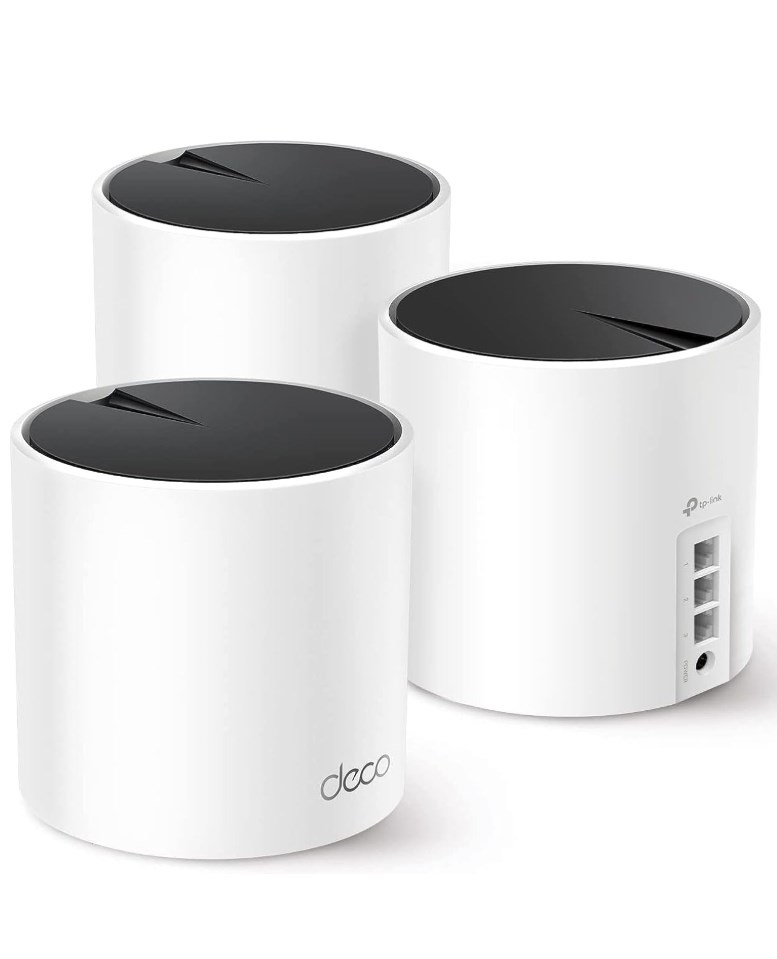
More Black Friday router deals






Prices and savings can change. Check the retailer for the current price.
Written by
