


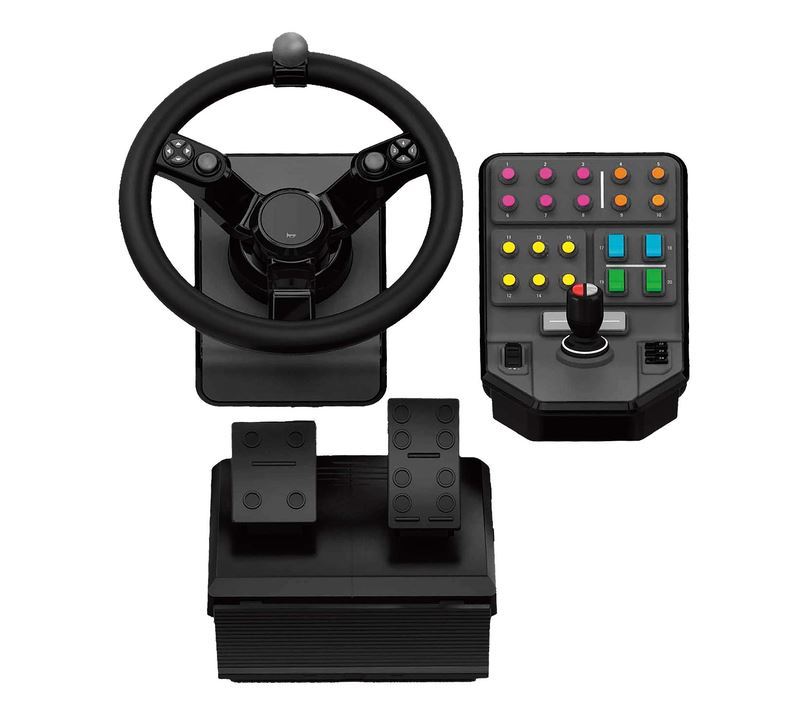
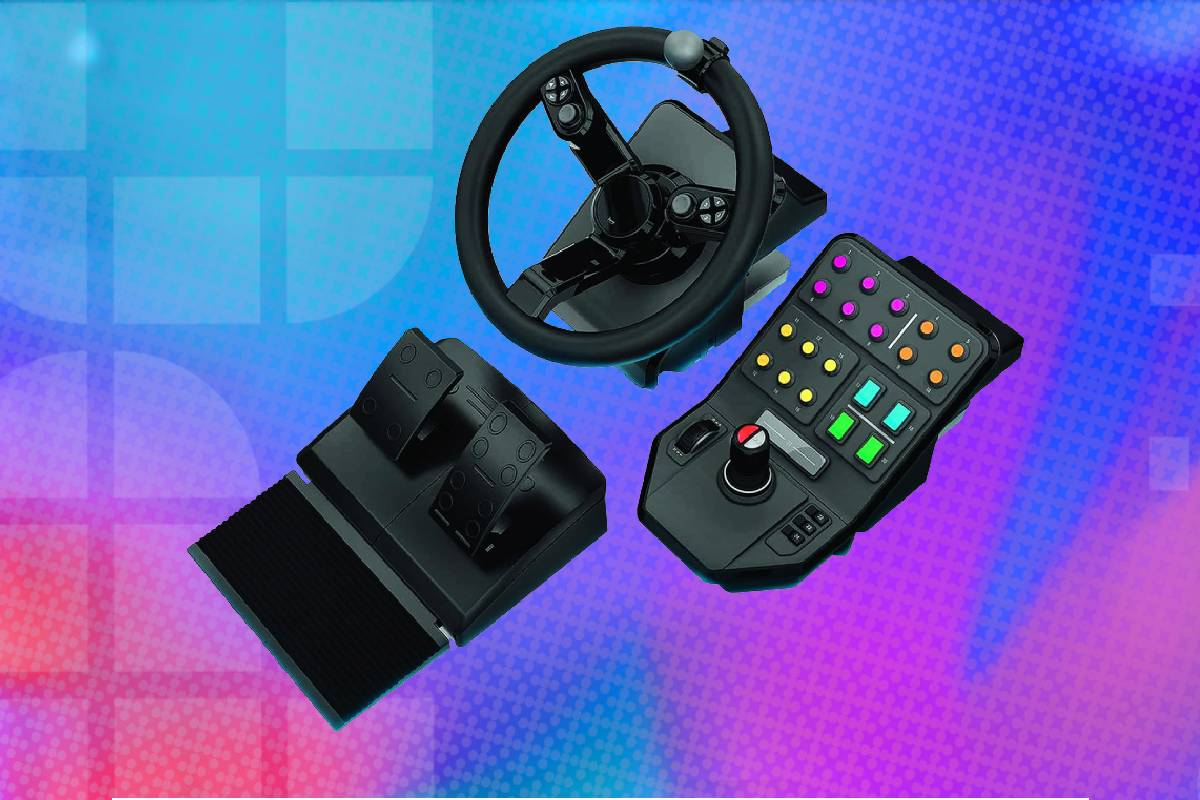
The Logitech G Farm Simulator Heavy Equipment Bundle offers a more intuitive way to drive tractors and operate machinery than relying on a keyboard or standard controller. The Heavy Equipment Bundle combines three main components: a 900-degree steering wheel, a two-pedal set and a separate side-panel control deck. Logitech developed the system with GIANTS Software and the Farming Simulator community, so its layout is tailored to agricultural machinery rather than conventional racing. Its versatile side panel is the highlight: Farming Simulator recognises the bundle’s numerous axes, buttons and switches, allowing users to drive vehicles, control a character on foot and operate specialised equipment. It is best suited to dedicated PC Farming Simulator players who value convenient controls and broad functionality more than authentic steering and pedal feel. Grab it now for 18% off the MSRP!
Prices and savings can change. Check the retailer for the current price.
The accelerator and brake pedals provide analogue input with approximately 20 degrees of travel. They allow more gradual speed control than keyboard buttons, although their light construction and limited resistance make them feel closer to entry-level game controls than realistic heavy-equipment pedals. Across the package, users gain a large collection of programmable controls. Logitech officially describes 25 programmable buttons and switches on the side panel, while the complete bundle is commonly advertised as providing 37 programmable controls. Read on for more information on the various specifications, or see the foot of this page for alternative deals on controllers and sim wheels.
What we like about the Logitech G Farm Simulator Heavy Equipment Bundle (2nd Generation)
A complete farming control system
The package includes the essential controls needed for driving and machinery operation. Buyers do not need to purchase a wheel, pedals and control panel separately before beginning to build a farming setup.
Latest tech deals.
- AMD Ryzen™ 9 9900X 12-Core - was $499 now $331
- Sony INZONE M10S 27” - was $899 now $748
- Thermaltake LCGS View i1470S-170 - was $2,399 now $2,099
- Apple 2026 MacBook Air - was $1,999 now $1,891
- Bose QuietComfort Headphones - was $359 now $169
- LG 77-inch OLED C6 - was $2,499 now $1,999
- MSI Prestige 16 Flip - was $2,149 now $1,870
-
Hisense 85" U6 Pro Series-
Prices correct as of November 5th, 2026.
Using a physical wheel changes the feel of slow agricultural vehicles. The driver can make small steering adjustments along a track, line up equipment with a field or manoeuvre a trailer more naturally than with digital keyboard controls.
The pedals separate acceleration and braking from the hands, leaving the wheel controls and side panel free for cameras, implements and vehicle functions. This more closely reflects the division of tasks in real equipment, even if the pedal hardware itself is relatively basic.
The side panel completes the system by placing attachment controls within reach of the user’s free hand. That arrangement is especially useful in Farming Simulator, where operating equipment can require many more inputs than simply steering a vehicle.
A 900-degree steering range
The wheel rotates through 900 degrees, creating a much wider steering range than a gamepad’s small analogue stick. This allows finer directional changes and gives tractor steering a more appropriate rate of movement. A steering knob mounted on the rim supports one-handed turning. Agricultural and industrial vehicles often use a similar device because it lets the operator rotate the wheel rapidly while the other hand manages hydraulic controls.
The wheel also tilts, contributing to the heavy-equipment appearance and helping users find a comfortable angle. Integrated clamps secure it to a desk or suitable surface without requiring a permanent cockpit.
A sprung centring mechanism returns the wheel towards its middle position. This provides some physical resistance, but it should not be mistaken for force feedback. The resistance does not change dynamically according to the vehicle or terrain. Independent testing has found the centring spring relatively aggressive in some situations. Letting go after a large steering input can cause the wheel and spinner knob to return quickly, so users may prefer to guide it back manually.
Dual analogue sticks on the wheel
Two analogue sticks are integrated into the wheel assembly. They can control the player character and camera when outside a vehicle, reducing the need to reach for a separate gamepad or keyboard. Each stick can also be pressed as a button. Nearby four-way hat switches provide additional directional controls, while trigger-like buttons sit behind the wheel.
This arrangement is particularly useful because Farming Simulator alternates between driving and moving around the farm on foot. A conventional racing wheel is designed almost entirely around vehicle operation and generally lacks an intuitive way to control a character.
The integrated sticks make the Heavy Equipment Bundle more self-contained. A keyboard and mouse may still be useful for menus, text input and less frequently used commands, but many routine actions can remain on the controller.
A genuinely useful side panel
The side panel is the strongest part of the bundle. It combines a multi-axis loader stick, programmable buttons, switches and a speed or cruise-control dial in one dedicated unit. Moving a loader arm with a physical stick is considerably more intuitive than assigning several hydraulic directions to keys. Users can raise, lower, tilt and manipulate compatible attachments while maintaining better coordination between movements.
The panel is useful for more than loaders. Its controls can be mapped to cranes, excavators, forestry machinery, lights, differential locks, engine functions, implement activation and other commands.
Buttons are arranged across a relatively broad surface, making them easier to identify by position once the layout has become familiar. This reduces dependence on crowded keyboard bindings during complex jobs.
Independent reviewers generally consider the side panel better built and more satisfying than the supplied wheel and pedals. Its joystick provides the most convincing increase in control and immersion, particularly for equipment with several moving axes.
Logitech also sells versions of the side panel separately. Players who already own a higher-quality force-feedback wheel may find that pairing their existing wheel and pedals with the standalone panel produces a stronger overall setup.
Cruise-control and speed adjustment
The side panel includes a set-and-forget cruise-control or speed dial. This is useful during tasks that require a vehicle to maintain a consistent pace, such as cultivating, spraying, harvesting or sowing. Holding a stable speed can improve field coverage and reduce the need to keep constant pressure on the accelerator. The user can concentrate on steering and monitoring equipment instead.
The dial can also be useful in other compatible simulation games if the software recognises it as an assignable axis. Compatibility and behaviour will vary between titles, so manual configuration may be required outside Farming Simulator.
Straightforward Farming Simulator integration
The bundle was designed specifically around Farming Simulator. Compatible releases can identify the hardware and provide useful default assignments for many controls. Recent testing with Farming Simulator 25 found the components recognised without additional software and ready for use after connection. This is a meaningful advantage for players who do not want to spend their first session configuring every axis.
Default assignments may not suit every vehicle or personal preference. Users can remap buttons and axes within the game, and spending time refining the layout can make unusual machinery much easier to operate. The large control count introduces a learning curve. It may take several sessions to remember which button operates each tool, especially because similar input numbers can appear across the wheel and side panel.
Creating a simple printed control guide or applying removable labels can make the initial setup easier. Once memorised, the physical layout is generally faster than searching across a keyboard.
Analogue gas and brake pedals
The bundle includes separate accelerator and brake pedals rather than paddle controls on the wheel. Each pedal provides analogue input, allowing the game to recognise partial pressure. Gradual acceleration is valuable when positioning equipment, connecting implements or manoeuvring a trailer. It is also more appropriate for slow, deliberate agricultural work than an all-or-nothing keyboard key.
The pedals connect to the wheel through an approximately 1.8-metre cable. The wheel then connects to the computer through USB, so the wheel-and-pedal combination occupies one computer USB port. The pedal base is relatively light, and the pedals provide little difference in resistance. Placing the unit against a wall or using a non-slip mat can reduce movement on hard floors.
Buyers expecting the progressive resistance of a load-cell brake or premium racing pedal set will be disappointed. These pedals are intended to provide basic analogue control rather than reproduce the mechanical feel of real machinery.
Flexible placement
The wheel and side panel are separate, allowing the control deck to sit on either side of the wheel according to desk layout and user preference. Right-handed users will commonly place it to the right, but there is no need to follow one fixed arrangement. Both principal units use integrated mounting systems for attachment to a desk. Buyers should check desk thickness, edge shape and available width before purchase because the full setup occupies considerably more space than a standard gamepad.
Cable length provides some freedom when positioning the pedals below the desk and the side panel beside the wheel. Cable management is worthwhile because the wheel, pedals and panel introduce several connections around the playing area. The complete package is easier to install than a permanent simulation cockpit. It can be removed from a desk when not required, although mounting and disconnecting three pieces is less convenient than putting away a controller.
Potential use with other simulation games
The side panel and wheel expose standard controller inputs that some other PC simulation games can recognise. Users may be able to map them manually in truck, train, construction or machinery simulators.
Compatibility outside Farming Simulator should not be assumed. Independent testing found that Euro Truck Simulator 2 could work after manual setup, while some newer machinery titles failed to recognise the bundle correctly. The controls lack the universal support enjoyed by mainstream Xbox-style gamepads. A title must recognise multiple USB controllers and allow suitable axis and button assignment.
No mandatory configuration application
Farming Simulator can configure the bundle through its own controller menu. This avoids dependence on a constantly running background application for its core functions.
Logitech’s support material for this older hardware is limited, and the product is not managed like a modern G HUB peripheral. That simplicity can be convenient, but it also means fewer software-level customisation and diagnostic options. If axes drift or appear incorrectly centred, Windows calibration may be necessary. Logitech has published a recalibration procedure for removing old controller data and rebuilding the full range of each axis. Users should follow official support instructions carefully before modifying Windows Registry entries. Incorrect manual Registry changes can cause unrelated system problems.
Two-year hardware warranty
Logitech lists a two-year limited hardware warranty for the bundle. Warranty coverage can be useful because the package contains moving hinges, pedals, spring mechanisms, cables and several analogue controls. Terms vary by country and seller. Buyers should retain proof of purchase and verify that the retailer is supplying the regional version with valid manufacturer support.
Who should buy this sim wheel and pedals deal?
The Logitech G Farm Simulator Heavy Equipment Bundle is aimed primarily at dedicated Farming Simulator players using a computer. It offers the greatest benefit to someone currently controlling tractors and attachments with a keyboard and mouse. The side panel makes it especially suitable for players who spend considerable time operating loaders, forestry machines, cranes and other equipment with multiple moving sections. Its joystick is more intuitive than several pairs of keyboard commands.
It also works well for casual players who want a themed all-in-one package without researching separate wheel, pedal and control-panel components. Farming Simulator’s default mappings reduce the amount of initial configuration required.
The bundle is less suitable for someone seeking authentic simulation hardware. The wheel has no motorised force feedback, and the lightweight pedals provide limited resistance and physical detail. Serious simulation enthusiasts may prefer a higher-quality force-feedback wheel and pedal set combined with Logitech’s separate side panel. That approach costs more but produces better steering and pedal feel while retaining the useful machinery controls.
The product should be treated as a computer peripheral rather than a PlayStation accessory. Mac compatibility is less straightforward. Some versions and applications may recognise the bundle under macOS, but game availability, mappings and support can differ from Windows. Anyone purchasing specifically for a Mac should confirm compatibility with the exact Farming Simulator release and macOS version before ordering.
It is not ideal for buyers with a very small desk. The wheel, side panel and associated cables require substantial surface space, while the pedal set needs enough room below the desk to remain stable.
For the right user though, the bundle replaces an awkward collection of keyboard bindings with physical controls that are easier to understand and more entertaining to operate. Its value lies in convenience and immersion rather than realistic mechanical feedback.
More peripheral & gaming controller deals


Prices and savings can change. Check the retailer for the current price.
Written by
