

The best business laptop on the market gets limited time price cut in unmissable Amazon deal


Table of Contents
The Lenovo ThinkPad E16 Gen 3 continues the signature design that the company is famous for in their range of business laptops. Built around an eight-core Intel Core 5 210H processor, a spacious 16:10 touchscreen and a broad selection of modern and legacy connections, its expandable DDR5 memory, second M.2 storage slot, aluminium construction and Windows 11 Pro installation make it better suited to long-term professional use than many similarly priced consumer notebooks. It comes with arguably the best typing keyboard of any laptop on the market, plus a TPM 2.0 chip for additional encryption to protect sensitive data, as well as a fingerprint reader and Windows Hello facial recognition. Grab it now for $300 off the MSRP!

Lenovo ThinkPad E16 Gen 3 business laptop
The Intel Core 5 210H uses a hybrid design with four Performance cores and four Efficient cores, providing eight cores and 12 processing threads in total. Its Performance cores can reach 4.8GHz, while the Efficient cores boost to 3.6GHz. The processor also includes 12MB of Intel Smart Cache and has a 45W base-power specification. This is a conventional H-series processor rather than an Intel Core Ultra model. It has no dedicated neural processing unit, meaning the laptop is classified by Lenovo as a non-AI PC. Windows Copilot and cloud-based AI services will still operate, but newer locally accelerated Copilot+ features are not supported by this configuration.
For conventional business computing, however, the Core 5 210H supplies ample processing capability. Its mix of higher-performance and efficiency-focused cores can handle office applications, large browser sessions, video conferences, light programming and moderately demanding spreadsheet calculations. The processor’s higher power target should also give it stronger sustained multicore performance than a typical low-power U-series chip, provided the cooling system and power profile allow it to maintain appropriate clock speeds. Graphics are handled by the processor’s integrated Intel GPU: this is adequate for desktop applications, video playback, presentations and multiple external displays. Read on for more information on the specifications, or see the foot of this page for alternative laptop deals.
Latest tech deals.
- AMD Ryzen™ 9 9900X 12-Core - was $499 now $328
- CORSAIR 4000D PC Case - was $124.99 now $75.99
- Hisense 65" Class E6SR - was $549 now $377.99
- Apple 2026 MacBook Air - was $1,999 now $1,799
- Skytech Gaming PC Desktop (9850X3d) - was $4,299 now $3,799
- Apple Magic Mouse - was $79 now $59
- MSI Prestige 16 Flip - was $2,149 now $1,899
- Kotin 9700X Gaming PC - was $2,399 now $2,199
Prices correct as of October 9th, 2026.
What we like about the Lenovo ThinkPad E16 Gen 3 business laptop
Expandable DDR5 memory
This configuration includes 16GB of DDR5-5600 memory installed as one SO-DIMM. Sixteen gigabytes is sufficient for mainstream office work, remote meetings, programming environments and moderate multitasking, but the single-module arrangement means the system does not initially use a full dual-channel memory configuration.
The laptop provides two SO-DIMM slots and officially supports up to 64GB of DDR5-5600 memory. Installing a matching second module can increase available memory bandwidth as well as total capacity. This may improve integrated graphics performance and will provide additional headroom for virtual machines, development tools, large datasets and extensive browser-based workflows.
Unlike laptops with permanently soldered memory, the E16 Gen 3 therefore offers a straightforward upgrade path. Businesses can purchase a practical initial configuration and expand it later rather than replacing the entire machine when workloads become more demanding.
Dual M.2 storage support
The included 512GB SSD uses a PCIe 4.0 x4 connection and supports Opal 2.0 hardware encryption. It should provide fast boot times, responsive application loading and enough capacity for office files and a reasonable collection of locally stored projects.
Lenovo equips this processor variant with two internal M.2 connections: one for a 2242-length drive and another for a larger 2280 drive. The supplied 512GB SSD occupies the shorter slot, leaving the second connector available for storage expansion. Lenovo officially documents support for two drives, with capacities of up to 1TB in each slot.
The second slot is valuable for users who need more local capacity because an additional drive can be installed without discarding the original SSD. It can also be used to separate operating-system and project data, although any upgrade should be performed carefully to avoid affecting warranty coverage or damaging the internal components.
Spacious WUXGA touchscreen
The 16-inch display has a 1920 x 1200 resolution and a 16:10 aspect ratio. Compared with a conventional 1920 x 1080 panel, the additional vertical space makes documents, spreadsheets, websites and coding windows more comfortable to view. It is a practical format for productivity, particularly when working with toolbars or long pages.
This configuration uses an in-cell, ten-point touchscreen with an anti-glare surface and a rated brightness of 300 nits. Touch support is useful for scrolling through documents, navigating presentations and interacting with applications while the laptop is positioned on a desk. The screen does not support an active pen, however, so it should not be treated as a convertible drawing device.
The display’s main weakness is its 45% NTSC color-gamut rating. That is acceptable for business applications and general media consumption, but it does not provide the broad or accurate color reproduction expected for professional photography, video grading or design work. Its 60Hz refresh rate also reinforces the laptop’s productivity focus rather than positioning it as a gaming system.
Excellent selection of business ports
The ThinkPad E16 Gen 3 provides a useful mix of current and traditional connections. Its fastest port is a Thunderbolt 4/USB4 connection supporting up to 40Gbps, USB Power Delivery and DisplayPort 2.1. A second USB-C port supports USB 3.2 Gen 2×2 at up to 20Gbps, charging and DisplayPort 1.4.
Two USB-A ports accommodate conventional accessories, with the faster 10Gbps connection supporting Always On charging. HDMI 2.1 can output up to 4K at 60Hz, while the integrated Gigabit Ethernet port allows a reliable wired network connection without an adapter. A 3.5mm headset socket is also included.
The laptop can drive several external displays through Thunderbolt, USB-C and HDMI, subject to resolution, refresh-rate and bandwidth limits. This makes it well suited to a permanent office desk where it can connect to a dock, monitors and wired networking through a relatively simple setup.
Strong wireless and security features
Wireless connectivity is provided by an Intel Wi-Fi 6E AX211 adapter with a 2×2 antenna configuration and Bluetooth 5.3. Wi-Fi 6E can access the less congested 6GHz band when connected to a compatible router and when local regulations permit it.
Security provisions include a discrete TPM 2.0 chip, a fingerprint reader integrated into the power button and an infrared camera for Windows Hello facial recognition. The 1080p hybrid webcam also has a physical privacy shutter, providing a straightforward way to block the camera when it is not required.
Windows 11 Pro adds business-oriented functions including BitLocker device encryption, Remote Desktop hosting and more extensive management options than Windows 11 Home. These features make the laptop suitable for small businesses, remote workers and organizations that need stronger device administration.
Excellent ThinkPad design
The backlit, spill-resistant keyboard includes a dedicated numeric keypad, which is useful for accounting, data entry and spreadsheet work. Lenovo also retains the TrackPoint pointing stick and three physical buttons above the touchpad, giving established ThinkPad users a familiar control layout.
The aluminium top and bottom sections contribute to a more substantial feel than an entirely plastic chassis. Lenovo lists the starting weight at approximately 3.59 pounds, which is reasonable for a 16-inch business laptop. It is not an ultraportable system, but it remains manageable for commuting and occasional business travel. The E16 Gen 3 has also passed Lenovo’s MIL-STD-810H testing program. This does not make the computer indestructible, but it indicates that the design has been evaluated under a selection of environmental and handling conditions.
Who should buy this business laptop deal?
The Lenovo ThinkPad E16 Gen 3 is best suited to office professionals, students, programmers and small-business users who prioritize a large workspace, dependable keyboard, wired networking and upgradeable components. Its processor is strong enough for everyday productivity, software development, remote meetings and moderate data analysis, while the numeric keypad makes it particularly useful for finance and administration. It is also a sensible desktop-replacement laptop for users who connect multiple monitors and accessories. Thunderbolt 4, a second display-capable USB-C port, HDMI 2.1 and Gigabit Ethernet provide more flexibility than many mainstream notebooks.
Users working in professional visual design should consider the limited 45% NTSC display gamut, while gamers and 3D creators will be restricted by the integrated graphics. The 48Wh battery is also relatively modest for a 16-inch H-series laptop, so real-world endurance may fall below the retailer’s ten-hour estimate under demanding workloads.
More laptop deals

Apple MacBook Pro (M5 Max chip, 2026)

MSI Prestige 16 Flip AI+

Apple MacBook Pro (16.2″, M5 Pro chip, 2026)

Microsoft Surface Laptop (2026)

Apple 2026 MacBook Air with M5

Microsoft Surface Pro (2026)

Apple 2026 MacBook Air 13-inch (M5 chip, 16GB memory, 512GB SSD)
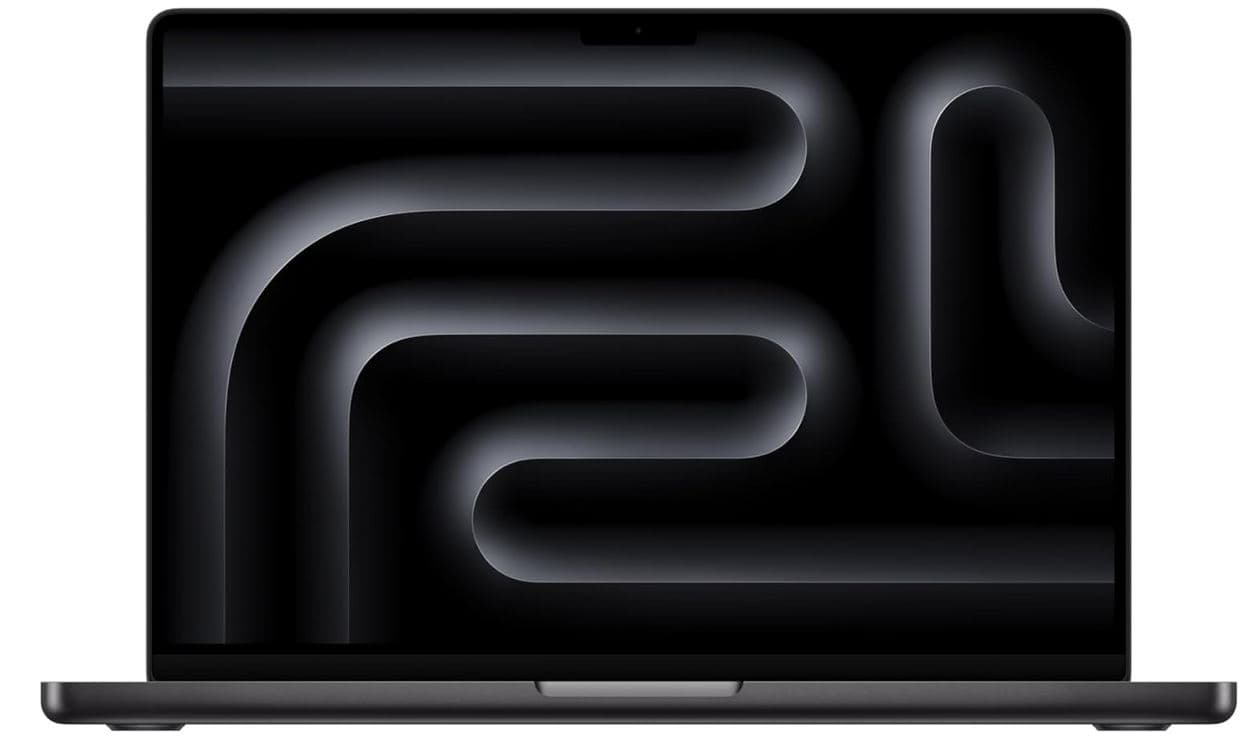
Apple 2025 MacBook Pro (M5, 14.2-inch)

HP 17 Inch FHD Laptop (32GB RAM, 1TB SSD)

ASUS Vivobook 16 Laptop
About the Author