


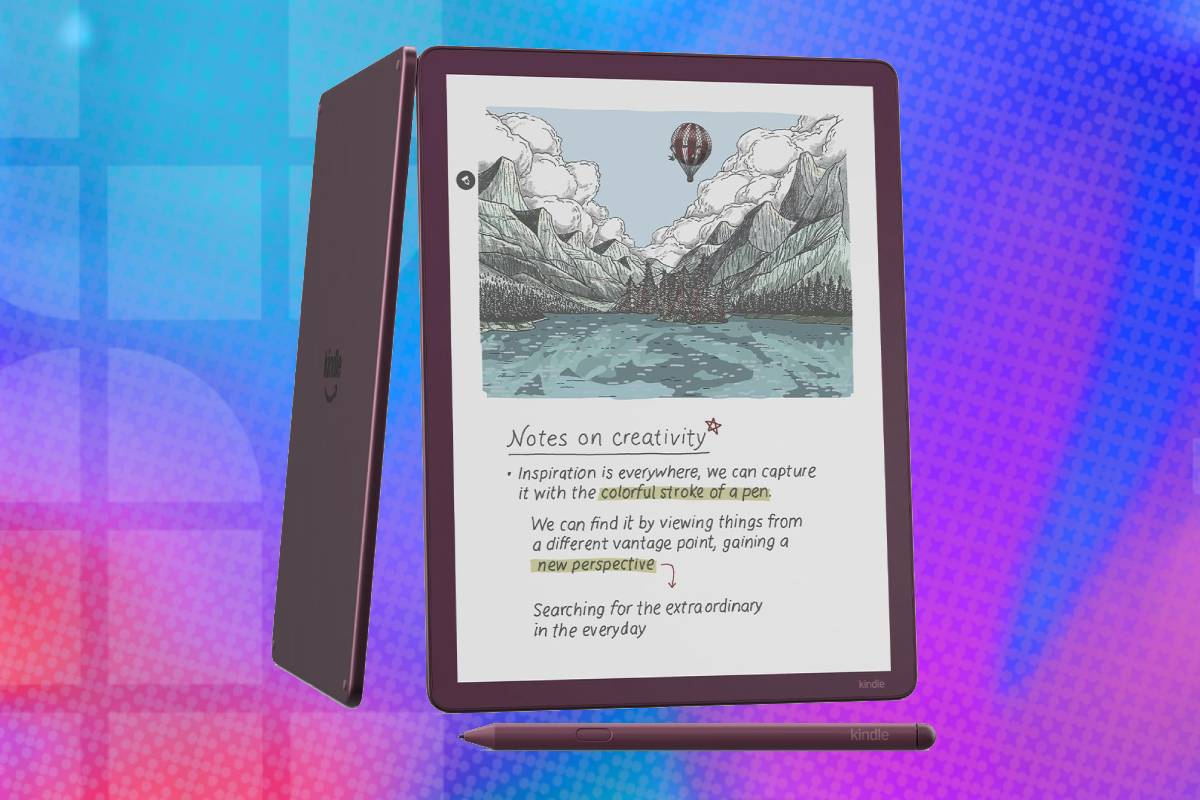
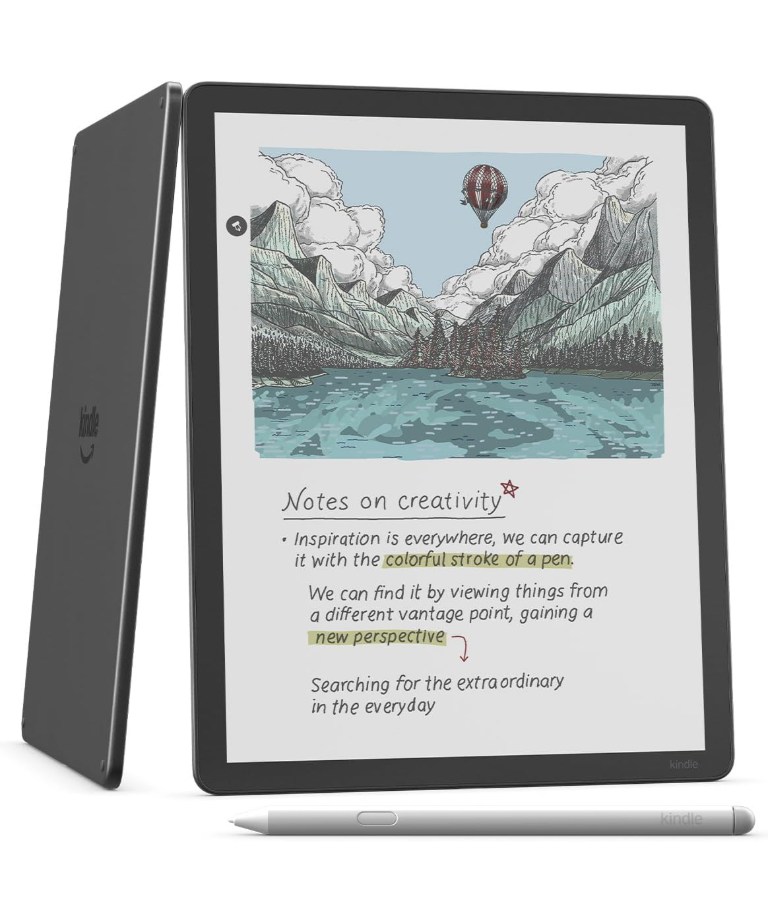
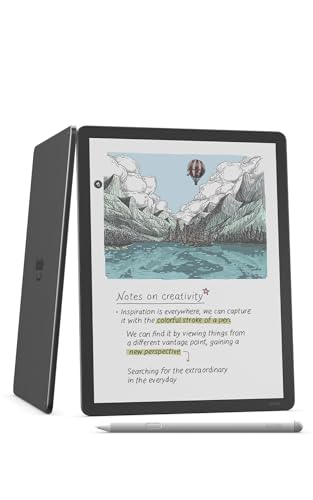
The Kindle Scribe Colorsoft combines Amazon’s largest colour e-paper display with responsive handwriting, extensive Kindle Store access and a much more capable notebook system than earlier Scribe models. Its subdued colour reproduction, long battery life and distraction-free software make it particularly appealing for reading, handwritten notes and document review, although it cannot replace the applications or flexibility of a conventional tablet. The 64GB model provides generous storage. Overall it’s a highly premium product at a massively reduced price that you won’t get at any point other than this Black Friday – grab it now for 29% off the MSRP!
🔥 More offers: see our Black Friday deals 2026 guide, updated daily.
The 64GB version provides approximately 50GB of user-accessible storage after system files and reserved capacity are accounted for. That is far more than most text-based Kindle libraries require, but it becomes more useful for illustrated books, graphic novels, PDFs, Audible downloads and a large collection of notebooks. Storage cannot be expanded with a memory card. Buyers who mainly read conventional books and keep documents in cloud storage may find the 32GB model sufficient, while the 64GB version makes more sense for extensive offline libraries or long-term document use.
Black Friday is finally here. Below, you'll find some of the biggest and best deals from this year's most exciting sales event!
- Samsung 49" Odyssey - was $1,268.29 now $854.98
- HP HyperX OMEN 16 OLED - was $3,199 now $2,399
- Acer Predator X32 X 4K QD-OLED 240Hz - was $999.99 now $649.99
- Samsung 9100 PRO 2TB SSD - was $679.97 now $349.99
- CyberPowerPC RTX 5060 Ti gaming PC - was $1,629.99 now $1,299.99
- LG 77-inch OLED C6 - was $2,499.99 now $1,899.99
- MSI Prestige 16 Flip - was $2,149 now $1,789
- Hisense 85-inch U6 Pro Series - was $1,999.99 now $947.99
Prices correct as of November 27th, 2026 (Black Friday evening).
Read on for more information about the different specs, or see the bottom of this page for alternative Black Friday tablet and e-reader deals.
What we like about the Amazon Kindle Scribe Colorsoft 64GB
Large paper-like colour display
The 11-inch screen offers considerably more working room than a standard Kindle. Full pages of notes, textbooks, technical documents and PDFs can be displayed with less scaling, while graphic novels and illustrated books benefit from the larger canvas. Its 300ppi monochrome resolution keeps ordinary Kindle text crisp. Colour content is rendered at 150ppi, so it will not look as sharp or vivid as black text, but diagrams, covers, illustrations and highlights gain useful visual separation.
The screen is fully usable in bright daylight because it primarily relies on reflected ambient light. This makes the Scribe Colorsoft more comfortable outdoors than many glossy tablets, particularly when reflections would otherwise force a conventional display to run at high brightness. It is important to approach it as colour electronic paper rather than as a media tablet. It is well suited to books, notes and largely static documents, but it is not designed for smooth video playback, fast animation or colour-critical creative work.
Responsive Premium Pen
The included Premium Pen does not require charging or Bluetooth pairing. It can therefore remain attached to the device and be used whenever needed without another battery level to manage. Its rear eraser allows users to turn the pen around and remove handwriting naturally. A configurable shortcut button can provide quick access to tools such as the highlighter, reducing the amount of toolbar navigation required while taking notes.
The textured display creates more resistance than writing on smooth tablet glass. This helps produce a pen-on-paper sensation and can provide better control for handwriting, diagrams and simple sketches.
Replacement tips are supplied in the box. Tips wear gradually through contact with the textured surface, so heavy writers should expect them to be a consumable item rather than a permanent component.
Colour notebooks and annotation tools
Colour expands the Scribe’s usefulness beyond decorative sketches. Different shades can distinguish headings, action points, revisions, categories and priorities within the same notebook. The Lasso Select tool can move, resize or recolour existing strokes. This is helpful when reorganising a page or correcting a section without erasing and rewriting everything.
In supported books and documents, annotations can be filtered by colour and type. Timestamps and sorting options also make it easier to revisit recent changes or gather related highlights. Not every reading format provides identical annotation behaviour. Reflowable Kindle books, fixed-layout PDFs and converted documents are handled differently, so users should not assume that every file supports unrestricted writing in precisely the same way.
More flexible notes inside books
The Scribe Colorsoft allows handwritten notes to be attached to supported Kindle books. Users can write between lines as the text moves to create space or use expandable margins for longer annotations.
This approach preserves the legibility of the original page while placing notes close to the relevant passage. Notes can be collapsed when they are not needed, making the feature useful for study, research and close reading.
Annotation options still depend on publisher permissions and file structure. Some books and personal documents may offer a more restricted experience, particularly if they use fixed layouts or digital-rights controls.
Built-in notebooks
The notebook system provides templates for lined notes, grids, schedules and other common layouts. It supports writing, drawing, page organisation and folders without introducing the notifications and unrelated applications found on a general-purpose tablet.
Quick Notes are available from the redesigned home screen for capturing ideas without first navigating through a folder hierarchy. Recently used books, documents and notebooks are also easier to reopen.
The notebook tools remain simpler than applications such as OneNote, Goodnotes or Notability. Users gain focus and battery efficiency but give up advanced page design, plug-ins, multimedia embedding and the broader app ecosystem available on iPadOS or Android.
AI-assisted notebook search
The Scribe Colorsoft can search handwritten notes using natural-language queries. Instead of remembering an exact phrase, users can ask about a topic contained across their notebooks and receive relevant information with a generated summary. Follow-up questions allow the search to be refined. This can be valuable when meeting notes, research material or journal entries have accumulated across many pages.
AI can also summarise notebooks, identify key information and turn longer handwritten sections into more concise text. Handwriting refinement converts rough writing into a more legible script-like style while preserving the appearance of handwritten notes. These features should be checked for regional availability and language support. Some AI functions have initially been limited to the United States, and cloud processing may require an internet connection.
Generated summaries can omit context or misunderstand handwriting. Important academic, financial, medical or professional information should therefore be checked against the original notes rather than accepted without review.
Handwriting conversion
Handwritten notes can be converted into standard text for copying, sharing or further editing. This is useful for turning meeting notes or first drafts into material that can be used in another application. Recognition accuracy depends on handwriting clarity, language and page structure. Neatly separated lines are easier to interpret than overlapping annotations, densely packed diagrams or highly stylised writing.
The original handwritten page remains useful as a reference when conversion produces an uncertain result. Users should proofread converted material before treating it as a final transcription.
Google Drive and Microsoft OneDrive support
Cloud-service integration makes the Scribe Colorsoft more practical for document-centred workflows. Files can be brought in from Google Drive or Microsoft OneDrive, annotated on the Kindle and exported as marked-up PDFs. This is useful for reviewing reports, lecture materials, contracts and drafts without printing them. The e-paper screen encourages a more focused review process than opening the same document beside email, messaging and social applications.
The Kindle is not a fully synchronised desktop file manager. Import, conversion and export steps remain part of the workflow, and users should confirm that the resulting PDF preserves the layout and annotations they require.
Document support includes PDF and Word files, with several additional formats accepted through Amazon’s conversion service. Complex Word formatting, embedded content or unusual fonts may not transfer perfectly.
Microsoft OneNote export
Notebooks can be sent to Microsoft OneNote as converted text or an embedded image. This provides a route for continuing work on a computer after initially capturing it by hand.
The feature is better understood as an export pathway than as unrestricted two-way OneNote synchronisation. Changes made later in OneNote will not necessarily flow back into the original Kindle notebook.
Users deeply dependent on live OneNote collaboration may still prefer a Windows or Android tablet running the native application. The Scribe approach is more appropriate for focused capture followed by later organisation.
Extensive Kindle ecosystem
The principal advantage over competing digital notebooks is direct access to the Kindle Store and an established Kindle library. Books can be downloaded without converting files or relying on a separate reading application.
Reading progress, highlights and supported annotations can synchronise with the wider Kindle ecosystem. This makes the device particularly attractive to someone who already owns a substantial Kindle collection.
The 11-inch format is less convenient for one-handed reading than a Kindle Paperwhite or standard Colorsoft. It is better suited to a desk, sofa or bag than to a coat pocket or crowded commute.
Long battery life
Amazon rates the Scribe Colorsoft for up to eight weeks of reading when used for half an hour per day with wireless disabled and the light set to level 13. Its writing estimate is up to two weeks under a similar half-hour-per-day test. Those claims translate to approximately 28 hours of reading or seven hours of active writing under Amazon’s controlled conditions. Continuous use, cloud synchronisation, high light levels, Audible playback and frequent annotation will shorten the time between charges.
Battery life still compares favourably with a conventional tablet that may need charging every day or two. The device can remain in a work bag or on a desk for extended periods without requiring constant attention. Charging takes less than three hours with a suitable 20W USB-C power adapter. A USB-C cable is included, but the technical box list does not state that a wall charger is supplied.
Thin and relatively light design
At approximately 5.4mm thick and 400g, the Scribe Colorsoft is slimmer and lighter than many full-sized tablets. Its weight is low for an 11-inch note-taking device, although it remains noticeably heavier than smaller Kindle readers.
The more symmetrical design removes the thick side grip found on early Scribe models. It looks modern and provides more display area within a relatively compact body, but some users may miss the larger bezel when holding it for long reading sessions. A protective cover will add weight and thickness but is sensible for a device with a large exposed display. Amazon does not list a case among the included accessories.
Audible and accessibility support
The Kindle supports Audible AAX content through Bluetooth audio devices. It does not include a headphone socket or conventional built-in speaker intended for media playback. VoiceView provides spoken navigation and text-to-speech feedback through Bluetooth audio. Availability is limited by language and content restrictions, so it should not be assumed that every book permits spoken reading.
Amazon’s current product information lists two built-in microphones, while some retailer data describes one. This is a catalog inconsistency; microphone count is unlikely to be a meaningful purchasing factor for most Scribe workflows.
Practical storage for long-term use
The 64GB configuration leaves around 50GB available to the user. That capacity can hold many thousands of ordinary ebooks alongside PDFs, notebooks and downloaded audio. Colour books and Audible titles consume substantially more storage than text-based novels. Users expecting to keep extensive graphic-novel or audiobook libraries offline are more likely to benefit from the larger model.
There is no cellular version, so new content and cloud features require Wi-Fi. The device supports 2.4GHz and 5GHz networks but not 6GHz Wi-Fi.
A focused alternative to a tablet
The restricted software environment is both a strength and a limitation. It removes most notifications, entertainment applications and multitasking distractions, creating a device centred on reading, handwriting and document review. It does not provide a browser or app experience comparable to an iPad, Galaxy Tab or Windows tablet. Users cannot install a full range of productivity, drawing, messaging or media applications.
Anyone expecting one device to handle video calls, complex spreadsheets, professional illustration and entertainment should choose a conventional tablet. The Scribe Colorsoft works best as a specialist reading and writing device beside a phone or computer.
Who should pick up this Kindle Scribe Colorsoft deal?
The Kindle Scribe Colorsoft is best suited to avid Kindle readers who also want a large digital notebook. It makes particular sense for students, researchers, writers, editors and professionals who regularly highlight books, annotate PDFs or turn handwritten notes into shareable text. Its colour tools add value for people who organise material visually. Headings, revisions, diagrams and categories can be separated without abandoning the eye-friendly characteristics of e-paper.
The 64GB version is most appropriate for a large offline collection of illustrated books, PDFs, notebooks or Audible downloads. Someone who mainly reads text-based novels may receive little practical benefit over the less expensive 32GB model.
It is also a strong option for users trying to reduce distractions. The absence of a conventional app ecosystem helps keep the device focused on reading and writing rather than becoming another screen for notifications and entertainment.
It is less suitable for buyers seeking vivid colour, fast animation or sophisticated creative software. An iPad or Android tablet will offer more flexible applications and brighter visuals, although with shorter battery life and a more reflective display.
Existing owners of a recent monochrome Kindle Scribe should consider whether colour and the redesigned hardware are worth the upgrade. The monochrome model provides sharper 300ppi rendering across all of its content, longer battery life and potentially better value when colour is not essential.
The Scribe Colorsoft becomes most attractive at a meaningful discount. Its hardware is polished and its writing response is excellent, but its specialist nature and comparatively simple notebook software make full launch pricing difficult to justify for occasional note-takers.
More Black Friday e-reader and tablet deals




Prices and savings can change. Check the retailer for the current price.
Written by
