



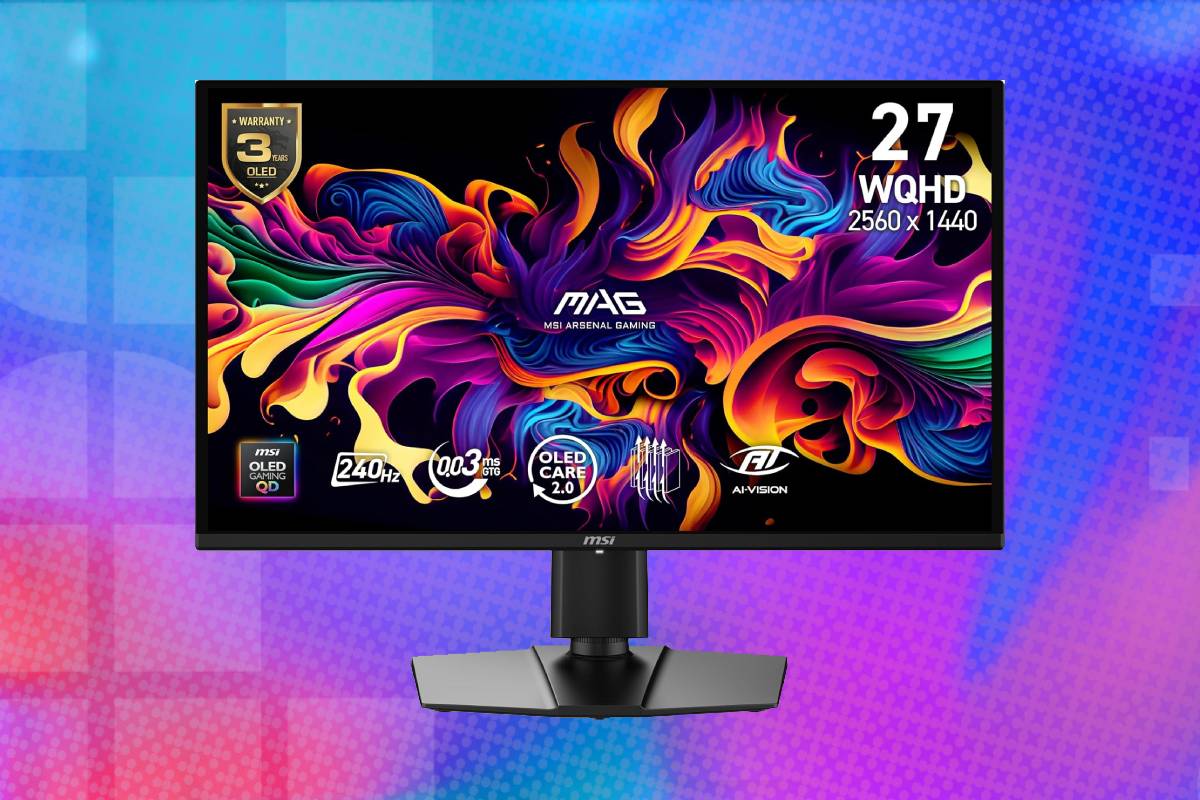
If you’re looking for an affordable OLED monitor with a sharp image and fast refresh rate, this deal could be the one for you. The MSI MAG 274QP QD-OLED X24 combines the deep blacks, vivid colour and rapid pixel response times of QD-OLED with a practical 2560 x 1440 resolution and 240Hz refresh rate. The MAG 274QP QD-OLED X24 uses a 26.5-inch viewable QD-OLED panel. The QHD resolution looks very sharp at this screen size while placing far less demand on a graphics card than 4K resolution would (meaning more FPS in your games). This gaming monitor is listed as Nvidia G-SYNC Compatible and supports AMD FreeSync Premium. MSI quotes a 0.03ms grey-to-grey response time and the monitor carries a VESA ClearMR 13000 motion-clarity rating. Pick this display up now for 19% off the MSRP!
Prices and savings can change. Check the retailer for the current price.
The main compromise of this display is brightness. MSI specifies 200 nits for typical SDR operation and 400 nits for HDR highlights. The display should look excellent in a dim or moderately lit room, but it is not intended to compete with high-output Mini LED monitors or newer premium OLED panels for bright-room HDR impact. Read on for more details on the specifications, or see the bottom of this page for more gaming monitor deals.
What we like about the MSI MAG 274QP QD-OLED X24 gaming monitor
QD-OLED produces excellent blacks and rich colour
Because the panel has no constantly illuminated backlight, black areas can remain genuinely dark rather than appearing grey. This gives games, films and desktop content a strong sense of depth, particularly in darker environments where LCD backlight leakage is easiest to notice. QD-OLED also provides strong colour volume. MSI claims 99% DCI-P3 coverage, 98% Adobe RGB coverage and support for 1.07 billion colours through a native 10-bit pipeline. The factory colour specification targets an average Delta E of no more than two, suggesting that the screen should provide reasonably accurate colour without extensive adjustment.
Latest tech deals.
- AMD Ryzen™ 9 9900X 12-Core - was $499 now $331
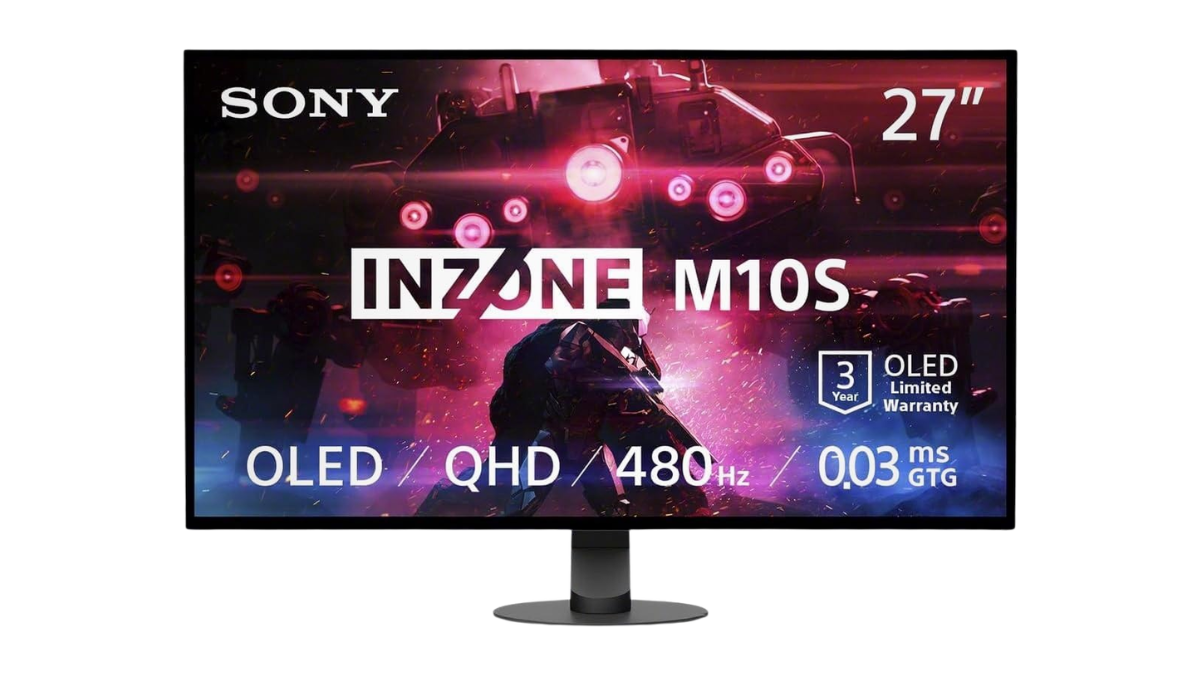
- Sony INZONE M10S 27” - was $899 now $748
- Thermaltake LCGS View i1470S-170 - was $2,399 now $2,099
- Apple 2026 MacBook Air - was $1,999 now $1,891
- Bose QuietComfort Headphones - was $359 now $169
- LG 77-inch OLED C6 - was $2,499 now $1,999
- MSI Prestige 16 Flip - was $2,149 now $1,870
-
Hisense 85" U6 Pro Series-
Prices correct as of November 5th, 2026.
These attributes make it suitable for more than games. Photo editing, video work and content consumption can all benefit from the wide gamut and precise pixel-level contrast. Anyone producing colour-critical work should still calibrate the individual unit and use the appropriate colour-space mode rather than leaving wide-gamut output active for every application.
The anti-reflection surface helps control obvious reflections, but QD-OLED panels are best used away from direct sunlight. Strong ambient light can reduce perceived contrast and give black areas a slightly raised or purplish appearance. A light-controlled room allows the panel’s core strengths to show more clearly.
The 240Hz refresh rate delivers highly fluid motion
A 240Hz monitor refreshes every 4.17 milliseconds, substantially reducing the interval between visual updates compared with 60Hz or 144Hz displays. That can improve motion clarity and perceived responsiveness in shooters, racing games and other fast competitive titles. The benefit is most visible when the computer can produce high frame rates, but even ordinary desktop movement and lower-frame-rate gaming can feel smoother. Adaptive-Sync prevents the experience from depending on a perfectly locked 240fps output.
OLED’s near-instant pixel behaviour complements the high refresh rate. LCD gaming monitors may advertise similarly fast refresh rates yet still show visible blur because their pixels cannot complete every colour transition before the next frame. The MAG 274QP’s ClearMR 13000 certification reflects the resulting motion clarity rather than refresh rate alone.
There are faster 360Hz and 500Hz OLED monitors available, but 240Hz is already beyond what most players require. It also demands less from the GPU and usually costs less, creating a more balanced option for mainstream competitive gaming.
QHD is a practical resolution for a 27-inch screen
At 2560 x 1440, the monitor provides considerably more workspace and image detail than a 1080p model without imposing the rendering burden of 3840 x 2160. Text and interface elements remain comfortably sized at normal viewing distances, often without requiring aggressive Windows scaling. For modern games, QHD allows a broader range of graphics cards to deliver high frame rates. An upper-mid-range GPU can target excellent image quality in demanding games, while esports titles can make fuller use of the 240Hz ceiling.
The resolution also suits the monitor’s 26.5-inch viewable area. Pixel density is high enough for games and general desktop work, although a 27-inch 4K screen will naturally produce sharper small text. Buyers prioritising productivity sharpness above gaming speed may still prefer 4K. MSI provides an optional 24.5-inch display mode for players accustomed to smaller competitive monitors. It presents a reduced-size image while retaining WQHD support at up to 240Hz, allowing the user to keep more of the game within a narrow central field of vision.
Console compatibility is thoughtfully included
Both HDMI inputs can carry the monitor’s native 2560 x 1440 resolution at up to 240Hz from a suitable computer. MSI’s Console Mode officially supports 1080p and 1440p at 60Hz or 120Hz, covering the most relevant output combinations for PlayStation 5 and Xbox Series consoles. Variable refresh rate is supported with both PS5 and Xbox, while HDMI CEC lets compatible devices coordinate basic power and input behaviour. A console will not use the full 240Hz refresh ceiling, but it can benefit from the OLED response time, high contrast and 120Hz operation.
OLED Care 2.0 provides several protective measures
Permanent image retention remains a consideration with every OLED display because its organic pixels wear as they emit light. Repeated static elements such as taskbars, channel logos and game interfaces can age some areas more rapidly than others. MSI’s OLED Care 2.0 system uses several techniques to reduce that risk. Pixel Shift subtly moves the displayed image, while Static Screen Detection lowers brightness when an unchanging picture remains visible. Taskbar Detection, Boundary Detection and Multi-logo Detection target common high-contrast static elements.
Panel Protect performs a pixel-refresh cycle after accumulated use. MSI says the latest implementation allows the longer refresh reminder to be deferred until the monitor has operated for 24 hours, reducing interruptions, while the maintenance process can run automatically after the display enters standby or switches off.
The monitor also uses a graphene film and custom passive heatsink to disperse panel heat without a fan. Lower operating temperatures can help reduce OLED wear, while the fanless design avoids mechanical noise and eliminates another potential point of failure.
None of these measures completely removes burn-in risk. Users should still allow the monitor to enter standby, avoid maximum brightness when unnecessary and hide persistent interface elements where practical. Gaming and mixed-content use are better suited to OLED than displaying the same spreadsheet, news ticker or application interface throughout every working day.
The three-year burn-in warranty adds reassurance
MSI provides a three-year warranty that explicitly includes OLED burn-in. This is particularly valuable on a lower-priced OLED monitor because it means the affordability has not been achieved by removing the most relevant panel protection. Warranty terms can vary by country and retailer, so owners should retain proof of purchase and check any registration requirements. Accidental damage and misuse are normally separate from panel failure or covered image retention.
Three years does not guarantee that burn-in can never appear later in the display’s life. It does, however, reduce the risk during the period when a premature panel problem would be most concerning.
The stand offers a complete range of adjustments
The supplied stand supports height adjustment through 110mm, tilt from minus five to 20 degrees, swivel through 30 degrees in either direction and pivot into portrait orientation. That is a more complete ergonomic range than the marketplace description’s generic “tilt/height adjustable” wording suggests.
A 100x100mm VESA pattern is included for monitor arms and wall mounts. The display weighs approximately 6.7kg with its stand, while the 9.4kg or 20.7-pound figure in some retail tables refers to gross packaged weight rather than the assembled monitor alone.
The internal power board avoids a large external power brick. A standard C13 power cable connects directly to the monitor, which can simplify cable routing beneath a desk.
Connectivity covers gaming basics but little else
The monitor includes two HDMI 2.1 inputs, one DisplayPort 1.4a connection and a 3.5mm headphone output. All three video inputs can support the native WQHD resolution at up to 240Hz with suitable source hardware. There is no USB-C input, USB Power Delivery or integrated USB hub. Laptop users cannot connect video, peripherals and charging through one cable, and desktop users cannot attach a keyboard or mouse to the monitor.
A KVM switch is also absent, so peripherals cannot automatically move between two connected computers. Picture-in-Picture and Picture-by-Picture are supported, but users who regularly alternate between work and personal machines may find the missing USB facilities inconvenient.
MSI supplies a DisplayPort cable but no HDMI cable. Console users and anyone planning an HDMI connection should therefore ensure they already have a suitable high-bandwidth cable.
Who should consider this OLED gaming monitor deal?
The MSI MAG 274QP QD-OLED X24 is best suited to PC gamers who want to experience OLED contrast and response speed without paying for a 360Hz, 500Hz or 4K flagship. Its QHD resolution is manageable for a wide range of graphics cards, while 240Hz provides enough headroom for serious competitive play. It is especially appealing for gaming in a dim or moderately illuminated room. Under those conditions, the 200-nit SDR output is more practical and the self-emissive blacks deliver their greatest visual advantage. Users working beside bright windows or under strong studio lighting should consider a brighter OLED or Mini LED alternative.
Console owners can also benefit from 1440p at 120Hz, VRR and HDMI CEC. However, those who specifically need 4K input support should look elsewhere, and a console-only user will not make use of the full 240Hz refresh rate.
The monitor is less suitable as an all-day office display dominated by static toolbars, spreadsheets or application windows. Burn-in protection and warranty coverage reduce the risk, but an IPS monitor remains a more carefree option for persistent static content. It is also a poor fit for someone wanting a single-cable laptop workstation. The absence of USB-C, charging, a USB hub and KVM functionality means external docks or direct peripheral connections will still be necessary.
More monitor deals


Prices and savings can change. Check the retailer for the current price.
Written by
