


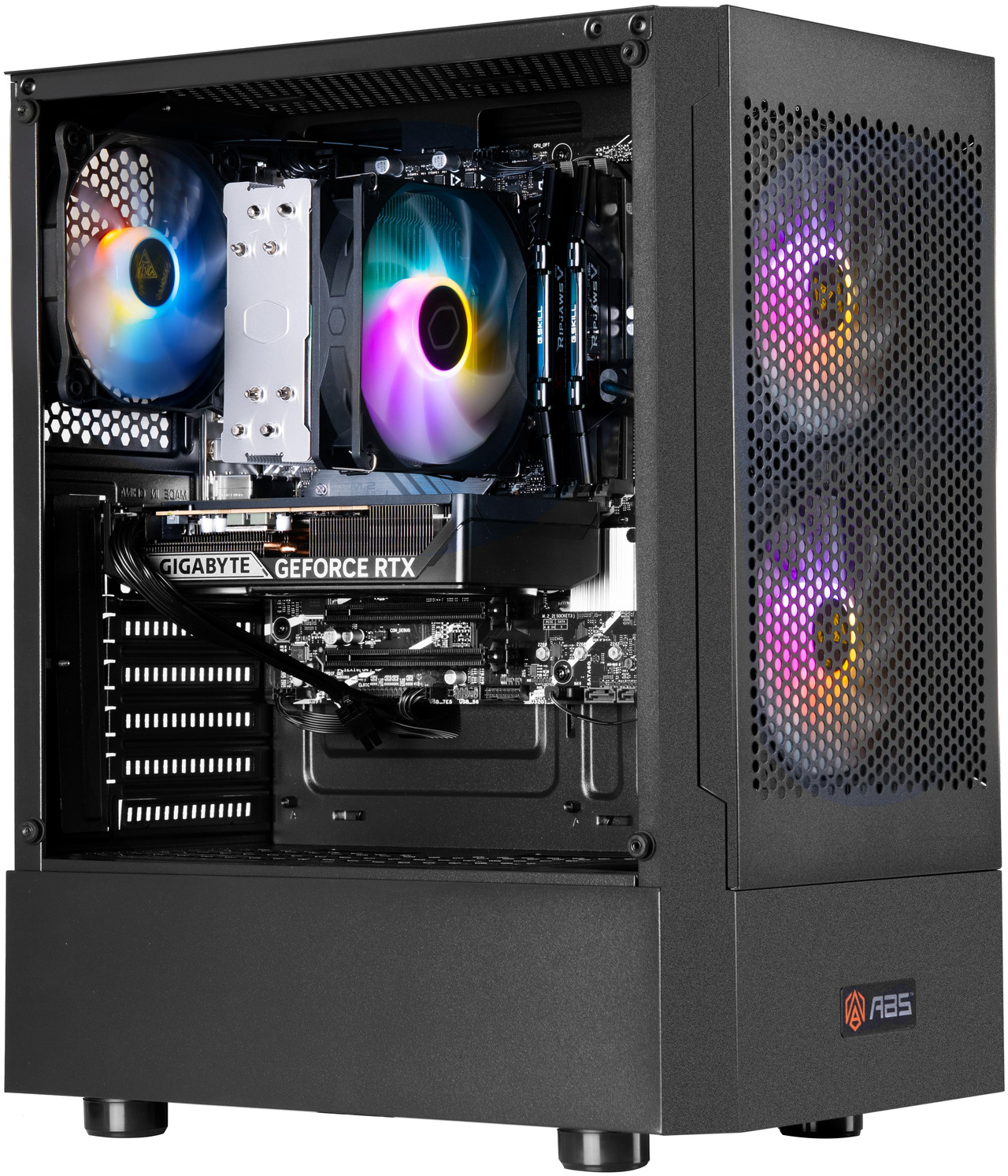
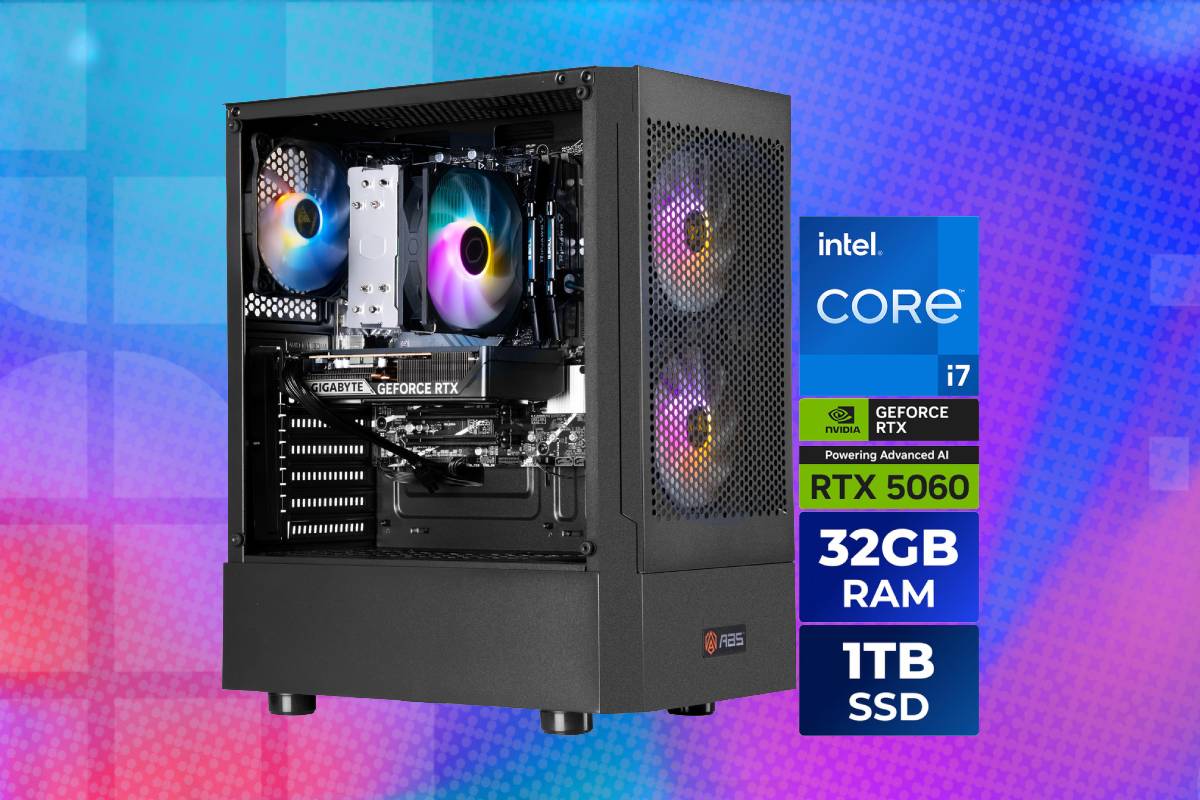
The ABS Flavonius Aqua combines a fast 20-core processor, 32GB of dual-channel memory and an NVIDIA RTX 5060 GPU for a system that’s designed primarily for high-quality FHD gaming. At 1920 x 1080, it is capable of running most current games with high settings and smooth frame rates. Esports titles can reach much higher refresh rates, particularly when settings are adjusted for competitive performance rather than maximum image quality. Its Intel Core i7-14700F CPU provides ample performance for streaming and productivity. Grab this deal now for $300 off the MSRP!
Prices and savings can change. Check the retailer for the current price.
This PC can also play many games at 2560×1440, but it is less consistent at that resolution. The GPU’s 8GB memory buffer can become restrictive when high-resolution textures, complex ray tracing and other memory-intensive settings are enabled together. When that happens, average frame rates may appear acceptable while stuttering, slow texture loading or weak minimum frame rates undermine the experience.
Read below for more specification information, or see the bottom of this page for alternative offers on gaming PCs.
Latest tech deals.
- AMD Ryzen™ 9 9900X 12-Core - was $499 now $328
- CORSAIR 4000D PC Case - was $124.99 now $75.99
- Hisense 65" Class E6SR - was $549 now $377.99
- Apple 2026 MacBook Air - was $1,999 now $1,799
- Skytech Gaming PC Desktop (9850X3d) - was $4,299 now $3,799
- Apple Magic Mouse - was $79 now $59
- MSI Prestige 16 Flip - was $2,149 now $1,899
- Kotin 9700X Gaming PC - was $2,399 now $2,199
Prices correct as of October 9th, 2026.
What we like about the ABS Flavonius Aqua gaming PC
Strong 1080p gaming performance
The GeForce RTX 5060 is the principal gaming component. NVIDIA’s Blackwell-based GPU contains 3,840 CUDA cores, fourth-generation ray-tracing cores and fifth-generation Tensor cores, accompanied by 8GB of GDDR7 memory on a 128-bit interface. The RTX 5060 is most comfortable at 1080p. It can deliver smooth performance at high settings across a broad selection of games, while less demanding competitive titles can make effective use of 144Hz and faster monitors. Independent testing generally places it around the performance of an RTX 4060 Ti or RTX 3070, although results vary substantially by game. It improves meaningfully on the RTX 4060, particularly in titles that make good use of the Blackwell architecture and newer DLSS features.
Ray tracing is practical when expectations are managed. Moderate ray-tracing settings combined with DLSS can work well at 1080p, whereas full path tracing typically requires aggressive upscaling and frame generation. Players who want to use every effect at native resolution should choose a substantially faster GPU.
The GIGABYTE WINDFORCE card uses a compact two-fan cooler. It measures approximately 199mm long and occupies two expansion slots, leaving more space inside the case than an oversized triple-fan model. GIGABYTE specifies three DisplayPort 2.1b outputs and one HDMI 2.1b connection, allowing up to four displays.
Modern NVIDIA feature support
The RTX 5060 supports DLSS Super Resolution, Ray Reconstruction, Frame Generation and Multi Frame Generation in compatible games. It also works with NVIDIA Reflex to reduce latency and includes AV1 encode and decode capabilities. AV1 encoding is useful for livestreaming and locally recording gameplay because it can deliver good image quality at a lower bitrate than older formats. Platform and editing-software support is now broad, though not every service accepts every codec or resolution.
NVIDIA Broadcast can use the GPU to process microphone noise, camera backgrounds and other streaming features. Creative applications that support CUDA or Tensor acceleration can also use the card for rendering, effects, image generation and transcription.
The “AI ready” label should remain in context. The GPU can run smaller local AI workloads, but 8GB of VRAM severely limits model size and resolution compared with a 16GB graphics card. Many cloud-based AI tools do not require a powerful local GPU at all.
Powerful Intel Core i7 processor
The Core i7-14700F is an unusually strong processor to pair with an RTX 5060. Its eight performance cores handle latency-sensitive work, while 12 efficiency cores contribute to background and heavily threaded tasks. This makes the PC useful for more than gaming. It can handle streaming, code compilation, CPU-based rendering, video compression and substantial multitasking more effectively than a typical budget gaming processor.
The additional CPU headroom also supports a future GPU upgrade. A faster graphics card can be installed later without immediately requiring a processor replacement, although the power supply and physical compatibility must be considered.
The “F” suffix means that Intel has disabled integrated graphics. Displays must be connected to the GIGABYTE graphics card rather than the motherboard’s video outputs. The computer will also need a working dedicated GPU to display diagnostic information if the RTX 5060 is removed.
Generous system memory
The PC contains 32GB of G.SKILL Ripjaws V DDR4-3200 memory as two 16GB modules. That is enough for modern gaming, streaming and ordinary content creation, and it avoids the performance penalty associated with a single-channel configuration.
The ASUS motherboard has four memory slots, leaving two unoccupied. Additional memory can be installed later, with the platform supporting up to 128GB. A fully matched kit is normally preferable to mixing modules with different memory chips, timings or voltage requirements.
DDR4 is an older standard than the DDR5 used by current platforms. That reduces theoretical memory bandwidth and limits the motherboard’s long-term CPU upgrade options, but it is not a major obstacle to 1080p gaming with an RTX 5060.
Named ASUS motherboard
The ASUS PRIME B760M-A AX D4 is a retail micro-ATX motherboard rather than an undocumented proprietary board. It provides four memory slots, two PCIe 4.0 M.2 sockets and six SATA connections.
The Patriot SSD occupies one M.2 socket, leaving another available for a future NVMe drive. This is a straightforward way to expand storage without replacing the original drive or adding data and power cables. Networking includes Realtek 2.5Gb Ethernet, dual-band Wi-Fi 6 and Bluetooth 5.2. Using the full wired speed requires compatible network equipment, while Wi-Fi performance depends on antenna positioning, router capabilities and local interference.
The B760 chipset does not support conventional CPU multiplier overclocking, but that is not a significant restriction because the Core i7-14700F is locked. Memory profiles and fan controls remain available through the firmware.
1TB NVMe storage
The Patriot P400 Lite is a PCIe 4.0 x4 NVMe drive in the standard M.2 2280 format. Its approximately 3,500MB/s read and 2,700MB/s write ratings place it toward the entry level of Gen 4 storage rather than among premium high-performance drives. It remains more than fast enough for Windows, game launches and everyday productivity. Installing a drive with twice the sequential speed would make large file transfers faster, but it would rarely produce a comparable improvement in game loading.
One terabyte is a reasonable starting capacity, though Windows, applications and recovery files reduce the space available to the user. Modern games can each exceed 100GB, so the empty M.2 socket is a meaningful advantage.
The motherboard’s SATA ports provide additional options for inexpensive bulk storage. Case mounting points and spare power cables should be checked before buying a 2.5-inch or 3.5-inch drive.
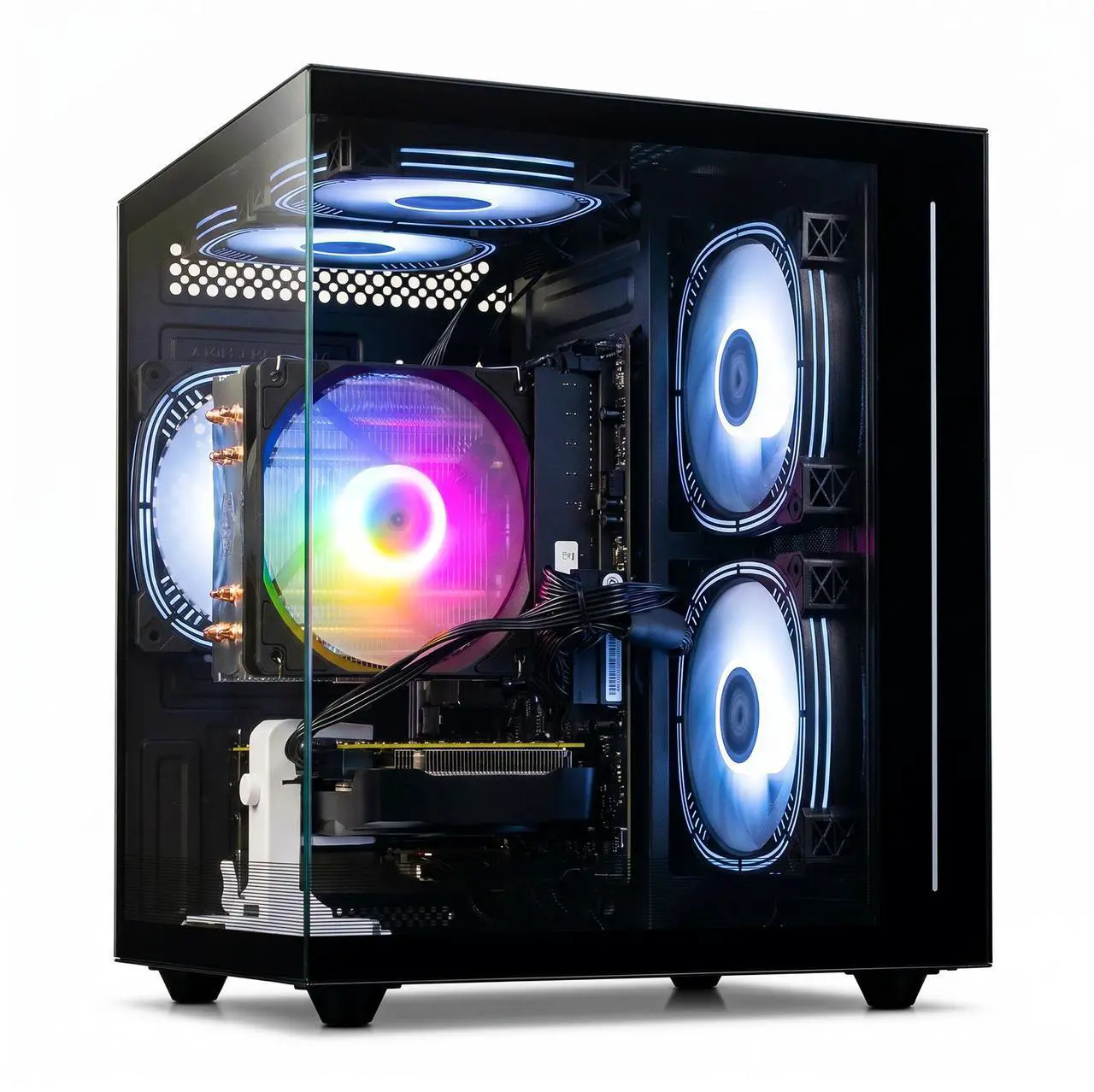
Effective mesh-fronted chassis
The GAMDIAS TALOS E3 MESH uses a ventilated front panel intended to provide the intake fans with relatively unrestricted access to cool air. That is preferable to a solid glass or plastic front on a system containing a power-hungry Core i7. Good case airflow helps both processor and graphics-card temperatures. Owners should avoid placing the front or rear ventilation close to a wall and should periodically clean accessible dust filters.
The case has tempered-glass side panels and visible RGB lighting, giving it the conventional appearance expected of a modern gaming PC. Lighting can normally be adjusted or disabled, although the precise control method depends on how ABS has connected the fans and controller.
As a standard mid-tower using retail parts, it should be easier to maintain and upgrade than a compact proprietary desktop. Future GPU dimensions, power connections and cooler clearance still need to be checked individually.
Recognisable Cooler Master air cooler
The Core i7 is cooled by a Cooler Master Hyper 212 Spectrum V3. This is a conventional tower cooler with four heatpipes and a 120mm ARGB fan. Air cooling avoids the pump and liquid loop found in an all-in-one cooler, reducing the number of potential long-term failure points. A fan can also be replaced relatively easily if its bearing wears out.
The Hyper 212 should be adequate for gaming, where the processor is not normally subjected to its maximum sustained all-core workload. The i7-14700F can nevertheless draw substantial power during rendering or stress tests, so temperatures and fan noise may rise considerably under prolonged CPU-heavy work.
ABS’s firmware power limits will influence sustained performance. Running Intel Default Settings may produce lower benchmark scores than unrestricted motherboard settings, but it is the appropriate priority for stability and processor longevity.
Appropriate 650W Gold-rated power supply
The GAMDIAS HELIOS P1-650G provides 650W and carries an 80 Plus Gold efficiency rating. GIGABYTE recommends a 550W supply for the installed RTX 5060, so the system has reasonable capacity for its current components. The Gold rating measures conversion efficiency under defined conditions rather than overall electrical quality. It does not independently guarantee low noise, excellent voltage regulation or a long service life.
A 650W supply allows modest upgrades, but it may need replacement if the buyer later installs a substantially faster and more power-hungry graphics card. The target GPU’s recommended wattage and connector requirements should be checked before upgrading.
Who should pick up this RTX 5060 PC deal?
The ABS Flavonius Aqua is best for 1080p gamers who also need substantial CPU performance for streaming, video work, programming or heavy multitasking. Its 32GB of memory and Core i7-14700F make it more versatile than many entry-level gaming desktops. It suits competitive players using a high-refresh 1080p monitor particularly well. Games such as Fortnite, Counter-Strike 2, Valorant and Apex Legends are more likely to benefit from the powerful processor than heavily cinematic games running at maximum graphical settings.
It can drive a 1440p monitor, but buyers should be willing to adjust texture quality, ray tracing and other demanding settings. The RTX 5060’s 8GB memory makes it less future-resistant at that resolution than a 16GB RTX 5060 Ti. The machine is not intended for uncompromised 4K gaming, large local AI models or professional GPU rendering. Those workloads justify a graphics card with substantially more processing power and VRAM.
More PC deals







Prices and savings can change. Check the retailer for the current price.
Written by
