
One of the best monitors we reviewed last year, this 49 inch OLED ultrawide gaming and productivity monitor is $150 cheaper


Table of Contents
If you’re looking for a top-notch ultrawide monitor that’s a bit cheaper than the competing Samsung models, this INNOCN 49Q1S display (click the link for our in-depth review), is just the ticket. The display delivers an exceptionally wide and immersive desktop experience through its 49-inch, 5120 x 1440 QD-OLED panel, 240Hz refresh rate and 1800R curvature. Its 90W USB-C connection, KVM switch, Ethernet port and Picture-by-Picture support also make it considerably more versatile than a gaming-only display. Its enormous physical footprint requires a bit of consideration before you buy it, but if that’s no problem, then we heartily recommend you back this display for $150 off the MSRP.

INNOCN 49″ 49Q1S OLED Curved Gaming Monitor
The INNOCN 49Q1S is effectively equivalent to two 27-inch, 2560 x 1440 monitors positioned side by side without a bezel between them. Its 32:9 aspect ratio provides a panoramic field of view in compatible games and enough horizontal space to arrange several applications simultaneously. Read below for more details on the various specifications, or see the foot of this page for some alternative offers on ultrawide monitors.
What we like about the INNOCN 49Q1S 49-inch QD-OLED gaming monitor
Expansive 49-inch QD-OLED panel
The 49-inch panel provides a continuous workspace approximately equivalent to two conventional 27-inch QHD displays. Users can spread applications across the screen without the central bezels, mismatched stands or alignment problems associated with a dual-monitor setup. QD-OLED technology gives every pixel independent light control. Dark pixels can switch off completely while bright highlights remain illuminated nearby, avoiding the halos associated with conventional LCD backlighting and producing particularly effective contrast in games, films and dark user interfaces. The panel’s glossy finish preserves much of QD-OLED’s clarity and color intensity. It can also show clearly defined reflections in bright rooms, so positioning the screen away from windows and direct lighting will produce the best results.
Latest PC & Tech deals
- AMD Ryzen™ 9 9900X 12-Core - was $499 now $337
- iBUYPOWER Element Gaming PC - was $1,999 now $1,699
- LG 27GX700A-B 27-inch Ultragear- was $599 now $485
- Samsung SSD 9100 PRO 1TB - was $339 now $249
- HP OmniBook 5 16 inch - was $961 now $799
Prices correct as of September 21st, 2026.
Dual-QHD resolution
The native 5120 x 1440 resolution is properly described as Dual QHD or DQHD. It provides the same vertical resolution and approximate pixel density as a 27-inch 2560 x 1440 monitor, but doubles the horizontal workspace. Although the Amazon title uses “5K2K,” that term usually refers to a 5120 x 2160 display. The 49Q1S has 1,440 vertical pixels rather than 2,160 and should not be confused with a true 5K2K ultrawide monitor. The resolution is well suited to games with proper 32:9 support, wide editing timelines, complex spreadsheets and multitasking. It is less sharp than a 49-inch 7680 x 2160 model, but places substantially less load on the graphics card.
240Hz refresh rate
The 240Hz maximum refresh rate allows the panel to update approximately once every 4.17 milliseconds. This produces visibly smoother animation and more immediate feedback than conventional 60Hz or 144Hz displays when the connected system can supply sufficiently high frame rates. Fast competitive games can benefit from the reduced display interval, while the size and curvature are particularly effective in racing, flight and simulation titles. Demanding cinematic games are unlikely to approach 240fps at the native resolution without reduced settings or AI-assisted rendering. The monitor provides Adaptive-Sync to coordinate its refresh cycle with the graphics card. This reduces tearing and helps motion remain consistent when performance varies below the maximum refresh rate.
0.03ms OLED response time
INNOCN specifies a 0.03ms grey-to-grey response time. OLED pixels generally transition far more rapidly than those in typical IPS or VA monitors, reducing the smearing and trailing visible around moving objects.
Independent testing found no noticeable ghosting or screen tearing during a selection of fast games. The combination of rapid pixel response and 240Hz refresh makes the 49Q1S especially capable when displaying quick camera movement across its wide panel.
1800R curvature
The 1800R curve brings the distant sides of the 49-inch screen closer to the user’s viewing position. This helps keep more of the display within a similar focal distance and makes the edges easier to see than they would be on a flat panel of the same width. Curvature also increases the sense of peripheral immersion in first-person, driving and simulation games. For desktop work, it helps application windows at the far edges feel less disconnected from the central workspace.
A screen of this width still requires substantial head and eye movement. Users should sit at an appropriate distance rather than placing the panel as close as a conventional 24- or 27-inch monitor.
Strong contrast and wide color coverage
The official specification lists a 1,500,000:1 static contrast ratio, 10-bit color processing and 1.07 billion displayable colors. Gamut coverage is quoted at 99% of sRGB, 99% of DCI-P3 and 99% of Adobe RGB. These figures make the screen useful for content creation as well as entertainment. INNOCN includes a factory calibration report and specifies color accuracy of Delta E below 2, although users performing critical commercial work should confirm accuracy with their own calibration equipment.
Independent measurements found the sRGB preset to be particularly accurate and recorded strong panel uniformity across the tested sample. Uniformity can vary between individual units, but the results are encouraging for such an unusually wide display.
HDR True Black performance
The monitor is listed with HDR 400 True Black support and a peak HDR brightness of up to 1,000 nits across a small three-percent window. INNOCN also specifies approximately 450 nits at ten-percent APL and 250 nits for typical full-screen SDR output.
OLED’s very low black level allows highlights to stand out even without the sustained full-screen brightness of a powerful Mini LED monitor. Dark HDR games and films should look particularly effective, with strong shadow depth and precise control around illuminated objects.
Independent testing measured maximum SDR brightness at approximately 225cd/m². This is adequate in a controlled room but relatively subdued under strong daylight, particularly when combined with the reflective glossy surface.
90W USB-C power delivery
The USB-C connection supports DisplayPort video, data and up to 90W of charging power. A compatible laptop can therefore connect to the monitor, USB peripherals and power supply through one cable.
Ninety watts is sufficient for many business notebooks, creator laptops and compact computers. High-performance gaming laptops may still require their dedicated power adapters, particularly when their CPU and GPU are operating at full load.
The monitor also supplies two USB-A downstream connections and one USB-B upstream port. These allow its integrated USB hub to operate with a second computer connected through HDMI or DisplayPort.
Integrated KVM switch
The built-in KVM function allows a keyboard and mouse attached to the monitor to control more than one connected computer. This is especially helpful for users who switch between a personal desktop and an employer-provided laptop.
Combined with USB-C, the feature lets the 49Q1S serve as the center of a hybrid gaming and productivity setup. Users should check the required upstream-port assignments during initial configuration, as KVM operation depends on pairing each video input with the appropriate USB connection.
Extensive video connectivity
The video inputs consist of two DisplayPort 1.4 connections, one HDMI 2.1 port and the USB-C input. INNOCN states that each interface can support the monitor’s native resolution at up to 240Hz, although the necessary compression, cable standard and graphics-hardware support must be available. Having only one HDMI port is less flexible for users with several consoles, while the two DisplayPort inputs favor desktop-computer configurations. Consoles generally output a 16:9 image and cannot fully exploit the monitor’s 32:9 resolution, potentially leaving large unused areas or requiring scaling.
Ethernet connectivity
An RJ45 Ethernet connection allows a USB-C-connected laptop to receive a wired network connection through the monitor. This further reduces the number of separate adapters and cables required at the desk. The official specification limits this port to 100Mbps rather than Gigabit Ethernet. That is adequate for general internet use and video calls but may constrain fast local file transfers, high-speed broadband connections and large downloads. Users requiring faster wired networking can connect a separate Gigabit or multi-gigabit USB adapter through the laptop or an external dock.
Who should buy this ultrawide OLED monitor deal?
The INNOCN 49Q1S is best suited to simulation, racing and immersive single-player gamers who want an exceptionally wide field of view. It can also serve competitive players who value OLED response speed and 240Hz operation, although some esports users may prefer a smaller screen that is easier to scan instantly.
It is highly practical for video editors, music producers, financial users, software developers and other professionals who regularly arrange several applications or long timelines across multiple monitors. USB-C charging, KVM switching and Picture-by-Picture functionality make it particularly useful for a combined work-and-gaming desk.
It is less appropriate for users with shallow desks, brightly illuminated workspaces or hardware unable to drive a demanding 5120 x 1440 resolution. Buyers should also verify that their preferred games properly support 32:9 output, as unsupported titles may display black bars, stretch the image or restrict interface elements to awkward positions. Console-focused users will gain comparatively little from the 32:9 panel and 240Hz maximum. A conventional 16:9 OLED television or monitor will generally provide better format compatibility for PlayStation, Xbox and Switch systems.
More ultrawide monitor deals

SAMSUNG 49” Odyssey G9 Series DQHD 1000R Curved Gaming Monitor

Samsung 34″ ViewFinity S5 (S55GH) Ultrawide QHD 120Hz Curved Monitor

SAMSUNG 34″ Odyssey G5 Ultra-Wide Gaming Monitor

Samsung 49″ Odyssey OLED G9 (G91SD)

SAMSUNG Viewfinity 34-Inch Ultrawide Curved Monitor
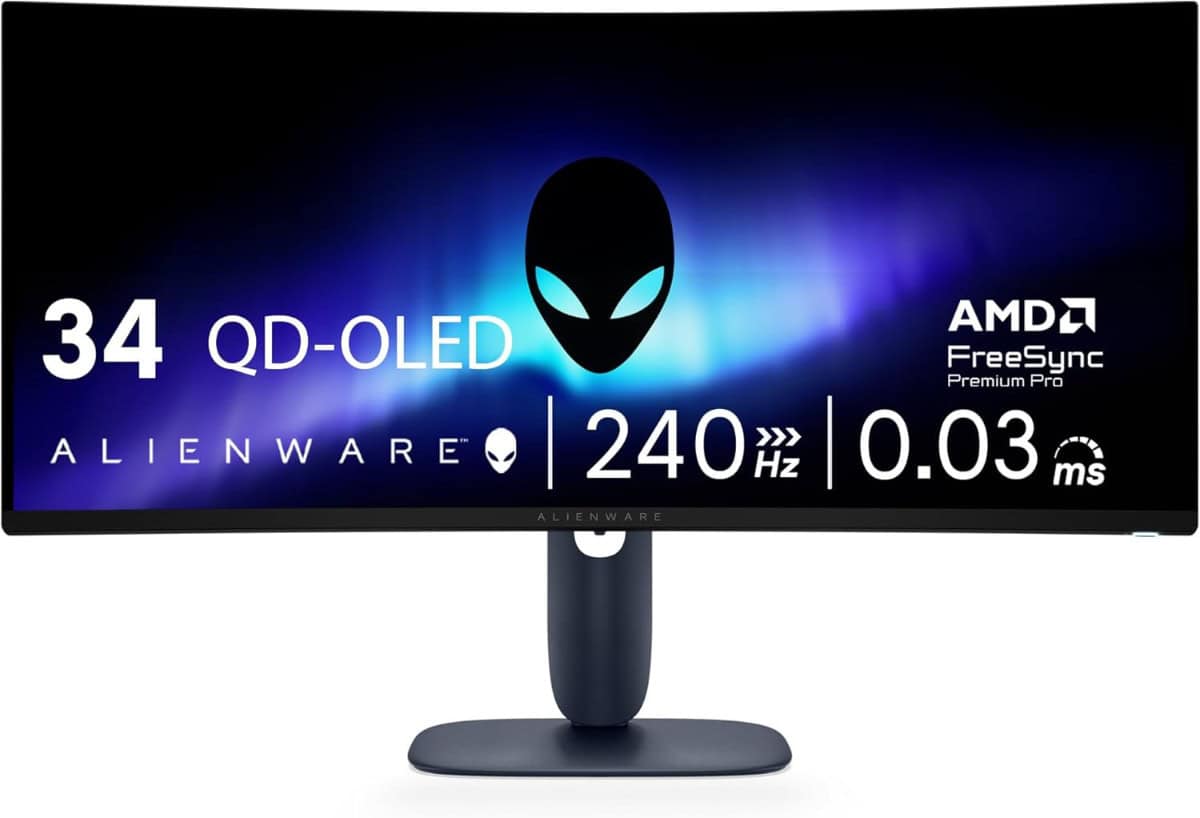
Alienware 34 240Hz QD-OLED Curved Gaming Monitor

LG 34GS95QE 34-inch Ultragear OLED Curved Gaming Monitor

Samsung 49-Inch Business Computer Monitor

INNOCN 40C1R Ultrawide Monitor

LG 34GS95QE 34-inch Ultragear OLED Curved Gaming Monitor
About the Author