

Best GPUs under $300 in 2026 – our top picks

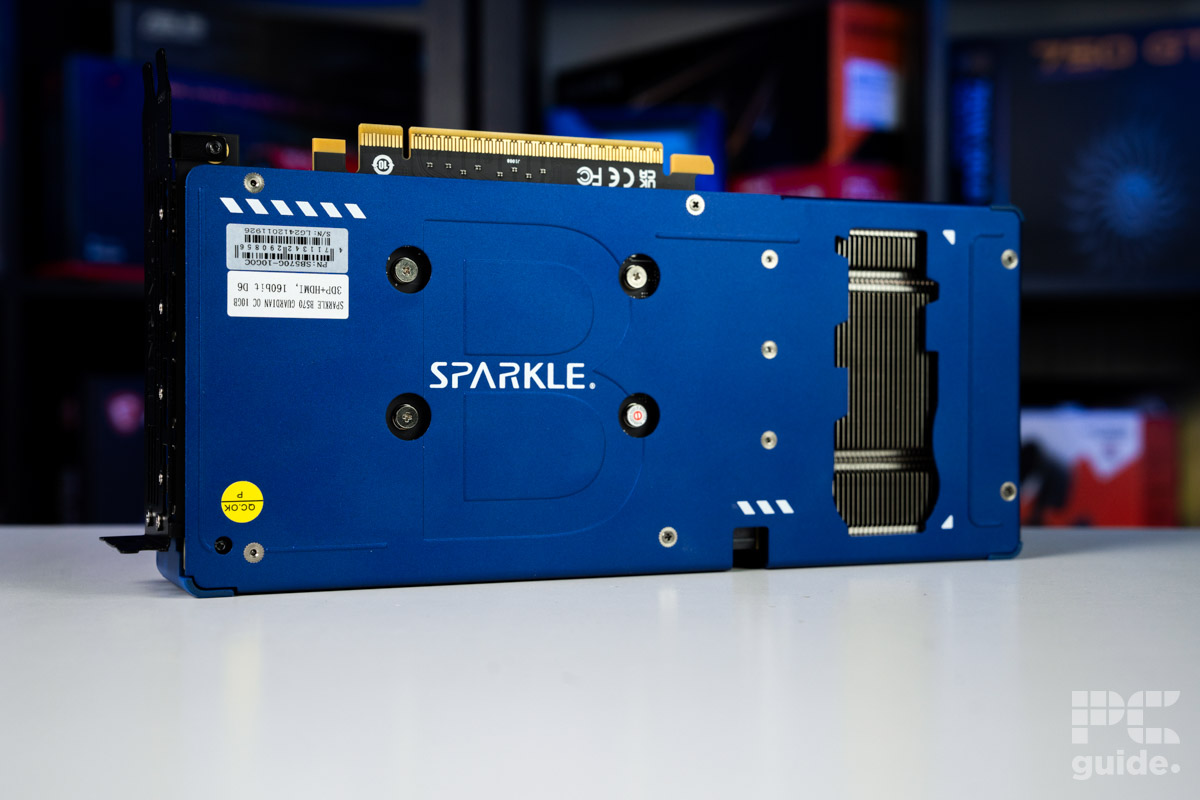
Table of Contents
In this article, we’ll discuss the best GPUs under $300. The GPU is an essential pillar for gaming, graphic design, and general content creation, but it shouldn’t cost the world.
With new GPUs hitting the market seemingly every other month, it is important to pick the right one, but also not break the bank completely. We have searched across Nvidia, AMD, and Intel to find the most appropriate choices that cater to a range of needs, such as mid-range, value, and overall. So what are the best budget graphics cards under $300? Let’s dive right in.
Products at a glance
-
Best GPU under $300
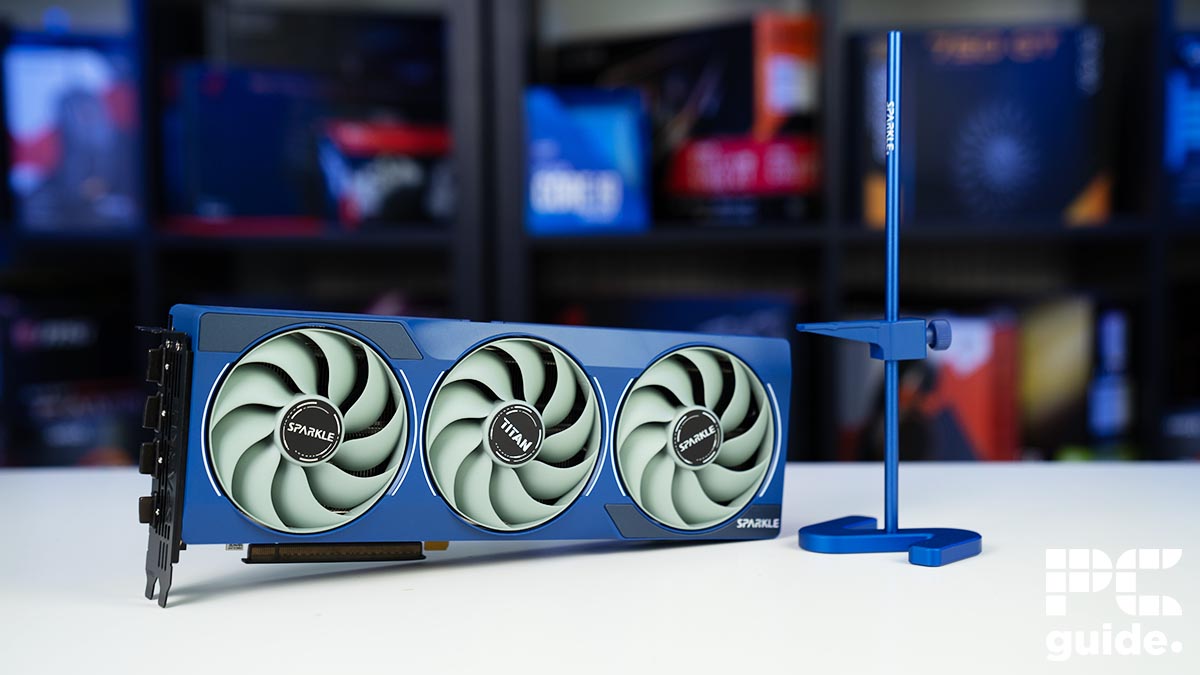
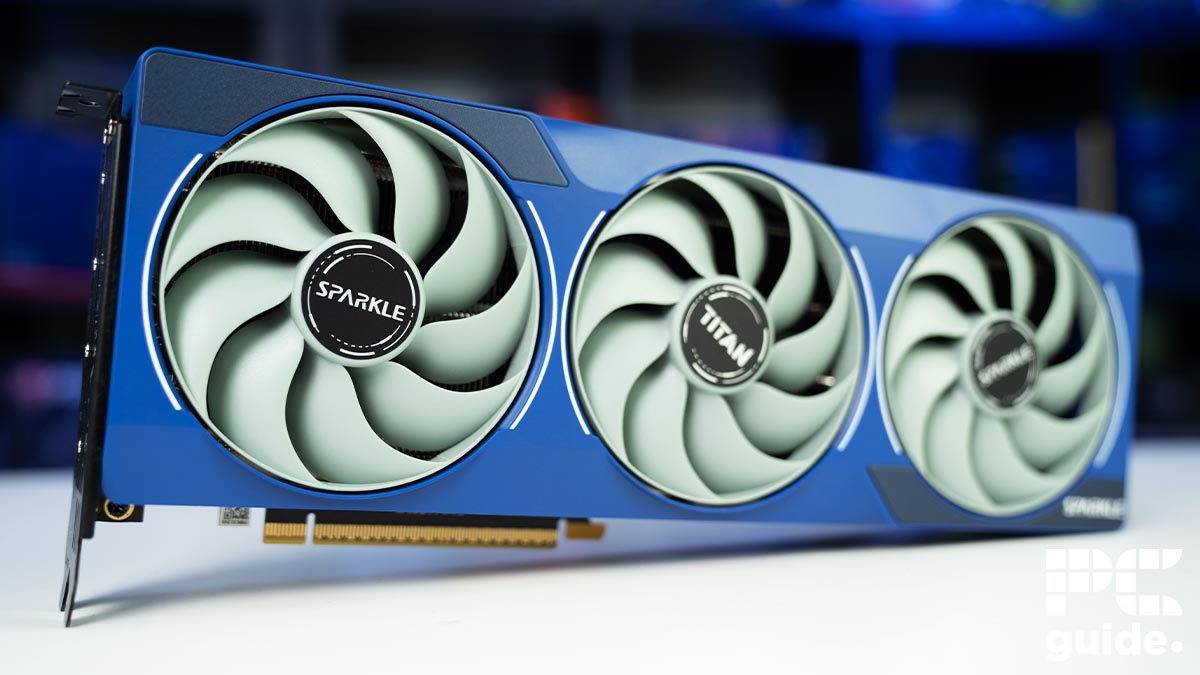
SPARKLE Intel Arc B580 TITAN OC
- GPU: BGM-G21
- Shading units: 2,560
- VRAM: 12GB GDDR6
- Memory bus width: 192-bit
- Bandwidth: 456GB/s
- Base/Boost clock speed: 2,670/2,740 MHz

-
 Best Nvidia GPU under $300
ZOTAC Gaming GeForce RTX 5060 Solo
- GPU: GB206-250
- Cores: 3,840
- VRAM: 8GB GDDR7
- Memory bus width: 128-bit
- Bandwidth: 448.0GB/s
- Base/Boost clock: 2,280/2,497MHz
-
 Best AMD GPU under $300
ASUS Dual Radeon RX 9060 XT 8GB
- GPU: Navi 44 XT
- Streaming processors: 2,048
- VRAM: 8GB GDDR6
- Memory bus width: 128-bit
- Bandwidth: 322.3 GB/s
- Base/Boost clock speed: 1,700/3,130MHz
-
Best last-gen GPU under $300
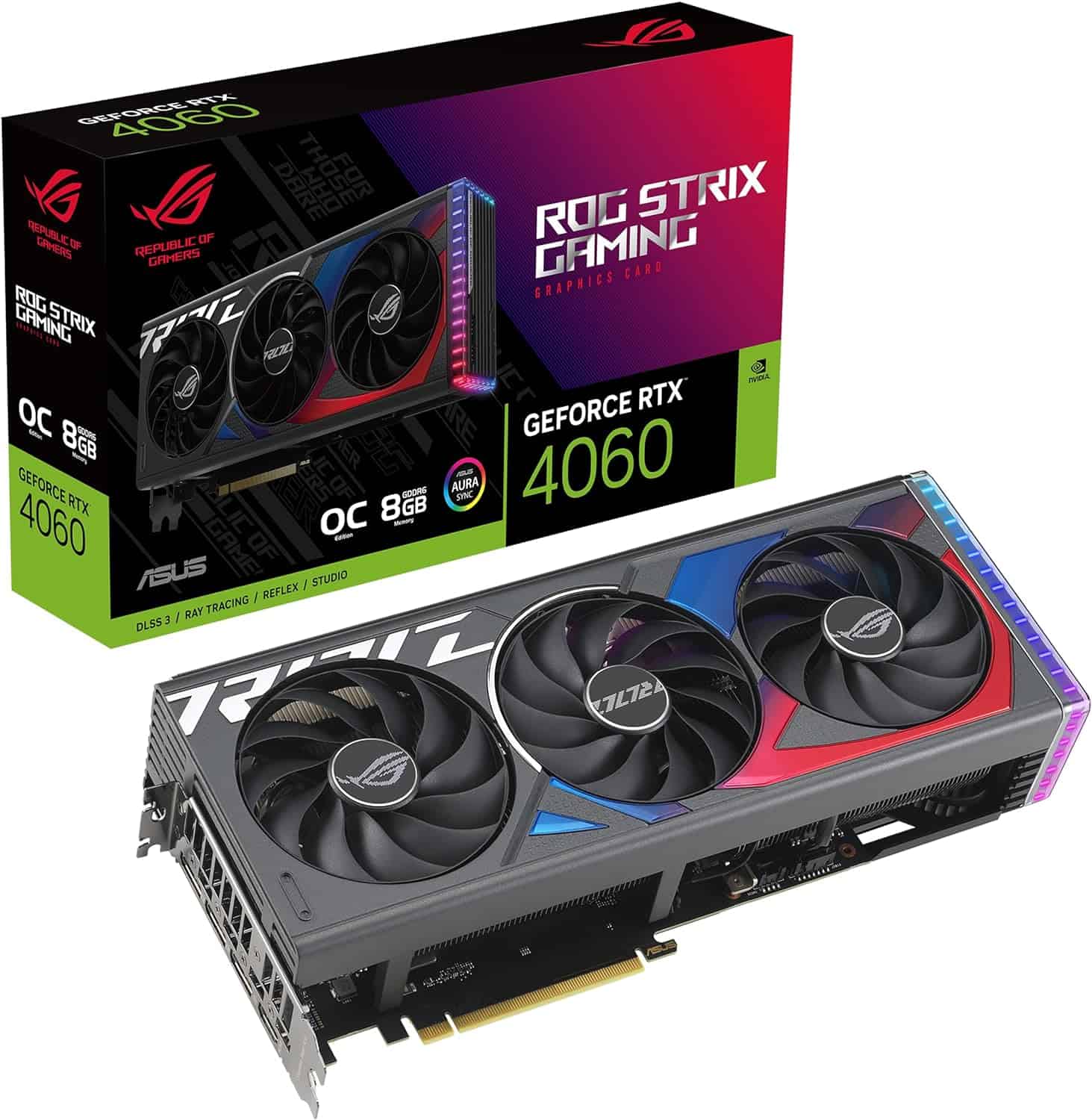
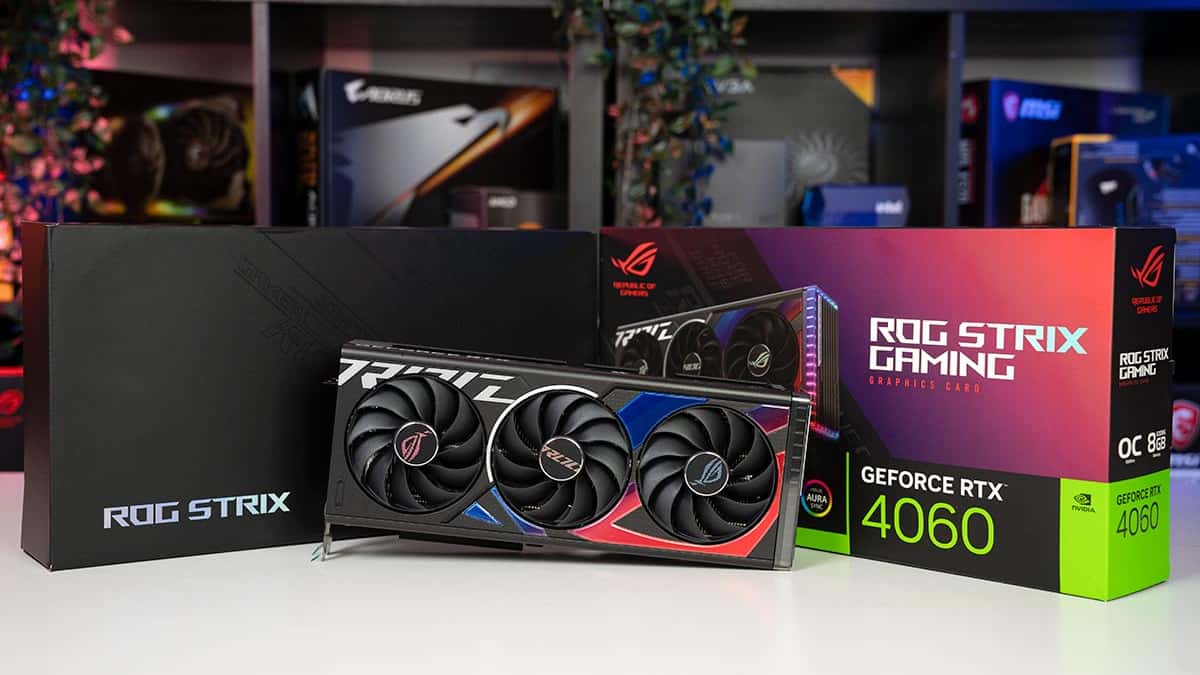
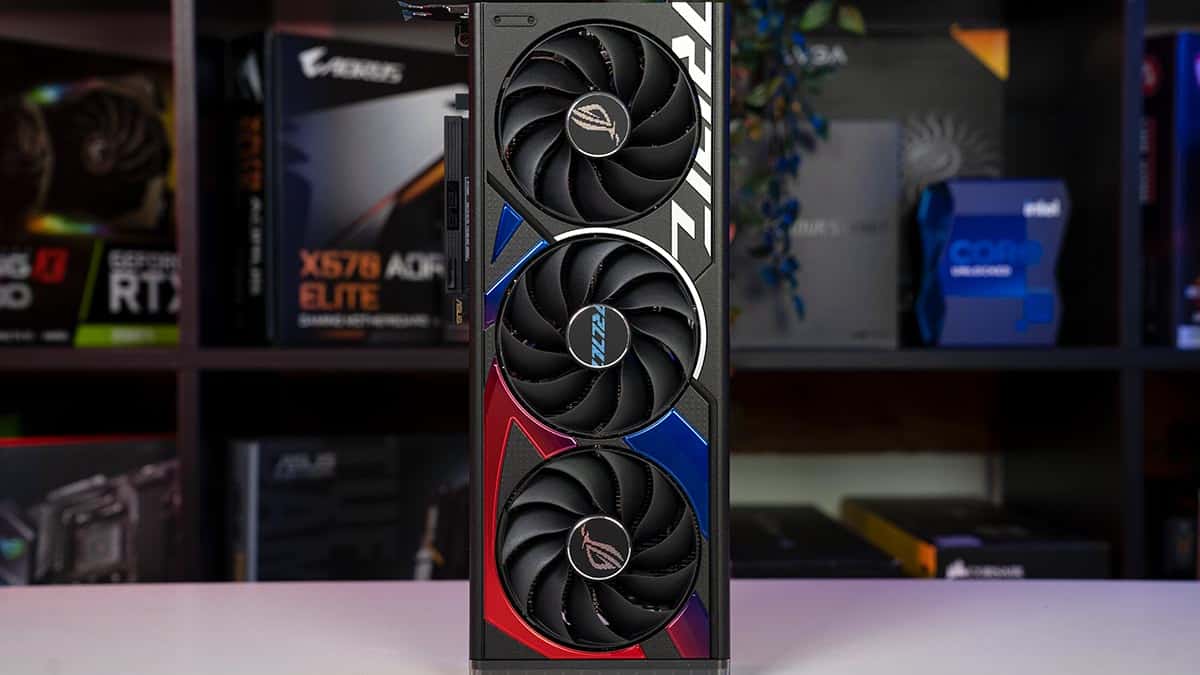
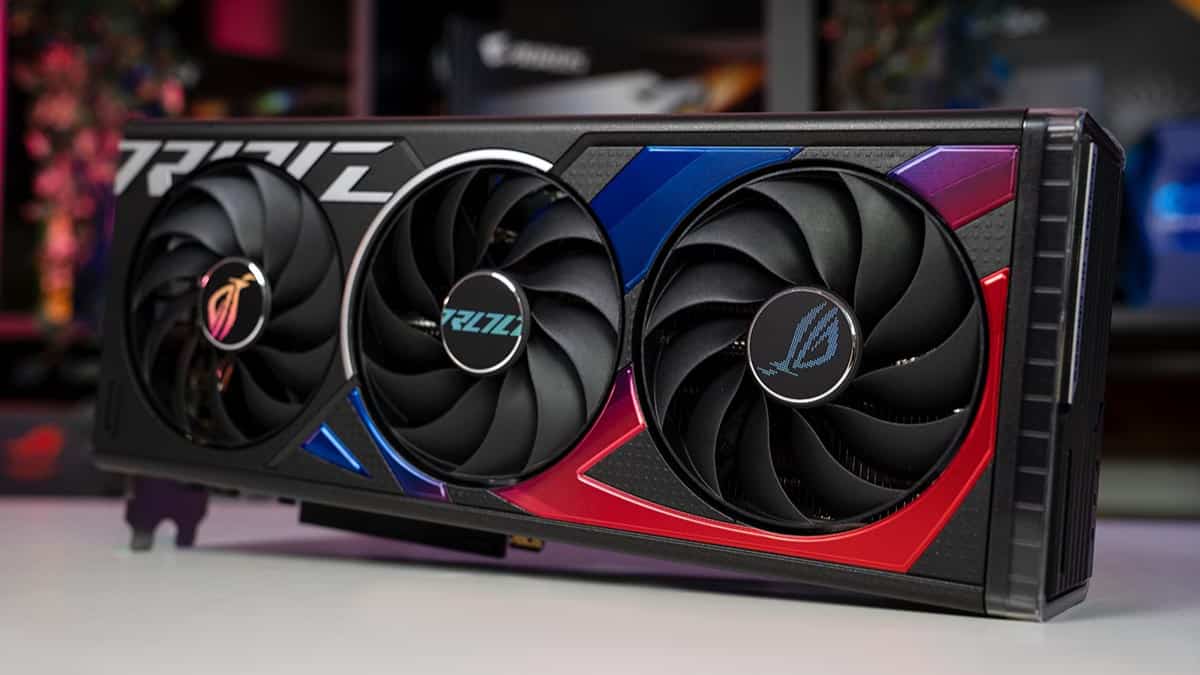
ASUS ROG Strix GeForce RTX 4060 OC
- GPU: AD107 die
- CUDA cores: 3,072
- VRAM: 8GB GDDR6 VRAM
- Bandwidth: 272 GB/s
- Memory bus width: 128-bit memory bus
- Base clock speed: 1830 MHz


How we picked the best GPUs under $300
We reviewed the best GPUs under $300 on the market and classified them according to their performance in measured benchmarks. Once we have determined their abilities, we contrast those numbers with the price and availability of the graphics card to see where they can be added to the list.
Latest tech deals.
- AMD Ryzen™ 9 9900X 12-Core - was $499 now $331
- Sony INZONE M10S 27-inch - was $899 now $748
- Thermaltake LCGS View i1470S-170 - was $2,399 now $2,099
- Apple 2026 MacBook Air - was $1,999 now $1,891
- Bose QuietComfort Headphones - was $359 now $169
- LG 77-inch OLED C6 - was $2,499 now $1,999
- MSI Prestige 16 Flip - was $2,149 now $1,870
- Hisense 85-inch U6 Pro Series - was $1,999 now $997
Prices correct as of November 5th, 2026.
These suggestions are handpicked from our in-house experts, who are well-versed in understanding and reviewing GPUs. In fact, we have tested some of these GPUs to get a better idea of their performance. We have also listed a useful pros and cons list to paint a more accurate picture of each individual card.
Our top picks

- GPU: BGM-G21
- Shading units: 2,560
- VRAM: 12GB GDDR6
- Memory bus width: 192-bit
- Bandwidth: 456GB/s
- Base/Boost clock speed: 2,670/2,740 MHz
- Great price to performance
- Plenty of VRAM in comparison to the competition
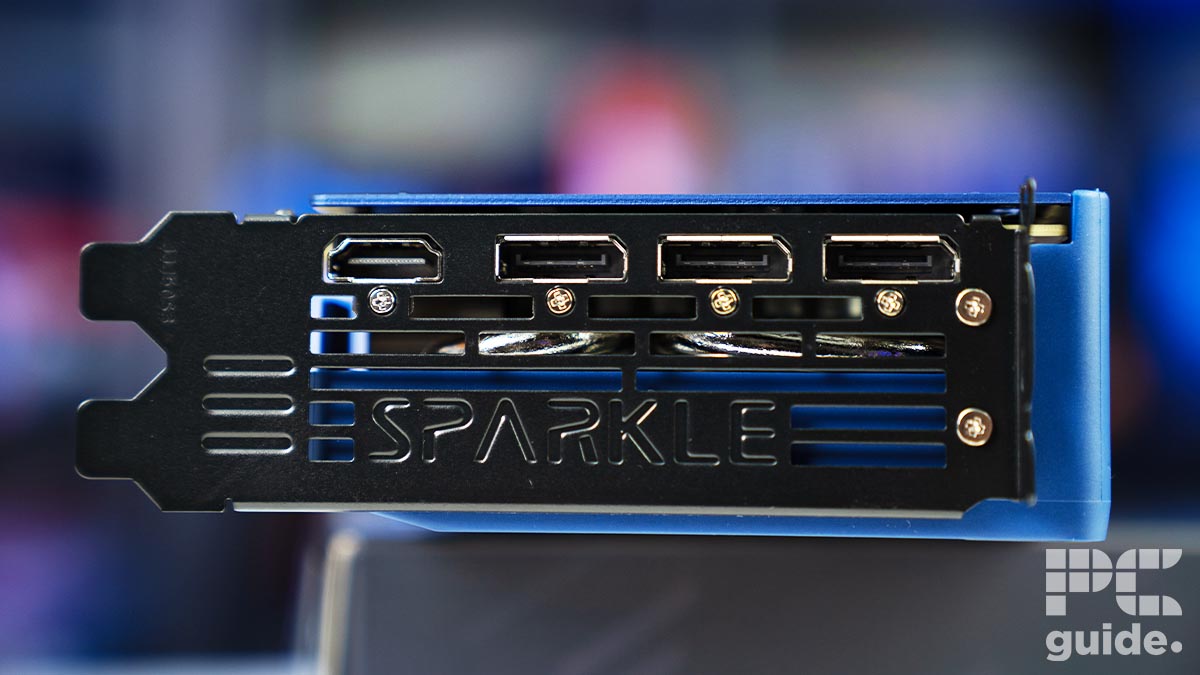
- HDMI 2.1 and DP 2.1 are available
- Well-built and slim design
- Only Gen 4 x8 PCIe – may be an issue for older motherboards
- Slightly more expensive than reference card
- Still occasional troubles in older games specifically
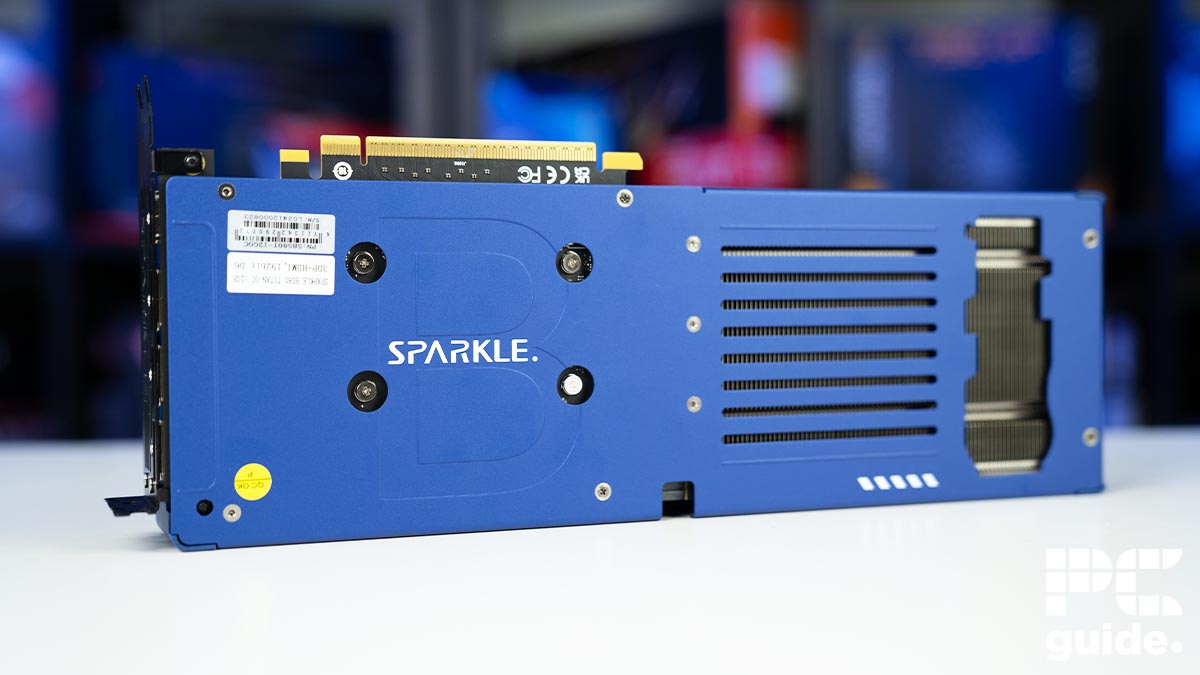
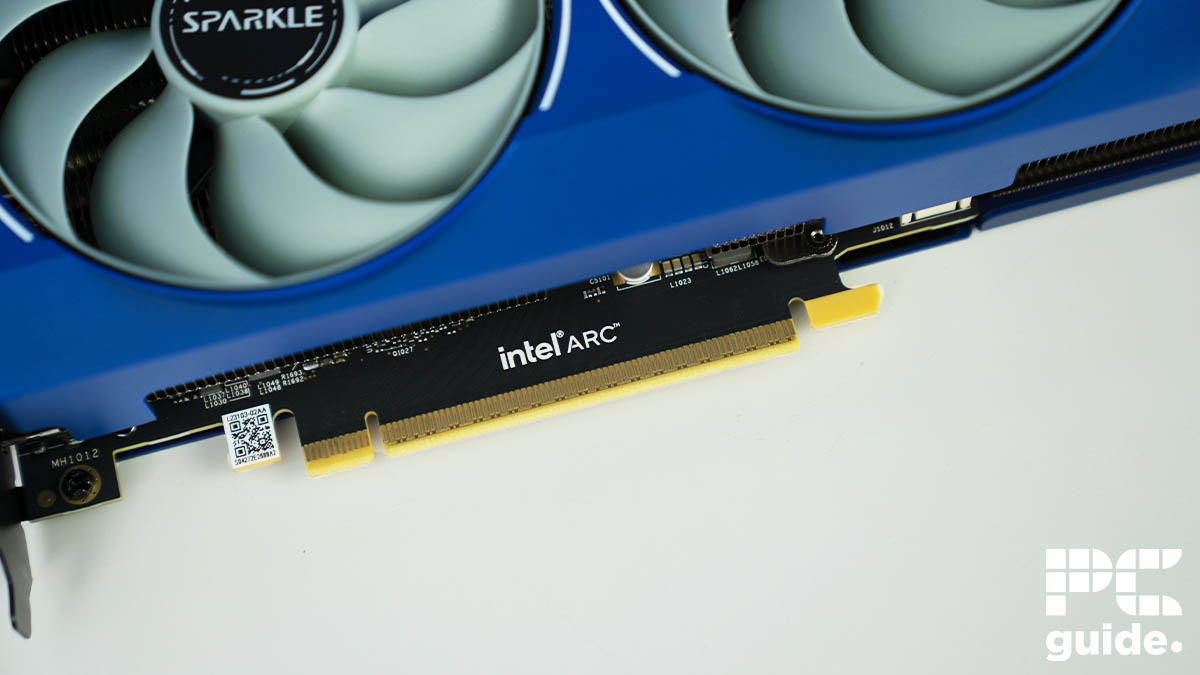
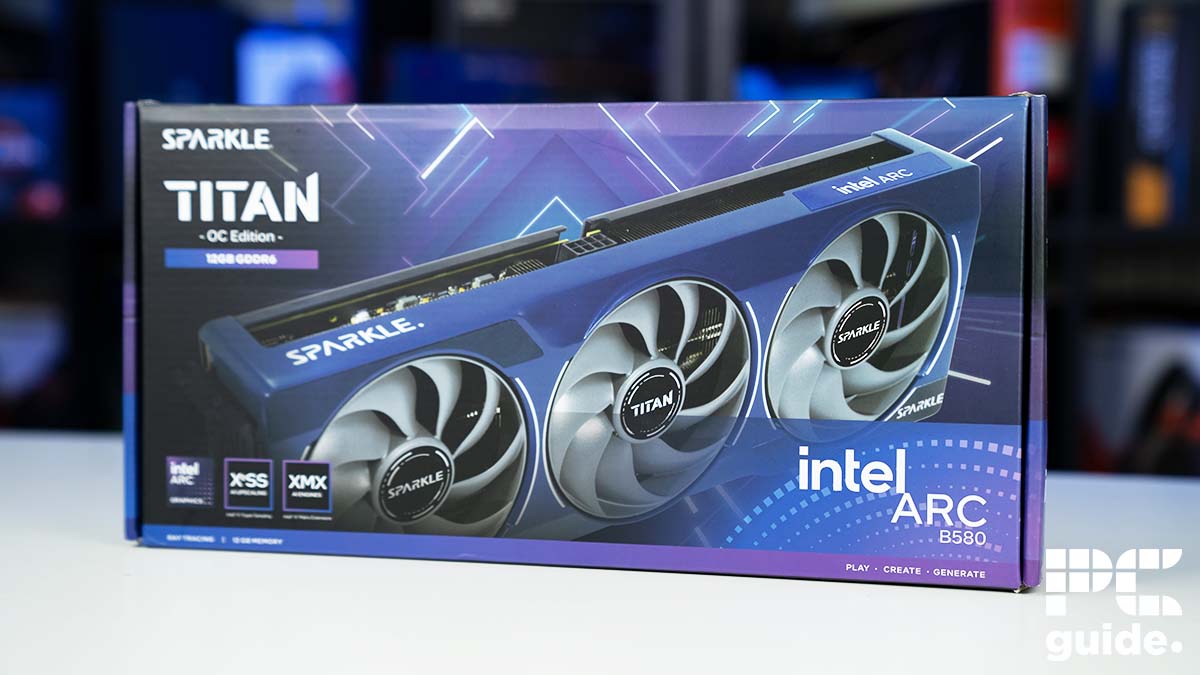
At the top of the list is a manufacturer that has taken advantage of the budget sector’s lack and not provided a good choice. Intel’s GPUs have been a hit on the lower end, giving plenty of memory, power, and speed in just the second generation of its modern GPU release. So, for the best pick under $300 (if you find it for MSRP), you can pick up the flagship Battlemage card, the Arc B580.
We have reviewed three versions of the model, and they range in their design, features, and clock rates, so there are plenty to pick from and decide which to pick. The ones we covered are the Sparkle Titan OC, Acer Nitro, and Maxsun iCraft. All of which received great ratings, including the Sparkle that we are recommending here.
One of the highlights is just the fact that it comes with 12GB of VRAM. Even if it’s not the slower GDDR6, the capacity can push it ahead in higher resolutions and high-fidelity scenarios. Be it games, rendering, and so forth, the extra capacity is a good consideration for now and future-proofing.
Since its first release, Intel has done an excellent job with its drivers. Expanding the games and software it supports allows it to be a viable alternative to the two usual names on the market, particularly with the improvements that the second-generation hardware brought with it.
In our tests, it was capable of running 1080p games with no issue and 1440p at a stretch, depending on the scenario. It wasn’t ideal for uses outside gaming, though, as in certain rendering techniques and scenarios, Nvidia still has an edge, but for value to performance, it is a great choice.

Acer Nitro Intel Arc B580 CS2, Image by PC Guide

Acer Nitro Intel Arc B580 Cyberpunk 2077, Image by PC Guide

Acer Nitro Intel Arc B580 Shadow of the Tomb Raider, Image by PC Guide
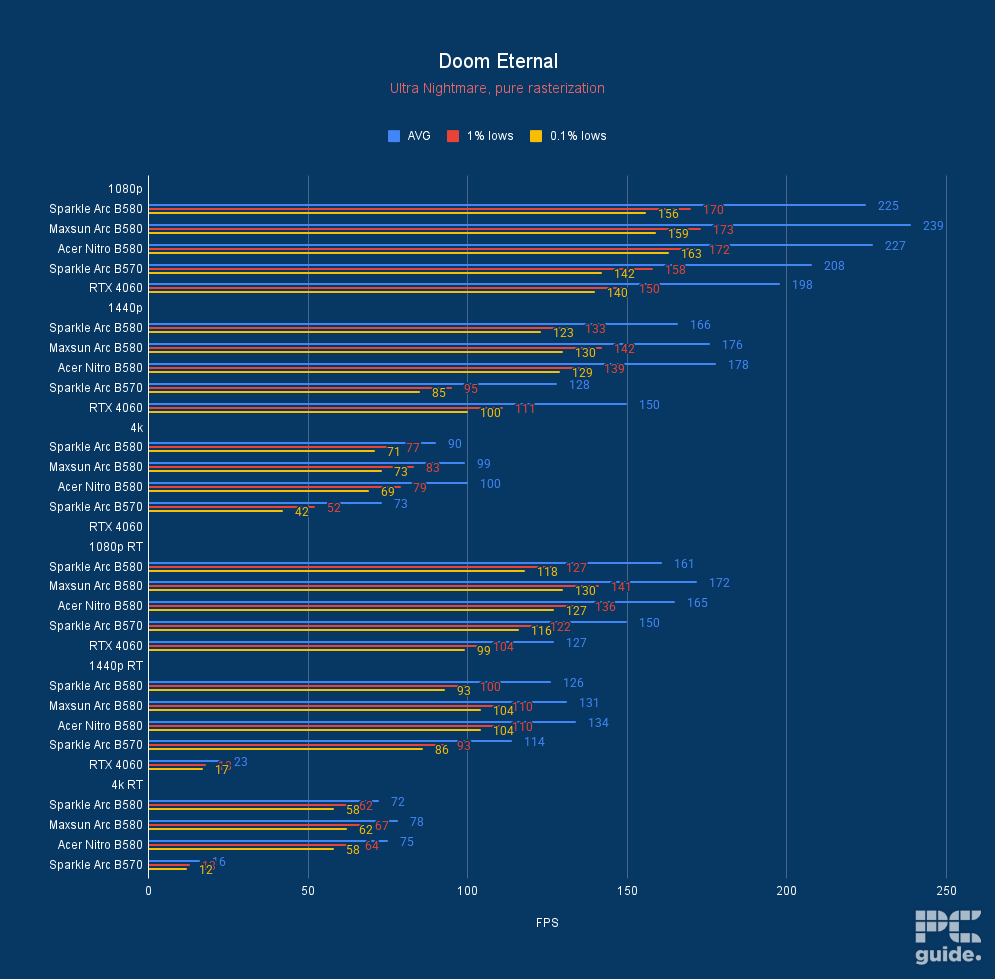
Acer Nitro Intel Arc B580 Doom Eternal, Image by PC Guide
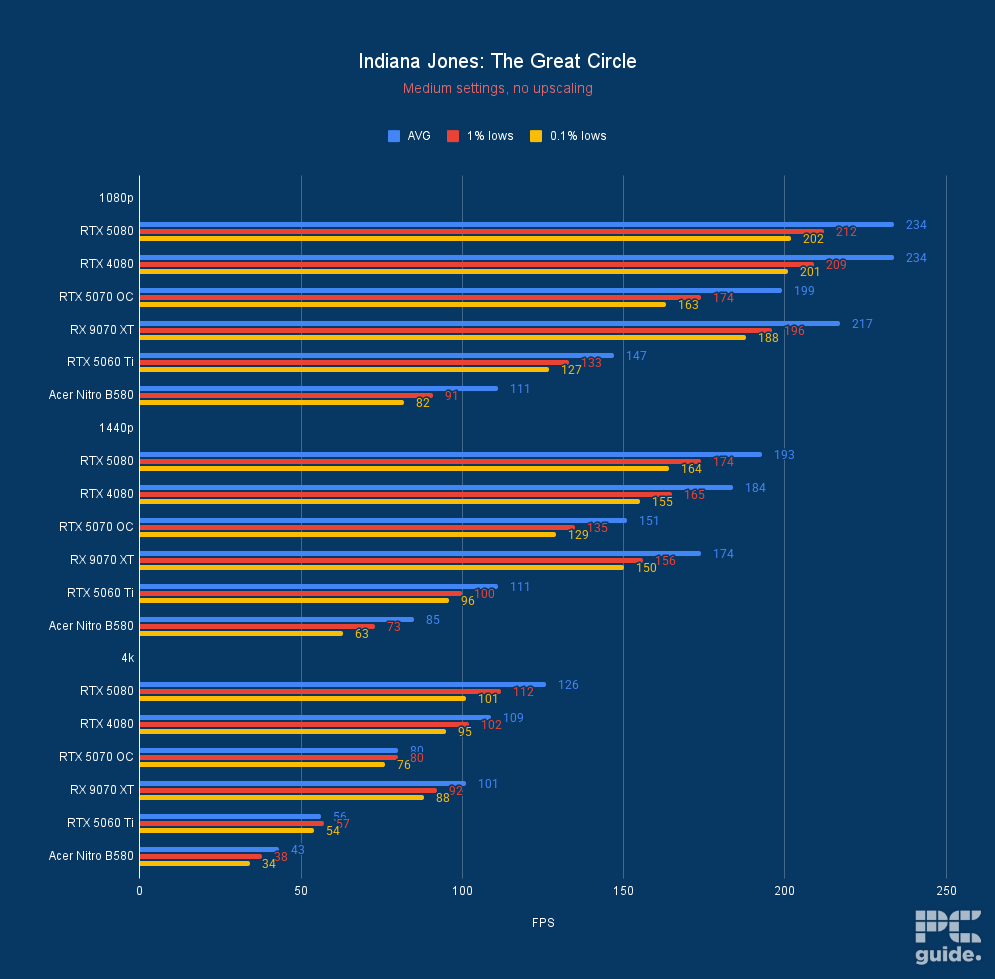
Acer Nitro Intel Arc B580 Indiana Jones The Great Circle, Image by PC Guide

Acer Nitro Intel Arc B580 AC Mirage, Image by PC Guide
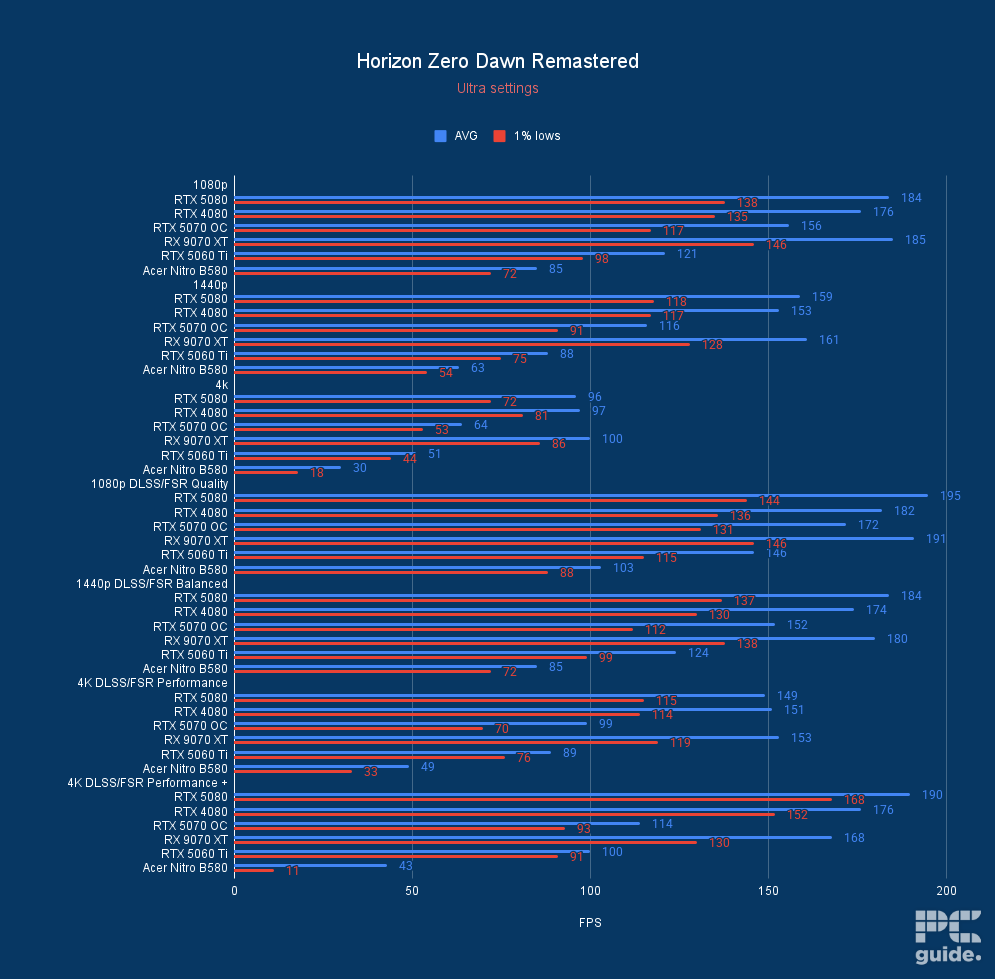
Acer Nitro Intel Arc B580 Horizon Zero Dawn, Image by PC Guide

Acer Nitro Intel Arc B580 F1 24, Image by PC Guide

Acer Nitro Intel Arc B580 HandBrake Average FPS, Image by PC Guide

Acer Nitro Intel Arc B580 Blender, Image by PC Guide

Acer Nitro Intel Arc B580 Geekbench, Image by PC Guide

Acer Nitro Intel Arc B580 Geekbench AI, Image by PC Guide
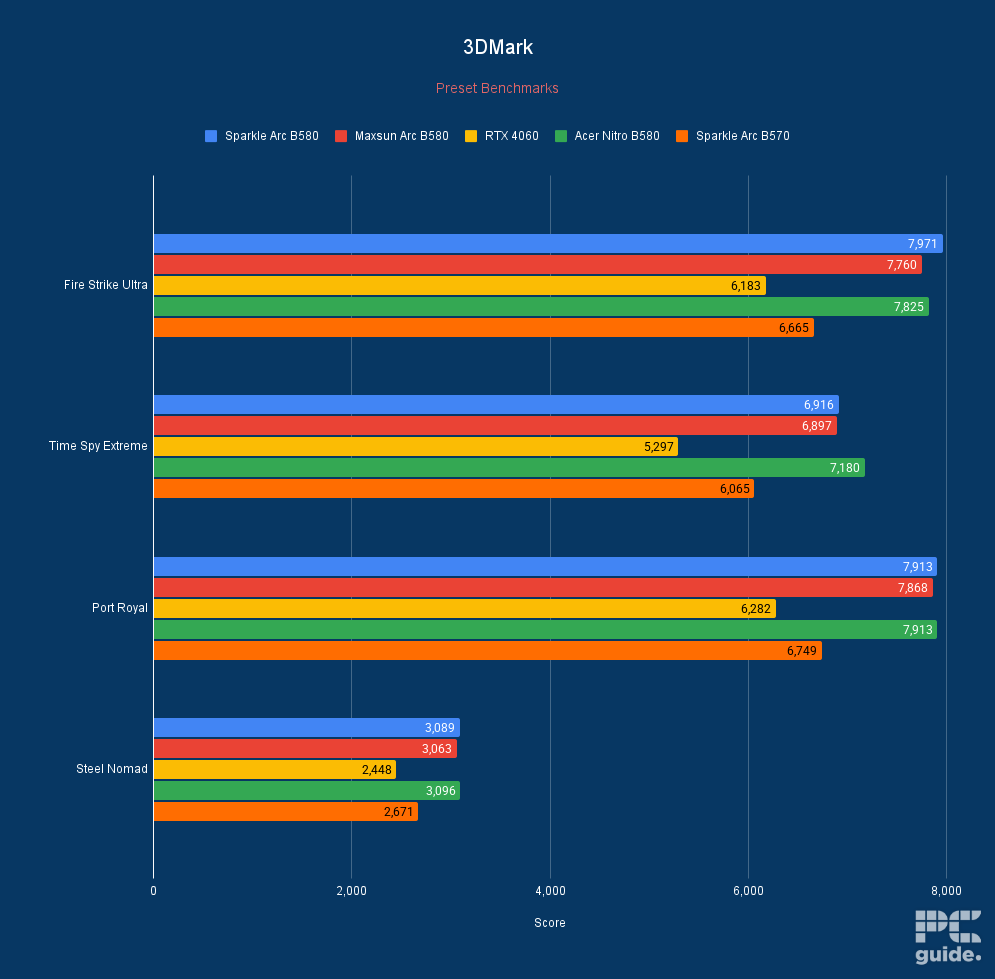
Acer Nitro Intel Arc B580 3DMark, Image by PC Guide
- GPU: GB206-250
- Cores: 3,840
- VRAM: 8GB GDDR7
- Memory bus width: 128-bit
- Bandwidth: 448.0GB/s
- Base/Boost clock: 2,280/2,497MHz
As for the latest Nvidia generation, its pricing for its GPUs hasn’t been great, and they have been increasing. There is just one card that matches the $300 MSRP, and that is the RTX 5060. The entry-level card in Blackwell does offer access to plenty of the latest features and innovations, including DLSS.
With the RTX 5060, you get 3,840 CUDA cores on the GB206 die. Along with 120 TMUs, 48 ROPs, 30 SMs, 120 Tensors, and 30 RT cores. Having a power rating of 145W, it doesn’t take a lot to power the GPU, and with that, it has both a small size to fit into smaller cases, such as with this Zotac single fan model, and needing just one 8-pin power connector to run, keeping it more compatible and safer away from the 16-pin port.
Slated for 1080p work, it is limited to just 8GB of GDDR7 memory across a 128-bit bus. So, still getting a lot of bandwidth with 448GB/s, but not a lot of capacity, which may hinder it in certain scenarios at higher resolutions and qualities. That could also be a worry for new games releasing with bigger requirements.
- GPU: Navi 44 XT
- Streaming processors: 2,048
- VRAM: 8GB GDDR6
- Memory bus width: 128-bit
- Bandwidth: 322.3 GB/s
- Base/Boost clock speed: 1,700/3,130MHz
The alternative to Nvidia is, of course, AMD and its Radeon range. Similarly, it has a card that launched below the $300 mark in its Navi IV generation, the RX 9060 XT. Built with the Navi 44 chip, it comes with 2,048 streaming processors, 128 TMUs, 64 ROPs, 32 compute units, 644 matrix cores, and 32 RT cores.
With the base clock of the reference of 1,700MHz, its game clock sits at around 2,530MHz, but the boost clock can jump all the way up to over 3,130MHz. That’s not even considering the custom models that can push that even higher and reach better performance, even if it is just a few FPS here and there.
It also suffers the same problem as the 5060 in the fact that it only offers 8GB of VRAM, an even slower version with GDDR6. Its bandwidth only reaches 322GB/s too, so it can be a worse-performing card that doesn’t quite reach the same levels. But for a 1080p card for under $300, it is a good option.
- Impressive specs and performance
- Excellent value for money overall
- Reliable and extensively reviewed product
- Only slightly under $300
- Does not perform too well at 1440p
- Some AIBs are overpriced
Our recommendation as the best last-gen graphics card available for under $300 is the Nvidia GeForce RTX 4060. Built with Ada Lovelace Architecture, the RTX 4060 is designed to give the best performance and gameplay experience to its users.
With dedicated ray tracing cores, DLSS 3, and a reflex low-latency platform proving smooth gameplay, the choice becomes obvious. The RTX 4060 is also equipped with 4th-gen 242 AI tensor cores and 8 GB of GDDR6 VRAM. This model boasts the maximum high-end graphics you will get for any GPU within this budget.
Enter the RTX 4060 which packs in just enough of the Ada architecture prowess to power today’s games in 1080p and even 1440p within reason.
PC Guide
Based on performance metrics, the model demonstrated high benchmark scores on games like Assassin’s Creed Valhalla, Call of Duty: Modern Warfare II, and Forza Horizon 5 – creating an immersive experience with AI-accelerated gaming.
The only downside to this impressive model is that its price is currently around the higher end of the price range. For full coverage of this product, be sure to check out our RTX 4060 review.
Considerations when choosing the best GPUs under $300
Here are a few things to consider before you buy a GPU for your build.
Price
It goes without saying here that our main consideration when selecting these graphics cards was the budget and cost. All the GPUs had to be below the $300 limit, meaning each recommendation should be suited to anyone shopping for a graphics card under that price. The best way to make sure you get the best price/deal for your purchase is to:
- Purchase cards during sale periods. The best sale periods are during Black Friday and during Spring Sales, though many websites like Amazon will put on other sale periods throughout the year.
- Make sure to strike while the price is low. In order to check the price history of a product, we recommend using an application called Camelcamelcamel. This should help you see when a price is dropping and identify patterns of sales.
VRAM
These graphics cards offer the best price for casual to intermediate gamers. However, it’s important to discern between a good and a bad unit. One of the main features one must look out for in a GPU is its VRAM capacity; the greater this is, the better and easier it’ll be for the unit to perform.
Manufacturer
Furthermore, there is a dichotomy you’ll have to solve: AMD, Intel, or Nvidia. These are the kings of the GPU market. Generally speaking, Nvidia has offered more power, and AMD wins the crown when it comes to pricing and performance-per-watt. Each brand has its own strengths and weaknesses. This list will have a curation of the best AMD and Nvidia GPUs for you, whether you are a gamer looking for the best 4K experience or a content creator looking for the best performance your budget can buy.
What is the best graphics card for under $300?
There aren’t many options to pick from when it comes to finding a graphics card under $300. But Intel is definitely finding a niche there, and that’s why the B580 is our choice if you can find it for the MSRP. Even the B570 could be a good alternative to it. As for AMD and Nvidia you can find the RX 9060 XT and RTX 5060 as potentials, but offering less VRAM than Intel.
Written by
