


Table of Contents
Released towards the latter end of 2024, AOC launched the Agon Pro AG276QZD2 – a QHD QD-OLED panel with a 280Hz refresh rate and some impressive specifications for anyone looking for one of the best gaming monitors.
But there’s more to this OLED monitor than its high refresh rate. It also offers a wide color gamut, promising a broad range of vibrant colors, although the real question is how accurately it can reproduce them. So, I put it through its paces in this monitor review to see how well it performs across gaming, productivity, and other everyday applications.



- Panel type: QD-OLED
- Resolution: 2560×1440
- Refresh rate: 280 Hz
- Response time: 0.03 ms
- Panel size: 26.5-inch
- I/O ports: 2x HDMI 2.1, 2x DisplayPort 1.4, 2x USB-A 3.2 Gen1, 1x USB-B up, 1x 3.5mm out
The AOC Agon Pro AG276QZD2 comes with a great panel behind it; the QD-OLED display offers some impressive-looking visuals on the panel. Although it suffers from a bit of external glare and its more jarring pixel-clearing tech, it generally has some great-looking images. Covering a wide range of the color gamut, with strong accuracy in the right mode. Even with a fast response time, its QHD 280Hz panel makes for an impressive display. But with a higher price compared to newer releases, it does fall behind the competition.
- Great color gamut and accuracy in the right modes
- Impressive-looking OLED panel
- Fast panel with adaptive sync support
- Low input lag
- Integrated USB hub and PIP
- Not great SDR peak brightness
- Does suffer from glare issues
- Some OLED care effects distracting
Pricing and availability
Having been released a few years ago now, the AOC Agon Pro AG276QZD2 is relatively well stocked in places. It can be found on Amazon or Newegg in the US for $499.99/$549.00, with the UK price coming in at £448.99 on Amazon/Scan/Overclockers. For a 240Hz, 1440p QD-OLED, that isn’t too bad of a price.
Latest tech deals.
- AMD Ryzen™ 9 9900X 12-Core - was $499 now $328
- CORSAIR 4000D PC Case - was $124.99 now $75.99
- Hisense 65" Class E6SR - was $549 now $377.99
- Apple 2026 MacBook Air - was $1,999 now $1,799
- Skytech Gaming PC Desktop (9850X3d) - was $4,299 now $3,799
- Apple Magic Mouse - was $79 now $59
- MSI Prestige 16 Flip - was $2,149 now $1,899
- Kotin 9700X Gaming PC - was $2,399 now $2,199
Prices correct as of October 9th, 2026.
As a comparison, you can get a lower-end AOC Q27GAZDV for $379.99/£349.97, a similarly specced Samsung 27″ Odyssey G6 for $599.99, an ASUS ROG XG27AQDMG for $599.00/£399.00, an MSI MAG 272QP for $399.99/£449.00, or an LG 27GX704A-B for $436/£549.

AOC Agon PRO AG276QZD2 box front, Image by PC Guide

AOC Agon PRO AG276QZD2 box back, Image by PC Guide
Design and specifications
Opening up the box for the monitor, there are instructions on how to assemble it and get it set up. On top, it provides easy access to a tray containing all the accessories, with the stand in its two parts sitting on top. Underneath that is the actual monitor in its protective wrapping.

AOC Agon PRO AG276QZD2 box edge open, Image by PC Guide

AOC Agon PRO AG276QZD2 box open contents, Image by PC Guide

AOC Agon PRO AG276QZD2 in box, Image by PC Guide
Assembling the stand is a fairly simple process with this model, as it comes with a simple one-screw connection that doesn’t even need a screwdriver to attach. It connects to the monitor via a slot-in mechanism that locks in securely, which makes the whole process quick and simple. However, if you are a fan of symmetry and simple shapes, AOC does away with that in its base, featuring an oddly shaped pentagon with the stem of the arm offset and slightly crooked. That is, according to AOC, designed with esports in mind to maximize space for your peripherals underneath it.

AOC Agon PRO AG276QZD2 base bottom, Image by PC Guide

AOC Agon PRO AG276QZD2 base, Image by PC Guide

AOC Agon PRO AG276QZD2 stand side, Image by PC Guide

AOC Agon PRO AG276QZD2 stand installed, Image by PC Guide
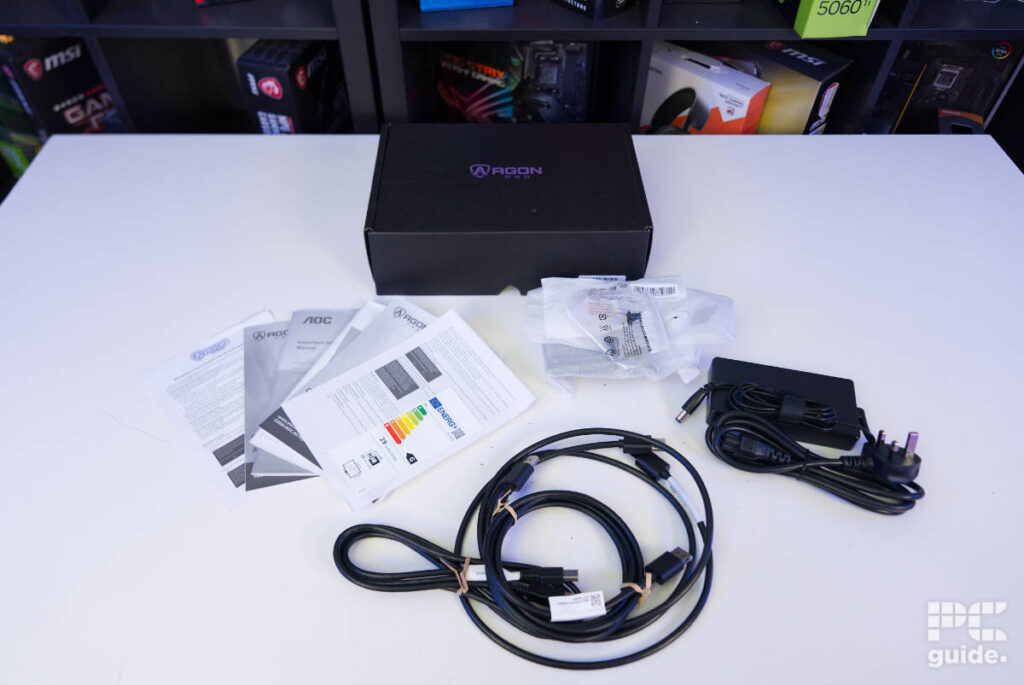
Unpacking the box of accessories, there is a decent number of things included with it. It comes with two display cables, one for each standard depending on your preference and availability, along with another USB-B to USB-A cable for using the built-in hub. Along with a VESA mounting plate, plenty of documentation, and the power cable for the monitor, which is an external brick, so it does make it a bit less convenient to power.
On the bottom edge of the monitor, it has all of its connectors in one panel at the bottom of the rather thick central section. With two barrel plugs on each end, the left is for power and the right is for audio. In between, there are two HDMI 2.1, two DisplayPort 1.4, two USB-A 3.2 Gen1, and one USB-B upstream port.

AOC Agon PRO AG276QZD2 bottom edge, Image by PC Guide

AOC Agon PRO AG276QZD2 IO, Image by PC Guide
On the rest of the back, it continues its funky shape right in the center of the monitor, with an even more stretched pentagon. This hides away diffused RGB around the edge, along with vents. On the left side is the controller for the monitor, offering easy control but also shaped like a pentagon to keep with the rest of the design. It then finishes off with a thinner section of the panel at the top, right above even more vents.

AOC Agon PRO AG276QZD2 back, Image by PC Guide

AOC Agon PRO AG276QZD2 back vent, Image by PC Guide

AOC Agon PRO AG276QZD2 joystick, Image by PC Guide

AOC Agon PRO AG276QZD2 logo and Kensington, Image by PC Guide

AOC Agon PRO AG276QZD2 rear, Image by PC Guide
In the center, the monitor arm connects via a rotating circle in the middle of the back. That gives it an adjustment of around 90° pivot in either direction. The whole arm then provides a swivel of 28° in both directions, with a tilt of -5° to +25°, along with a total height adjustment of 130mm.

AOC Agon PRO AG276QZD2 side (1), Image by PC Guide

AOC Agon PRO AG276QZD2 side (2), Image by PC Guide

AOC Agon PRO AG276QZD2 side (3), Image by PC Guide

AOC Agon PRO AG276QZD2 side (4), Image by PC Guide

AOC Agon PRO AG276QZD2 side (5), Image by PC Guide

AOC Agon PRO AG276QZD2 side (6), Image by PC Guide
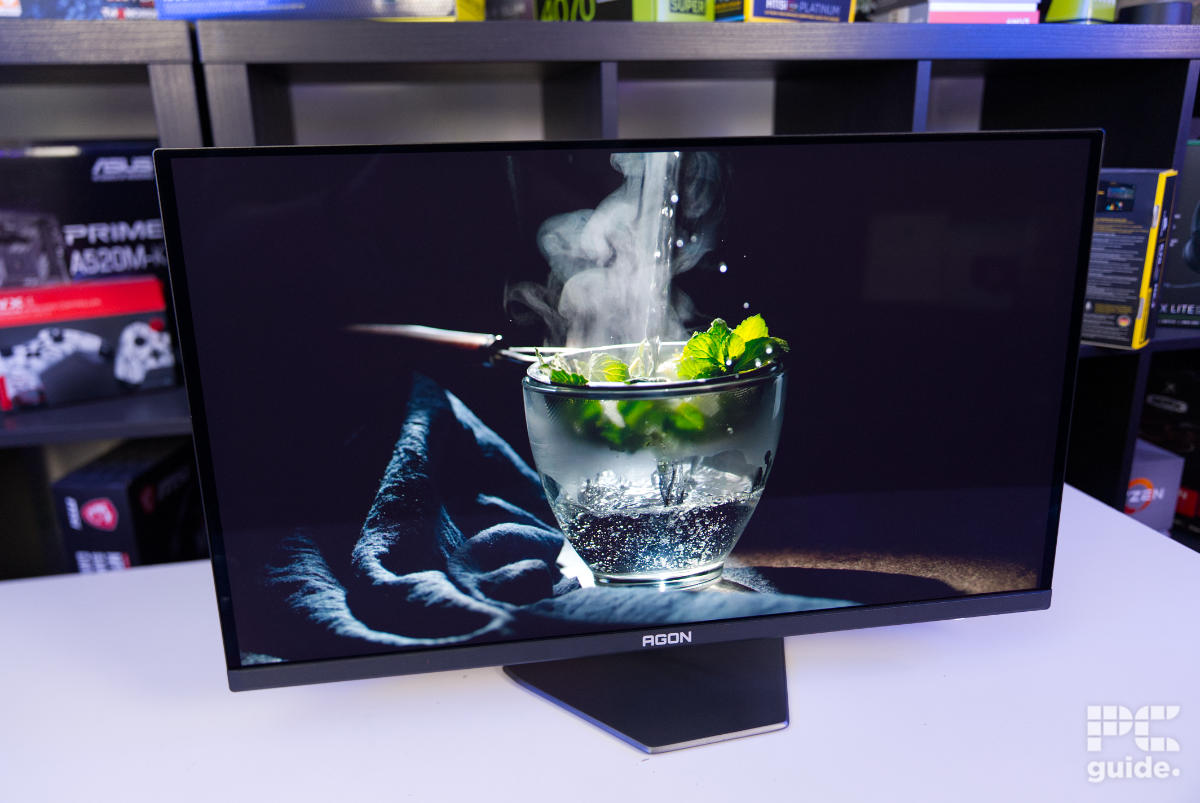
On the front of the monitor, it’s a simpler design and finish. Keeping its stock black bezels around the edge, there is a thicker bar across the bottom that has the AGON logo in the center. Standing above the oddly shaped stand, the only other thing is the right side underneath, which holds the status light that shines depending on the power status of the monitor.

AOC Agon PRO AG276QZD2 status light, Image by PC Guide

AOC Agon PRO AG276QZD2 status light powered, Image by PC Guide

AOC Agon PRO AG276QZD2 front on, Image by PC Guide

AOC Agon PRO AG276QZD2 front logo, Image by PC Guide

AOC Agon PRO AG276QZD2 powered screen (1), Image by PC Guide
OSD, settings, and warranty
Booting up the monitor, I then went over the OSD (on-screen display) and saw what it had to offer in terms of adjustments. Starting off with Game Settings, there is a game mode that changes the image quality depending on the scenario, adjustments to shadows and color, a sniper scope, adaptive sync, low input lag, and the option to turn on the frame counter.
Then there’s the luminance section, which lets you adjust the contrast, brightness, gamma, and picture mode, along with the type of HDR you want. Although with HDR on, the brightness does get locked in and is not adjustable. The AG276QZD2 does have PIP (picture-in-picture) available, and one of the menus lets you adjust the source, subsource, and position of the secondary picture so it can be positioned to your preference. It also has one whole submenu dedicated to audio, which only has the volume level to change.

AOC Agon PRO AG276QZD2 OSD (1), Image by PC Guide

AOC Agon PRO AG276QZD2 OSD (2), Image by PC Guide

AOC Agon PRO AG276QZD2 OSD (3), Image by PC Guide

AOC Agon PRO AG276QZD2 OSD (4), Image by PC Guide

AOC Agon PRO AG276QZD2 OSD (5), Image by PC Guide

AOC Agon PRO AG276QZD2 OSD (7), Image by PC Guide
There are even more color adjustments that can be made on the monitor in another section, offering blue light adjustment, color temperature, and gamut controls. By default, the panel does come in a warm preset and in native mode, but this can be changed to reach better color accuracy in sRGB or DCI-P3. There are also controls for the light effects on the back, where you can change the brightness and effect on display.
Before the last option in the OSD settings, there is the big selection of OLED care and extras. It alone features eight methods of keeping that panel in check, with options for refreshes, warnings, dimmers, screensavers, and more. It does have a good range of protection in place. Along with that, there are various options for input selection, USB, and timers. Then the last submenu is for the settings, including its position, language, and timeout.

AOC Agon PRO AG276QZD2 OSD (6), Image by PC Guide

AOC Agon PRO AG276QZD2 OSD (8), Image by PC Guide

AOC Agon PRO AG276QZD2 OSD (9), Image by PC Guide

AOC Agon PRO AG276QZD2 OSD (10), Image by PC Guide

AOC Agon PRO AG276QZD2 OSD (11), Image by PC Guide

AOC Agon PRO AG276QZD2 OSD (12), Image by PC Guide

AOC Agon PRO AG276QZD2 OSD (13), Image by PC Guide
As for the warranty of the monitor, it does come with 3 years of coverage, giving you peace of mind over its coverage during that time. Although with the many safety settings, it should last long after that too.
Screen testing and performance
Once it was all set up and running, it was time to test the display. Using a Calibrite sensor with DisplayCAL software, I ran a variety of tests, checking the out-of-the-box calibration and various modes available, as well as uniformity and more. This gave me a good overview of what the monitor was capable of.

AOC Agon PRO AG276QZD2 setup (3), Image by PC Guide

AOC Agon PRO AG276QZD2 setup (2), Image by PC Guide

AOC Agon PRO AG276QZD2 setup (1), Image by PC Guide
Color gamut
First off, it’s the color gamut of the display, meaning the range of color spectra the display is capable of showing and recreating.

AOC Agon PRO AG276QZD2 DCI-P3 gamut, Image by PC Guide

AOC Agon PRO AG276QZD2 sRGB gamut, Image by PC Guide

AOC Agon PRO AG276QZD2 AdobeRGB gamut, Image by PC Guide

AOC Agon PRO AG276QZD2 standard coverage, Image by PC Guide

AOC Agon PRO AG276QZD2 sRGB coverage, Image by PC Guide

AOC Agon PRO AG276QZD2 calibrated coverage, Image by PC Guide

AOC Agon PRO AG276QZD2 DCI-P3 coverage, Image by PC Guide
In the case of our panel, the AG276QZD2 has great coverage even on its standard preset. With the gamut coverage out of the box being 99.7% of sRGB, 95% of Adobe RGB, and 98.7% of DCI-P3. Changing it to sRGB mode, that becomes 97.3% sRGB, 69.3% Adobe RGB, and 71.4% DCI-P3. As for DCI-P3 mode, that changes it to 99.1%, 86.2%, and 96.4%, respectively.
Although the gamut might change for the worse, the accuracy might improve, as I’ll find later on. Yet calibrating the monitor only slightly alters the gamut from the standard/default level. I measured it at 99.8% sRGB, 94.8% AdobeRGB, and 98.7% DCI-P3.
Color accuracy, contrast, and brightness
With the gamut showcasing the range of colors it can reproduce, I then tested how accurate it was at keeping the colors correct on the screen, along with a range of other variables that make it look as it should.
| Whitepoint | Blackpoint | Contrast | Average deltaE*00 | Max deltaE*00 | Gamma | Brightness | |
|---|---|---|---|---|---|---|---|
| IDEAL | 6500K | 0/m² | infinity:1 | 0 | 0 | 2.2 | ~ |
| OOB (Standard, gamma 1, warm) | 6572K | 0/m² | infinity:1 | 3 | 7.81 | 2.18 | 119.7 cd/m² |
| sRGB mode | 6562K | 0/m² | infinity:1 | 0.93 | 3.6 | 2.2 | 118 cd/m² |
| DCI-P3 mode | 6640K | 0/m² | infinity:1 | 4.15 | 6.91 | 2.58 | 119 cd/m² |
| Standard normal temperature | 7574K | 0/m² | infinity:1 | 2.87 | 7.22 | 2.17 | 106.3 cd/m² |
| Game (warm) | 6608K | 0/m² | infinity:1 | 3.02 | 7.96 | 2.19 | 158.3 cd/m² |
| Movie (warm) | 6582K | 0/m² | infinity:1 | 3.07 | 7.86 | 2.19 | 206.9 cd/m² |
| Calibrated | 6490K | 0/m² | infinity:1 | 0.4 | 2.79 | 2.21 | 120.3 cd/m² |
As expected, since this is an OLED panel, it does have perfect contrast with an infinity-to-1 ratio, as its black levels are 0/m², so they stayed the same across the various modes. In the default mode with the warm preset, the monitor does sit at the correct white point, with my measurement placing it just 72K colder than ideal. As for color accuracy, that does stray quite high, with an average delta of 3 and a maximum of 7.81, so it does stray rather far from ideal.
Turning that panel temperature to normal does drop the white point much colder by over 1,000K, with a reading of 7,547K. At the same time, it improves the color accuracy a touch, with an average delta of 2.87 and a max delta of 7.22.
What improves the color accuracy a lot is turning it to sRGB mode. Then the average becomes 0.93, and the max delta is 3.6, with an even better temperature and gamma as well. DCI-P3, on the other hand, isn’t as effective; instead, it moves the needle in the opposite direction, with it getting an average deltaE of 4.15 and a max of 6.91.
Two other modes I tested were Game and Movie, aimed at improving visuals for those scenarios. They don’t make too much difference in color accuracy from standard, seemingly just adjusting the temperature more than anything. Lastly, I also measured it with a calibrated panel, where it also had much-improved accuracy over sRGB mode, dropping to 0.4 average deltaE and a max of 2.79 deltaE.
For these tests, the brightness was kept to around 120 cd/m² as an optimal viewing level, but I did measure the range it was capable of. At the dimmest, it reached 17.08 nits, with the brightest point reaching 255 nits; that is in the SDR mode. Although in HDR it is capable of reaching 1,000 nits, our current setup doesn’t reach those levels.
Panel uniformity
After all those tests and calibration, I measured the uniformity of the panel as well. Checking how various areas of it compared against each other, measuring the color and brightness of them in comparison to the center square.
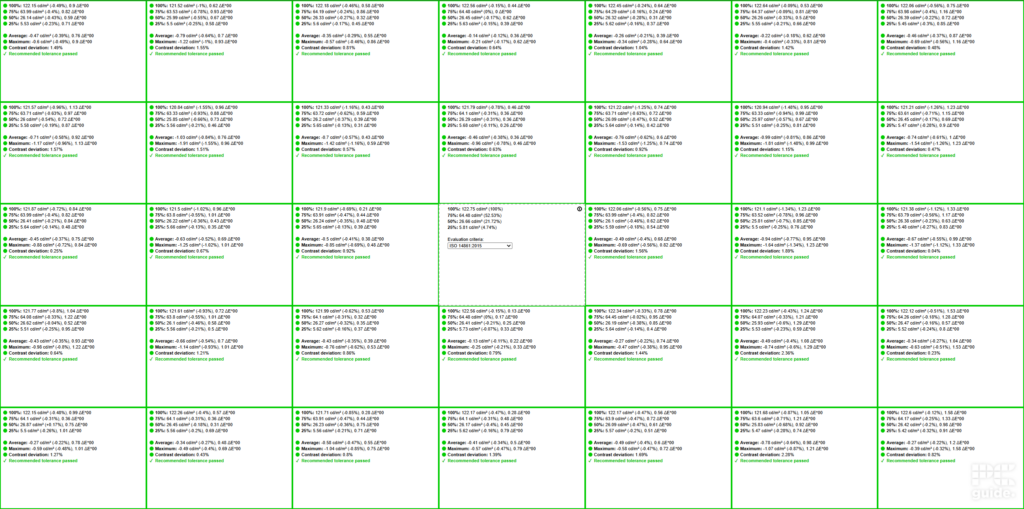
In this case, the AOC monitor does an excellent job of keeping the uniformity in the green across the whole panel. The biggest differences in this panel come to a deltaE of around 1.5%, a contrast difference of around 2%, and a brightness difference of 1.5%. So it does manage to keep very close to spec.
Viewing angles
With its choice of OLED panel, the monitor also offers pretty much perfect viewing angles. With a reported 178°, you can view it from almost any angle. So it makes for an easy setup when you can have it at any sort of placement.

AOC Agon PRO AG276QZD2 side view (1), Image by PC Guide

AOC Agon PRO AG276QZD2 side view (2), Image by PC Guide
Gaming performance
Getting all those technicalities out of the way, I finally got to experience what it is like to game on the monitor. With a 1440p, 280Hz refresh rate, and a 26.5-inch size, it should offer an exceptional feel to it.

AOC Agon PRO AG276QZD2 in use (3), Image by PC Guide

AOC Agon PRO AG276QZD2 in use (4), Image by PC Guide

AOC Agon PRO AG276QZD2 in use (5), Image by PC Guide

AOC Agon PRO AG276QZD2 in use (6), Image by PC Guide
First off, I started with CS2, taking advantage of the monitor’s fast refresh rate. The fast 280Hz rating on it is quite easily achievable with a mid-range 1440p GPU, but even then there’s plenty of graphics changes to be made, and frame rates can jump into the hundreds to match the refresh rate, which Adaptive Sync can help with too.
With that set, it all had that exceptional and smooth feel to it. With quick reflexes and flicking the scope around, it doesn’t suffer from any tearing or distortion to the image. Instead, it remains clear and easy to follow, without losing track of the enemies or what to look out for. This provides a great competitive advantage to make the most of, alongside excellent color and contrast, which even looks impressive.
That is even more apparent when I played Cyberpunk 2077 on it too. With the big range of quality it has to offer, it can make for a great-looking game. With the OLED panel and the higher-quality resolution, the game was able to really shine, especially as the game has such a big contrast between the brightly colored neon areas and the dark alleys.
It always manages to surprise me just how different the image looks on an OLED compared to the IPS LCDs I’m used to viewing day to day. The vibrant colors provide a lifelike image and an immersive experience that gives the games a whole new look.
Response rate
To finish up the gaming section of the test, I also tested the response rate of the panel. Using our OSRTT (Open Source Response Time Tool), I could measure the time it takes for the panel to react to changes in the program itself. Measuring with both Vsync turned off and on gives me a good overview of what the monitor’s performance is like.

AOC Agon PRO AG276QZD2 response time vsync off, Image by PC Guide

AOC Agon PRO AG276QZD2 response time vsync on, Image by PC Guide
With Vsync off, the monitor achieved an average rating of 95.17, with the worst tests dropping to 88.7. In that case, the perceived response time between 51 and 255 RGB was 4.8ms, and 102 to 255 took 6.6ms. That is in comparison to the best responses, which take just 0.3ms, with it having an average error of 0.77.
As for running it with Vsync, the average rating was also around 95.18, with the worst slightly lower at 86.5. In this case, both 51 to 255 and 102 to 255 were at 6.8ms, with the best still at 0.3ms.
General performance and productivity
I then moved on to just I then moved on to just general usage of the monitor, with day-to-day tasks and some work to see what its greater extent of capabilities are beyond gaming.usage of the monitor. With day-to-day tasks, and some work to see what its greater extent of capabilities are beyond gaming.

AOC Agon PRO AG276QZD2 in use (2), Image by PC Guide

AOC Agon PRO AG276QZD2 in use (1), Image by PC Guide
The first thing to notice is the size at 26.5 inches of usable screen space. It isn’t the biggest screen for getting plenty of screen space, but it still is a decent size. It is kind of a standard option these days; it’s a decent size for most use cases, but nothing special.
The display’s high refresh rate also improves daily usage. That quick and smooth feel to it makes everything feel faster, no matter what you’re really doing on there. Be it browsing, moving windows, or any other work, it all has an excellent and seamless responsiveness to it.
There is plenty of connectivity to utilize on the AOC monitor too. With the USB hub in the back, it provides a much easier cabling method for connecting up some of your peripherals and any headphones you might have using a 3.5mm audio jack.
Although you do have multiple inputs, there is just one USB upstream, so it is limited to what devices you can control. What you do have are multiple video inputs, which come with easy switching between multiple options, or using the PIP so you can multiview across various outputs.
In these slower scenarios, the pixel-orbiting of the monitor does occasionally pop up. Even on the lowest setting of Weak, the pixel adjustment is rather jarring occasionally when I was looking at a particular area of the monitor, and it does move them.
What it does come with, though, is some decent calibration and color gamut on the sRGB spectrum and its mode on the monitor. Even better with calibration, it’s an OK option for some light color-accurate work.
- Panel type: QD-OLED
- Resolution: 2560×1440
- Refresh rate: 280 Hz
- Response time: 0.03 ms
- Panel size: 26.5-inch
- I/O ports: 2x HDMI 2.1, 2x DisplayPort 1.4, 2x USB-A 3.2 Gen1, 1x USB-B up, 1x 3.5mm out
Conclusion
Overall, the AOC Agon PRO AG276QZD2 is an impressive 1440p QD-OLED monitor, particularly when it comes to gaming. The high 280Hz refresh rate, fast response times, excellent contrast, and vibrant OLED colors give it a strong showing in fast-paced games, while the wide color gamut and good calibration potential add some versatility for work and general use. The connectivity and adjustable stand also make it practical to use, while the extensive OLED care features give you plenty of options for looking after the panel over time.
There are some compromises, though. The 26.5-inch display isn’t particularly large, the single USB upstream connection limits some of the hub’s flexibility, and the pixel-orbiting can be distracting during slower tasks. More importantly, the older panel generation means it faces increasingly strong competition from newer OLED monitors at similar prices. Even so, the AG276QZD2 combines a fast refresh rate, strong gaming performance and the image quality you’d expect from a QD-OLED panel, making it a capable 1440p gaming monitor with plenty to offer.
Written by
