



Table of Contents
INNOCN is continuing to expand its lineup of gaming monitors with another display designed to compete with some of the biggest names on the market. We previously reviewed its 49Q1S, which scored incredibly well, so the question is whether the GA27M1Q can maintain that quality throughout the lineup. This model comes in at 27 inches, making it a more practical option for users who prefer a standard-sized display or want to run a multi-monitor setup.
Featuring a 1440p resolution and an impressive 500 Hz refresh rate, the GA27M1Q promises both sharper visuals and exceptional speed. The higher refresh rate not only enhances motion clarity in fast-paced games but also improves responsiveness, potentially giving competitive players an edge. At the same time, the OLED panel should deliver richer colors and deeper contrast for a more immersive viewing experience. The real question, however, is whether the monitor can live up to those impressive specifications in everyday use.

- Panel type: QD-OLED
- Resolution: 2560 x 1440 (QHD)
- Refresh rate: 500Hz
- Response time: 0.03ms (GtG)
- Panel size: 27-inch
- I/O ports: 1x 3.5mm Audio Out, USB 3.1 Gen 1 (1x Type-B Upstream, 2x Type-A Downstream), 2x HDMI 2.1, 2x DP 1.4
The INNOCN GA27M1Q is a strong-performing OLED monitor. Featuring a 1440p resolution and a 500Hz refresh rate, it delivers a noticeable improvement that results in a display that both looks and feels excellent. However, its pricing comes as a surprise, landing closer to that of more established brands – a surprise when factoring in other monitors in the range.
In practice, the experience is a bit of a mixed bag. Our unit’s calibration didn’t quite live up to the manufacturer’s claims and required some adjustment to reach the expected levels. That said, the monitor includes a wide range of picture modes and tuning options that make it possible to dial things in properly. Overall, it’s an excellent-feeling display that just needs a little extra refinement to produce the best possible experience.
- High 500Hz refresh rate
- Lots of adjustability and pivot
- OLED panel provides perfect black levels and contrast
- Plenty of picture modes are readily available
- USB dock onboard
- Excellent response time and decent panel uniformity
- Calibration was not ideal out of the box
- Pricing on par with competition
- Menu control takes some getting used to
Pricing & availability
INNOCN has the monitor listed on their website for around $799.99 – with regular discounts bringing it down to around $650. At the time of review, the monitor couldn’t be found anywhere else, certainly not the 500Hz model. The closest I managed to find was the GA26S1Q, which is on Amazon for $549.99.
Latest tech deals.
- AMD Ryzen™ 9 9900X 12-Core - was $499 now $328
- CORSAIR 4000D PC Case - was $124.99 now $75.99
- Hisense 65" Class E6SR - was $549 now $377.99
- Apple 2026 MacBook Air - was $1,999 now $1,799
- Skytech Gaming PC Desktop (9850X3d) - was $4,299 now $3,799
- Apple Magic Mouse - was $79 now $59
- MSI Prestige 16 Flip - was $2,149 now $1,899
- Kotin 9700X Gaming PC - was $2,399 now $2,199
Prices correct as of October 9th, 2026.
As a comparison, similar 500Hz 1440p OLEDs on Amazon are quite similar in pricing. The MSI MPG 271QR is also $799.99 and uses a QD-OLED panel, while the ASUS ROG SWIFT PG27AQDP uses a WOLED panel and is also available for $799.99. On the other hand, the Samsung Odyssey G60SF with a QD-OLED comes at a higher premium of $999.99.
Out of the selection, the INNOCN doesn’t stand out as a particularly cheap monitor in comparison to any other option, as you might expect from the brand. So, as a lesser-known option, it has an even greater hill to climb to be considered for your next purchase.
Design & specifications
Taking the monitor out of the box and setting it up, there isn’t too much that immediately stands out at first glance. However, it does differentiate itself with its white colorway. In contrast to the majority of today’s gaming displays – which typically opt for black finishes – the GA27M1Q uses a white shell that gives it a more distinctive look on the desk.
From the front, the flat panel keeps things relatively simple, with only a white chin visible beneath the display. A black stem extends from underneath the panel and connects to the single-plate stand. The stand itself is fairly sizeable and heavy, helping to support the monitor securely while also providing enough stability when adjusting or rotating the display.
Around the back, the white plastic is broken up by several design elements and the inclusion of RGB lighting. Along the top edge of the monitor is a small perforated vent that remains fairly subtle. The most noticeable feature, however, is the large ring light surrounding the base attachment point. This lighting can be set to red, green, or blue, providing a modest level of gaming-style illumination. While the effect is fairly minimal, it can be customized or turned off entirely if preferred.

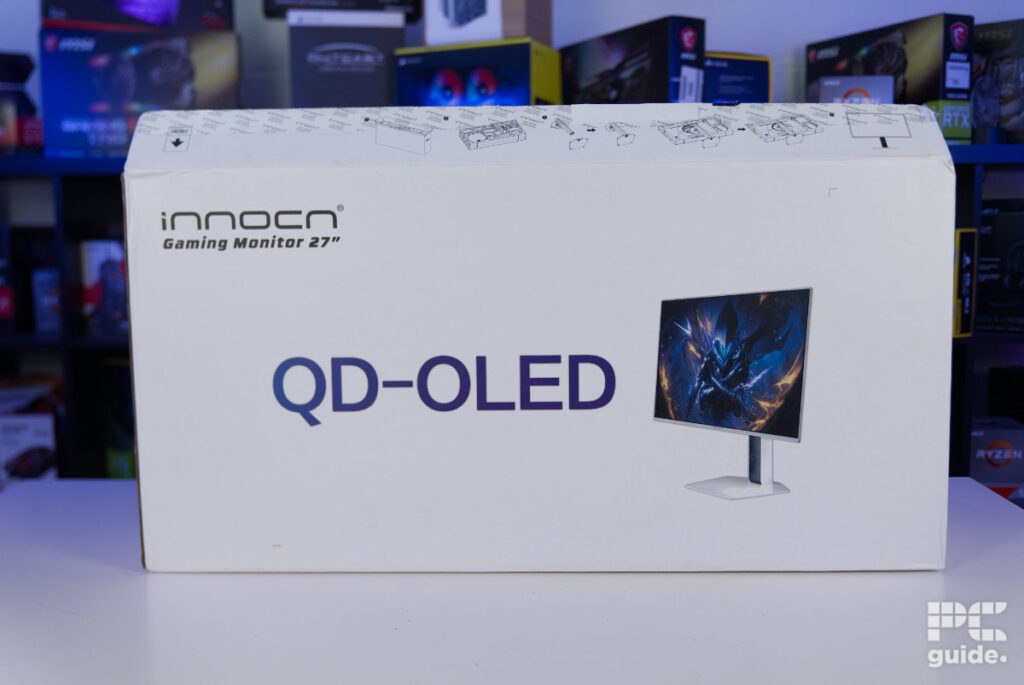
INNOCN GA27M1Q with box, Image by PC Guide

INNOCN GA27M1Q accessories, Image by PC Guide

INNOCN GA27M1Q front on, Image by PC Guide

INNOCN GA27M1Q angled front, Image by PC Guide

INNOCN GA27M1Q vertical, Image by PC Guide

INNOCN GA27M1Q back, Image by PC Guide

INNOCN GA27M1Q button & joystick, Image by PC Guide

INNOCN GA27M1Q power and audio ports, Image by PC Guide

INNOCN GA27M1Q USB & video ports, Image by PC Guide

INNOCN GA27M1Q LED ring, Image by PC Guide

INNOCN GA27M1Q stand, Image by PC Guide

INNOCN GA27M1Q base, Image by PC Guide

INNOCN GA27M1Q panel back, Image by PC Guide

INNOCN GA27M1Q lit LED, Image by PC Guide
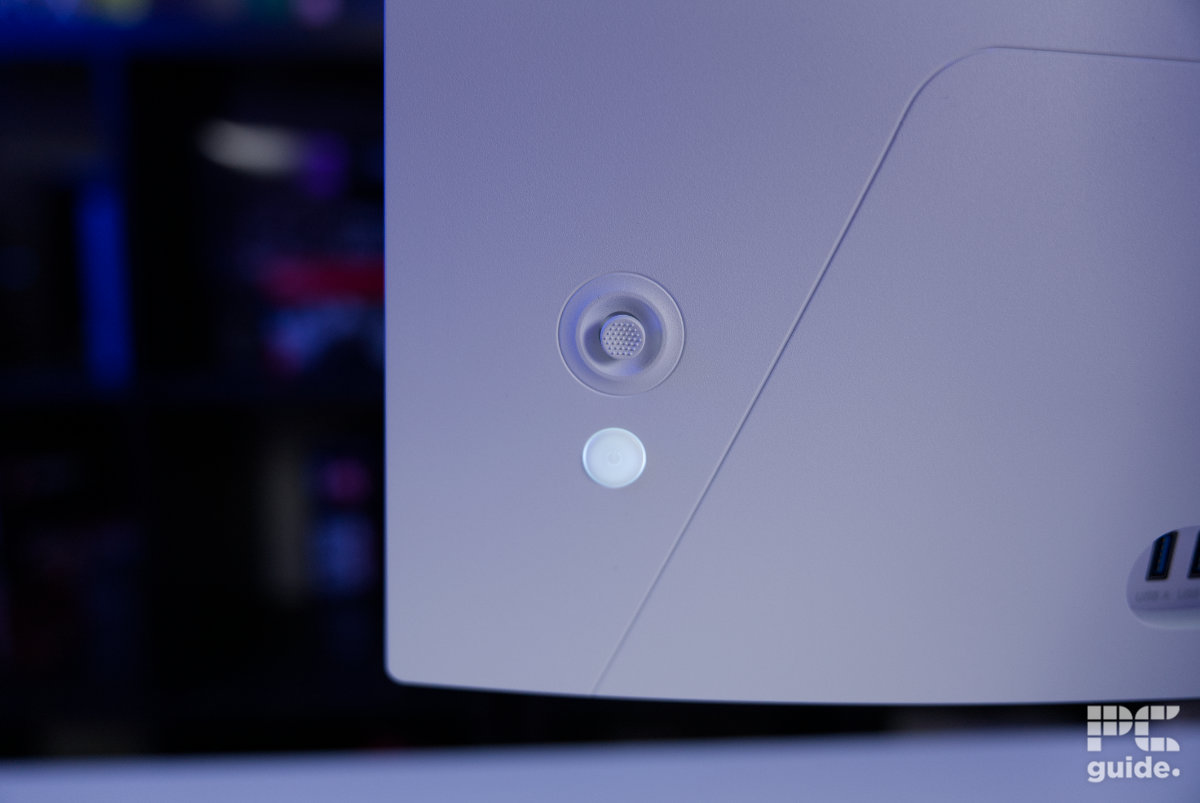
INNOCN GA27M1Q lit button, Image by PC Guide
As for the controls and connectivity, there is a single joystick with good grip and a solid feel when clicking through the menus (which can be a bit painful to use). For the ports, you can find all of them below the ring and centered in a long cutout at the rear of the display. Here you will find two USB-A 3.0s, one USB-B 3.0, one HDMI 2.1, one DP 1.4, an audio out, and DC power in ports, with the USB charging capable of 5V 900mA.
Other specs of the monitor include a 2560 x 1440p QD-OLED panel with a standard 16:9 aspect ratio. The 27″ display is rated for VESA HDR 500 certification and has a maximum refresh rate of 500Hz, respectively.
It does feature adaptive sync that makes it G-Sync compatible with FreeSync support. There are also speakers on board the monitor, two 3W additions that are plenty to provide a clear and decent sound, but nothing too overly impressive. Alongside this, the stand comes with plenty of adjustability for the screen, with a tilt ranging from -5° to +20°, swivel range of ±22.5° (total 45°), a pivot of 90° vertically, and a height adjustment of 120 mm.
OSD, features, settings & warranty
The OSD on this version of the INNOCN is different from the ultrawide; it’s certainly a lot more gamery with the green and black; it’s all navigated via the joystick on the back. Plus, it is easy to navigate thanks to being well laid out, and each sub-menu is self-contained within the right sections.
It did get a bit frustrating at times, where adjusting the brightness or color level was a lot less intuitive, as I kept pressing the wrong direction initially and leaving the menu instead of adjusting the level. There are plenty of those options to adjust where needed, as with 14 picture modes, each of which even has a custom color profile you can adjust individually to get it to the right levels.

INNOCN GA27M1Q menu, Image by PC Guide

INNOCN GA27M1Q picture mode menu, Image by PC Guide

INNOCN GA27M1Q PIP, Image by PC Guide
With each mode, there are plenty of picture settings to adjust, ranging from brightness, hue, saturation, and more. With a number of game settings to enhance your gaming experience on the monitor, it’s no surprise to also see crosshair enhancements in the OSD.
he monitor also includes a picture-in-picture mode, allowing you to display a secondary source and choose which input it comes from. Alongside this, there are plenty of general settings available, including the ability to reposition the on-screen menu. This is particularly useful, as the default placement can cover the color testing square during calibration.
As for the warranty, INNOCN lists a 12-month warranty for the monitor. The return policy, however, varies depending on your location and where the monitor was purchased.
Screen testing & performance
After all the setup and initial impressions, I then put it through various tests on the display to see what it was capable of – using the DisplayCAL software combined with a Display Plus HL colorimeter from Calibrate.
Color gamut

INNOCN GA27M1Q Adobe RGB, Image by PC Guide

INNOCN GA27M1Q DCI-P3, Image by PC Guide

INNOCN GA27M1Q sRGB, Image by PC Guide
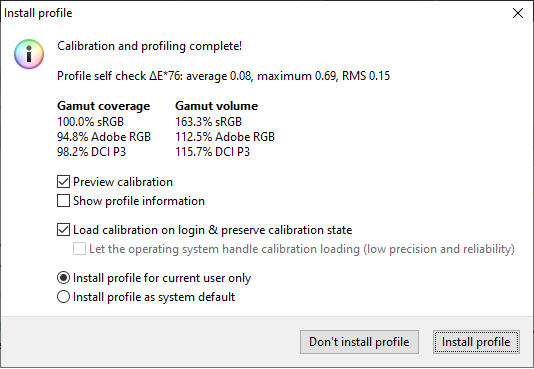
In the specs of the GA27M1Q, INNOCN claims 98% DCI-P3, 99% sRGB, and 94% Adobe RGB coverage. But, as you can see from the results above and below, it doesn’t quite live up to that in our testing.
Color accuracy, contrast, & brightness
In the table below, we’ve put together the results of some of the various picture modes that are available on the monitor. Measuring the white point, black point, contrast, average deltaE*00, the max delta, and the recorded luminance at that time. The top row shows the ideal scenario levels as a comparison.
| Monitor preset | white | black | contrast | average deltaE*00 | max deltaE*00 | Recorded luminance |
|---|---|---|---|---|---|---|
| IDEAL | 6500K | 0 cd/m² | infinity:1 | 0 | 0 | 120 cd/m² |
| Standard | 7135K | 0 cd/m² | Infinity:1 | 3.55 | 7.18 | 120 cd/m² |
| sRGB | 6696K | 0 cd/m² | Infinity:1 | 1.26 | 2.64 | 121.5 cd/m² |
| DCI-P3 | 6686K | 0 cd/m² | Infinity:1 | 2.47 | 5.31 | 121.3 cd/m² |
| Adobe RGB | 6672K | 0 cd/m² | Infinity:1 | 3.27 | 7.29 | 120.5 cd/m² |
| Movie | 6446K | 0 cd/m² | Infinity:1 | 4.44 | 8.13 | 120.5 cd/m² |
| INNOCN | 7232K | 0 cd/m² | Infinity:1 | 1.41 | 3.21 | 119.6 cd/m² |
In the monitor’s Standard mode, it falls short of the marketed levels, both in white levels (as it sits well in the warmer side of things at over 600K over nominal) and colors. The colors are quite significantly off, with the average delta at 3.55 and the max peaking at 7.18, but at least it was quite easy to get it to the optimal brightness level. On the plus side, with it using an OLED panel, the contrast and black point are ideal, thanks to being able to turn the pixels completely off.
The best option for the color accuracy of the defaults is the sRGB preset. Averaging out to just a 1.26 deltaE and the max reaching 2.64, it’s fairly color accurate. Even the white point is just 196K above the nominal 6500K level. Even the INNOCN preset, which we would have thought would be ideal, sits warmer, and the colors are slightly above where they should be.
Testing the brightness of the monitor, the lowest level it reached was just 11.1 cd/m², while it peaked at just 301cd/m². So it’s not exactly the brightest display, but it doesn’t misclaim it on the specs, as INNOCN claims a 300 nits on the specs sheet.
Panel uniformity
Lastly, in our DisplayCAL testing, I checked out the panel uniformity. Checking how much the brightness and color change across the panel to see how well it works across it. With a five-by-five grid, we used the colorimeter to measure these from the center and compared the rest of them to it to see the variance.
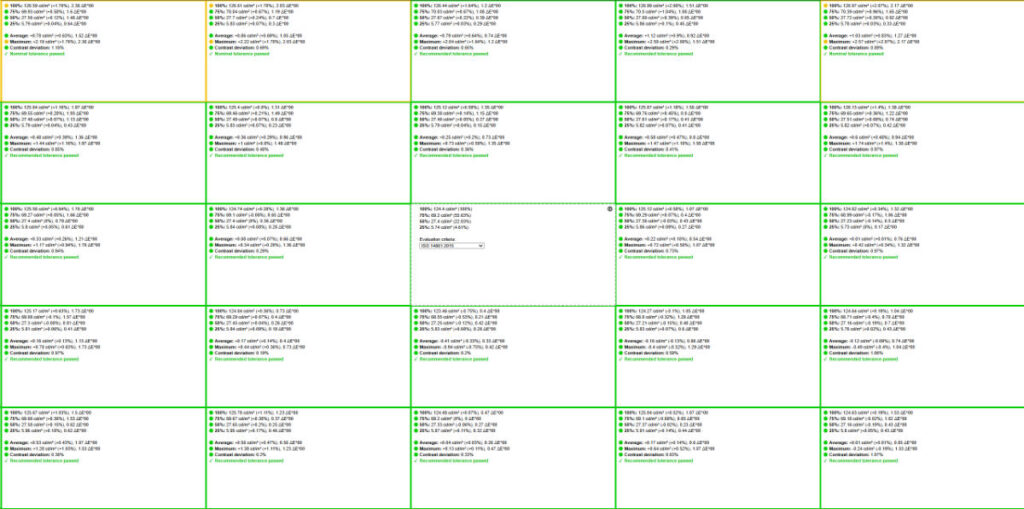
In the case of our INNOCN monitor, the majority was in acceptable levels. With 23 of the 25 panels in green, meaning a difference of less than 1% in brightness and a deltaE lower than 2. There were only two segments in the top left that exceeded that tolerance, as the brightness spiked beyond 1.7% (2cd/m²) above the usual level and the color maxed over two deltaE.
In the case of our panel, the uniformity was at a decent level. Suitable for most scenarios, it keeps to a good level, so even if you need to do color grading on it, that is, once you get the calibration on it.
Response time
Using OSRTT (Open Source Response Time Tool), I check the response time of the monitor. Testing both with VSync on and off, the results of these are below.
| Mode | Average error (ms) | Average initial time (ms) | Average complete time (ms) | Average perceived time(ms) |
| VSync | 4.07 | 0.66 | 0.93 | 0.66 |
| VSync off | 4.2 | 0.66 | 1.92 | 0.77 |
This shows that the response time on average did come out to just above 0.6ms in both modes, while with vsync off, the average timewas higher – albeit not by a substantial amount. However, generally, the monitor is responsive, and I certainly couldn’t feel any difference from the claimed 0.3ms response rate; it’s still very fast.
Viewing angles
As an OLED, the monitor does have pretty impeccable viewing angles. Going round even to the edges, I lost sight of the panel itself before the brightness fell. So with the pivotal rotation of the screen, it has got a very flexible use case to it, no matter which way you look at it.
Gaming performance
With a 500Hz refresh rate and VRR compatibility, it is made to be a solid gaming monitor. I took it for a spin through various titles to see the experience of using them, including the responsiveness.

INNOCN GA27M1Q CS2 4, Image by PC Guide

INNOCN GA27M1Q CS2 3, Image by PC Guide

INNOCN GA27M1Q CS2 2, Image by PC Guide

INNOCN GA27M1Q CS2, Image by PC Guide
As expected, I had no issues or problems with the monitor, and it performed quite well. The high refresh rate made for an exceptional feel without any hitches or problems. Providing that competitive advantage in Esports games, it has a lot to offer, even with the 1440p resolution, which requires some power from the graphics card to reach that high enough level.
General performance & productivity
With the surprising color accuracy of the monitor and the various picture models available on it, the INNOCN is a surprisingly versatile option when it comes to running it in a variety of tasks. Even offering a range of reader modes that turn the screen to black and white, or a blue light mode that works to preserve your eyes and make it easier to read and use.
There are also the options to use both the default and the user version of the picture modes, allowing you to alter one of them and still have plenty of variations.
- Panel type: QD-OLED
- Resolution: 2560 x 1440 (QHD)
- Refresh rate: 500Hz
- Response time: 0.03ms (GtG)
- Panel size: 27-inch
- I/O ports: 1x 3.5mm Audio Out, USB 3.1 Gen 1 (1x Type-B Upstream, 2x Type-A Downstream), 2x HDMI 2.1, 2x DP 1.4
Final word
Overall, the INNOCN does a surprisingly good job of being an exceptional OLED gaming monitor. Although it might not be color-accurate out of the box, it does provide a good range of picture modes to take advantage of. But with the 500Hz 1440p OLED panel, with great viewing angles, plenty of adjustability, it is a very flexible option that is ideal for fast paced gaming, immersive free world titles, or just general entertainment consumption
Written by
