


Table of Contents
There have been plenty of smart glasses hitting the market recently, but if you’re looking for something that puts a screen right in front of your eyes, XREAL has a rather interesting proposition. Sitting somewhere between a VR headset and a traditional pair of glasses, its AR glasses give you a large virtual display without having to strap a bulky headset to your face. Now, ROG has teamed up with the company to bring its distinctive gaming design to the experience.
The ROG XREAL R1, showcased at CES, is a chunky pair of gaming glasses featuring variable-tint lenses on the front and two smaller micro-OLED displays on the inside. The result is effectively a second screen that you can take with you, whether you’re gaming on a handheld, watching content, or even using it alongside your main monitor. With ROG’s gaming-focused design layered onto XREAL’s technology, I took the R1 for a spin to see just how useful this unusual setup really is.


- Display tech: Sony Micro OLED
- Panel size: 0.55-inch
- Resolution: 1920×1080 (per eye)
- Refresh rate: 120Hz (240Hz boosted)
- Brightness: 700 nits
- Field of view: 57°
- Dimensions: 153 x 49 x 166 mm (6.02″ x 1.92″ x 6.53″)
- Weight: 0.09 kg (0.19 lbs)
The ROG XREAL R1 gaming glasses are a rather impressive bit of tech. Making an easy option for a second screen on various hardware and expand that compatibility with the dock. As the fast OLED screens provide great visuals and offer a theater-like screen to your content, it is impressive, as it does have some great quality build and design to it. That does come at a rather steep cost, though, and some parts of it don’t quite match its price, so it can be a hard recommendation.
- Great quality and nice-looking design
- A fast 120Hz refresh rate and 240Hz boost
- Mini-OLED screens with top visuals
- Quick and easy controls on the stems
- Fairly light and adjustable build
- Very steep pricing for most people
- Audio leaves plenty to be desired
- Still rather bulky
Specifications
To start, here are the specifications of the ROG XREAL R1. Showing what the screens and glasses in general come with.
Latest tech deals.
- AMD Ryzen™ 9 9900X 12-Core - was $499 now $328
- CORSAIR 4000D PC Case - was $124.99 now $75.99
- Hisense 65" Class E6SR - was $549 now $377.99
- Apple 2026 MacBook Air - was $1,999 now $1,799
- Skytech Gaming PC Desktop (9850X3d) - was $4,299 now $3,799
- Apple Magic Mouse - was $79 now $59
- MSI Prestige 16 Flip - was $2,149 now $1,899
- Kotin 9700X Gaming PC - was $2,399 now $2,199
Prices correct as of October 9th, 2026.
| Spec | ROG XREAL R1 |
|---|---|
| Display tech | Sony Micro OLED |
| Panel size | 0.55-inch |
| Resolution | 1920×1080 (per eye) |
| Refresh rate | 120Hz (240Hz boosted) |
| Max brightness | 700 nits |
| FOV | 57° |
| Virtual screen size | Up to 171″ (at 4 meters) |
| Electrochromic dimming | 3 tint levels |
| Speakers | 4x, Sound by Bose |
| Microphones | 4-Mic-Arrays with Noise-Cancelling |
| I/O Ports | 1x USB Type-C (DP Alt mode) |
| Controls | 3x buttons (2x separate, 1x +- rocker) |
| Dimensions | 153 x 49 x 166 mm (6.02″ x 1.92″ x 6.53″) |
| Weight | 0.09 kg (0.19 lbs) |
| Accessories | Carrying case USB-C cable Warranty card QSG Cleaning cloth Detachable prescription lens frame Nose pads ROG Control Dock USB-A to USB-C cable x 2 |
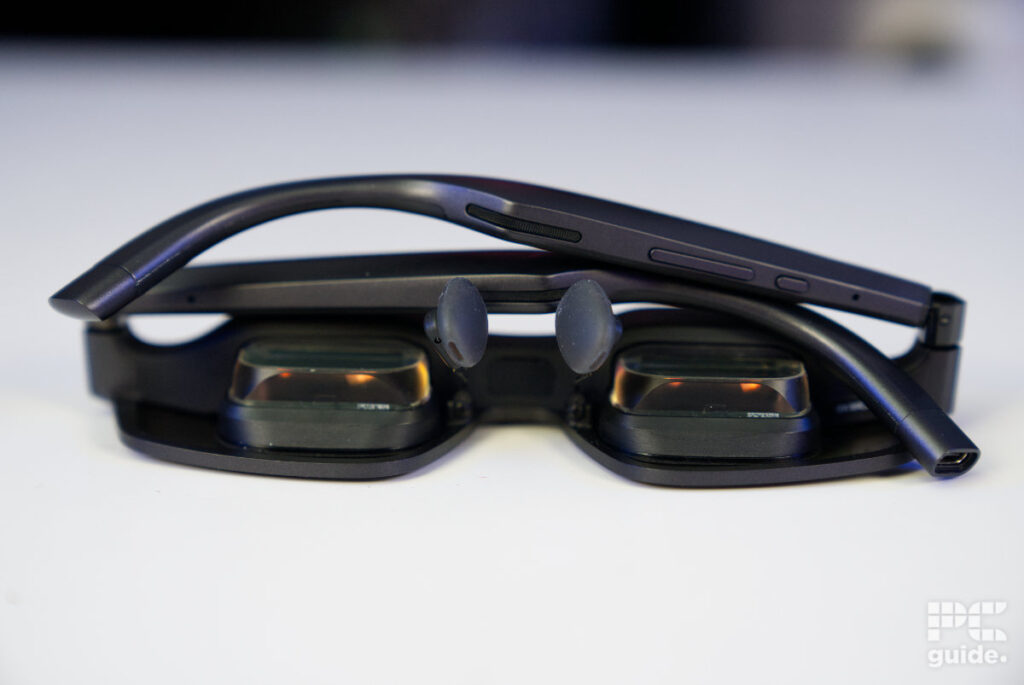
The first thing to know is that the glasses don’t have a standalone battery inside that would let them work on their own like a VR headset. Instead, they rely on power from the connected device, like a phone or handheld, with a single Type-C power connector on the end of one of the arms.
What they do have onboard are two rather small Sony 0.55-inch micro-OLED screens. They both come with a 1080p resolution and a 120Hz refresh rate, which can be boosted up to 240Hz as well. They can reach a peak brightness of up to 700 nits and offer a 57° field of view from where you are viewing them.
The design gives you a virtual screen size of up to 171 inches at a distance of 4 meters (13 feet). Alongside the screens, it comes with four speakers placed along the arms and four microphone arrays next to them.
For controls, there are two individual buttons and a volume-like rocker that doubles as another control. All in all, the glasses come in at 153 x 49 x 166 mm (6.02″ x 1.92″ x 6.53″) and weigh 0.09 kg (0.19 lbs), making them a slightly bulkier and heavier set of glasses.
It also comes with a dock to use when connecting to a device without DP-Alt or powered USB-C. In turn, this offers two HDMI ports and a DisplayPort port, allowing you to switch between various sources.
Design
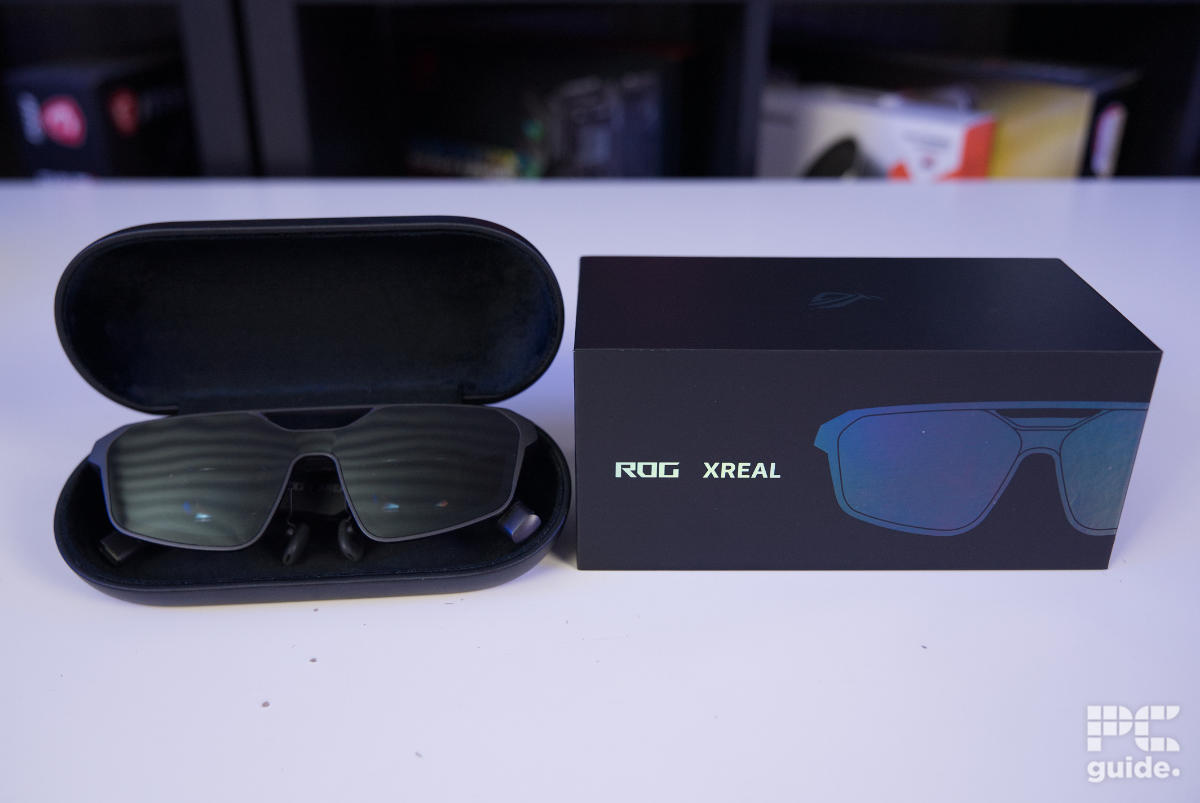
At first, when unboxing the R1 gaming glasses, I was surprised at how big the box was, considering it is just a pair of glasses after all. But that is down to the dock and the accessories that come with it. The glasses themselves come in a separate case and box that is much more appropriately sized, containing the cable, glasses, quick setup guide, prescription lenses, nose pads, and cleaning cloth. The bigger box includes the dock and two extra USB cables.

ROG XREAL R1 box top, Image by PC Guide

ROG XREAL R1 box side, Image by PC Guide

ROG XREAL R1 box side logo, Image by PC Guide

ROG XREAL R1 box back, Image by PC Guide

ROG XREAL R1 box contents, Image by PC Guide

ROG XREAL R1 box contents unpacked, Image by PC Guide
The R1 comes in a big, sturdy, and heavy pillbox case. It is a rather impressively protective case that doesn’t bend or dent when I try putting pressure on it, but that comes at the cost of its size. You probably won’t be able to fit it in your pocket, making it much more suited to a bag.
ROG XREAL R1 glasses with box, Image by PC Guide

ROG XREAL R1 case, Image by PC Guide

ROG XREAL R1 in case, Image by PC Guide
When it comes to the glasses’ design, they take on the shape of something akin to aviator shades from the front. With a bar on top, the two lenses are interconnected below that too, with a much thicker bridge that covers the massive electronics hub behind it. Meanwhile, the bottom of the front of the glasses rounds off more squarely.

ROG XREAL R1 front, Image by PC Guide

ROG XREAL R1 lens closeup, Image by PC Guide

ROG XREAL R1 folded top, Image by PC Guide
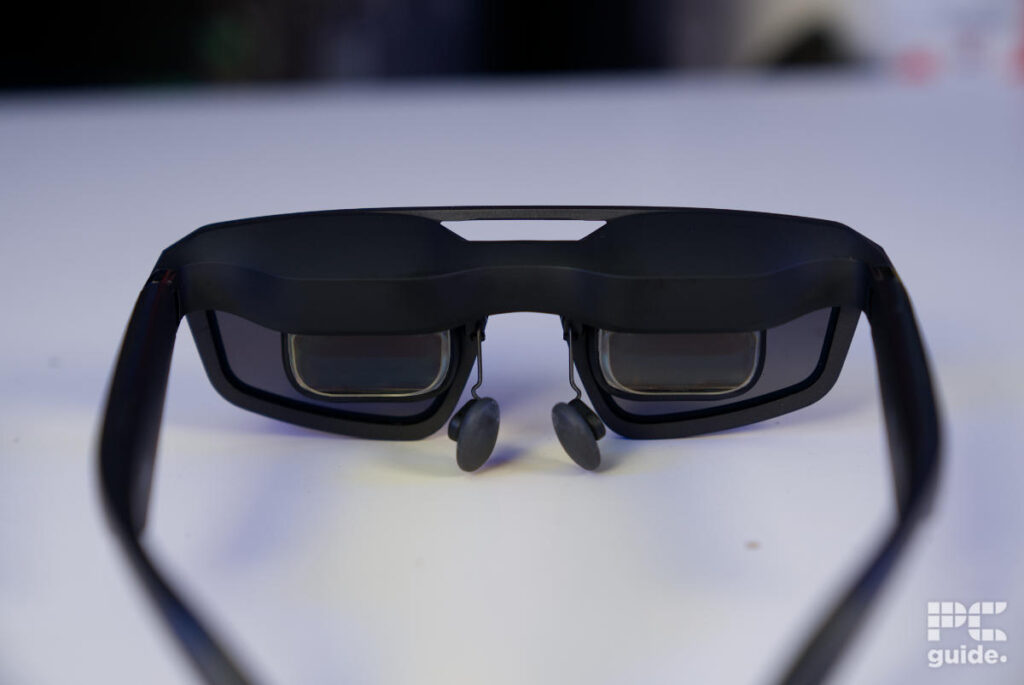
On the other side, the inner screens only take up about a third of the total lens, located in the center left. Across the top third is the thick back containing the electronics, taking up quite a lot of space. As for the nose pads, there are a variety available for the R1, with options for long, shorter, bigger, and sturdier sets to suit your setup and adjust the distance and comfort of the glasses on your nose.

ROG XREAL R1 lenses rear, Image by PC Guide

ROG XREAL R1 lense bottom and nose pads, Image by PC Guide

ROG XREAL R1 lenses powered, Image by PC Guide
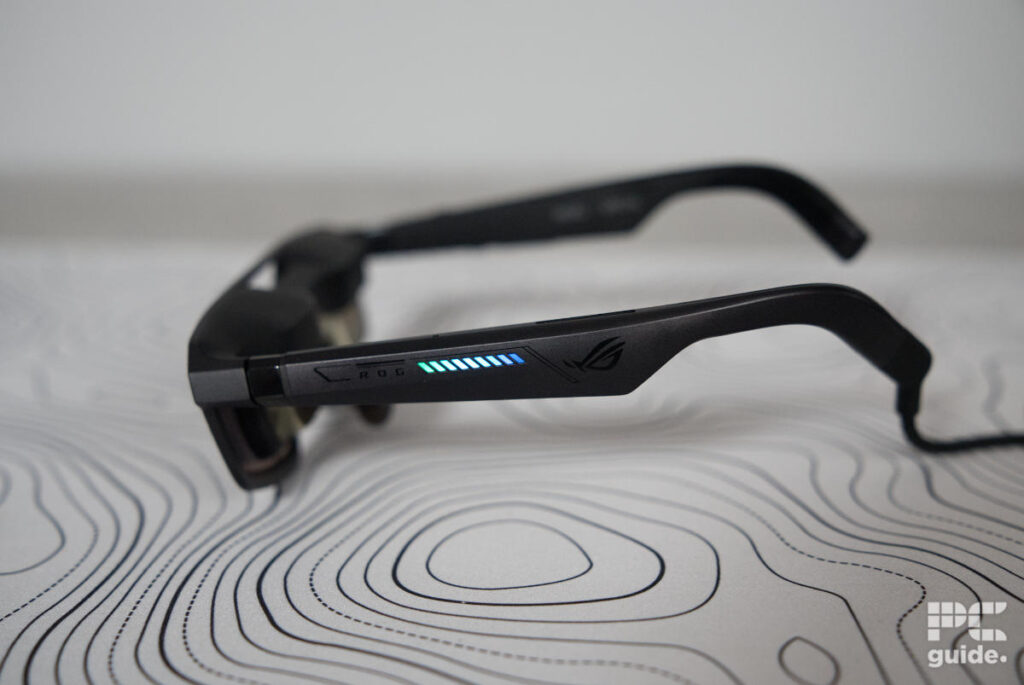
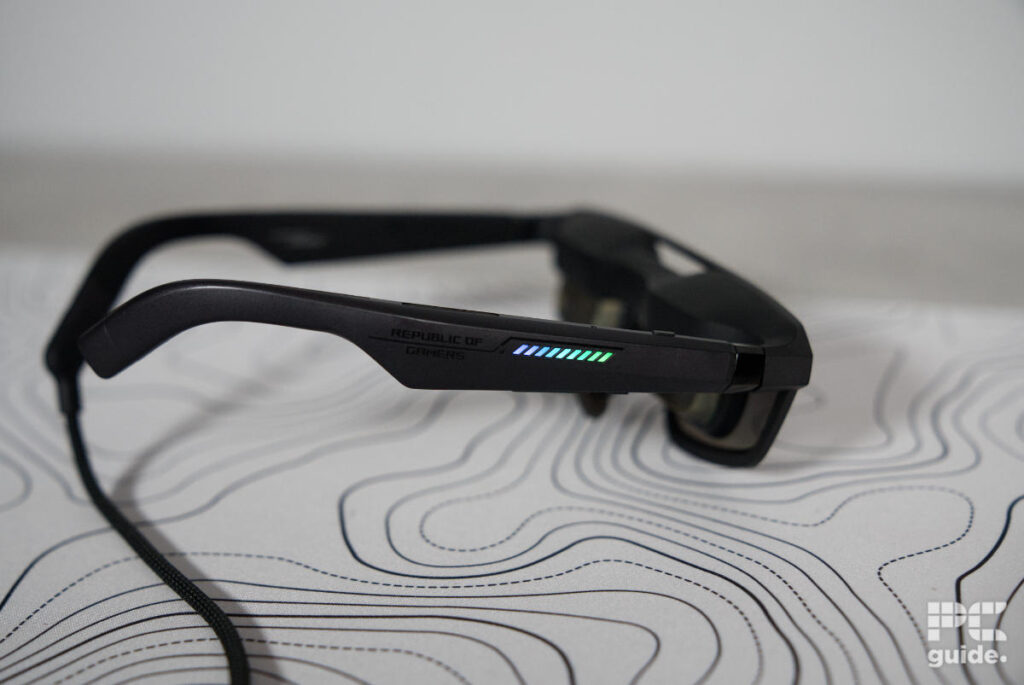
Moving back from the lens, the left stem hangs off the tiltable hinge. On the outside, it has the gamer-ROG design, with its logo and stripes encasing the LED lights in the middle. The inside has all the certifications printed on it and is otherwise rather basic, as it does sit on your head, while the rest of the stem also keeps things rather simple. On the top and bottom, there are two long speaker grilles and holes for the microphones. At the end of it, that’s where you can find the USB-C port for powering the glasses.

ROG XREAL R1 left side, Image by PC Guide

ROG XREAL R1 stem tips, Image by PC Guide

ROG XREAL R1 USB-C port, Image by PC Guide

ROG XREAL R1 left stem bottom, Image by PC Guide

ROG XREAL R1 left stem inside, Image by PC Guide
Similarly, the right arm also sports the ROG branding and lights, with the inside also featuring some basic writing. This one, in turn, features all the controls, with the top front having the quick button. Under that, there is the menu button, and behind it are the plus and minus buttons, which come in a long, unison formation much like volume controls, but these change more than just that.
This side also has the same speaker and mic setup, with one of each on the top and bottom, providing great stereo audio and capturing a bigger range of sound. However, the end of the stem is capped off and lacks a port like the other side.

ROG XREAL R1 right side, Image by PC Guide

ROG XREAL R1 right stem inside, Image by PC Guide

ROG XREAL R1 right stem bottom, Image by PC Guide

ROG XREAL R1 folded back, Image by PC Guide
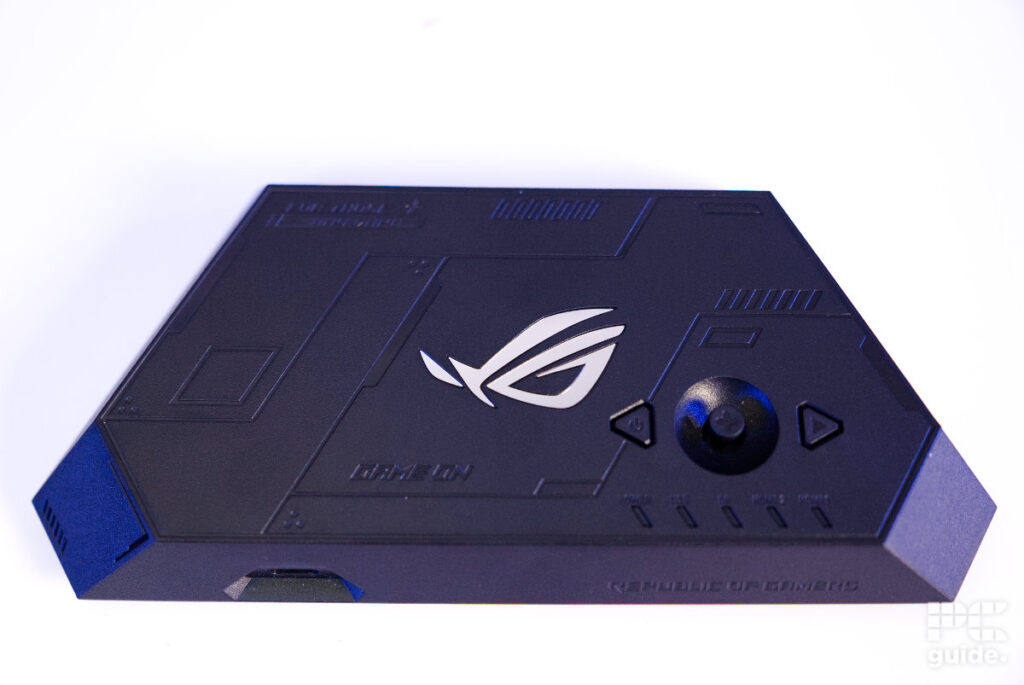
That covers the glasses, but there is also the dock. With a lightweight design, the top is mostly empty space, with a mirrored ROG logo in the center. There is a joystick and two buttons to the bottom right, along with status lights underneath that show the connected and powered cables. The front of the dock features just one USB-C port for connecting the glasses and plenty more empty space.
Around the back is where all the ports can be found. It contains two USB-C ports, one for power and the other for data and power, along with two HDMI 2.0 ports and one DisplayPort 1.4. This expands the range of devices that you can use with the glasses. Underneath, you will find a range of rubber feet to keep it in place, along with the information sticker in the center.

ROG XREAL R1 control dock IO rear, Image by PC Guide

ROG XREAL R1 control dock front edge, Image by PC Guide

ROG XREAL R1 control dock top, Image by PC Guide

ROG XREAL R1 control dock bottom, Image by PC Guide
Price and availability
With the announcement back in January, the glasses were released in May. They are available across countries through the ASUS store, but also at a variety of other retailers. With that, you can get them for $849.99/£749.00. A rather expensive bit of kit when it comes to it, and there are plenty of alternatives that can be found for cheaper.
As a comparison, XREAL’s own ONE Pro model can be found for $599/£549, while you can also get the RayNeo Air 4 Pros for $299/£379. So, the ROG model is on the more expensive side of things, but the dock and 240Hz refresh rate it can reach are features that the others don’t offer.
Usability and performance
When it comes to actually using the gaming glasses, it’s all rather simple. With the one nice braided cable coming out of the back at an angle, they sit nicely on my face, that is, after taking off my glasses. Since they are just a review model, I can’t get the prescription lenses fitted and tested, but with the larger nose pads, there is still a good distance I could use them at. As they have rather flexible tips and do tilt, there is a lot of adjustment and flexibility to them.

ROG XREAL R1 worn side on, Image by PC Guide

ROG XREAL R1 worn front on, Image by PC Guide
After adjusting them to my face, simply plugging them in got them going immediately, as they act just like a monitor. With a rather broad range of support, being an ROG device, it is advertised for the Ally, but other handhelds and devices also work. I tested them on the Steam Deck, my Google Pixel phone, and my PC as well, which required the dock to run.
With just the one cable connecting down to the Steam Deck, it is a rather quick and easy method that doesn’t require a lot of faff or cabling. Then, as the Steam Deck screen goes black, the screens inside light up and the picture pops up. Taking up a massive size in there, the tint of the front lenses really does immerse you in the content. It surprised me just how effective it was; even though it was rather far from my eyes, it still had an impressive size.

ROG XREAL R1 setup, Image by PC Guide

ROG XREAL R1 connected to Steam Deck, Image by PC Guide
Although it didn’t immediately pop up, there is a tutorial that can tell you how to operate the glasses and their various buttons and menus. This is useful for getting to know the shortcuts, as the quick menu provides great and quick access to some vital settings, such as the size and distance of the screen, or the tint and brightness of the screens. Although, with the small number of buttons, it does take some time to get used to the various controls.
Once I figured it out, though, it was very handy. With the follow and anchor modes for the screen, it’s easy to adjust the location of the screen or turn on transparency to quickly see what’s actually in front of you. That makes for easy control, with the quick menu letting me adjust the screen to the right distance.

ROG XREAL R1 powered lens screen (1), Image by PC Guide

ROG XREAL R1 powered lens screen (2), Image by PC Guide

ROG XREAL R1 connected cable, Image by PC Guide
That was rather helpful in docked mode too, as adjusting the tint to minimal meant I could have the floating screen behind my actual monitor I was working on, so I could have a video playing right there too. Using it with the dock, which has its own set of controls and menus that take some figuring out, makes for great usage. As for the phone, it’s certainly more limited in usability, at least for me, as desktop mode meant no control of the second screen, while mirrored mode still had me looking at the phone for controls. So, it has its limitations for using with the likes of watching video or something similar.
As for the performance of the screens, they were impressive. At such a small scale, the 1080p OLEDs are impressive to watch and view, and their color is stunning. With a claimed sRGB gamut of 106%, although I couldn’t test the accuracy, as our colorimeter is a bit too big for these screens.
The fast refresh rate did really mean the screen was great to game on, no matter which device it was on. Whether it was the Steam Deck or PC, it made for interesting and comfortable gaming, as I could really sit or even lie however I wanted without straining my neck to see the screens; they could follow me.
As for the audio, the built-in speakers do provide great stereo sound and are right at your ears, although they lack a lot. In general, it worked out fine, with it being great for finding enemies in CS2 and hearing where they were coming from, but it was rather flat. Lacking depth or a range of sound, they do vibrate at high levels, but it doesn’t add much to it and doesn’t get too loud anyway. Plus, at first I did notice the audio being slightly delayed, but it was fine after that.
- Display tech: Sony Micro OLED
- Panel size: 0.55-inch
- Resolution: 1920×1080 (per eye)
- Refresh rate: 120Hz (240Hz boosted)
- Brightness: 700 nits
- Field of view: 57°
- Dimensions: 153 x 49 x 166 mm (6.02″ x 1.92″ x 6.53″)
- Weight: 0.09 kg (0.19 lbs)
Conclusion
Overall, the ROG XREAL R1 is an interesting way to experience gaming, particularly if you want a large, high-quality screen without being tied to a traditional monitor or VR headset. The 1080p micro-OLED displays look excellent, the 120Hz refresh rate can be pushed up to 240Hz, and the follow and anchor modes make it easy to position the screen exactly where you want it. The glasses are also surprisingly comfortable once adjusted, while the dock opens up plenty of possibilities when using them with a PC or other devices.
There are some clear compromises, though. The R1 is an expensive piece of kit, especially when there are cheaper AR glasses available, and the built-in speakers don’t quite match the quality of the displays. The controls can also take some time to get used to, while the experience is more limited when using them with a phone. Even so, if you want a portable, immersive gaming display and don’t mind paying the premium for it, the R1 offers something genuinely different from a standard monitor or headset.
Written by
