

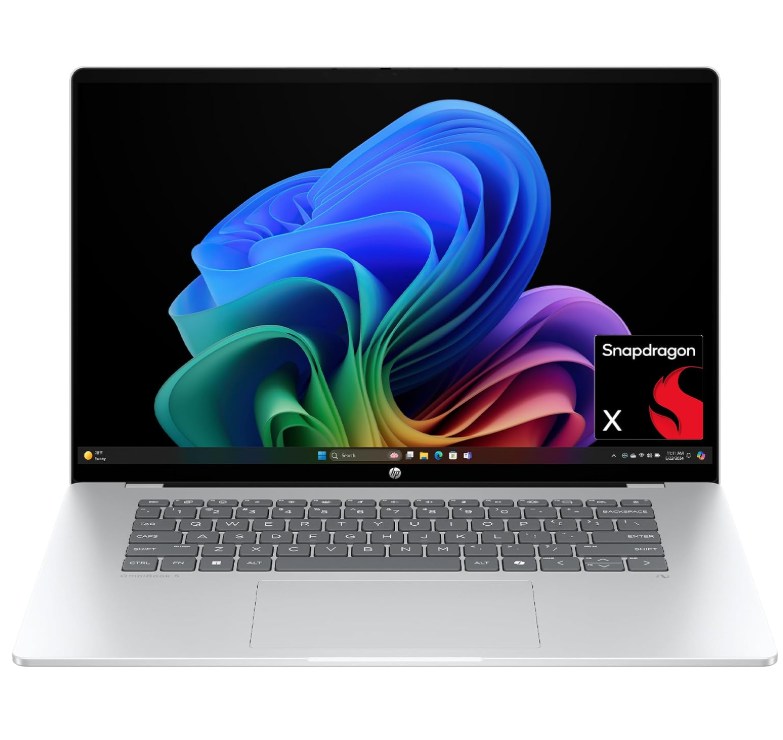
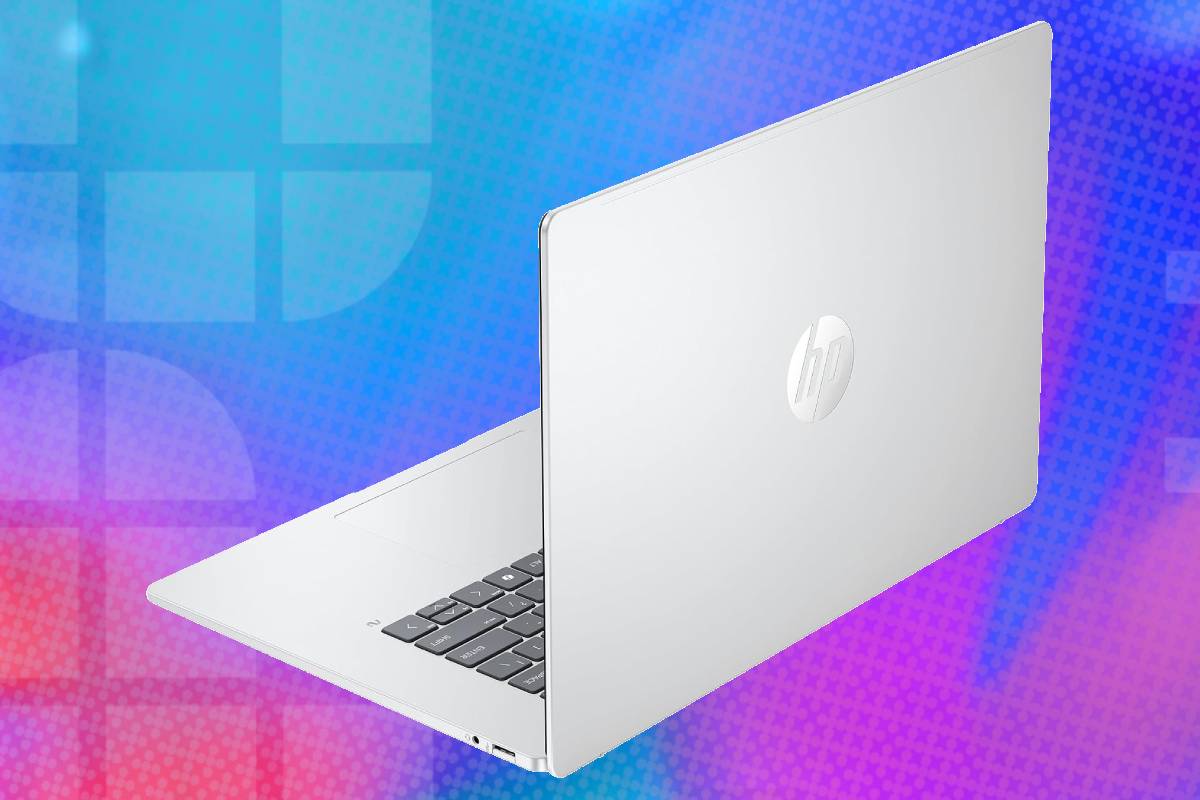
The HP OmniBook 5 16 is a compelling productivity laptop for users who value a sizable OLED screen, quiet operation and long battery life more than high-end processing or gaming performance. Its eight-core Snapdragon X processor and 45-TOPS NPU handle everyday work and Copilot+ features efficiently. It offers good value for web-based work, study and media consumption, provided its glossy 300-nit display, soldered 16GB memory and limited port selection suit the intended workload. The only thing you really need to double check before purchase is whether or not your chosen software is compatible with the Arm-based Snapdragon CPU. Assuming that’s all good, we heartily recommend you snap up this laptop while this Black Friday offer for 36% off is still live!
🔥 More offers: see our Black Friday laptop deals 2026 guide, updated daily, or browse all Black Friday deals.
Prices and savings can change. Check the retailer for the current price.
Independent testing of the OmniBook 5 16 has found outstanding practical endurance, including more than 15 hours in demanding video-playback testing. Read on for further details on the various specifications, or see the bottom of this page for more Black Friday laptop offers.
Black Friday is finally here. Below, you'll find some of the biggest and best deals from this year's most exciting sales event!
- Samsung 49" Odyssey - was $1,279 now $854
- HP HyperX OMEN 16 OLED - was $3,199 now $2,399
- Alienware 32 4K OLED Gaming Monitor - was $699 now $599
- Samsung 75-Inch Class Neo - was $1,197 now $997
- CyberPowerPC RTX 5060 Ti gaming PC - was $1,629 now $1,299
- LG 77-inch OLED C6 - was $2,499 now $1,999
- MSI Prestige 16 Flip - was $2,149 now $1,799
- Hisense 85-inch U6 Pro Series - was $1,999 now $947
Prices correct as of November 25th, 2026.
What we like about the HP OmniBook 5 16 Next Gen AI PC
The 16-inch OLED panel delivers excellent contrast
The display uses an OLED panel, allowing individual pixels to switch off completely when displaying black. This produces much deeper dark areas and stronger perceived contrast than a typical entry-level IPS screen.
Its 16:10 aspect ratio provides additional vertical workspace compared with a conventional 16:9 panel. Documents, spreadsheets and webpages can show more content without requiring as much scrolling.
HP rates the screen for 95% coverage of the DCI-P3 colour space. That should produce vivid images and make it suitable for entertainment and general creative work, although colour-critical professionals may still want to calibrate it.
OLED technology can experience image retention or permanent burn-in when static elements remain visible for extended periods. Modern panel-care measures reduce the risk, but users should still allow the screen to sleep and avoid maximum brightness with fixed interface elements for unnecessary periods.
Snapdragon X is efficient during everyday work
Qualcomm’s eight-core Oryon CPU is designed to combine useful productivity performance with low power consumption. Routine multitasking, browser tabs, streaming and office applications should run smoothly when the software is properly optimised for Arm. The processor has no separate efficiency-core cluster. Its eight cores can respond to active work while the wider platform uses low-power subsystems to manage background tasks.
Maximum frequency is approximately 2.98GHz, which Amazon rounds to 2.97GHz and Qualcomm describes as up to 3.0GHz. The “8th Gen” entry in Amazon’s table is incorrect and does not represent an actual Snapdragon generation. This is not the right processor for frequent heavy rendering, large software compilations or demanding scientific analysis. Those workloads are better served by a faster Snapdragon model or a higher-performance Intel, AMD or Apple processor.
The 45-TOPS NPU qualifies it as a Copilot+ PC
The Hexagon NPU can provide up to 45 TOPS of AI acceleration. That exceeds Microsoft’s original 40-TOPS requirement for Copilot+ PCs and allows supported local AI tasks to run without relying entirely on the CPU, GPU or cloud.
Available Copilot+ experiences can include image tools, live captions, Windows Studio Effects and other features delivered through Windows updates. Their availability depends on Microsoft’s release schedule, language, region and application support.
TOPS figures are not directly comparable across every architecture because data formats, software optimisation and supported operations differ. A 45-TOPS rating also does not make this laptop a replacement for a workstation GPU when running large generative models.
The NPU is most valuable for sustained background features such as camera effects and transcription. Many advertised AI services still rely partly or entirely on an internet connection.
Windows on Arm compatibility has improved considerably
Microsoft’s Prism translation technology allows many traditional Windows applications to run on Arm even when no native version is available. Mainstream browsers, Microsoft 365, communication tools and an increasing number of creative applications now offer native Arm support.
Compatibility is still not universal. Applications that depend on low-level drivers, older plugins, specialist security components or unusual hardware interfaces may fail to install or lose features. Printers, audio interfaces, laboratory equipment and corporate VPN software should be checked before purchase. A peripheral needs an appropriate Arm-compatible driver; Prism cannot translate every conventional Windows driver. Users whose work depends on one specialised application should confirm support with its developer rather than assuming that general Windows compatibility is sufficient.
Fast charging reduces downtime
HP includes a compact 65W USB-C GaN adapter. The company says Fast Charge can restore approximately 50% of the battery in about 30 minutes when the computer is switched off or in an appropriate low-power state. Charging speed slows as the battery fills, which protects battery health and is normal behaviour. Heavy use during charging can also extend the time required.
Both USB-C ports support Power Delivery, DisplayPort 1.4a and HP Sleep and Charge. This allows the laptop to charge through either side only if the physical port placement provides one port on each side; buyers should check product images because exact placement affects desk convenience. Third-party chargers should support sufficient USB-C Power Delivery wattage. A basic phone charger may connect physically but charge too slowly for normal laptop use.
The integrated Adreno GPU is adequate for light graphics
The X1-26-100 includes Qualcomm’s X1-45 Adreno GPU running at up to 1.25GHz. It is designed for desktop composition, video playback and ordinary creative acceleration rather than high-end gaming. It should handle streaming, interface effects and simple photo-editing tasks comfortably. Lightweight games may also run at reduced settings when they are compatible with Windows on Arm.
Demanding games, 3D rendering and GPU-heavy content creation are outside its intended role. A laptop with dedicated Nvidia or AMD graphics will be substantially faster for those workloads. The GPU uses shared system memory rather than dedicated graphics memory. This reduces the amount of the installed 16GB available to Windows and applications when graphics demand increases.
Sixteen gigabytes of fast memory suits mainstream use
The laptop includes 16GB of LPDDR5x-8448 memory. Its high bandwidth supports the CPU, GPU and NPU while contributing to the platform’s efficiency. The memory is soldered to the motherboard and cannot be expanded. Amazon’s “one RAM slot” entry is misleading because there is no conventional user-upgradeable memory module.
Sixteen gigabytes is sufficient for office work, study, streaming and moderate multitasking. Heavy virtualisation, large creative projects and local AI workloads can exceed it, particularly because the integrated GPU shares the same memory. The Amazon listing correctly states a 16GB maximum for this configuration but incorrectly describes the memory elsewhere as generic DDR5. It is specifically LPDDR5x.
The 512GB SSD is practical but not generous
A 512GB PCIe 4.0 NVMe SSD provides quick startup and application loading. It should be adequate for documents, cloud-based work and a moderate collection of applications. Usable capacity will be lower after Windows, recovery data and bundled software are accounted for. Users storing large media libraries may need an external drive or cloud storage.
Storage serviceability can vary by exact OmniBook configuration and regional build. Owners should consult HP’s maintenance documentation before opening the chassis, particularly while the warranty remains active.
Its slim chassis is impressively portable for 16 inches
The laptop measures approximately 13.98 inches wide, 9.65 inches deep and 0.52 inches thick. At around 3.5 pounds, it is light for a 16-inch notebook. The aluminium finish helps it look and feel more premium than a basic plastic productivity laptop. Its broad screen still requires a suitably sized bag, so it is less compact than a 13- or 14-inch ultraportable.
A full-size backlit keyboard provides more room for typing. The large chassis can also offer a more comfortable palm rest and touchpad area for extended work.
A solid port selection
The system provides two 10Gbps USB-C ports, one 10Gbps USB-A port and a combined headphone and microphone socket. Both USB-C connections support charging and DisplayPort video output. There is no dedicated HDMI connector, despite Amazon listing HDMI under hardware interfaces. Connecting an HDMI monitor or television requires a USB-C adapter or dock.
There is also no built-in SD or microSD card reader. Photographers and creators will need an external reader for removable media. A dock can add Ethernet, additional displays and more USB connections, but it increases cost and reduces the simplicity of the mobile setup.
Wi-Fi 6E and Bluetooth 5.3 cover modern accessories
Qualcomm’s FastConnect 6900 platform provides Wi-Fi 6E and Bluetooth 5.3. Wi-Fi 6E can use the relatively uncongested 6GHz band with a compatible router. Actual network performance depends on the router, signal environment and internet connection. The laptop does not support the newer Wi-Fi 7 standard.
Bluetooth 5.3 is suitable for mice, keyboards, headphones and other wireless accessories. Latency and codec support depend on the connected device and Windows configuration.
The webcam supports secure sign-in
The 1080p HP True Vision camera includes infrared hardware for Windows Hello facial authentication. This provides a convenient alternative to typing a password. Temporal noise reduction can improve video calls in imperfect lighting, while dual microphones support conferencing and transcription. Image quality will still benefit from a light source positioned in front of the user.
A physical privacy shutter covers the camera when it is not required. This provides clearer visual confirmation than relying entirely on a software indicator.
Who should consider this 16-inch laptop deal?
The HP OmniBook 5 16 is best suited to students, home users and mobile professionals who primarily work in a browser, Microsoft 365 and mainstream communication applications. Its large OLED screen is particularly appealing for writing, research, presentations and media consumption.
It is a good option for users who want long battery life without moving to macOS. The slim chassis and 3.5-pound weight also make it more portable than its 16-inch screen suggests.
The Snapdragon platform makes the most sense when required applications are available natively for Arm or are known to work well through Prism. Buyers using specialist business software, uncommon peripherals or games with anti-cheat systems should perform compatibility checks first.
Its 16GB memory and entry-level Snapdragon X processor are not ideal for demanding video production, engineering applications, complex software builds or large local AI models. A faster and more expandable Intel or AMD laptop may be safer for those workloads.
The glossy 300-nit display is also better suited to controlled indoor lighting than outdoor work. Users who prioritise visibility over OLED contrast may prefer a brighter matte IPS panel.
For compatible mainstream workloads, the OmniBook offers an appealing balance of screen quality, battery endurance and portability. Its value depends largely on whether the user can take advantage of Windows on Arm without encountering a critical software or driver limitation.
More Black Friday laptop deals






Prices and savings can change. Check the retailer for the current price.
Written by
