

Best RTX 5090 graphics card – our top flagship GPU picks


Table of Contents
The RTX 5090 is the best graphics card for gaming, fact. Nvidia’s flagship is unrivalled when it comes to raw 4K performance and is reserved for the enthusiast. It has the headroom to push well beyond 100 FPS in many modern AAA titles while also making technologies such as full ray tracing and path tracing genuinely usable. Games like Cyberpunk 2077, Alan Wake 2, and Black Myth: Wukong may bring lesser cards to their knees at maximum settings, but the 5090 has more than enough in the tank to deliver a smooth experience, even before DLSS 4 enters the equation.
We’ve tested a number of RTX 5090 cards since launch, and the ASUS ROG Astral RTX 5090 OC stands out as the model we’d recommend to most buyers. It delivers the performance you’d expect, with an excellent cooling solution and low noise levels.
At a glance
-
Best RTX 5090 graphics card
ROG Astral RTX 5090 BTF OC
- GPU: GB202
- CUDA cores: 21,760
- VRAM: 32GB GDDR7
- Memory bus width: 512-bit
- Base clock speed: 2,010MHz
- Boost clock speed: 2,610MHz

-
Runner up
MSI GeForce RTX 5090 SUPRIM SOC
- GPU: GB202
- CUDA cores: 21,760
- VRAM: 32GB GDDR7
- Memory Bus width: 512-bit
- Base clock speed: 2,010MHz
- Boost clock speed: 2,565MHz
-
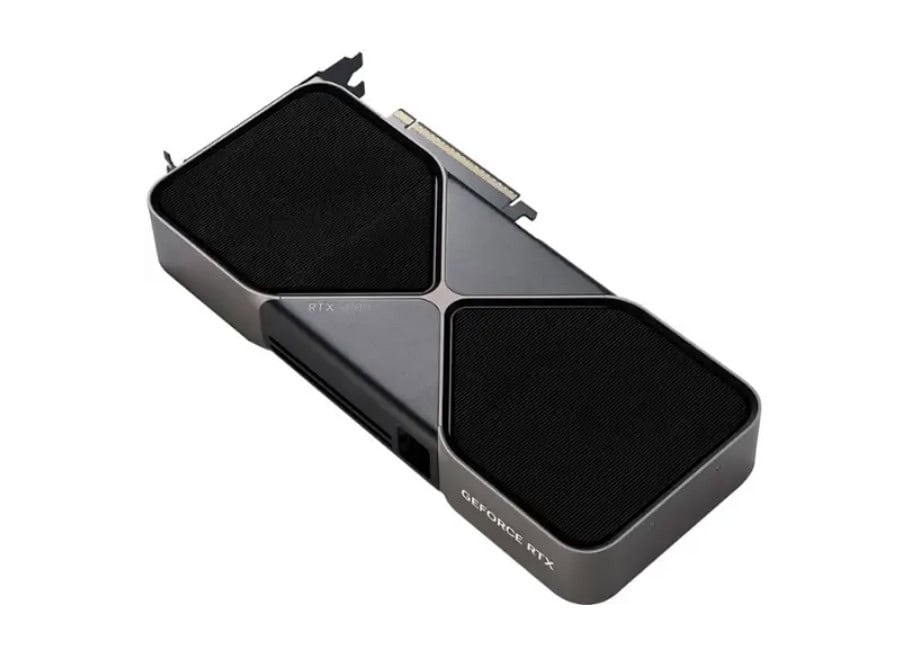 The RTX 5090 FE is magnificent
NVIDIA GeForce RTX 5090 Founders Edition
- GPU: GB202
- CUDA cores: 21,760
- VRAM: 32GB GDDR7
- Memory Bus width: 512-bit
- Base clock speed: 2010MHz
- Boost clock speed: 2410MHz
-
 Best overall value for money
ASUS TUF Gaming GeForce RTX 5090 OC Edition
- GPU: GB202
- CUDA cores: 21,760
- VRAM: 32GB GDDR7
- Memory Bus width: 512-bit
- Base clock speed: 2010MHz
- Boost clock speed: TBD
-
 Best RTX 5090 for overclocking
AORUS GeForce RTX 5090 XTREME WATERFORCE WB 32G
- GPU: GB202
- CUDA cores: 21,760
- VRAM: 32GB GDDR7
- Memory interface width: 512-bit
- Base clock speed: TBD
- Boost clock speed: 2655 MHz


How PC Guide tests RTX 5090 GPUs
We test graphics cards using a combination of gaming, synthetic, thermal, and acoustic benchmarks. Alongside raw frame rates, we assess cooling performance, noise levels, build quality, dimensions, power consumption, and overall value. Where possible, recommendations are based on hands-on testing conducted in our lab and compared against competing RTX 5090 models using the same methodology.
Latest tech deals.
- AMD Ryzen™ 9 9900X 12-Core - was $499 now $328
- CORSAIR 4000D PC Case - was $124.99 now $75.99
- Hisense 65" Class E6SR - was $549 now $377.99
- Apple 2026 MacBook Air - was $1,999 now $1,799
- Skytech Gaming PC Desktop (9850X3d) - was $4,299 now $3,799
- Apple Magic Mouse - was $79 now $59
- MSI Prestige 16 Flip - was $2,149 now $1,899
- Kotin 9700X Gaming PC - was $2,399 now $2,199
Prices correct as of October 9th, 2026.
The best RTX 5090 graphics cards
After comparing our benchmarking results, these are the RTX 5090 models we recommend.
1. ROG Astral RTX 5090 BTF OC




- GPU: GB202
- CUDA cores: 21,760
- VRAM: 32GB GDDR7
- Memory bus width: 512-bit
- Base clock speed: 2,010MHz
- Boost clock speed: 2,610MHz
- Flagship performance across the board with no match
- Impressive and hulking design
- Great overclock with plenty more overhead
- Strong thermal performance
- Excellent VRAM design and features available on Blackwell
- BTF design removes cables and melting woes
- Astonishingly high price tag
- Dauntingly massive dimensions
- Power requirement at the limit of cable design
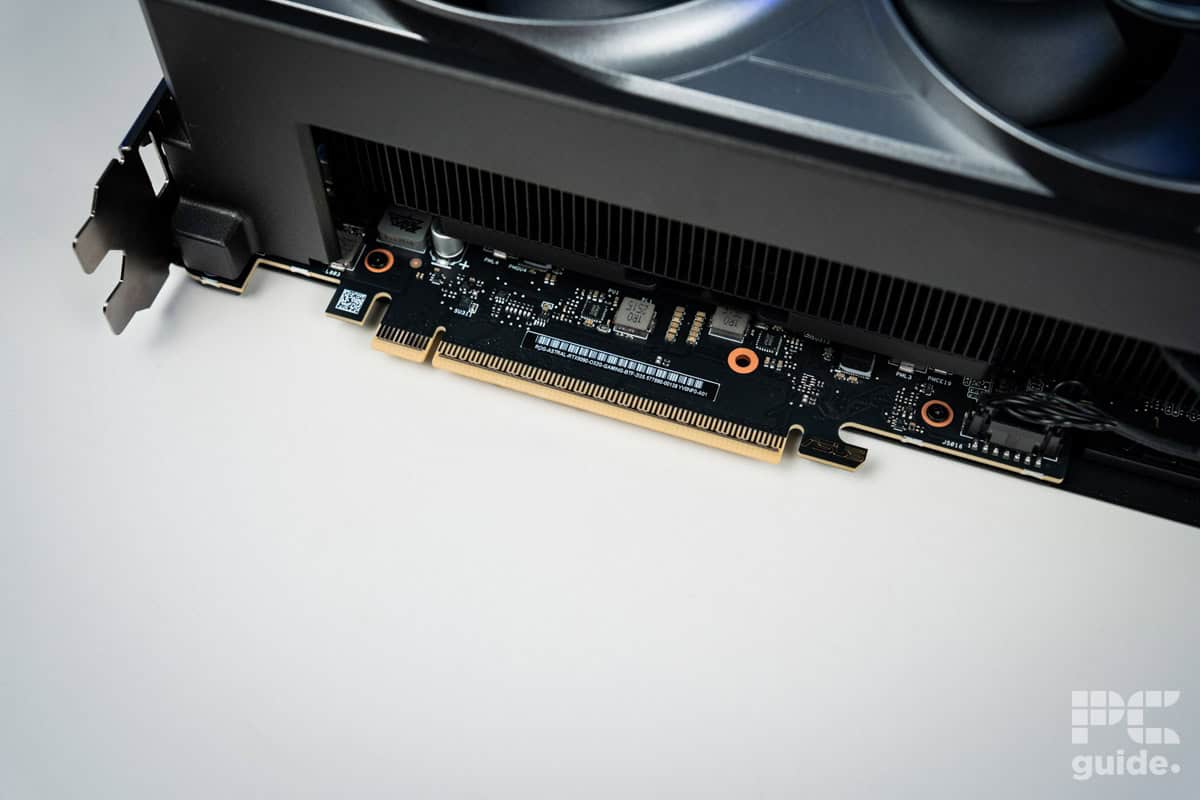
One of the biggest RTX 5090’s out there, the ROG Astral BTF is an impressive size. Measuring in at 357.6 x 149.3 x 76mm, it takes up quite a bit of room in a case and needs some consideration as to which one you place it in. But you also may want to figure out which motherboard to pair it up with, since you may want to take advantage of the ROG BTF design.
Only available on some particular models, it removes the need for extra cables as the GC-HPWR connector and slot are designed to withstand up to the 1000W power requirement of the card. Inadvertently, that also should help with any cable melting woes that still plague the newer 12VHPWR connector these cards usually come with. This model does too, so you could just use that if you don’t want to invest in an ROG BTF one either.
In our review of the ROG Astral RTX 5090, it managed to achieve some strong performance across the board, and as you might expect, excellent at 4K. Such as in Doom Eternal, achieving an average of 391 FPS and 278 with ray tracing. While in Cyberpunk 2077, it averaged 114 at 4K with ray tracing averaging 59 FPS.
We also checked on its temperatures with a stress test to see how it coped with such a big cooling design. There, under the full load, it reached 68°C average, with the memory reaching 70°C, a warm but manageable temperature with plenty of overhead with it.

ROG Astral RTX 5090 BTF OC AC Mirage, Image by PC Guide

ROG Astral RTX 5090 BTF OC CS2, Image by PC Guide

ROG Astral RTX 5090 BTF OC Doom Eternal, Image by PC Guide

ROG Astral RTX 5090 BTF OC Cyberpunk 2077, Image by PC Guide

ROG Astral RTX 5090 BTF OC Horizon Zero Dawn Remastered, Image by PC Guide

ROG Astral RTX 5090 BTF OC F1 24, Image by PC Guide

ROG Astral RTX 5090 BTF OC Cyberpunk 2077 DLSS 4, Image by PC Guide

ROG Astral RTX 5090 BTF OC Indiana Jones The Great Circle, Image by PC Guide

ROG Astral RTX 5090 BTF OC Blender 4.3, Image by PC Guide

ROG Astral RTX 5090 BTF OC Geekbench AI, Image by PC Guide

ROG Astral RTX 5090 BTF OC 3DMark, Image by PC Guide

ROG Astral RTX 5090 BTF OC Geekbench 6, Image by PC Guide

ROG Astral RTX 5090 BTF OC Thermals, Image by PC Guide
2. MSI GeForce RTX 5090 SUPRIM SOC


- GPU: GB202
- CUDA cores: 21,760
- VRAM: 32GB GDDR7
- Memory Bus width: 512-bit
- Base clock speed: 2,010MHz
- Boost clock speed: 2,565MHz
- Outstanding performance across the board
- Excellent thermals and sound levels
- Great overclock out of the box
- Plenty of VRAM to utilize
- Access to DLSS 4 and the transformer model
- Eye-watering price tag
- Very high power requirement for a single GPU
- Jaw-droppingly massive size
Another of our reviewed cards is the MSI RTX 5090 Suprim SOC, cutting the power back down to 600W or an optional 575W; this model sticks to the 16-pin power cable. At least in this case, MSI adds a yellow color to the end, which you can use to see if it’s plugged in all the way to try to negate any burning problems that might cause.
Similarly, the Suprim SOC is a massive card measuring 359 x 150 x 76mm. Designed with a simple metal frame with plenty of angles and sharp edges. A clean look that certainly also demands plenty of space to fit into.
When we tested the card, it fell behind the ROG Strix card, seeing as it drops a couple of hundred MHz in its spec with the lower power rating. That only comes across as a few fps here and there, so it’s not exactly noticeable, but it can be a factor to consider.
3. NVIDIA GeForce RTX 5090 Founders Edition
- GPU: GB202
- CUDA cores: 21,760
- VRAM: 32GB GDDR7
- Memory Bus width: 512-bit
- Base clock speed: 2010MHz
- Boost clock speed: 2410MHz
Of course, we think the best RTX 5090 is the one made by Nvidia itself, even though it’s super tough to come by. This particular Founders Edition has some innovative design improvements on the 4090, specifically when it comes to cooling and size.
In short, it features a double flow-through design, where you’ll find two fans pulling through air, which is then pushed out via the heatsink. It also uses liquid metal between the GPU and the vapor chamber, instead of thermal paste. This is a major improvement, too, as it has a significant effect on heat transfer.
What’s interesting and unique about this card is that it’s surprisingly lean when compared to the RTX 4090, coming in at 304 mm x 137 mm x 48 mm. While I’d still recommend getting a big case for maximum airflow, its two-slot design does mean that you don’t need to go massive in order to accommodate the card.
In terms of performance, this card is a real beast, achieving in some cases over 180fps at 4K in games like Final Fantasy 14, but it’s not the best GPU if you’re looking for something to push within an inch of its life. As you’ll see with some of our other selections, there are cards designed specifically for this purpose, which would be better suited and reduce the risk of potential damage too.
All in all, this version of the RTX 5090 would be the best for most people and comes in at $1,999. Fingers crossed you can get one!
4. ASUS TUF Gaming GeForce RTX 5090 OC
- GPU: GB202
- CUDA cores: 21,760
- VRAM: 32GB GDDR7
- Memory Bus width: 512-bit
- Base clock speed: 2010MHz
- Boost clock speed: TBD
If you want the best value for your money, we recommend keeping your eye on the ASUS TUF Gaming RTX 5090 OC. This card sports the same design as the previous ASUS TUF cards with a slightly industrial look with silver edges, giving it a more robust feel. As for its measurements, it has a length of 348mm, a width of 149mm, and a height of 72mm.
For reference, the Founder’s Edition card measures 304 mm x 137 mm x 48 mm, so the ASUS TUF variant is bigger in all aspects and is a 3.6-slot card, meaning the M.2 and PCIe slots at the lower half of the motherboard will be covered.
To ensure that you can comfortably house it, we recommend checking out some of the best cases for the 5090. Crowding a powerful GPU is the last thing you want to do. Its base and boost clock speeds haven’t been announced yet, but judging by what we know based on various reviews and performance benchmarks, you should have a comfortable working and gaming experience without needing to overclock it. Just keep a lookout for the stock, as you want to grab it as soon as it hits the shelves again.
5. AORUS GeForce RTX 5090 XTREME WATERFORCE WB
- GPU: GB202
- CUDA cores: 21,760
- VRAM: 32GB GDDR7
- Memory interface width: 512-bit
- Base clock speed: TBD
- Boost clock speed: 2655 MHz
There are always enthusiasts who want to push the new CPU or GPU to its utmost limit, and if you’re one of those, we recommend you check out the AORUS RTX 5090 XTREME WATERFORCE WB 32G.
While we’ve seen quad-fan variants that should provide excellent cooling, the reason we selected this card is that it is designed for a custom water-cooling loop. This means that you should be able to push this card as much as you want without worrying about thermal throttling; however, it also means that you’ll need to invest more in the liquid, pipes, and a water cooling case.
A neat aspect of this card is that it has a boost clock of 2655 MHz, which is slightly higher than what you get in the FE card. However, a benefit of being water-cooled is that it doesn’t need fans, which allows it to decrease its size further, making it even smaller than the Founder’s Edition.
It measures 208 x 156 x 29 mm (LxWxH). However, a case that supports water cooling is already large, but it doesn’t hurt to have a small GPU, which means you have more space for your custom loops. This design not only makes the best 5090 for overcooling but also the best SFF RTX 5090 available.
Does an RTX 5090 need a 1000W PSU?
Nvidia recommends a 1000W power supply for the RTX 5090, and we’d suggest sticking to a high-quality unit from a reputable manufacturer. If you’re pairing the card with a high-end CPU and plenty of additional hardware, stepping up to a 1200W PSU is well worth it.
Will an RTX 5090 fit in my case?
Many RTX 5090 models are over 350mm long and occupy up to four expansion slots, making them some of the largest consumer graphics cards ever released. Before buying, check your case’s maximum GPU clearance and account for any front-mounted radiators or fans.
Final word
The RTX 5090 sits at the top of the GPU pile and, regardless of which model you choose, performance is exceptional. The biggest differences between cards, if any, come down to cooling, acoustics, build quality, and price. For most buyers, the ASUS TUF Gaming RTX 5090 OC strikes the strongest balance, while premium options such as the ROG Astral are better suited to enthusiasts willing to pay extra for lower temperatures and additional features.
About the Author