
Google Assistant with Bard – Generative AI for iOS, Android

Reviewed By: Kevin Pocock
Table of Contents
Google’s digital assistant is getting native integration with the Google Bard AI chatbot. This means combining the SR (Speech Recognition) and IR (Information Recall) from “Hello Google” with the AI (Artificial Intelligence) of Bard – Google’s answer to OpenAI’s ChatGPT. It’s hoped that Google Assistant with Bard will create a more helpful experience that Amazon’s competitor, Alexa. Public roll out to begin in the following months, following feedback from early testers.
Does Google Assistant use Bard?
Not yet – but that’s about to change in “coming months”.
Prime Day is finally here! Find all the biggest tech and PC deals below.
- Sapphire 11348-03-20G Pulse AMD Radeon™ RX 9070 XT Was $779 Now $739
- AMD Ryzen 7 7800X3D 8-Core, 16-Thread Desktop Processor Was $449 Now $341
- ASUS RTX™ 5060 OC Edition Graphics Card Was $379 Now $339
- LG 77-Inch Class OLED evo AI 4K C5 Series Smart TV Was $3,696 Now $2,796
- Intel® Core™ i7-14700K New Gaming Desktop Was $320.99 Now $274
- Lexar 2TB NM1090 w/HeatSink SSD PCIe Gen5x4 NVMe M.2 Was $281.97 Now $214.98
- Apple Watch Series 10 GPS + Cellular 42mm case Smartwatch Was $499.99 Now $379.99
- ASUS ROG Strix G16 (2025) 16" FHD, RTX 5060 gaming laptop Was $1,499.99 Now $1,274.99
- Apple iPad mini (A17 Pro): Apple Intelligence Was $499.99 Now $379.99
*Prices and savings subject to change. Click through to get the current prices.
Sissie Hsiao is Vice President and General Manager of Google Assistant and Bard. In a Google blog post, published October 4th 2023, she explains how “Bard combines Assistant's capabilities with generative AI” to bring a uniquely and “deeply capable personal assistant” to iOS and Android.
Since the launch of Google Assistant in May 2016, “Google Assistant has helped hundreds of millions of people get things done in a natural, conversational way – setting alarms, asking for weather updates or making quick calls”.
Since then, the consumer technology landscape has shifted, with generative AI now at the forefront, “creating new opportunities to build a more intuitive, intelligent, personalized digital assistant. One that extends beyond voice, understands and adapts to you and handles personal tasks in new ways,” continues VP of Bard Sissie Hsiao. “We think your digital assistant should make it even easier to manage the big and small items on your to-do list — like planning your next trip, finding details buried in your inbox, creating a grocery list for your weekend getaway or sending a text. All like a true assistant would.”
Essential AI Tools
Today at Made by Google, we introduced Assistant with Bard, a personal assistant powered by generative AI. It combines Bard's generative and reasoning capabilities with Assistant's personalized help. You can interact with it through text, voice or images — and it can even help take actions for you. In the coming months, you'll be able to access it on Android and iOS mobile devices.
Sissie Hsiao, Vice President and General Manager, Google Assistant and Bard
How to use Google Assistant with Bard
You won’t have access to Google Assistant with Bard for a few months – but it is coming! Still considered an “early experiment”, the functionality is rolling out “to early testers soon to get their feedback before bringing it to the public over the next few months”.
Following this roll out, you’ll be able to access the feature on iOS and Android mobile devices. In the meantime, your best equivalent option is still the ChatGPT app. Specifically, you’ll have voice controlled generative AI in popular Google apps, including Gmail and Google Docs – the first two to be confirmed. This will make Google Bard the preferred AI, instead of the existing workaround for ChatGPT with Google Docs.
Hsiao explains how we might use Google Assistant Bard, with a pretty adorable use case.
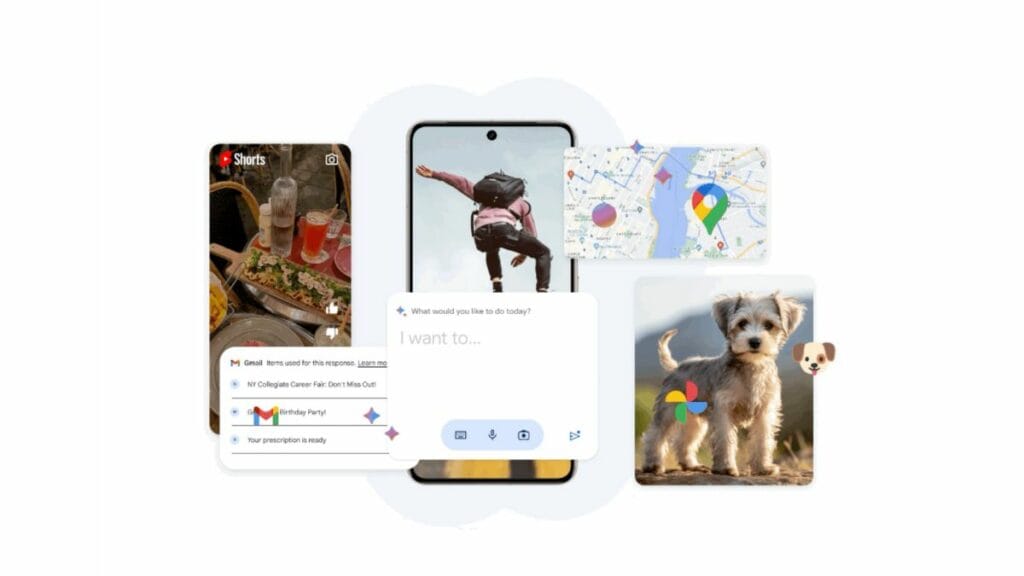
“For example, say you just took a photo of your cute puppy you'd like to post to social media,” she proposes. “Simply float the Assistant with Bard overlay on top of your photo and ask it to write a social post for you. Assistant with Bard will use the image as a visual cue, understand the context and help with what you need. This conversational overlay is a completely new way to interact with your phone. And just like both Bard and Assistant, it'll be built with your privacy in mind — ensuring that you can choose your individual privacy settings.”
About the Author