

HP OmniBook X Flip review: a useful 2-in-1 laptop with a great OLED touchscreen on top


Table of Contents
The HP OmniBook X Flip 14 is a versatile, lightweight 2-in-1 laptop designed for users who need portability, flexibility, and solid day-to-day performance. Its vibrant OLED touchscreen and adaptable design allow it to transition seamlessly between laptop, tablet, and tent modes, making it ideal for meetings, note-taking, or media consumption on the go.
Under the hood, it relies on a capable CPU without a discrete GPU, which limits gaming and heavy rendering but contributes to decent battery life and a quiet, efficient operation. The laptop’s long-lasting 59Wh battery, combined with a slim design and low thermal footprint, ensures you can work almost anywhere without worrying about heat or noise.
Add in thoughtful usability features – a Windows Hello–compatible IR camera, a spacious keyboard and touchpad, and wide connectivity options – and the OmniBook X Flip 14 emerges as a highly practical machine for professionals and students alike. Like always, we’ll be putting the HP Omnibook X Flip 14 through its paces in our testing lab, concluding with our thoughts on how it stacks up in price and performance.
Latest tech deals.
- AMD Ryzen™ 9 9900X 12-Core - was $499 now $328
- CORSAIR 4000D PC Case - was $124.99 now $75.99
- Hisense 65" Class E6SR - was $549 now $377.99
- Apple 2026 MacBook Air - was $1,999 now $1,799
- Skytech Gaming PC Desktop (9850X3d) - was $4,299 now $3,799
- Apple Magic Mouse - was $79 now $59
- MSI Prestige 16 Flip - was $2,149 now $1,899
- Kotin 9700X Gaming PC - was $2,399 now $2,199
Prices correct as of October 9th, 2026.

- CPU: AMD Ryzen AI 7 350/5 340
- GPU: AMD Radeon 860M/850M
- Memory: 16/32GB LPDDR5X – 7500 MT/s
- Storage: 1/2TB PCIe Gen4 NVMe M.2 SSD
- Max Refresh Rate: 120Hz
- Resolution: 2K(1920 x 1200)/3K (2880 x 1800)
- Panel Type: 14″/16″ OLED Touch screen
he HP OmniBook X Flip 14 is a versatile and convenient 2-in-1 laptop that fits seamlessly into everyday life. Its vibrant OLED display and responsive touchscreen make switching between laptop and tablet modes effortless, giving you the flexibility to work, browse, or stream however you prefer. Slim and lightweight with an OK battery life, it’s easy to slip into a bag and just as easy to pull out when you need it.
Under the hood, it relies solely on its integrated CPU, so it’s not built for demanding creative workloads or gaming. That said, for productivity, web browsing, media consumption, and general day-to-day tasks, it delivers dependable performance without driving up the price. If you’re after a portable machine that covers the essentials well, the OmniBook X Flip 14 makes a strong case for itself.
- Excellent 120Hz OLED touchscreen
- Decent pricing
- Light and flexible 2-in-1 functionality
- Strong, high-quality build
- Great-to-use keyboard
- OK Battery life
- Nice speakers, camera, and mic
- Speakers can vibrate the chassis on use
- Soldered memory
- Only one M.2 slot and Thunderbolt port
- Integrated graphics provide limited performance
Pricing and availability
The HP OmniBook X Flip comes in a variety of sizes, colors, and specs. This particular model is hardly available in the US, meaning you’ll have to opt for a slightly different configuration in the States. There is a Flip 2-in-1 with the Ryzen AI 7, 860M, 1TB SSD, but with 24GB of LPDDR5, and only a 1200p IPS touchscreen, that costs $969.99 and comes with a mouse.
In comparison, the Omnibook Flip 14 with 3K OLED Touchscreen is £1,049.99. That’s around $1,440 with VAT on top, so around $1,150 if it were directly available in the market. So it is a more expensive device, but considering it’s a 2-in-1 laptop and certainly not a gaming laptop, it’s at a reasonable price.

HP OmniBook X Flip NGAI 14 box contents, Image by PC Guide
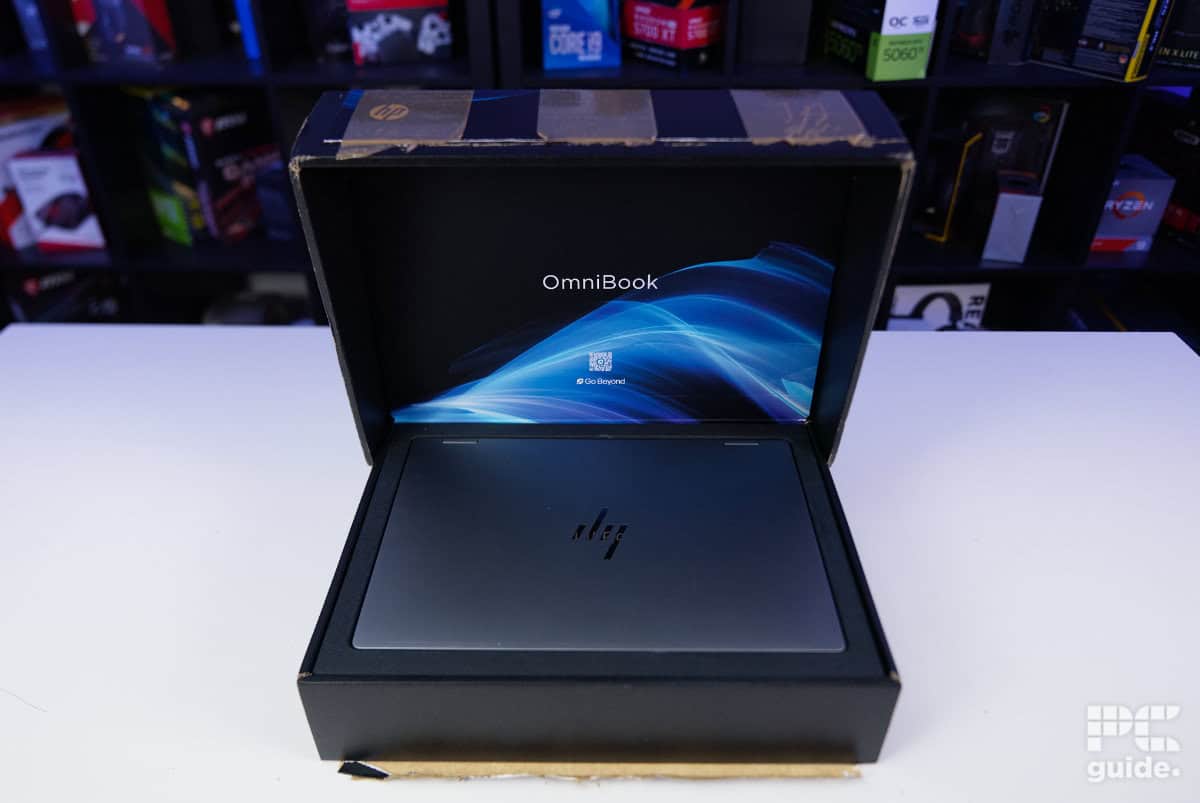
HP OmniBook X Flip NGAI 14 inside box, Image by PC Guide
Overall design
Being just 14-inches in size, HP’s Omnibook Flip 14 is certainly a lightweight option for anyone looking to take it on the go. It weighs in at just 1.4kg (3.1lbs) – with the charger adding a mere 0.32kg (0.71lbs) extra – making it incredibly portable and easy to carry.
Its versatility is elevated by the 2-in-1 design and OLED touchscreen. The ability to fold the keyboard away and use it as a tablet makes it far more adaptable than a standard clamshell, especially when space is limited. Whether you’re switching to tablet mode for reading, rotating the screen into portrait, or propping it up in tent mode for media, the flexible hinge design makes each configuration feel natural and genuinely useful.
Aesthetically, it leans into a clean, professional look. Finished in a muted gray, there’s no flashy branding or RGB lighting to distract from its understated style. Even the HP logo is reduced to four minimalist bars of varying lengths. Beyond that, the exterior is fairly restrained, with subtle hinge text, elongated rear and bottom vents, and full-length rubber feet that round out the design without drawing much attention.
Accessing the internals is refreshingly straightforward, and HP even provides official support videos to guide you through common maintenance tasks. The bottom panel is secured by one captive screw and three additional Torx screws, so you’ll need the right tools and a pry tool to get inside. However, once opened, upgrade options are limited, so while it’s easy to access, there isn’t much room for expansion.

HP OmniBook X Flip NGAI 14 top lid, Image by PC Guide

HP OmniBook X Flip NGAI 14 underside, Image by PC Guide

HP OmniBook X Flip NGAI 14 open, Image by PC Guide

HP OmniBook X Flip NGAI 14 keyboard, Image by PC Guide

HP OmniBook X Flip NGAI 14 screen, Image by PC Guide

HP OmniBook X Flip NGAI 14 tent, Image by PC Guide

HP OmniBook X Flip NGAI 14 screen tent, Image by PC Guide

HP OmniBook X Flip NGAI 14 left side, Image by PC Guide

HP OmniBook X Flip NGAI 14 right side, Image by PC Guided

HP OmniBook X Flip NGAI 14 rear, Image by PC Guide

HP OmniBook X Flip NGAI 14 front edge, Image by PC Guide

HP OmniBook X Flip NGAI 14 tablet mode, Image by PC Guide

HP OmniBook X Flip NGAI 14 unscrewed bottom, Image by PC Guide

HP OmniBook X Flip NGAI 14 inside bottom, Image by PC Guide
The memory is soldered directly to the board, which helps with performance and efficiency, but it does mean you’re locked into the capacity you choose at purchase. There’s a single NVMe slot that can be swapped out for a larger drive, though there’s no room for a second SSD. On the plus side, several components are replaceable if needed – including the battery – once you’ve navigated past the slightly frustrating adhesive mesh that’s prone to tearing when gaining access to the components.
Removing the bottom panel requires more force than expected. There seems to be some magnetic pull along the front edge – I noticed screws sticking to it while working – which likely contributes to the resistance. It also makes one-handed opening tricky; on a smooth surface like a mouse pad, the chassis tends to slide back rather than lift smoothly.
Inside, the gray metal finish continues across the keyboard, giving the interior a premium feel. The off-center touchpad leaves generous palm rest space, yet it’s still impressively large and comfortable to use. It never pushed me toward grabbing an external mouse (unlike the MSI Titan), thanks in part to its responsive surface and support for additional controls like forwards and back – like those found on your mouse.
The keyboard itself feels surprisingly spacious for a 14-inch machine. Without a numpad, the keycaps are larger than you might expect, making typing comfortable and natural. While there are a few unconventional layout choices – such as combining certain symbols on shared keys – the overall typing experience is satisfying. The keys have a crisp, slightly clicky response rather than a soft, mushy feel, with only minimal flex if you press firmly.
Overall, the build quality is impressive. The chassis feels sturdy with very little flex, which is essential for a device designed to shift between laptop, tablet, and tent modes. Importantly, the port placement remains practical in every configuration. With two USB-A ports, two USB-C ports, HDMI, and a 3.5mm jack positioned toward the top edge of the body, connectivity stays accessible even when the device is propped up in tent mode.

HP OmniBook X Flip NGAI 14 open and plugged in, Image by PC Guide

HP OmniBook X Flip NGAI 14 tent on pad, Image by PC Guide

HP OmniBook X Flip NGAI 14 half open on pad, Image by PC Guide
HP OmniBook X Flip NGAI 14 open on pad, Image by PC Guide

HP OmniBook X Flip NGAI 14 top down on pad, Image by PC Guide
The on-board speakers aren’t bad. They didn’t blow me away, but they do manage to get rather loud, and without any distortion. Maintaining clear vocals, the Omnibook Flip 14 speakers don’t produce that tinny sound we’re usually accustomed to – instead, offering clarity at a high level, but still lacking bass or any depth. Also, past about half volume, the chassis begins to vibrate from the sound, and so listening through the speakers and still using the keyboard can get a bit fuzzy and uncomfortable, even with just a dual speaker setup.
Lastly, the camera and microphone setup are very handy additions to the laptop. With a 5MP IR webcam, you do have access to Windows Hello and signing in quickly, but you are also getting access to some nice security features like presence detection to improve your battery and privacy. The microphone combination provides a strong, reliable foundation for calls, and it’s further enhanced by Poly Camera Pro, which adds a range of useful features and customization options to fine-tune your setup.
| Spec | Value |
|---|---|
| Combined weight: | 1.72kg (1.4kg + 0.32kg) |
| Dimensions WxDxH: | 31.3 x 21.85 x 1.46 cm |
| Power Supply Wattage | 65W |
Screen
The display on the Omnibook X Flip is a 3K (2880 x 1800) OLED, which is impressive considering its small 14-inch design. That results in incredibly high pixel density for seeing plenty of detail. It also features HDR, but just to a 500 nit spec, with standard mode (non-HDR) reaching 400 nits in comparison. Still, the color that the panel provides is rather impressive.
There are configurations available with lower resolutions and bigger sizes (with an OLED panel covered with Corning Gorilla Glass 3). But its variable refresh rate can reach up to 120Hz and claims a 100% coverage of the DCI-P3 spectrum. So how did that hold up in our tests?

Using a Datacolor SpyderX Elite, I measured the display’s color accuracy and peak brightness to get a clear picture of its performance. The panel covers 100% of the sRGB gamut, making it excellent for standard content creation and everyday use. Coverage drops slightly for wider gamuts, with 97% of DCI-P3 and 94% of AdobeRGB, but these levels are still very respectable and sufficient for light photo or video editing.
Color accuracy is impressive: the average deltaE sits at just 0.92, keeping colors very close to their intended targets, while the maximum deltaE only reaches 1.7, indicating minimal deviation. Gamma is spot-on at 2.2, aligning perfectly with standard calibration targets.
At full brightness, the OLED panel hits 420 nits, slightly surpassing its rated specification. Black levels are excellent at 0.02 nits, producing an effective infinite contrast ratio of 27,310:1. The measured white point is 6800K, a touch cooler than the ideal 6500K, giving a slightly bluish tint, but overall the dynamic range between black and white is outstanding. This combination ensures punchy, vibrant visuals while maintaining accurate color representation for most tasks.

Battery life
Next, I put the battery to the test. I started with two hours of YouTube playback, followed by light browsing until the battery ran out. All tests were conducted with battery saver mode enabled, the keyboard and display lights off, and brightness set to HP’s recommended level of 45% (approximately 120 cd/m²).
Thanks to the laptop’s single-component design – relying solely on the CPU – the 59Wh battery delivered impressive endurance. After two hours of video, the charge dropped to 78%. Subsequent light use brought it down to 70% after one hour, 61% after two hours, 52% after three hours, and 43% after four hours. Extrapolating the roughly 9% hourly drop, total battery life is estimated at about 10.5 hours, closely matching HP’s official claim.
By sacrificing discrete graphics performance, the OmniBook X Flip 14 achieves decent longevity, making it a practical 2-in-1 for professionals on the go. Its combination of portability and endurance makes it ideal for meetings, note-taking, and working from virtually anywhere.

Software
Booting the laptop for the first time, even before Windows loaded, the BIOS displayed a notice about memory training for the DDR5 modules running at 7,200 MT/s, which can add a brief delay before reaching full speed. Setting up Windows itself also takes time, particularly with updates – in my case, nearly an hour elapsed before everything was fully installed and up to date.
Once up and running, the system comes with a significant number of preinstalled applications from both HP and Microsoft. While some are useful, like productivity or support tools, others – including McAfee – are likely candidates for removal right away.
A few HP-specific apps stand out. HP Support Assistant provides general system guidance and keeps drivers updated, which is helpful for maintaining smooth performance. The HP Control Center offers deeper access to camera settings, privacy options, and other device-specific features. Meanwhile, the inclusion of the OMEN Gaming Hub feels out of place on this machine, as it’s not designed for gaming. Overall, there are plenty of useful tools, but also a fair share of extras that many users may never need.

HP OmniBook X Flip OMEN Gaming Hub, Image by PC Guide

HP OmniBook X Flip app troubleshooting, Image by PC Guide

HP OmniBook X Flip app option, Image by PC Guide

HP OmniBook X Flip Support Assistant home, Image by PC Guide

HP OmniBook X Flip Support Assistant updates, Image by PC Guide
Performance
Next up, I put the laptop to the test in our testing lab with various games and software. But having just a CPU and integrated graphics, it’s not exactly a gaming laptop. So we don’t expect the best results in these tests, but it’s just a showcase of what it can do.

HP OmniBook X Flip Cyberpunk 2077 1080p, Image by PC Guide

HP OmniBook X Flip Counter-Strike 2, Image by PC Guide

HP OmniBook X Flip 3DMark, Image by PC Guide

HP OmniBook X Flip Geekbench 6, Image by PC Guide

HP OmniBook X Flip Geekbench AI, Image by PC Guide

HP OmniBook X Flip Cyberpunk 2077 1800p, Image by PC Guide

HP OmniBook X Flip Blender 4.5, Image by PC Guide
In gaming performance, the HP OmniBook X Flip 14 behaves similar to the MSI Prestige 14 we’ve reviewed, rather than laptops equipped with discrete GPUs. At 1800p, gaming performance is limited: in Cyberpunk 2077, ultra settings averaged just 8 fps, medium reached 16 fps, and low peaked at 20 fps. Dropping to 1080p improves playability slightly, with ultra averaging 20 fps, medium 30 fps, and low 33 fps.
Ray tracing was not an option on this hardware, and some titles, like Doom Eternal, wouldn’t launch due to insufficient memory. Lighter titles fare better: Counter-Strike 2 at 1800p on very high averaged 18 fps, medium 35 fps, and low 70 fps. At 1080p, these numbers rise to 45 fps, 94 fps, and 127 fps, respectively, making competitive gaming feasible only on lower settings.
Synthetic benchmarks reflect this limitation as well. The laptop scored 235 in 3DMark Steel Nomad, 628 in Port Royal, 1,076 in Time Spy Extreme, and 1,486 in Fire Strike Ultra – far below what laptops with discrete GPUs achieve. Similarly, Blender performance remains modest, with samples per minute under 100, highlighting that this device is not intended for rendering workloads.
On the CPU side, however, the performance is solid. Geekbench benchmarks show scores comparable to the Intel Core i7-14650HX in the MSI Katana 15, both for standard and AI workloads, offering a strong platform for productivity tasks even if gaming and rendering are limited.
Thermals and noise levels
Lastly, in the testing of the laptop, I put it through a thermal stress test to see how hot and loud it gets under loads. Utilizing Furmark 2 to run CPU Shark and GPU stress test, it pinned the two to their max and did so for over 20 minutes to get it to a thermal equilibrium.

On the HP OmniBook X Flip 14, CPU power peaked at around 38 W before quickly dropping and stabilizing at 20 W during testing. This behavior is driven by thermal management: the CPU temperature initially reached 91 °C but settled around 70 °C to keep the laptop’s surface comfortable to touch.
During the test, the CPU clock briefly hit 3,000 MHz, while the integrated GPU and SOC operated at just 1,000 MHz. The CPU frequency then tapered down to roughly 2,000 MHz as power consumption normalized.
Thanks to the absence of a discrete GPU, cooling demands are minimal. The laptop has a single fan and generous venting, and the thermal load from a 20 W CPU is modest. As a result, the system remained almost silent throughout testing – just a gentle airflow noise, but nothing intrusive.
- CPU: AMD Ryzen AI 7 350/5 340
- GPU: AMD Radeon 860M/850M
- Memory: 16/32GB LPDDR5X – 7500 MT/s
- Storage: 1/2TB PCIe Gen4 NVMe M.2 SSD
- Max Refresh Rate: 120Hz
- Resolution: 2K(1920 x 1200)/3K (2880 x 1800)
- Panel Type: 14″/16″ OLED Touch screen
Conclusion
Overall, the HP OmniBook X Flip 14 is an excellent lightweight 2-in-1 laptop. Its OLED touchscreen adds versatility, making it easy to use in a variety of settings. The bright, vibrant display combined with long battery life makes it simple to slip into a bag and set up quickly whenever you need it.
Convenience features further enhance the experience. The IR camera with Windows Hello provides fast, secure login, while the spacious keyboard and touchpad offer intuitive, comfortable input. The base configurations start at an accessible price point, though you may want to spend a little time decluttering preinstalled apps. Gaming is limited to light titles – don’t expect to run anything demanding – but for productivity, media, and on-the-go use, the OmniBook X Flip 14 is a highly practical and polished option.
About the Author