
MSI Katana 15 HX B14WFK review: a solid entry level 50 series laptop

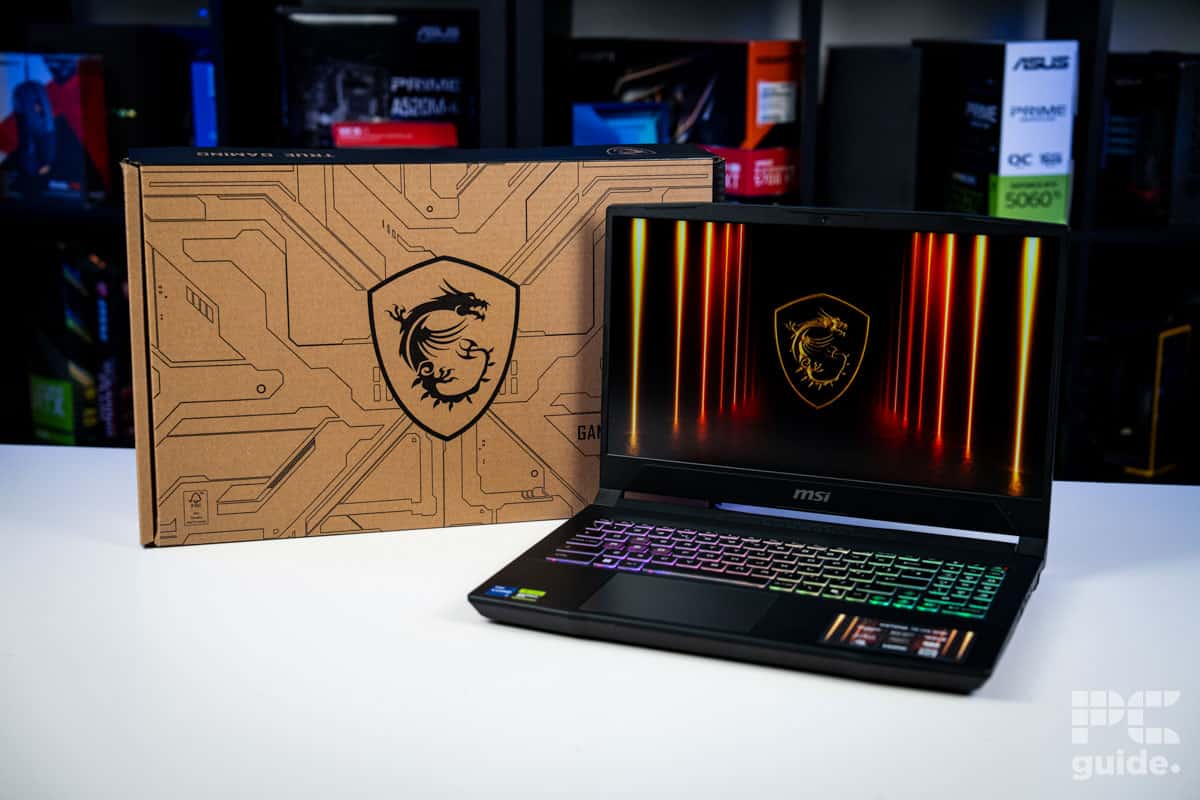
Table of Contents
Finding the best gaming laptop can be a bit of an expensive task, especially with the latest high-performance RTX 50 series machines demanding extremely high price tags. Thankfully, there are plenty of budget-friendly laptops that provide a more accessible entry point – without compromising on a solid gaming experience.
One of those is the MSI Katana 15 HX B14WFK, an entry-level option from MSI that provides a decent gaming experience without destroying your bank balance. The model we received for review features the RTX 5060 paired with the Intel Core i7-14650HX, alongside a spattering of 16GB of memory and 512GB of storage.
In general, the laptop is capable of some fine performance for its 1440p screen, but the display itself is a bit lacking. It’s not the brightest display on the market, nor does it feature the widest color gamut – but at least it’s a fast one, as we found in our laptop review. Let’s dive straight into it.
Prime Day is here! We've found all the biggest and best deals from this year's event below.
- AMD Ryzen™ 9 9900X 12-Core - was $499 now $337
- CORSAIR 4000D PC Case - was $124.99 now $75.99
- Hisense 65" Class E6SR - was $549 now $377.99
- Apple 2026 MacBook Air - was $1,999 now $1,799
- Skytech Gaming PC Desktop (9850X3d) - was $3,699 now $3,199
- Apple Magic Mouse - was $79 now $59
- Samsung Galaxy Z Fold8 Ultra - was $2,099 now $1,699
- Amazon Fire HD 10 tablet - was $154 now $72
Prices correct as of October 6th, 2026.

- CPU: Intel Core i7-14650HX
- GPU: RTX 5060 8GB
- Memory: 16GB (2x8GB) DDR5-5600
- Storage: 512GB NVMe SSD
- Max Refresh Rate: 165Hz
- Resolution: 2560×1440
- Panel Type: 15.6″ IPS
A tamer MSI gaming laptop, the Katana 15 HX, is an excellent addition to the brand’s 50 series range of laptops for a lot cheaper. But it does lack some of that extra power that would make the 1440p 165Hz screen worth it across the board.
It also lacks a large storage space and quickly runs out of a free expansion slot to add more. But the screen is surprisingly color accurate in certain gamuts and still has plenty of performance inside of it to enjoy.
- Robust build quality and features on board
- Options to open up and upgrade certain parts
- Solid connectivity and keyboard setup
- An upgraded screen that still has color accuracy
- Limited storage capacity and only one M.2 slot
- Not a very bright display
- Pricing can get a bit steep
- The webcam and microphone are lacking
Pricing and availability
This particular RTX 5060 model is seemingly less available in the US. There is a slightly spruced-up Katana model with a 5070, though, with more RAM and storage available for $1,378. While in the UK, it is listed at an MSRP of £1,300, a rather more expensive price to pay, as even at its sale price for £100 less, when looking at the other available RTX 5060 laptops in the store.
However, it does come with a speedy 1440p screen that might make it a bit more of a worthy consideration – not to mention the more powerful CPU and the GPU it is paired with. All of this combined results in a rather more rounded performance with the 16-core processor.

MSI Katana 15 HX B14WFK open box, Image by PC Guide

MSI Katana 15 HX B14WFK front box, Image by PC Guide

MSI Katana 15 HX B14WFK accessories, Image by PC Guide
Overall design
One of the things that stands out for the MSI Katana 15 is the 16-inch screen size that is mounted on its chassis. With a more compact design and efficient use of space, the laptop keeps its weight to just 2.4kg (5.29lbs) and doesn’t take up much room. That said, while it’s not the lightest option out there (that probably goes to one of Acer’s new 1KG models) its gaming laptop pedigree still makes it noticeable.
That theme also shines through in its general look and design. At the back, there are two vents that brightly display the copper heatsinks, with plenty of textures and angled plastic covering the back. It’s not a subtle look, as it also adds some thickness to the laptop.
The lid also etches in some faux metalwork with connection points that sort of bind the panels together. But it is a plastic lid and does omit outward RGB in place of a criss-cross textured logo. Turning to the sides of the laptop, there is just one more vent on the left side, right next to a barrel jack for power, and two USB 3.2 Gen2 Type-A ports.
On the right, it doesn’t bother adding a vent and introduces plenty more connectivity instead. It has a Gigabit LAN port, one more USB Type-A, a Type C USB 3.2 Gen 2, a 3.5mm jack, and an HDMI 2.1 port. A decent amount of connectivity to take advantage of connecting a bunch of peripherals and more.

MSI Katana 15 HX B14WFK angled back, Image by PC Guide

MSI Katana 15 HX B14WFK back, Image by PC Guide

MSI Katana 15 HX B14WFK feature sticker, Image by PC Guide

MSI Katana 15 HX B14WFK front end, Image by PC Guide

MSI Katana 15 HX B14WFK Intel Nvidia, Image by PC Guide

MSI Katana 15 HX B14WFK left side, Image by PC Guide

MSI Katana 15 HX B14WFK lid logo, Image by PC Guide

MSI Katana 15 HX B14WFK right side, Image by PC Guide

MSI Katana 15 HX B14WFK laptop, Image by PC Guide
Once you open it up, you are greeted by the keyboard that takes up the majority of the space on top of the laptop. The laptop manages to include a full-sized keyboard for its size – though the numpad is reduced to about half the width of the standard keys. Even so, it remains a practical option for data entry and general number use.
It’ll come as no surprise that MSI has implemented a four-zone RGB backlit keyboard here, with plenty of customization up for grabs. As seen in other models within MSI’s laptop range, a few translucent keys have been added here; specifically the WASD and power buttons get fully lit up rather than just edges.
Around the keyboard, it also implements some of these choice designs. Etching in fake screws and channels that give it a certain gaming look, including adding a vent just below the screen. Underneath the keyboard, you can find a 14cm/5.5″ touchpad, a more basic one compared to the integrated one on the MSI Titan, but certainly a decent option anyway to get the job done, and it feels much easier to use than the RGB-lit one.
It does leave less space on the left for your palm, which does occasionally register on the touchpad, but on the right, there’s plenty of space. Combined, this makes for a great typing experience, even if the keys aren’t mechanical and clicky – they’re not a soft membrane either, which would make them worse to use.
Above the screen, there is an HD webcam, but it’s not a great-looking one, considering it’s just 720p. It will do for most basic video sessions, but quality is underwhelming, with video quality being rather smeary. Its microphone doesn’t do a great job of any processing either, capturing plenty of echo and background noise, so if you do want your calls to be pleasant for others, I’d recommend getting a headset.

MSI Katana 15 HX B14WFK WASD, Image by PC Guide

MSI Katana 15 HX B14WFK underside, Image by PC Guide

MSI Katana 15 HX B14WFK screen logo, Image by PC Guide

MSI Katana 15 HX B14WFK playing CS2, Image by PC Guide

MSI Katana 15 HX B14WFK keyboard, Image by PC Guide

MSI Katana 15 HX B14WFK CS2, Image by PC Guide
All being said, testing out the speakers was a pleasant surprise, they’re actually quite effective. Packing in two 2Ws on either side at the bottom, they do manage to provide a clear and full range of audio. It might not be the loudest, but even at full volume, the audio is clear and powerful, not creating any echo or reverb but keeping it all clean.
For more enthusiast-level consumers, you’ll be happy to hear that you can also get access to the components inside, but I did find that two of the screws were different, and some were rather deep, so it took a bit of time to get into it. Then, even though you could change out both RAM sticks quite easily, there is only one M.2 slot available, which means if you want to add to the rather limited capacity, you have to change out the whole NVMe SSD rather than being able to add one in.
| Spec | Value |
|---|---|
| Weight: | 2.4kg/5.29lbs (laptop alone) |
| Dimensions WxDxH: | 359x262x25.5mm |
| Power Supply Wattage | 240W |
Screen
After the general look over of the laptop, I put the screen to the test to see how effective it was as a display. Using a Datacolor SpyderX Elite and its software, I measured its RGB brightness, color accuracy, contrast, and more. With a simple IPS panel, the laptop has a 1440p resolution, sticking to 16:9, at a 165Hz refresh rate. I didn’t expect much from it, but it did have its strengths.

First off, the panel clearly showcases strong color accuracy, achieving 100% of sRGB and 99% of DCI-P3 gamut coverage. That said, it does fall behind with just 89% of AdobeRGB coverage. Regardless, it does mean it’s surprisingly good for color-accurate work if you do just need those two well-covered options.
Overall, color accuracy holds up reasonably well, with an average deltaE of 0.97 and a maximum of 2.63, making it a decent option for color-related work.
However, it doesn’t have the brightest of screens, as at 100% it just manages 308 candela. That’s fine for most use cases in lit and dim environments – but it’s not going to be great to use in bright rooms or outdoors. But at least it does get very dim to me, if you’re using it at night or somewhere dark, at 0% it’s at 15.5 candela.
It also doesn’t have a great black level; at 0.27/m², it’s quite a bit above the ideal 0.00 level that you find in OLED technology. Same for the contract that sits at 1130:1, which ideally would be as close to infinity as possible. You can see the breakdown of these levels in the table below.

Battery life
Taking a closer look at the laptop’s battery life, I put it through our usual laptop tests. Setting it to the best eco and longevity options, including putting it into integrated graphics only, eco mode settings, and energy saver on, I tried to give it the best chance possible. Along with setting the brightness as close to 120 nits as possible (120.5 in this case), as our optimum viewing brightness, I could then test how long it lasted in our suite.
Beginning with a two-hour YouTube video (muted) at full charge, the battery dropped to 61%, indicating around 3 hours and 30 minutes of use remaining. Afterward, we kept it running with a document and a web browser until the battery was fully depleted. That took an extra 4 hours and 10 minutes, giving it a total of 6 hours and 10 minutes in our testing, a rather impressive amount for the laptops we’ve tested. Especially as it’s just a 75Wh battery inside compared to the usual 99Wh they try to cram in there. But it’s likely thanks to the lower-powered specs inside the Katana that prolong its lifespan.
Software
Going through the usual setup of Windows on the laptop takes its time, as Windows get ever more bloated, and something I don’t look forward to each time as I review a laptop. Once it freed itself from being stuck on updating Windows, and I finally got in, there wasn’t as much of the usual bloat on the MSI laptop.
There were the usual control software like MSI center, and Nahimic, but with fewer higher-end features on the machine, there’s just less to control. But of course Norton Antivirus persists, and reminds you of its presence with its relentless pop-ups and interference.
Otherwise, what you get on it is fairly robust and useful, particularly in MSI Center. Controlling the performance of the laptop and the mode it’s in allows you to adjust how the fans and power perform, switching between pure performance and prolonging battery life. Particularly choosing which graphics card to use and how much power you want from it.
Performance and noise levels
Lastly, I put the laptop through the testing lab in our suite of software tests. Utilizing games and benchmarks to see how well it performed. Running the laptop in performance mode, and both discrete and hybrid modes, it lets us see how well the RTX 5060 and i7-14650HX perform inside the chassis, and see if the cooling can keep up.

MSI Katana 15 HX B14WFK 3DMark, Image by PC Guide

MSI Katana 15 HX B14WFK Geekbench AI, Image by PC Guide

MSI Katana 15 HX B14WFK Cyberpunk 2077 1080p, Image by PC Guide

MSI Katana 15 HX B14WFK Cyberpunk 2077 1440p, Image by PC Guide

MSI Katana 15 HX B14WFK CS2, Image by PC Guide

MSI Katana 15 HX B14WFK Doom Eternal, Image by PC Guide

MSI Katana 15 HX B14WFK Blender, Image by PC Guide

MSI Katana 15 HX B14WFK Geekbench, Image by PC Guide
Gaming benchmarks
We benchmarked the laptop at both 1440p (its native resolution) and 1080p, using the latter as a baseline for comparison against other systems we’ve tested. Running tests across three settings levels provided a clear view of its performance range.
In Cyberpunk 2077 at 1440p, the laptop delivered respectable results. On Ultra settings, it averaged 73 FPS in discrete mode and 72 FPS in hybrid mode. Dropping to Medium pushed averages up to 119 and 111 FPS, while Low settings reached 129 and 120 FPS. Enabling ray tracing was far more demanding: RT Overdrive dropped performance to 19 FPS (discrete) and 28 FPS (hybrid), RT Medium managed 52 and 51 FPS, and RT Low achieved 74 and 69 FPS.
At 1080p, frame rates improved across the board. On Ultra, the Katana averaged 107 FPS in discrete mode and 102 FPS in hybrid. Medium settings rose to 123 and 125 FPS, while Low hovered around 125 and 123 FPS. With ray tracing enabled, RT Overdrive increased to 39 and 37 FPS, RT Medium reached 69 and 66 FPS, and RT Low climbed to 98 and 93 FPS.
Moving to Doom Eternal, the laptop showed its strengths. At 1440p, Ultra Nightmare settings delivered 166 FPS in discrete mode and 168 FPS in hybrid. On High, that jumped to 190 and 178 FPS, while Low settings reached 219 and 194 FPS. At 1080p, performance was even stronger: 204 and 221 FPS on Ultra Nightmare, 257 and 239 FPS on High, and an impressive 317 and 292 FPS on Low.
Synthetic benchmarks
Below is a range of synthetic benchmarks I tested on the laptop. Showcasing the rendering capability, power capabilities, and AI performance of the laptops as compared to the others, which consist of high-end 50 series laptops.
3DMark:
| Benchmark | ROG Strix | Raider (Hybrid) | Raider (Discrete) | Acer | Titan (Discrete) | Titan (Hybrid) | Katana (Discrete) | Katana (Hybrid) |
|---|---|---|---|---|---|---|---|---|
| Steel Nomad | 6,126 | 6,226 | 6,307 | 6,169 | 6,258 | 6,176 | 2,683 | 2,679 |
| Port Royal | 16,237 | 16,398 | 16,637 | 15,865 | 16,448 | 15,814 | 7,453 | 7,357 |
| Time Spy Extreme | 12,077 | 11,751 | 11,970 | 12,096 | 12,427 | 12,150 | 5,742 | 5,729 |
| Fire Strike Ultra | 13,910 | 16,432 | 16,752 | 15,749 | 16,853 | 16,644 | 7,497 | 7,656 |
Blender 4.5 – CPU:
| Scene | ROG Strix | Raider (Hybrid) | Raider (Discrete) | Acer | Titan (Discrete) | Titan (Hybrid) | Katana (Discrete) | Katana (Hybrid) |
|---|---|---|---|---|---|---|---|---|
| monster | 257.17 | 264.45 | 218.21 | 219.60 | 247.79 | 248.31 | 130.34 | 132.66 |
| junkshop | 181.89 | 179.41 | 136.85 | 142.99 | 163.21 | 162.95 | 90.46 | 91.27 |
| classroom | 138.93 | 138.90 | 108.71 | 110.73 | 122.56 | 122.31 | 66.30 | 65.23 |
Blender 4.5 – GPU:
| Scene | ROG Strix | Raider (Hybrid) | Raider (Discrete) | Acer | Titan (Discrete) | Titan (Hybrid) | Katana (Discrete) | Katana (Hybrid) |
|---|---|---|---|---|---|---|---|---|
| monster | 3,963.26 | 3,979.46 | 4,002.13 | 3,964.46 | 3,905.28 | 3,961.75 | 1,596.74 | 1,625.03 |
| junkshop | 2,099.47 | 2,175.51 | 2,110.99 | 2,210.26 | 2,096.72 | 2,191.45 | 993.71 | 1,015.90 |
| classroom | 2,016.39 | 2,029.87 | 1,998.61 | 2,039.66 | 1,993.69 | 2,054.77 | 916.53 | 934.93 |
Geekbench 6 – CPU:
| Mode | ROG Strix Single | ROG Strix Multi | Raider Single | Raider Multi | Acer Single | Acer Multi | Titan Single | Titan Multi | Katana Single | Katana Multi |
|---|---|---|---|---|---|---|---|---|---|---|
| Discrete | 2,819 | 17,794 | 3,163 | 20,156 | 2,843 | 17,208 | 3,064 | 22,067 | 2,662 | 14,441 |
| Hybrid | — | — | 3,110 | 18,858 | — | — | 3,107 | 21,691 | 2,763 | 14,556 |
Geekbench 6 – GPU (OpenCL & Vulkan):
| Mode | ROG Strix (OpenCL) | ROG Strix (Vulkan) | Raider (OpenCL) | Raider (Vulkan) | Acer (OpenCL) | Acer (Vulkan) | Titan (OpenCL) | Titan (Vulkan) | Katana (OpenCL) | Katana (Vulkan) |
|---|---|---|---|---|---|---|---|---|---|---|
| Discrete | 231,167 | 164,203 | 224,900 | 217,018 | 236,274 | 214,376 | 239,410 | 211,075 | 111,632 | 106,772 |
| Hybrid | — | — | 229,946 | 223,059 | — | — | 240,115 | 200,868 | 111,402 | 95,766 |
Geekbench 6 – AI (CPU):
| Mode | Single Precision | Half Precision | Quantized |
|---|---|---|---|
| ROG Strix | 4,422 | 1,878 | 8,035 |
| Raider Discrete | 6,423 | 2,657 | 11,880 |
| Raider Hybrid | 6,648 | 2,607 | 12,138 |
| Acer | 6,527 | 2,273 | 10,572 |
| Titan Discrete | 7,050 | 2,495 | 11,722 |
| Titan Hybrid | 7,351 | 2,658 | 12,346 |
| Katana Discrete | 3,895 | 1,422 | 6,975 |
| Katana Hybrid | 3,974 | 1,397 | 7,094 |
Geekbench 6 – AI (GPU):
| Mode | Single Precision | Half Precision | Quantized |
|---|---|---|---|
| ROG Strix | 30,475 | 51,702 | 23,663 |
| Raider Discrete | 32,730 | 56,745 | 25,117 |
| Raider Hybrid | 33,092 | 57,268 | 25,303 |
| Acer | 30,193 | 50,473 | 23,572 |
| Titan Discrete | 32,504 | 56,226 | 24,886 |
| Titan Hybrid | 32,475 | 55,823 | 25,068 |
| Katana Discrete | 17,942 | 34,952 | 13,898 |
| Katana Hybrid | 17,757 | 34,121 | 13,662 |
Thermals
After completing all the testing, I also tested out the thermals of the laptop. Running Furmark 2’s CPU shark and GPU stress test, it loads up the two to their max to see how well the cooling keeps up. Using HWInfo to track the stats, you can see the various results in the graph below.

With a five-minute idle period at the start, the CPU and GPU only sit between 4 and 10W each, but even with that low power, they do sit at 45 and 55°C for the GPU and CPU. That is, while the fans are turned off, it is at idle and sitting quietly.
But as soon as you turn on the load, it immediately changes. The fans ramp up as the CPU gets to a package power of 40W and the GPU to 118W. They average a frequency of just under 2,100MHz on both of them. That leads to their temperatures reaching 80°C for the CPU and 85°C on the GPU.
During that time, the fans do get loud, but it’s not the worst I’ve heard from a laptop and, certainly, could be worse. However, it manages to maintain the temperatures at a good level, keeping the performance of the two up there with the clock rates and package power. As for the metal chassis and keyboard, it does get warm, but it’s a tolerable temperature, and you can still use it without burning yourself.
- CPU: Intel Core i7-14650HX
- GPU: RTX 5060 8GB
- Memory: 16GB (2x8GB) DDR5-5600
- Storage: 512GB NVMe SSD
- Max Refresh Rate: 165Hz
- Resolution: 2560×1440
- Panel Type: 15.6″ IPS
Conclusion
All in all, the MSI Katana 15 HX is a strong budget laptop to go for. It does manage to run its 1440p display in the games we tested at a reasonable framerate, even with the lower-end components inside. Even the screen itself manages to provide a color-accurate case for some color gamuts and goes beyond a basic 1080p 60 fps option.
But then it’s not the brightest option that can struggle in any brightly lit place. It also lacks some storage space that can quickly fill up with just a few game installs. It does seem like it doesn’t offer a great deal for the price it costs. But in general, it’s a robust entry-level 50 series laptop to go for.
About the Author