
Best GPU for 4K gaming in 2026 – our top picks tested for 60 and 144Hz


Table of Contents
As visual fidelity keeps improving in games and in general media, plenty of us will want to experience it at home. With a plethora of 4K monitors available, you need an equally powerful graphics card to run them at a decent framerate.
Since a standard 3,840 x 2,160 resolution has 8,294,400 pixels, that’s over 2.2x more than 1440p, and 4x greater than 1080p. With so many pixels to render and push through, it takes some impressive hardware, even more so if you want to enjoy high refresh rate monitors and have a smoother experience on your gaming monitors.
With that in mind, we have compiled some of the top cards from Nvidia and AMD that are capable of running the resolution at a decent frame rate across the board. Alongside being able to do more than just that, and as much as Intel is now a contender in the market, its cards aren’t quite created for UHD resolutions.
Latest PC & Tech deals
- AMD Ryzen™ 9 9900X 12-Core - was $499 now $337
- iBUYPOWER Element Gaming PC - was $1,999 now $1,699
- LG 27GX700A-B 27-inch Ultragear- was $599 now $485
- Samsung SSD 9100 PRO 1TB - was $339 now $249
- HP OmniBook 5 16 inch - was $961 now $799
Prices correct as of September 21st, 2026.
Products at a glance
-
Best GPU for 4K gaming
ROG Astral GeForce RTX 5080 OC
- GPU: GB203
- CUDA Cores: 10,752
- VRAM: 16GB GDDR7
- Memory Bus Width: 256 bit
- Base Clock Speed: 2,295 MHz
- Boost Clock Speed: 2,790 MHz

-
Best AMD GPU for 4K gaming
ASUS Prime RX 9070 XT OC
- GPU: Navi 48 XT
- Stream Processors: 4,096
- VRAM: 16GB GDDR6
- Memory Bus Width: 256-bit
- Base/Game/Boost clock speed: 1,660/2,400/2,970 MHz
- TBP: 304W

-
Best GPU for 144Hz 4K gaming
MSI GeForce RTX 5090 SUPRIM SOC
- GPU: GB202
- CUDA cores: 21,760
- VRAM: 32GB GDDR7
- Memory Bus width: 512-bit
- Base clock speed: 2,010MHz
- Boost clock speed: 2,565MHz

-
Best last-gen Nvidia GPU for 4K gaming
ASUS ROG Strix RTX 4090 OC
- GPU: AD102
- CUDA cores: 16,384
- VRAM: 24GB GDDR6X
- Memory bus: 384-bit
- Bandwidth: 1,008 GB/sec
- Base clock: 2235 MHz
-
Best last-gen AMD GPU for 4K gaming
ASUS TUF Gaming Radeon RX 7900 XTX OC
- GPU: Navi 31
- Stream Processors: 6,144
- VRAM: 24GB GDDR6
- Memory bus width: 384-bit
- Bandwidth: 960 GB/s
- Base clock speed: 1,929 MHz


How we selected the best GPU for 4K gaming
Selecting the best GPU for 4K gaming is not just about benchmark numbers; it’s a synthesis of real-world performance, thermal efficiency, and value for money. We begin by examining a multitude of gaming benchmarks across diverse titles, including our own in-house testing where appropriate.
In our testing, we put each card through a number of AAA titles, including the graphically demanding Cyberpunk 2077. From these, combined with a number of synthetic benchmarks, we can gauge how each of these best graphics cards handles the intense load of 4K resolution at varying refresh rates.
Writing up these GPU reviews, we get a good understanding of their power and function. Leading us to be able to recommend the right graphics cards for different tasks and functions. So with that, here’s our selection for 4K gaming.
Our top picks




- GPU: GB203
- CUDA Cores: 10,752
- VRAM: 16GB GDDR7
- Memory Bus Width: 256 bit
- Base Clock Speed: 2,295 MHz
- Boost Clock Speed: 2,790 MHz
- Improved performance across the board
- Well-designed cooler keeping temps under wraps
- Very quiet, with plenty of fans and onboard fan headers for synchronization
- Dual BIOS allows for easy switching
- Massive price increase over the 5080 MSRP
- Not a very big overclock at the end
- Huge card, that’s cumbersome and heavy
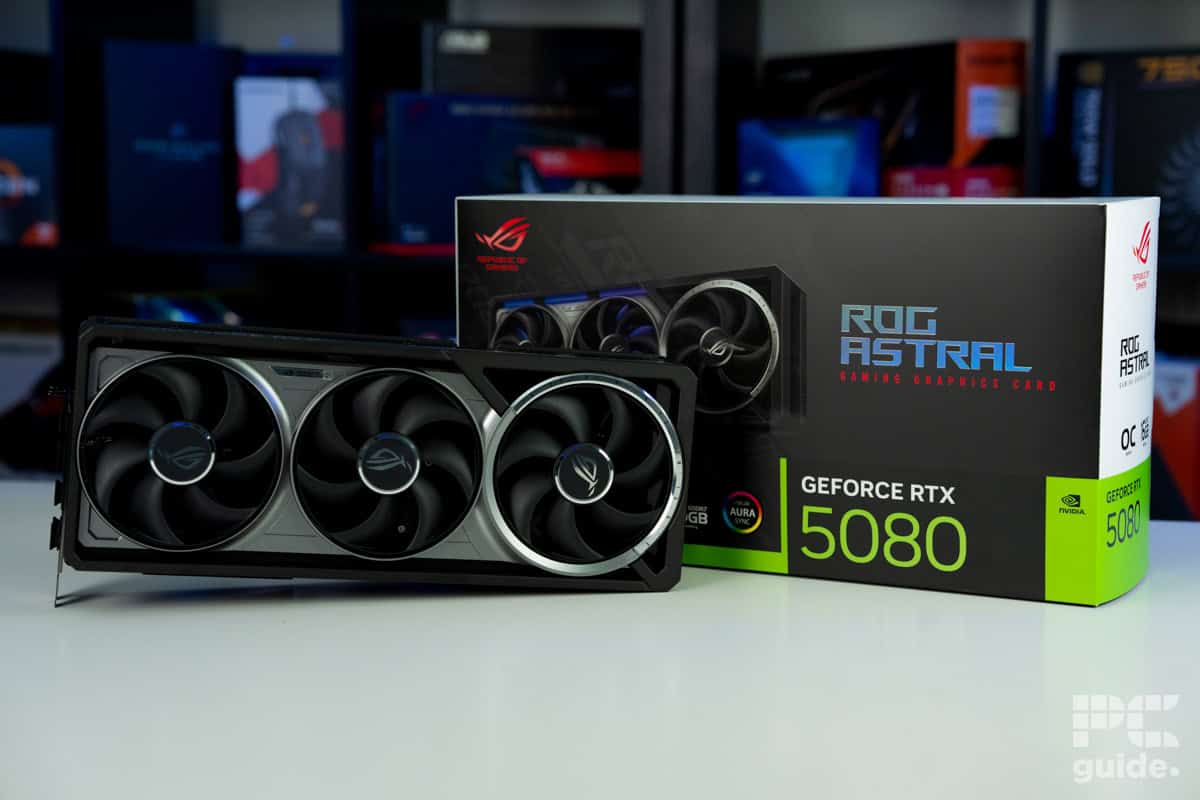
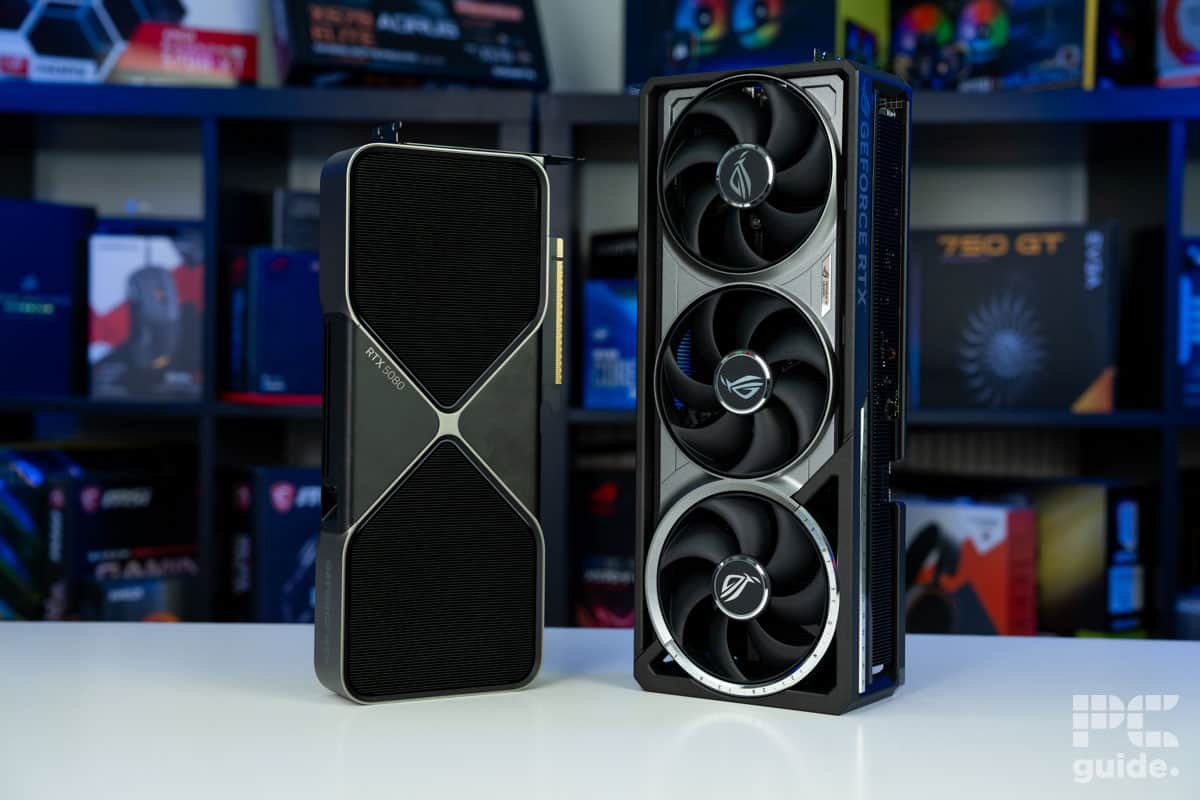
When it comes to our top choice for 4K gaming, we’ve gone with one of the best cards available right now, but not quite the flagship. The RTX 5080 is the choice to go for, since it doesn’t quite have the price tag of the RTX 5090, while still providing some excellent performance at 4K.
It’s packed with 10,752 CUDA cores, with a base clock of 2.3GHz and a boost clock to 2.62GHz in the FE model, while custom cards like the Astral overclock it further with a rate of 2.79GHz. But when it comes to 4K, a lot of the performance will come from the VRAM setup of the card.
It features 16GB of GDDR7, utilizing the fast memory chips that are clocked at 30Gbps. This leads to an impressive bandwidth of 960GB/s, which can easily handle the higher-end resolution and massive pixels it has to load onto it. Even more so if you want to do more than just gaming on the card, as creative workloads and LLMs can enjoy this too.
That does come with a steep price, in terms of both MSRP and TBP of the GPU. It has a $999 price tag from Nvidia, but custom models easily jump beyond that with their OC and extra features they add on, such as this Astral card costing over $1,700 as of writing.
But as we saw in our review of the ROG RTX 5080, it is easily capable of 4K gaming. Such as in Cyberpunk on Ultra settings and no upscaling, it averaged 75fps at 4K, with ray tracing dropping that to 36 in the rather graphically intensive game. Being on the Blackwell range, though, you do get access to DLSS 4 and frame generation that can boost this further.
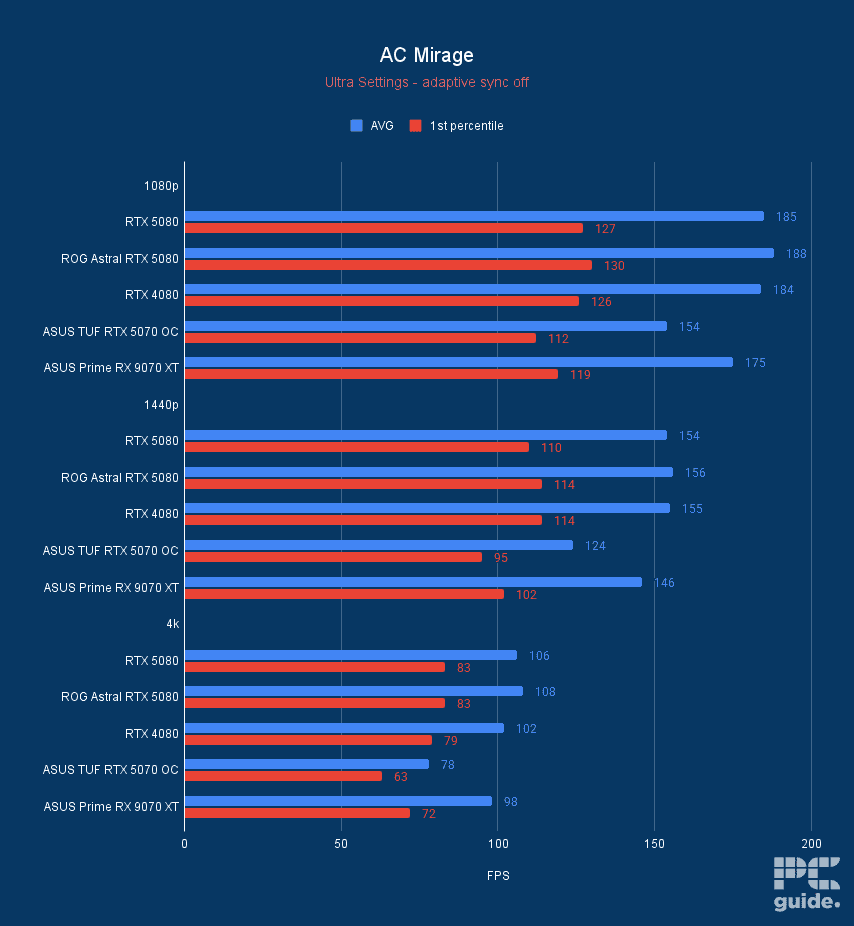
Even without that, though, in other games it does do great. As in Horizon Zero Dawn Remastered, it averaged 102fps, Assassin’s Creed Mirage averaged 108fps, Counter-Strike 2 averaged 196fps, and F1 24 averaged 80fps. All on the highest settings, so you can easily get even more with some tinkering.
As well as being an excellent option for creative workloads, such as in the Blender 4.3 benchmark, it achieved samples per minute of over 4,580 in monster, 2,358 in junkshop, and 2,295 in classroom. That makes it a well-rounded option for 4K gaming and beyond.

ASUS Prime RX 9070 XT OC F1 24, Image by PC Guide

ASUS Prime RX 9070 XT OC Cyberpunk 2077, Image by PC Guide

ASUS Prime RX 9070 XT OC Indiana Jones The Great Circle, Image by PC Guide
ASUS Prime RX 9070 XT OC AC Mirage, Image by PC Guide

ASUS Prime RX 9070 XT OC Horizon Zero Dawn Remastered, Image by PC Guide

ASUS Prime RX 9070 XT OC Cyberpunk 2077 DLSS FSR, Image by PC Guide

ASUS Prime RX 9070 XT OC Doom Eternal, Image by PC Guide

ASUS Prime RX 9070 XT OC 3DMark, Image by PC Guide

ASUS Prime RX 9070 XT OC CS2, Image by PC Guide

ASUS Prime RX 9070 XT OC Geekbench 6, Image by PC Guide

ASUS Prime RX 9070 XT OC Geekbench AI, Image by PC Guide


- GPU: Navi 48 XT
- Stream Processors: 4,096
- VRAM: 16GB GDDR6
- Memory Bus Width: 256-bit
- Base/Game/Boost clock speed: 1,660/2,400/2,970 MHz
- TBP: 304W
- Great performance even at 4K and reaching RTX 4080 levels
- Excellent MSRP makes it much more appealing against competition
- Incredible improvements over the previous generation
- Plenty of VRAM for the price
- Still falls behind in ray tracing, AI, and creative workloads
- Spiking and high power draw
- Features not as extensive as Nvidia
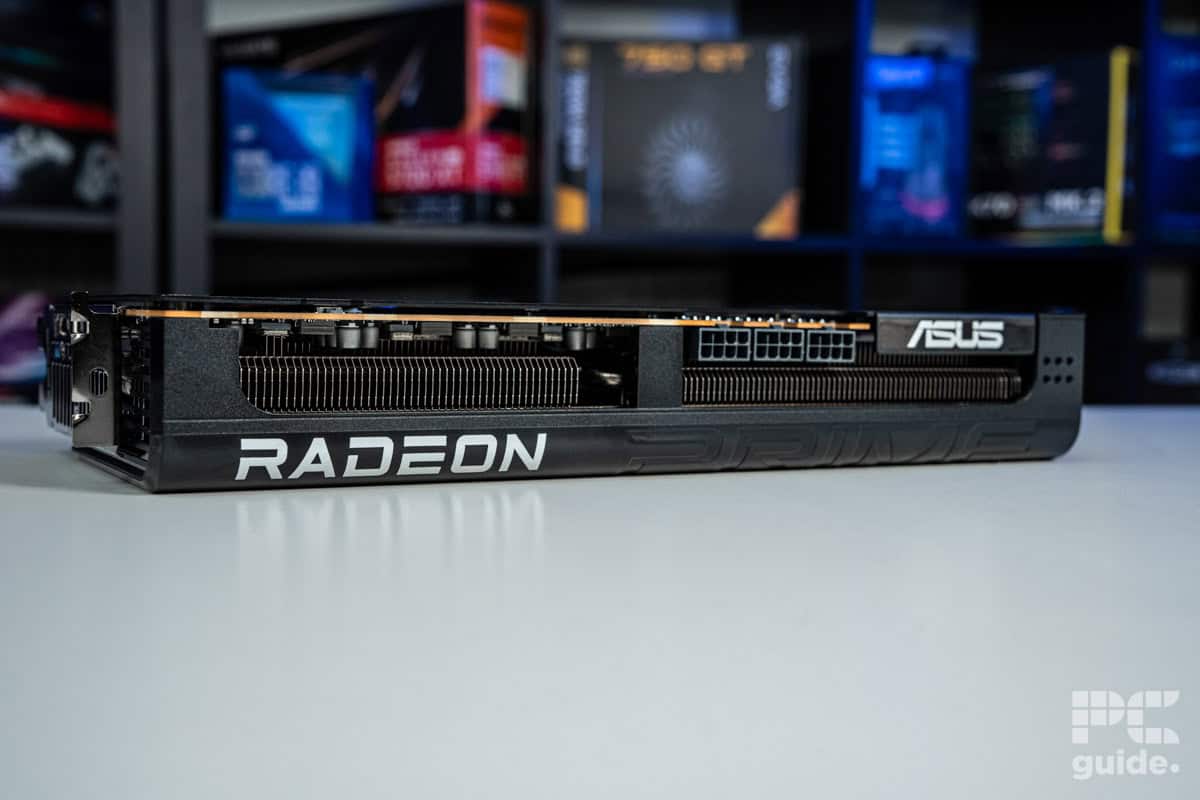
On the other hand, AMD is a strong contender for 4K gaming too. Even if the RDNA 4 range isn’t competing with Nvidia’s flagship cards, it is an excellent option in terms of value. The RX 9070 XT is the leader in the pack and received great praise at its release as a true competitor in pricing, as it seems to keep rising.
In it, you can find 4,096 streaming processors, not quite comparable to Nvidia’s more prominent CUDA setup, but it is great for gaming in its own right. Even in this latest generation, it has made great strides in ray tracing and creative workflows, making it a more flexible and prospective option.
These cores also have a base clock of 1,660MHz, with a boost of up to 2,970MHz, but a game clock of 2,400MHz and a more likely rate in general. But the custom card of the ASUS Prime is capable of boosting to 3,010 and 2,460MHz for a slight increase over AMD’s range.
It does match the 5080 in its memory capacity, as it offers 16GB. However, it does save costs by using the older GDDR6 version and so only clocks at 20Gbps, which produces a bandwidth of 640GB/s instead. But that might not be too detrimental to its performance, as it also comes with a 304W board power and an MSRP of $599, offering a cheaper alternative to the Nvidia pick.
In our review of the ASUS Prime RX 9070 XT OC, we assessed its performance. Such as in F1 24, it averaged 75fps at 4K, in Cyberpunk 2077, that became 61fps, Indiana Jones averaged 101fps, AC Mirage averaged 98fps, Horizon Zero Dawn averaged 100fps, and CS2 averaged 110fps.
Even in synthetics and the likes, it managed to pull forward and be a good option if needed, as seen in Geekbench 6, where it falls behind Nvidia GPUs, with 182,691 in OpenCL and 175,476 in Vulkan. But in Geekbench AI single and quantized precision, it manages to win out, while in 3DMark, it does just slot behind the 5080 and beats out the others.


- GPU: GB202
- CUDA cores: 21,760
- VRAM: 32GB GDDR7
- Memory Bus width: 512-bit
- Base clock speed: 2,010MHz
- Boost clock speed: 2,565MHz
- Outstanding performance across the board
- Excellent thermals and sound levels
- Great overclock out of the box
- Plenty of VRAM to utilize
- Access to DLSS 4 and the transformer model
- Eye-watering price tag
- Very high power requirement for a single GPU
- Jaw-droppingly massive size
Now, if you’re looking for smooth performance with higher refresh rates and reaching 144Hz, even at 4K, you’ll want the best of the range. In this case, that’s the RTX 5090 with the full potential of the RTX 50 series on the consumer level, and you have to dig deep into your wallet for it. With an MSRP of $1,999 but a market price way beyond, it’s not an easy pick up.
For that price, you get 21,760 CUDA cores, which is significantly more than the previous generation offered. While the base clock remains low at 2,010MHz and the boost clock is 2,407MHz, the Suprim increases it further to 2,565MHz.
Additionally, it improves its memory setup by opting for 32GB of GDDR7, which boosts both capacity and speed. Since it is clocked at 28Gbps, it enables an astounding bandwidth of 1.79TB/s, making it the go-to for any gaming and tasks, including AI. It also pushes the power limits, as it has a TBP of 575W, requiring a substantial 1000W PSU to get it running, which further increases the costs.
In our review of the RTX 5090, we got to see just how powerful a GPU it is. In gaming, AC Mirage averaged 149fps, Cyberpunk 2077 averaged 110fps with RT achieving 60fps, Doom Eternal averaged 387fps, Indiana Jones averaged 190fps, F1 24 averaged 135fps, CS2 averaged 311fps, and Horizon Zero Dawn averaged 152fps, all at 4K at the highest settings.
That, of course, extends to even synthetics and creative workflows. As in 3DMark, in FSU it achieved 34,906, TSE 26,063, PR 38,424, and SN 14,702, way beyond the following GPUs. In Blender 4.3, it achieves 7,404 samples per minute in Monster, 3,890 in Junkshop, and 3,681 in Classroom, at least a thousand more than the following cards.

MSI Suprim SOC RTX 5090 AC Mirage, Image by PC Guide

MSI Suprim SOC RTX 5090 Cyberpunk 2077, Image by PC Guide

MSI Suprim SOC RTX 5090 Doom Eternal, Image by PC Guide

MSI Suprim SOC RTX 5090 Indiana Jones Great Circle, Image by PC Guide

MSI Suprim SOC RTX 5090 F1 24, Image by PC Guide

MSI Suprim SOC RTX 5090 CS2, Image by PC Guide

MSI Suprim SOC RTX 5090 Horizon Zero Dawn Remastered, Image by PC Guide

MSI Suprim SOC RTX 5090 Cyberpunk 2077 DLSS 4, Image by PC Guide

MSI Suprim SOC RTX 5090 Geekbench 6, Image by PC Guide

MSI Suprim SOC RTX 5090 Geekbench AI, Image by PC Guide

MSI Suprim SOC RTX 5090 3DMark, Image by PC Guide

MSI Suprim SOC RTX 5090 Blender 4.3, Image by PC Guide


- GPU: AD102
- CUDA cores: 16,384
- VRAM: 24GB GDDR6X
- Memory bus: 384-bit
- Bandwidth: 1,008 GB/sec
- Base clock: 2235 MHz
- Absolutely the best of the best when it comes to 4K
- Surprisingly efficient power consumption for a top-end card
- Our ASUS test unit looks stunning and makes a statement
- Far from just a gaming card – it’s perfect for video-editing and more
- Takes a hefty bite out of your wallet – and the 4080 Super could be a better option
- Will be too big for some smaller builds
- Overkill for those wanting 4K 60 FPS – especially if you’re using DLSS 3.0
Nvidia’s GeForce RTX 4090 is nothing short of a monster, representing the pinnacle of the “Ada Lovelace” architecture. We loved the card in our RTX 4090 review as it made light work of both our AAA game benchmarks and the more demanding synthetic benchmarks such as Fire Strike Ultra, which stress-test the card at 4K.
Under the hood, there’s a commendable 24 GB GDDR6X memory paired with a whopping 16,384 cores that are, in turn, home to 76,300 million transistors. In layman’s terms, this card is an absolute monster. When you add to the fact that our testing is done in native 4K, without DLSS 3.0 enabled, you begin to see just how much power the 4090 has.
Beyond its gaming supremacy, the RTX 4090 demonstrates versatility. For creators, professionals, and multitaskers, this GPU shines, delivering impeccable performance in demanding tasks like 3D rendering, video editing, and more.
So, if you’re a content creator by day and a gamer by night, the RTX 4090 has got your back. The downside? All of that performance comes at an even steeper price.
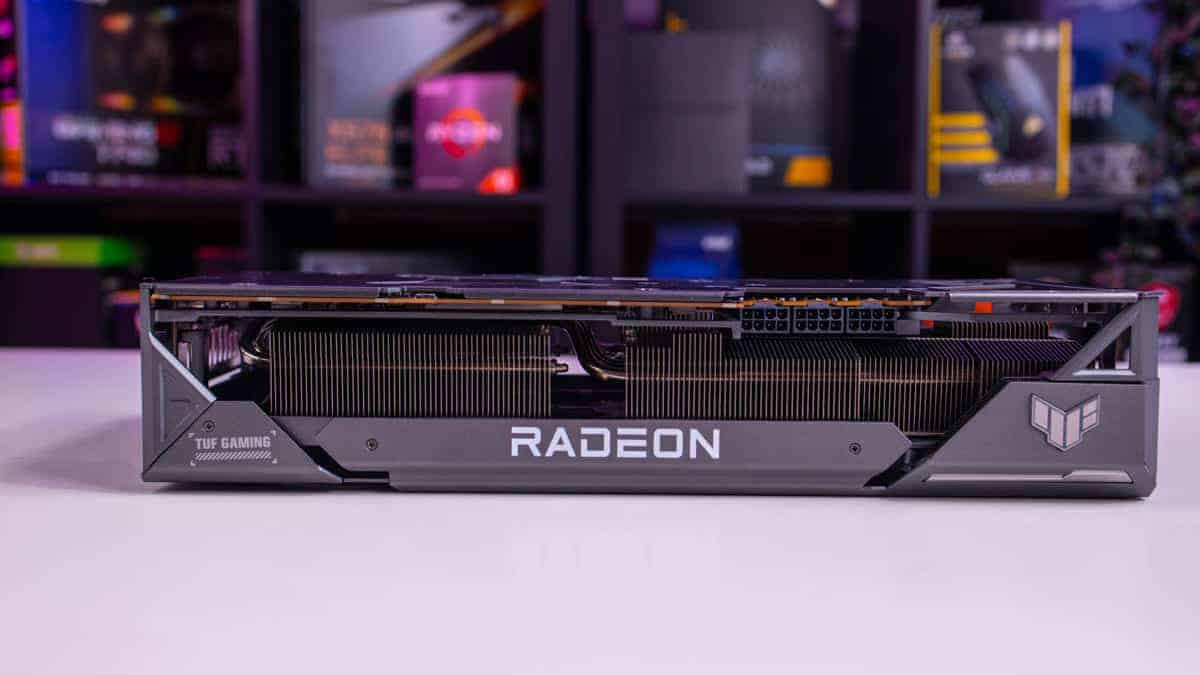


- GPU: Navi 31
- Stream Processors: 6,144
- VRAM: 24GB GDDR6
- Memory bus width: 384-bit
- Bandwidth: 960 GB/s
- Base clock speed: 1,929 MHz
- Killer performance for the price and perfect for those wanting an uncompromising 4K experience
- Sturdy cooling mechanism helps the card maintain stable temps
- Major leap from the previous generation and a worthy challenger to the equivalent Nvidia card
- For those wanting ray tracing performance, opt for an Nvidia 4000 card
- Thirsty for power, so ensure you have an adequate power supply (PSU)
- Somewhat plain looks, so not ideal for builds wanting to make a statement
The AMD Radeon RX 7900 XTX is the culmination of AMD’s efforts in the graphics card realm for late 2022. With a 4.5 out of five rating from us in our AMD Radeon RX 7900 XTX review, this card sits firmly at the top for Team Red fans wanting the very best 4K gaming experience. Built on the revolutionary “chiplet” design, which breaks from the traditional monolithic approach, this GPU offers some fascinating advancements and graphics settings that set it apart from the rest.
This method of using multiple smaller chips packaged together not only scales well but also provides cost-saving benefits. Packing a punch with a base clock of 2300 MHz and boosting up to 2500 MHz, it’s armed with 24 GB of GDDR6X memory, making it a formidable player in the graphics market.
But beyond the raw numbers, what does the RX 7900 XTX mean for gamers? In short, a lot. In our testing, with all settings maxed at native 4K, the card achieved well over 100 FPS across nearly all titles, with Cyberpunk 2077 and Fortnite being the outliers. The full benchmarking data is available in the XTX review. In Synthetic benchmarks such as Fire Strike Ultra, the card didn’t quite match up to Nvidia’s RTX 4090, but given the difference in price, you can’t really complain.
Considerations for the best GPU for 4K gaming
When it comes to gaming, having the best experience possible is essential. Whether you’re a casual gamer or a serious enthusiast, the right GPU can make all the difference when playing at 4K resolutions with higher refresh rates. Here are a few things to consider before making a final purchase.
Budget
If budget is not an issue, then your options won’t be limited, as you can go ahead and pick the RTX 5090 and RTX 4090, which are two of the most powerful GPUs currently available in the market for 4K gaming. They can deliver high frame rates in the latest titles, making them a great choice for high refresh rate monitors.
However, if you don’t want to spend a fortune on a GPU, then you can opt for options like the RX 9070 XT. This may not be as powerful as the other two options, but it can still deliver great performance in 4K gaming. Plus, by opting for a more affordable GPU, you can save a significant amount of money, which can be allocated towards upgrading other components of your gaming setup. For instance, you can use that money to get the best CPU to match the GPU.
VRAM
When choosing a GPU, you’d want to go for the one that offers a high VRAM and a large memory interface. For optimal performance, it’s recommended to aim for a GPU with at least 16 GB. This amount of VRAM ensures that the GPU can handle the demands of modern games, particularly at higher resolutions like 4K. While having more VRAM is beneficial, 16 GB provides a good balance between performance and cost-effectiveness, especially for those on a budget.
Of course, anything beyond is a great option too for improving anything it can do, but it’s not so common in consumer cards since it’s just the 5090 that offers much more. The generation can also make a difference in terms of speeds and bandwidth, such as the difference between GDDR6 and GDDR7, which can significantly impact performance.

Reviews and benchmarks
Before making a final decision on which GPU to purchase, it’s essential to conduct thorough research. Take the time to watch videos and read reviews from reputable sources. These resources provide valuable insights into the real-world performance of the GPU and how it stacks up against your gaming needs. While your specific gaming rig may differ from those featured in the reviews, you can still gain a general understanding of the GPU’s capabilities and compatibility with various components.
Additionally, looking at performance benchmarks can help you gauge how the GPU performs in comparison to others in its price range. Overall, investing time in reviewing feedback and performance metrics can help you make an informed decision that aligns with your budget and gaming requirements.
Size
One of the considerations could be actually fitting the graphics cards in your build, depending on the size of your case. Particularly if you go for a small form factor option, it can restrict what graphics cards you go for. Something like an ITX GPU can make compatibility easier. But that would limit the power of your GPU and what it can achieve, and unlikely to reach 4K gaming status.
Instead, you might have to ensure your SFF case can fit these larger GPUs with air cooling. Alternatively, A liquid cooling model might be the go-to if you can fit the radiator into it.
Is 4K 120fps gaming possible?
Yes, 4K gaming at 120fps is possible, especially with the high-end GPUs discussed in this article. GPUs like the Nvidia RTX 5090, RTX 5080, and RX 9070 XT have the horsepower to deliver these frame rates in many titles, provided you have the appropriate supporting hardware and display. However, performance can vary based on the game and its optimization.
Which GPU is best for 4K gaming?
Right at the top of the GPU tier list, you can find the RTX 5090, and that is the best option for 4K gaming. It will give you the optimal experience with framerates reaching the best results. But of course, it’s not a realistic option for most; instead, the RTX 5080 and RX 9070 XT are good alternatives that provide a 4K gaming experience as well for cheaper.

How much VRAM for 4K gaming?
It seems that 16GB of VRAM is a good amount for 4K gaming. Both the RTX 5080 and RX 9070 XT are made with that amount and are the optimal choice for UHD. Anything lower than that might see drops in performance, as we saw in our RTX 5070 review, which only has 12GB. Anything beyond will be helpful in getting so much more out of the GPU and performance going beyond the basic level.
What GPU can run 4K 240Hz?
At 4K, 240Hz requires the most powerful GPU, which is capable of achieving 240fps in games. The RTX 5090 is the best candidate for it, but even then, you do need to adjust the settings to get there. As in single-player games, it was in the 100 range but not 200, so it might need lower settings to do it. Or you can use upscaling like DLSS 4 to push it to that level, including frame generation that can make it possible to run 4k 240Hz.
About the Author