


Table of Contents
If you’ve ever spilled a drink over your keyboard or accidentally gotten it wet, you might have had a panic trying to make sure it still works afterwards. Or maybe you’ve just let it dry out and carried on using it anyway. But if it is something you regularly worry about – whether you take your keyboard out in rainy weather or constantly have a desk covered in liquids – then Cherry might have the keyboard for you in the K33 Compact.
The wireless keyboard, as its name suggests, is a rather small and portable option. Featuring a 75% form factor, it crams everything into a compact package while still retaining plenty of functionality. It also has the added benefit of being IP54 dust and water-resistant.
That extra feature does limit the keycaps and switches it can use, as it opts for a mem-chanical design. Combining a membrane and mechanical setup, it is certainly an unusual approach. So, how does it perform in our tests?
Latest tech deals.
- AMD Ryzen™ 9 9900X 12-Core - was $499 now $331
- Sony INZONE M10S 27” - was $899 now $748
- Thermaltake LCGS View i1470S-170 - was $2,399 now $2,099
- Apple 2026 MacBook Air - was $1,999 now $1,891
- Bose QuietComfort Headphones - was $359 now $169
- LG 77-inch OLED C6 - was $2,499 now $1,999
- MSI Prestige 16 Flip - was $2,149 now $1,870
-
Hisense 85" U6 Pro Series-
Prices correct as of November 5th, 2026.



- Form factor: 75%
- Key switches: Mem-chanical
- Keycaps: –
- Connectivity: 2.4GHz dongle/Bluetooth/1.5m TPE USB-C to A cable
- Dimensions (LxWxH): 312x125x36mm
- Weight: 630g
The Cherry XTRFY K33 Compact is solid in build, quality, and design, with lots of control directly on the keyboard. In a compact and lightweight form factor, it packs plenty into its small size. sadly, it does use membrane switches, so it doesn’t offer the best typing feel. The mem-chanical design does improve things slightly, giving it a more satisfying sound, but overall it’s still not a particularly enjoyable keyboard to type on.
However, it’s still perfectly usable. With its fast-feeling responsiveness, range of connectivity options, and waterproof design, it certainly has its use cases. It’s a keyboard built for a niche audience, though, and unless you specifically need those features, a standard mechanical keyboard is the better choice.
- Inexpensive for all of its features
- Good range of connectivity
- Plenty of controls on board, without the need for an app
- Compact size for a 75% form factor
- Membrane switches
- Mechanical features don’t make up for the feel
- Switches and keycaps irreplaceable
Design and features
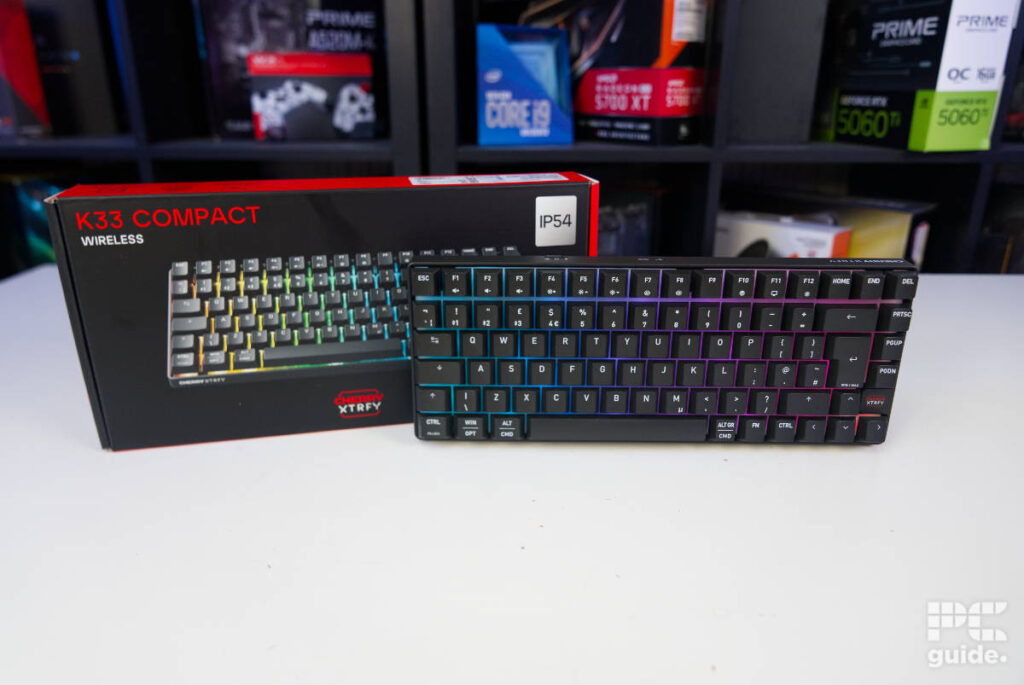
Picking up the box, it’s immediately clear just how light this board is. With some basic information printed on the packaging, opening it up reveals the keyboard wrapped in Cherry paper, alongside a separate compartment beside it. Inside that, you’ll find the charging cable, while the instruction booklet sits underneath the keyboard. Overall, it keeps things rather minimal in terms of what comes in the box.

Cherry K33 compact box front, Image by PC Guide

Cherry K33 compact packaging, Image by PC Guide
The minimal accessories reflect the keyboard’s intended use. The included 1.5m rubber cable is primarily there for charging, as it’s neither particularly attractive nor especially easy to route. Being a TPE cable, it tends to hold the bends and twists from the packaging rather than laying flat. Since it’s really only designed to charge the keyboard from your PC, and the battery life is already quite long, it’s not something you’re likely to use all that often.

Cherry K33 compact box contents, Image by PC Guide
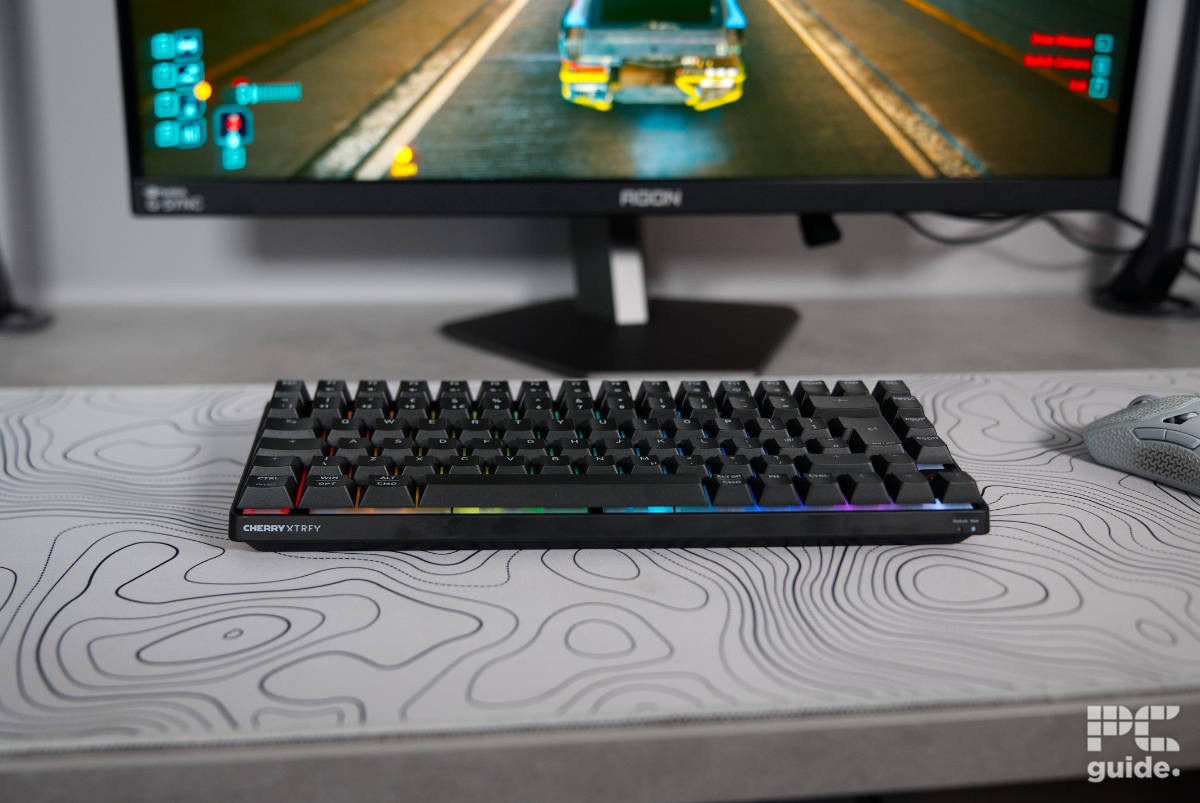
Picking up the keyboard, it doesn’t have that premium feel or finish to it. Weighing a fairly light 640g, it certainly sticks to a compact size and minimalist design. On the face of it, the board is completely filled with keys, crammed into every available bit of space despite measuring just 312 x 125 x 36 mm. The only break in the layout is the Cherry XTRFY logo, which sits between the Page Down and right arrow keys on the right-hand side.

Cherry K33 compact front on, Image by PC Guide

Cherry K33 compact bottom right, Image by PC Guide
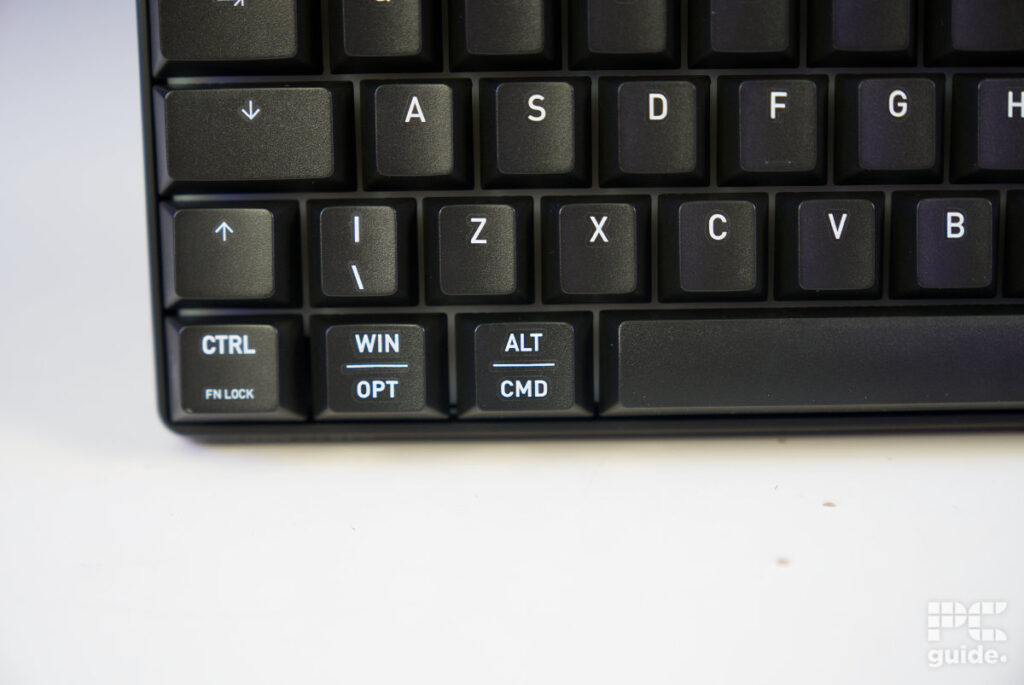
The keycaps are a bit of a unique set. Some of the function keys have the shortcuts printed on them for controlling the keyboard – not an overwhelming amount, but decent enough to not require an app to adjust it all to your liking. However, it also splits the usual commands between Windows and Mac, as the input device supports both systems – especially as it includes the commands for all those on there.
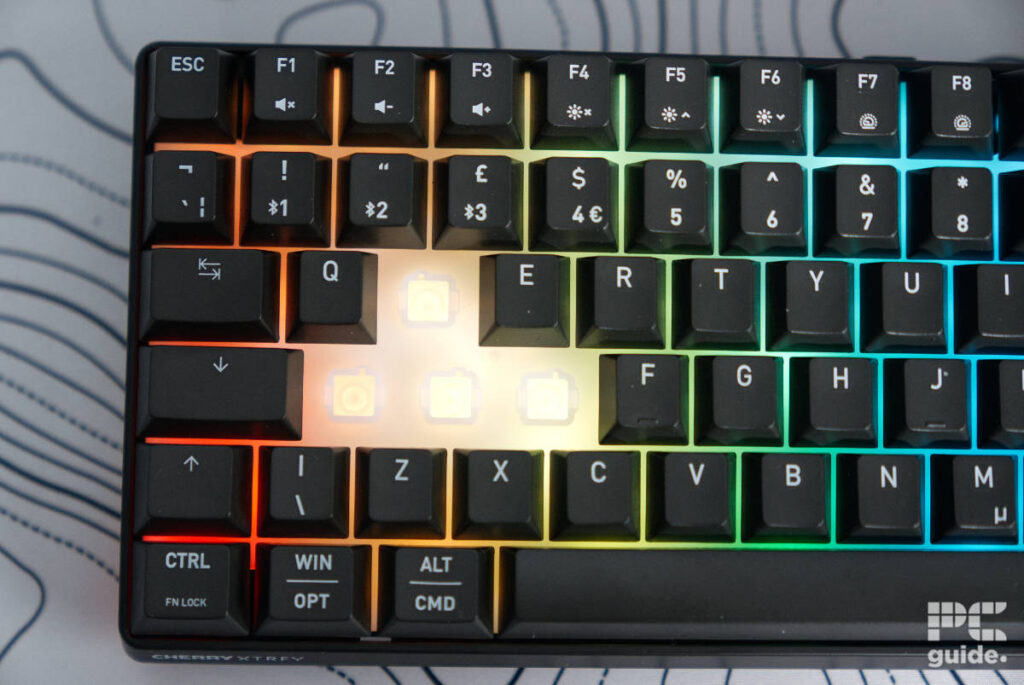
Beneath the keycaps, it’s quite a different setup from what you’d expect. A membrane switch sits at the bottom of each keycap’s stem, while the stem itself travels through a solid tunnel with ridges on either side designed to emulate the feel of a mechanical switch. This also helps maintain the keyboard’s IP rating by keeping water and dust away from the PCB below.
That design does come with a drawback, though. The unique switch housing limits compatibility with aftermarket keycaps, meaning you’ll be stuck with the included set.

Cherry K33 compact keycap, Image by PC Guide

Cherry K33 compact switch, Image by PC Guide
Each of those does come with RGB underneath, but the caps don’t have any translucent parts to them and are solid parts. Instead, it emits a diffused light layer beneath the board that comes through around the keys instead. Giving it a nice glow in general, but lacking a finer finish through the keycaps.
On the flip side, the base features a more translucent plastic that shines through in some places. With rubber feet adorning the body at the corners and the bottom center, it does sit nicely on the mousepad. While there are also a couple of adjustable feet, they only add just a couple of degrees of height to the back – not at all noticeably – but it works well combined with a wrist rest in keeping your hands at the correct angles.

Cherry K33 compact underside, Image by PC Guide

Cherry K33 compact bottom foot, Image by PC Guide

Cherry K33 compact top foot, Image by PC Guide
The back also houses the USB dongle for the keyboard, found in the top right beside one of the feet; it’s surprisingly exposed there compared to the rest of the hardware. This results in the ability to use 2.4GHz, a much faster and lower-latency option over Bluetooth. Either way, it’s flexible to choose and switch between them. Especially with the switch at the top edge of the keyboard and quick access to switch between the two modes and turn it off.

Cherry K33 compact dongle, Image by PC Guide

Cherry K33 compact back controls and port, Image by PC Guide
On the top edge, you can also find the power LED that tells you when it needs charging or if it’s getting powered while plugged in. That is beside the USB-C port, which even has a silicone stopper to keep it secured and waterproof. Otherwise, it just features a logo of Cherry XTRFY on the side.

Cherry K33 compact back, Image by PC Guide

Cherry K33 compact front right, Image by PC Guide

Cherry K33 compact front left, Image by PC Guide
It also has a similar logo on the front left, while the right edge features more light indicators. One is for Caps Lock, while the other shows which mode the keyboard is currently in. Seeing as there isn’t really any space elsewhere for them, this is the only place they could go, even if it does make them a little inconvenient to see while you’re typing.
Cherry K33 compact front right, Image by PC Guide
Cherry K33 compact front left, Image by PC Guide
Pricing
One of the pros of the keyboard is that it’s an inexpensive model. You can pick it up for just $49.99/£49.99, which is very inexpensive for a rather versatile keyboard with many connectivity options. Additionally, it’s also an IP-rated board, which means it’s a bit of an improvement over the most basic boards listed for a lower price.
Equally, you can get something like the MSI Forge GK600 for not much more, or close to it on sale, which is also wireless but comes with pure mechanical switches that sound and feel much better.
Performance
Putting the keyboard to the test, I connected it up to a PC and ran a bunch of games to test its gaming ability. Alongside this, we also performed general usage tasks on it to see how it’d fare on a day-to-day basis. With many hours using it, here are my impressions of it.

Cherry K33 compact setup gaming (1), Image by PC Guide

Cherry K33 compact setup gaming (2), Image by PC Guide
From the get-go, I could definitely feel it was, in fact, a membrane underneath the keycaps. The sponginess is very prominent with each keystroke. Moving from mechanical switches made it feel very disappointing and sad; it’s not exactly a great experience.
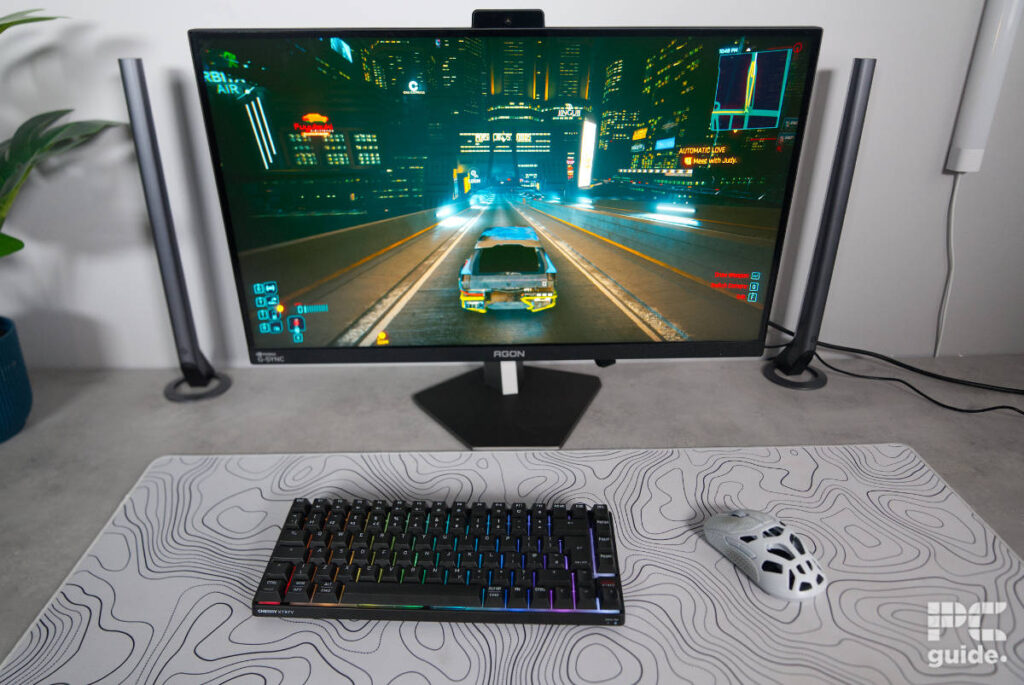
It tries to remedy that with the mechanical sound and stem design. The keys do bounce back and create a bit of a clickety-clack sound reminiscent of a mechanical board, but it doesn’t reproduce the feel at all. The caps are still ABS plastic and sturdy, but are at least matte finished and easy to use, unlike the K5 Pro TMR, which is a lot more slippery from the box.
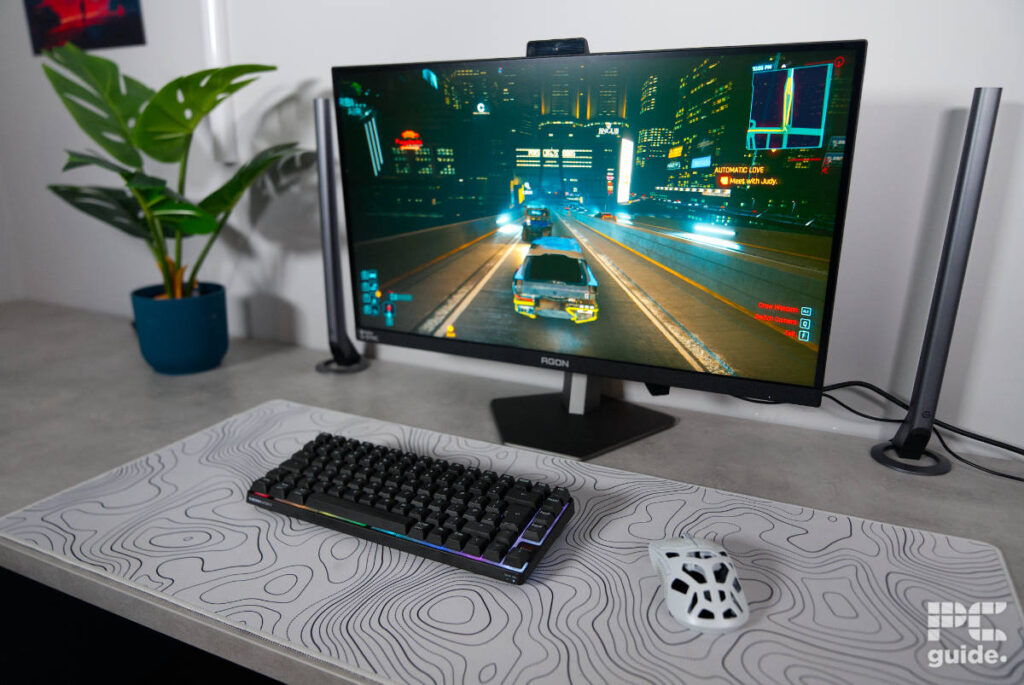
Gaming on the keyboard is passable, with actuation found deep into the stroke; it isn’t the fastest response rate. That said, with a polling rate of 1,000 Hz, it’s still fast, but it can also have a latency over wireless. Yet on 2.4 GHz mode, it wasn’t perceptible to me anyway, which Bluetooth might not have the ability to do.

Cherry K33 compact setup gaming (3), Image by PC Guide

Cherry K33 compact setup gaming (4), Image by PC Guide
As for general use, the shortcuts do make it rather easy and quick to use once I learn what it is capable of in the manual. But the ability to adjust the lights, controls, and connectivity does make it easy and simple. Especially with the fact that it doesn’t have or require software to adjust anything else.
You can listen to a recording of the keyboard in use below. You can mostly hear the rebound of the keys, but also just how mushy it otherwise is.
- Form factor: 75%
- Key switches: Mem-chanical
- Keycaps: –
- Connectivity: 2.4GHz dongle/Bluetooth/1.5m TPE USB-C to A cable
- Dimensions (LxWxH): 312x125x36mm
- Weight: 630g
Conclusion
Overall, the Cherry XTRFY K33 Compact is an OK keyboard for a specific use case. As a membrane switch, it just doesn’t hit the same as a mechanical switch; feeling spongy and a bit flimsy, it doesn’t feel great to use. Although it adds some mechanical-like features, it doesn’t improve the feel, just tries to replicate the sound. However, the lower price, wireless connectivity, general look, and IP rating do give it some credence for a niche use case.
Written by
