


Table of Contents
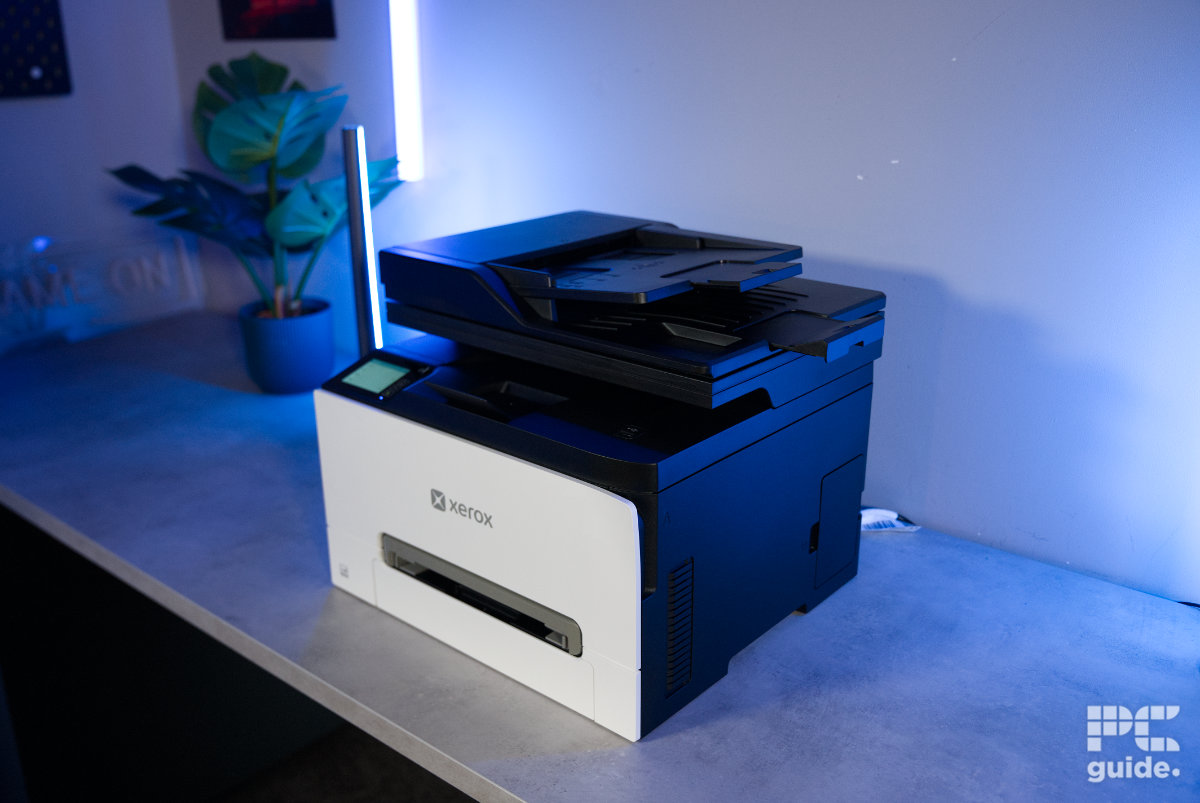
With brand recognition as one of the original creators of the photocopier, Xerox has plenty more to offer these days. The company produces a wide range of high-quality office printers, including plenty of all-in-one models, with a particular focus on laser printers and getting large print jobs completed quickly.
Today, I’ve got hands-on with one of its newer, smaller printers: the Xerox C255a. This colour multifunction printer is capable of copying, printing, scanning, and even faxing. Despite its relatively compact design, it packs plenty of features and a surprising amount of weight into a small footprint. But how does it perform in real-world use?


- Printer output: Color
- Printer type: Laser
- Connectivity technology: Apple iBeacon, Gigabit Ethernet, Hi-Speed USB 2.0 (Type B rear; Type A front), Wireless 802.11a/b/g/n/ac
- Duplex printing: Yes, automatic
The Xerox C255a is a rather competent and impressive color laser printer. It has some great-looking prints that come out rather speedily. But that is with some loud noise from the fan, and when it comes to photos, it doesn’t have the best results, with more flat-looking images and lacking color definition. It is also expensive to replenish the toner, but otherwise it offers great design and connectivity onboard.
- Great quality design and print results
- Two paper inputs with plenty of media support
- Fast print speeds
- Easy and intuitive setup and screen
- Plenty of connectivity
- Toner recycling program
- Expensive resupply and little included with it
- Flat and lacking color photos
- Fan can get a bit loud
- Single-sided scanning
Box contents and setup
Carrying the box that the printer arrives in is no easy feat on your own. With the packaging listing a weight of around 24.5 kg (53.9 lbs), it certainly takes some strength to get it onto my table and ready to unbox. But once it’s up there, here’s what you can expect to find inside.
Latest tech deals.
- AMD Ryzen™ 9 9900X 12-Core - was $499 now $328
- CORSAIR 4000D PC Case - was $124.99 now $75.99
- Hisense 65" Class E6SR - was $549 now $377.99
- Apple 2026 MacBook Air - was $1,999 now $1,799
- Skytech Gaming PC Desktop (9850X3d) - was $4,299 now $3,799
- Apple Magic Mouse - was $79 now $59
- MSI Prestige 16 Flip - was $2,149 now $1,899
- Kotin 9700X Gaming PC - was $2,399 now $2,199
Prices correct as of October 9th, 2026.
- Xerox C255a Color Multifunction Printer
- Power Cord
- Installation Guide
- Product Safety Sheet
- Quick Use Guide
- Pre-installed Starter Capacity Print Cartridges—One of each (Cyan, Magenta, Yellow) 500 print capacity; Black cartridge: 750 print capacity)

Xerox C255a box front, Image by PC Guide

Xerox C255a box side, Image by PC Guide

Xerox C255a box opening top, Image by PC Guide

Xerox C255a accessories, Image by PC Guide
The contents are relatively sparse, but that’s largely because most of the components are already installed inside the Xerox printer. Opening the box reveals an accessories tray sitting across the top, with a deep compartment for the power cable and a flatter section containing the various booklets.
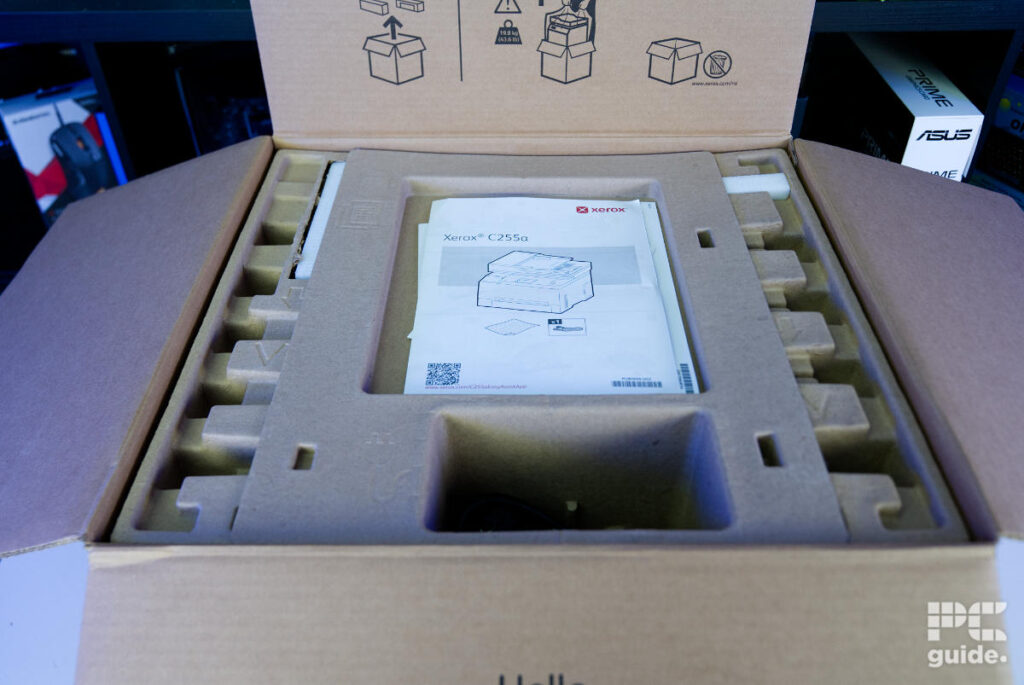
Removing this tray reveals the printer itself, wrapped in a plastic bag and surrounded by a combination of cardboard and foam. It takes a little effort to remove all the packaging before lifting the machine out of the box.

Xerox C255a box packaging, Image by PC Guide

Xerox C255a in box, Image by PC Guide
Even after getting it out, there’s still a fair bit of unpacking to do. The printer is covered in protective tape and foam, so I followed the instructions to make sure everything was removed. This includes a bright red plastic sheet covering the toner tray, alongside protective caps on each individual cartridge.

Xerox C255a unboxed front, Image by PC Guide

Xerox C255a toner cover, Image by PC Guide

Xerox C255a cartridge tray with tabs, Image by PC Guide
Still, compared to some other printer types, such as ink tank models where you might need to install the printheads and fill the tanks yourself, it’s a relatively quick and easy process. Once everything is removed and the printer is powered on, you can choose whether to complete the setup using a phone app or go without it.
Using the app is fairly straightforward, too. You don’t need it to get started, but connecting to the printer by scanning a QR code and linking it to your network is quick and simple. The process only takes a couple of minutes, and although there are several pages of information to work through, everything is easy enough to follow.

Xerox C255a phone set up (1), Image by PC Guide

Xerox C255a phone set up (2), Image by PC Guide

Xerox C255a phone set up (3), Image by PC Guide

Xerox C255a phone set up (4), Image by PC Guide

Xerox C255a phone set up (5), Image by PC Guide

Xerox C255a phone set up (6), Image by PC Guide

Xerox C255a phone set up (7), Image by PC Guide

Xerox C255a phone set up (8), Image by PC Guide

Xerox C255a phone set up (9), Image by PC Guide

Xerox C255a phone set up (10), Image by PC Guide

Xerox C255a phone set up (11), Image by PC Guide

Xerox C255a phone set up (12), Image by PC Guide

Xerox C255a phone set up (13), Image by PC Guide
The same can be said for the PC software. Downloading the Xerox application and connecting the printer via USB makes installing the drivers and getting the machine set up a quick process. Within a few minutes, it’s ready to use. The software dashboard also offers plenty of features, including the ability to create presets for different types of print jobs.

Xerox C255a PC set up (1), Image by PC Guide

Xerox C255a PC set up (2), Image by PC Guide

Xerox C255a PC set up (3), Image by PC Guide

Xerox C255a PC set up (4), Image by PC Guide

Xerox C255a PC set up (5), Image by PC Guide

Xerox C255a PC set up (6), Image by PC Guide

Xerox C255a PC set up (7), Image by PC Guide

Xerox C255a PC set up (8), Image by PC Guide

Xerox C255a PC set up (9), Image by PC Guide

Xerox C255a PC set up (10), Image by PC Guide

Xerox C255a PC set up (11), Image by PC Guide

Xerox C255a PC set up (12), Image by PC Guide
Design
Looking over the printer, the front has a fairly understated, flat white faceplate. Towards the bottom is a grey opening just above the paper tray, which acts as the manual feed for alternative media. This is useful if, for example, you want to print a single sheet of glossy paper without having to replace the standard paper loaded in the main tray. It also gives the front of the printer something of a mouth-like appearance, sitting just below the grey Xerox logo in the centre.
The white faceplate is hinged, with the toner cartridge tray hidden behind it. This provides relatively quick and easy access when it’s time to replace the cartridges. All four long cartridges sit inside a large tray that slides quite a way out from the printer, making them easy to reach.

Xerox C255a setup front, Image by PC Guide

Xerox C255a open front, Image by PC Guide

Xerox C255a paper tray, Image by PC Guide
Above the white front panel, the black top section provides a contrast to the overall colour scheme. This houses the document feeder, output tray, and scanner bed. It’s a fairly busy area, with the plastic section sitting further back from the edge to leave room for the output tray and its hidden extension tab. There’s also an embedded touchscreen on the left-hand side. Unlike the C305ae, this display is fixed in place and doesn’t offer any movement.

Xerox C255a scanner, Image by PC Guide

Xerox C255a output tray, Image by PC Guide

Xerox C255a top, Image by PC Guide

Xerox C255a top half, Image by PC Guide

Xerox C255a top feed, Image by PC Guide
Looking at the printer from the sides, the design is fairly basic, with a black finish and only a few details to break things up. There are some ventilation openings, alongside large handholds in the centre that give you somewhere to grip when carrying the machine. These are particularly useful given the printer’s weight, helping to prevent your fingers from getting trapped underneath it. The right side also houses the waste toner bottle, which collects used toner.

Xerox C255a right side, Image by PC Guide

Xerox C255a left side, Image by PC Guide

Xerox C255a waste toner bottle, Image by PC Guide
Around the back is where you’ll find most of the connectivity, alongside a large access door for the internal rollers. The door sits in the centre and opens to reveal the paper feed and rollers, making it easier to clear any jams. On the left, there’s a small cooling fan, which can get rather loud when running, alongside the power connection. The right side houses the Ethernet and USB ports, with the two fax connections positioned towards the top.

Xerox C255a back, Image by PC Guide

Xerox C255a back left, Image by PC Guide

Xerox C255a telephone ports, Image by PC Guide

Xerox C255a connectivity, Image by PC Guide

Xerox C255a open back, Image by PC Guide
Print results and speed
After going through the setup and taking a closer look at the printer, I moved on to running a few tests. I printed and copied a selection of documents, timing each job and assessing the overall quality.
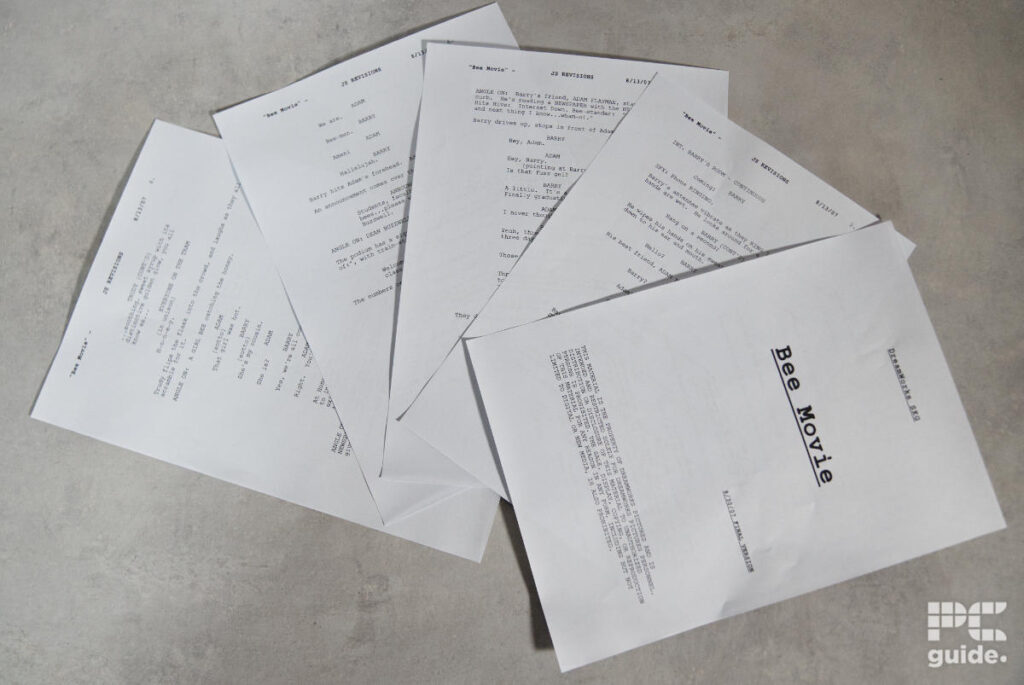
Starting with where a laser office printer should shine: double-sided bulk printing. I loaded up a 10-page queue of the Bee Movie script and printed it double-sided, resulting in five sheets in total. Starting from cold, the entire job took just over a minute (1 minute and 3 seconds). The first page took the longest at around 24 seconds, as the printer warmed up and started the job. Subsequent pages were much quicker, taking around eight or nine seconds each.
The quality of these pages was immaculate, too. Using the standard toner settings, the text came out crisp and clean, with bold sections standing out nicely against the rest of the page.
For my next test, I put through a mixed queue of three colour pages and three monochrome pages. This took a total of 51 seconds, with the warm-up process once again accounting for much of the time. The first page took 26 seconds, while the individual pages that followed took around 2.5 seconds each. The final page took 15.5 seconds, as the toner needed to heat back up to 180°C.
In terms of quality, the C255a continues to impress with its colour output. The results were clear and well-defined, with only some minor artefacting around the radial colour gradients. Even then, it wasn’t particularly noticeable and only became apparent when looking closely. Copying the same colour page produced broadly similar results, although the longer colour bands became a little grainier than the original.

Xerox C255a print results (2), Image by PC Guide

Xerox C255a print results (3), Image by PC Guide
Simple images printed on standard paper also came out clearly, producing surprisingly good results for a laser printer. There was no noticeable colour spillover or loss of detail, making it a good option for printing images, graphs, and other visual content.
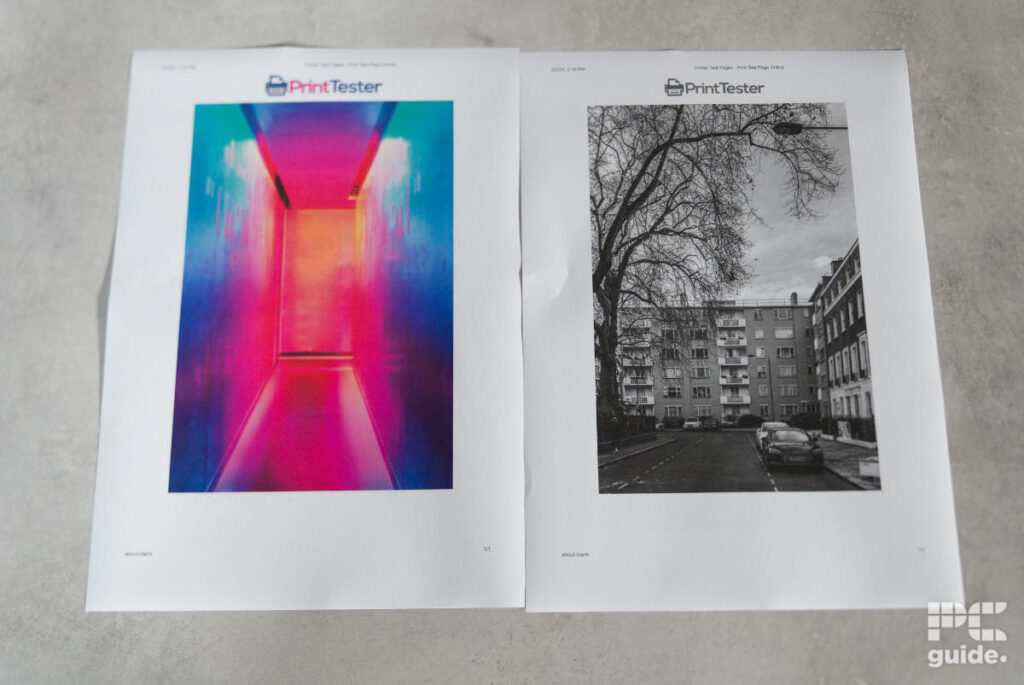
The same applies to basic greyscale prints. These produced clear, great-looking results with very little artefacting or other noticeable issues. There was some minor banding in the gradient squares, but it wasn’t particularly distracting.

Xerox C255a print results (5), Image by PC Guide

Xerox C255a print results (1), Image by PC Guide
Where the printer does fall slightly behind is when printing full photographs. It doesn’t support borderless printing, and some of the colour differences are lost, leaving the final image looking a little duller than it should. However, for general office use and the occasional photo, the results are perfectly acceptable.
Specification and price
| Printing Technology | Color Laser |
| Maximum Print Resolution | 2400 x 600 dpi, 4800 color quality |
| Ink Type | Toner cartridges |
| Scanner resolution and type | 600 x 600 dpi |
| Operating Systems | Microsoft Universal Print with Print Support Application, Windows Server 2016, Windows Server 2019, Windows Server 2022, Windows Server 2025, Windows 10, Windows 11, macOS 14, macOS 15, macOS 26 |
| Dimensions (W x D x H) | 411 x 400 x 345 mm |
| Weight | 19.5 kg |
| Connectivity | Apple iBeacon, Gigabit Ethernet, Hi-Speed USB 2.0 (Type B rear; Type A front), Wireless 802.11a/b/g/n/ac |
| Mobile and Cloud printing | Apple AirPrint, Chromebook Printing, Mopria Print Service and Mopria Scan, and Wi-Fi Direct |
| Paper Sizes | Main tray: Custom sizes: 98 x 148 mm to 216 x 356 mm Manual feed slot: Custom sizes: 98 x 148 mm to 216 x 356 mm |
| Media Types | Light Paper, Plain Paper, Heavy Paper, Cardstock, Envelopes, Labels, Recycled, Glossy, Heavy Glossy, Bond, Rough Envelope, Letterhead, Preprinted, Colored Paper, Rough/Cotton, Custom Type |
| Input Paper Capacity | Main tray: 250 sheets Manual feed slot: 1 sheet |
| Display | 2.8-inch touchscreen |
Looking over the specifications, the C255a is a well-rounded laser printer. It offers a variety of connection methods and supports paper sizes up to around A4, with a 250-sheet main tray and a single-sheet manual feed. The specifications also give you a better idea of just how much size and weight is packed into this machine.

Xerox C255a setup (1), Image by PC Guide
Xerox C255a setup (2), Image by PC Guide

Xerox C255a setup (3), Image by PC Guide

Xerox C255a setup (4), Image by PC Guide

Xerox C255a setup scanner, Image by PC Guide

Xerox C255a setup top, Image by PC Guide
As for pricing, the printer can be found for $489.00/£313.80. This puts it roughly in line with other options on the market, particularly when you consider its all-in-one functionality and the inclusion of fax capabilities.
However, the cost of replacing the toner cartridges is where things become a little less appealing. You can pick up a standard-capacity bundle containing all four cartridges for $344.96/£299.96, with an estimated yield of 1,200 pages. There’s also a high-capacity bundle for $489.96/£438.81, which is rated for around 2,500 – 3,000 pages.
That works out at approximately $0.29/£0.25 per page with the standard cartridges, or $0.18/£0.16 with the high-capacity option. That’s expensive, even by cartridge printer standards, and doesn’t compare particularly well with the running costs of an ink tank model. It’s certainly something to factor into the overall cost of ownership.
- Printer output: Color
- Printer type: Laser
- Connectivity technology: Apple iBeacon, Gigabit Ethernet, Hi-Speed USB 2.0 (Type B rear; Type A front), Wireless 802.11a/b/g/n/ac
- Duplex printing: Yes, automatic
Conclusion
Overall, the Xerox C255a is a very impressive colour laser printer. It produces some excellent prints, offers a well-designed package, and comes with all the features you’d expect from a multifunction office machine. Whether you need to scan, copy, fax, or simply get through large print jobs quickly, the Xerox is more than capable of handling the workload.
The biggest drawbacks are its weight and the ongoing cost of replacement toner. You’ll certainly need a bit of strength to get it into position, and you’ll need to be prepared for the relatively expensive running costs. However, if you prioritise print quality, connectivity, and a broad range of features, the C255a is a strong option.
Written by
