


Table of Contents
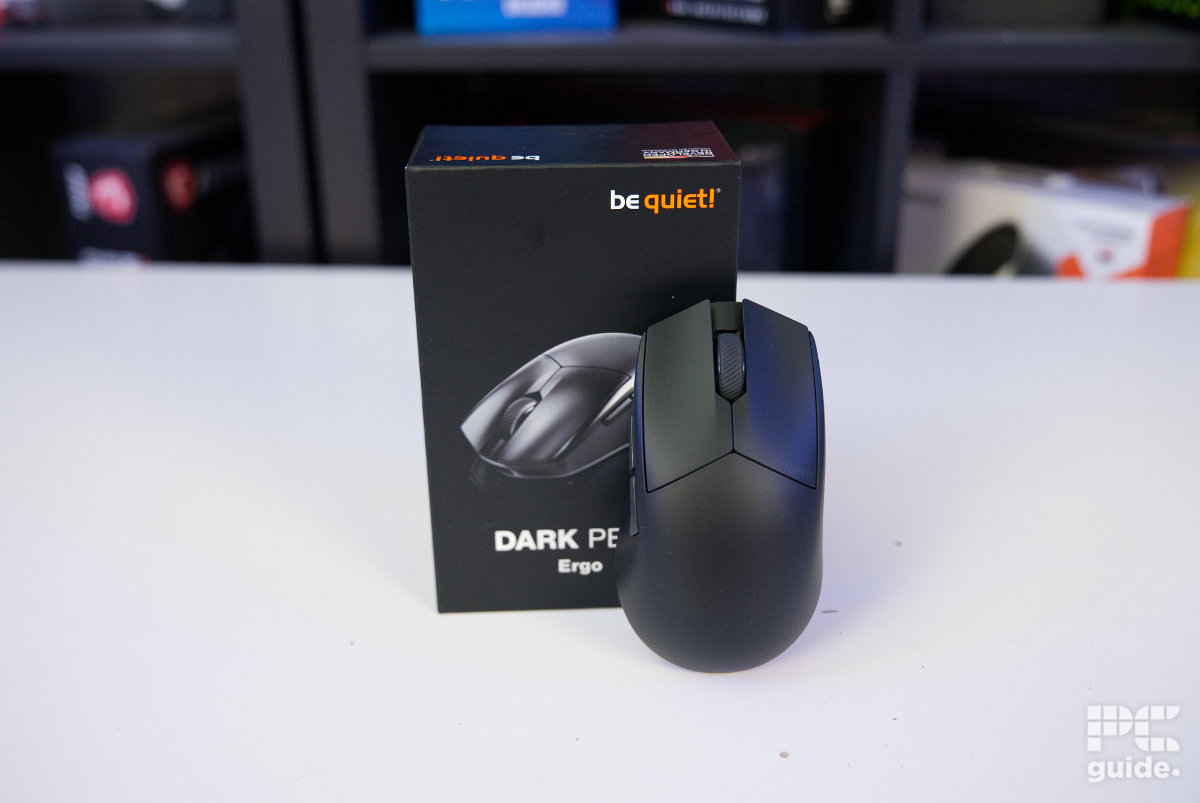
Last year, Be Quiet! entered the peripheral market, and I got to see the whole range it had on offer. Starting with the Dark Mount and Light Mount keyboards, the company brought its mantra of quality and silence to its boards. After that came its gaming mouse, the Dark Perk. Available in two models, the Ergo and Sym, it offers either an ergonomic or symmetrical design depending on your preference.
So, I got hands-on with the Dark Perk Ergo, putting it to the test to see how good an option it is. I evaluated its performance and usability in this mouse review, looking not just at the product itself but also the software and extras that come with it.


- Sensor: PixArt PAW3950
- DPI: 100-32,000
- Weight: 55g
- Size (LxWxH): 120 x 66 x 39mm
- Buttons: 5
- Battery life: 110 hours (1000Hz)
Expanding on its peripherals lineup, Be Quiet! has a selection of gaming mice available now. The Dark Perk Ergo is one that provides excellent quality and design, as it cups nicely to the shape of my hand. Although it might be a bit small for some bigger hands, the mouse offers some impressive specs with impressive-sounding clicks, shattering the silence I’d expect from the company. But it does sound great, but it comes at a rather high cost compared to some other offerings.
- Nice ergonomic design with solid build quality
- Very satisfying button clicks and scroll wheel
- Lightweight without honeycombing
- Flexible and unique-looking charging cable
- Smooth feet that come with a replacement
- Plenty of software customizability that has a browser option
- Slightly small for bigger hands
- Bit expensive for the specs it offers
- Initially has some problems, requires firmware update
Design and features
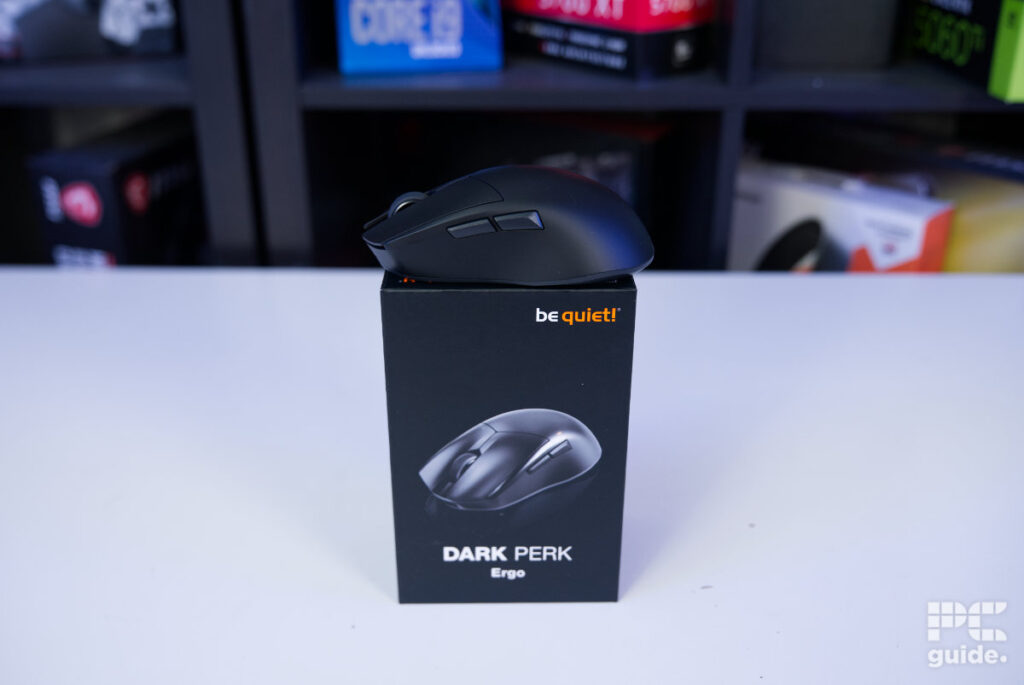
The Be Quiet! mouse comes in a rather neat little package. Weighing in at roughly 280g, it doesn’t come to much, but it is still a rather sturdy box with plenty of information printed on it. Sliding out the top part of the box leaves the mouse sitting inside, placed in a form-fitting cardboard shelf that gives it plenty of prominence while hiding the rest of the accessories in a separate package underneath.
Latest tech deals.
- AMD Ryzen™ 9 9900X 12-Core - was $499 now $331
- Sony INZONE M10S 27” - was $899 now $748
- Thermaltake LCGS View i1470S-170 - was $2,399 now $2,099
- Apple 2026 MacBook Air - was $1,999 now $1,891
- Bose QuietComfort Headphones - was $359 now $169
- LG 77-inch OLED C6 - was $2,499 now $1,999
- MSI Prestige 16 Flip - was $2,149 now $1,870
-
Hisense 85" U6 Pro Series-
Prices correct as of November 5th, 2026.
Those accessories are a little more limited in what they have to offer. Inside, you get the basics, including an instruction manual, a set of replacement skates, and the cable and receiver. The latter comes in the iconic orange of the Be Quiet! logo, giving the cable a rather unique and visually striking finish. That’s not the only interesting feature of the cable, either, as the strain relief is angled and the USB receiver dock has an intriguing design of its own.

Be Quiet! Dark Perk Ergo box front, Image by PC Guide

Be Quiet! Dark Perk Ergo box side, Image by PC Guide

Be Quiet! Dark Perk Ergo box end, Image by PC Guide

Be Quiet! Dark Perk Ergo box back, Image by PC Guide

Be Quiet! Dark Perk Ergo inside box, Image by PC Guide

Be Quiet! Dark Perk Ergo open side, Image by PC Guide

Be Quiet! Dark Perk Ergo with box, Image by PC Guide

Be Quiet! Dark Perk Ergo box contents, Image by PC Guide
As for the mouse itself, from the top down, the Ergo has that right-handed bias built into it. The left side rises higher, creating a slope down towards the right. The mouse buttons are also angled at both the front and rear, creating a rather aggressive-looking design that, in between, houses a rubber scroll wheel with decently sized gaps that provide a good grip. As for the micro switches in the buttons, the Dark Perk Ergo has Omron Optical D2FP-FN2 switches built into them.

Be Quiet! Dark Perk Ergo back end, Image by PC Guide

Be Quiet! Dark Perk Ergo scroll and buttons, Image by PC Guide

Be Quiet! Dark Perk Ergo front end, Image by PC Guide

Be Quiet! Dark Perk Ergo top, Image by PC Guide
Down the front of the sloped edge, it has a recessed USB-C port for charging or using the mouse while attached. On the left side, where the buttons are located, there is a rather large indent to accommodate your thumb below them. This leaves enough space for it to sit comfortably, while the buttons sit at a slight angle down towards the front. Above them, there is also a small hidden light that shows the mouse’s power status.
Be Quiet! Dark Perk Ergo front end, Image by PC Guide

Be Quiet! Dark Perk Ergo left side, Image by PC Guide

Be Quiet! Dark Perk Ergo power light, Image by PC Guide
On the underside, the mouse showcases some of its weight-saving features with the massive gaps it leaves on either side of the center. Quite prominently gouging out a lot of the shell, it leaves large openings that reveal the PCB around the sensor and central spine. That does leave plenty of gaps for dust and debris to collect inside, but it also allows you to see through the whole mouse when it is held up to the light.
As for the skates, the rather prominent white features stand out against the black mouse, with a smaller one at the top and a much thicker one at the bottom. There is also a round skate around the sensor to create a seal between it and your mousepad. Towards the front, above the sensor, are the power and DPI switches. The former has a white background when the mouse is off, while powering it on reveals an orange one.

Be Quiet! Dark Perk Ergo bottom on, Image by PC Guide

Be Quiet! Dark Perk Ergo bottom off, Image by PC Guide

Be Quiet! Dark Perk Ergo with cable, Image by PC Guide
As for those speeds, the Dark Perk Ergo offers a DPI range of 100-32,000. Out of the box, it offers five presets of 400, 800, 1,200, 2,000, and 30,000 DPI. It does offer plenty of customization in the app, though, if you want to change those settings. The polling rate of the mouse is capable of reaching 8,000Hz, both wirelessly and wired, although using the higher polling rate comes with a penalty to battery life.
The bottom also reveals the more ergonomic shape of the mouse, as it becomes wider towards the back with a bias towards the left side. It comes to a rather large size of 120 x 66 x 39mm, but in terms of weight, it only comes to 55g, giving it a rather light feeling for its size. Adding the cable and receiver nearly doubles that weight, with the whole setup combining to 107g.

Be Quiet! Dark Perk Ergo scale with cable, Image by PC Guide

Be Quiet! Dark Perk Ergo scale, Image by PC Guide
Pricing
When it comes to pricing, the mouse is widely available from a range of retailers. It comes in at $99.90 on Amazon US and a rather oddly numbered £83.56 on Amazon UK, although it is more sensibly priced at £69.99 on sale. That puts it at the slightly more premium end of the gaming mouse market, but considering its weight, it isn’t too extreme.
In comparison, the likes of the Logitech G PRO X Superlight 2, at 60g, is $159.99/£139.99, while the Razer Viper V3 HyperSpeed, at 83g, is $69.99/£69.99. For something more basic, the Logitech G305 comes in at $49.99/£29.99, while the rather budget-friendly Redragon M725 can be found for $22.99.
Performance
After going over the build of the mouse, I then put it to use. Using it across a variety of tasks, from day-to-day use to more intense gaming sessions, I wanted to see how it would fare.

Be Quiet! Dark Perk Ergo setup (3), Image by PC Guide

Be Quiet! Dark Perk Ergo setup (2), Image by PC Guide

Be Quiet! Dark Perk Ergo setup (4), Image by PC Guide
Naturally, I use my hand in a claw grip, with my palm mostly resting on the mouse and just my fingertips resting on the top two buttons. With the size of the mouse, it provides plenty of space to hold it comfortably without cramping or feeling like my hand is going to fall off. That provides a comfortable position for long-term use, at least in the case of my hand size and grip.
Similarly, the thumb placement has plenty of space, meaning I didn’t have to worry about accidentally pressing the side buttons but could comfortably rest my thumb there. When clicking those buttons, it provides a very satisfying click, although maybe not as quiet as I expected. In fact, the Omron mechanical switches create a fairly loud and stiff click rather than something mushy or disappointing. Even if it is a little higher pitched, it doesn’t cut back on quality just to achieve a quieter mouse.
In use, the mouse glides easily on a mouse mat and offers plenty of precision. Even with just the default 1kHz polling rate and variable DPI adjusted to my preferences, it was easy to track movement and make the mouse respond as I’d expect. Whether in games or day-to-day use, it provides a great ergonomic design and comfortable experience.
Although at first I did have issues with polling rate stability and a delay when activating the mouse after lifting it, those were resolved with a firmware update. After that, the issue seemed to be fixed, so it didn’t come up again and made the mouse much smoother to use.
Although the mouse doesn’t come with any grips, the finish on it is rougher than my G Pro X Superlight 2, and I didn’t feel like it required them. Still, it’s a bit of a shame that it doesn’t come with any included in the box.

Be Quiet! Dark Perk Ergo in use (4), Image by PC Guide

Be Quiet! Dark Perk Ergo in use (3), Image by PC Guide

Be Quiet! Dark Perk Ergo in use (2), Image by PC Guide

Be Quiet! Dark Perk Ergo in use (1), Image by PC Guide
As for the software, Be Quiet!’s IO Center is available as a Windows app or can simply be used online. That way, you can access all of the mouse’s features without the need for another installation. Even so, it provides a great deal of customization to take advantage of.
That includes the option to change the key bindings. While the left mouse button can’t be changed, the rest can, with options to use shortcuts, macros, or other functions instead of the usual inputs. Then there are five DPI levels that you can adjust for the button to cycle between. Lastly, there are the general settings, which let you adjust the sensor modes, battery behavior, polling rate, and more. So, it is a rather extensive and convenient selection of options, especially considering you can access it all through a browser.

Be Quiet! Dark Perk Ergo IO Center (1), Image by PC Guide

Be Quiet! Dark Perk Ergo IO Center (2), Image by PC Guide

Be Quiet! Dark Perk Ergo IO Center (3), Image by PC Guide

Be Quiet! Dark Perk Ergo IO Center (4), Image by PC Guide
- Sensor: PixArt PAW3950
- DPI: 100-32,000
- Weight: 55g
- Size (LxWxH): 120 x 66 x 39mm
- Buttons: 5
- Battery life: 110 hours (1000Hz)
Conclusion
Overall, the Be Quiet! Dark Perk Ergo is a capable mouse for a range of activities. The ergonomic design provides a comfortable shape, and while it is a little small, it’s still easy to hold and move around. The lightweight design, fast sensor, and extensive customization make it a versatile option for both gaming and everyday use.
The biggest consideration is the price, as there are cheaper gaming mice that offer similar specifications. However, the Dark Perk Ergo does bring together its lightweight design, ergonomic shape, high polling rate, and extensive software options in a package that feels well thought out. It also manages to retain some of the quality-focused approach Be Quiet! is known for, even if the mouse isn’t quite as quiet as its name might suggest.
Written by
