


Table of Contents
Cherry and XTRFY have combined forces for more than three years, creating a series of gaming peripherals that prioritize speed, accuracy, and customization. Earlier this year at CES, the pair announced their new TMR technology, marking their entry into the magnetic keyboard market with a new line of switches.
These new gaming keyboards join a growing list of products from manufacturers already embracing magnetic switch technology. We’ve seen and tested similar implementations from brands like AKKO, Keychron, and ROG, and they remain one of the standout features found in many of the best mechanical keyboards. The technology offers gamers a high degree of customization, including adjustable actuation points for faster reactions in competitive games.
Today, we’ll be taking a look at the Cherry XTRFY K5 Pro TMR, a 65% keyboard featuring hot-swappable CHERRY MX Crystal Magnetic switches, vibrant RGB lighting, and a choice of black or white finishes. Here’s how it performed across our suite of tests.
Latest tech deals.
- AMD Ryzen™ 9 9900X 12-Core - was $499 now $331
- Sony INZONE M10S 27” - was $899 now $748
- Thermaltake LCGS View i1470S-170 - was $2,399 now $2,099
- Apple 2026 MacBook Air - was $1,999 now $1,891
- Bose QuietComfort Headphones - was $359 now $169
- LG 77-inch OLED C6 - was $2,499 now $1,999
- MSI Prestige 16 Flip - was $2,149 now $1,870
-
Hisense 85" U6 Pro Series-
Prices correct as of November 5th, 2026.



- Form factor: 65%
- Key switches: CHERRY MK Crystal Magnetic
- Keycaps: Thick ABS
- Connectivity: 2m detachable USB-C to USB-A cable
- Dimensions (LxWxH): 328 × 114 × 35 mm
- Weight: 568g
The Cherry XTRFY K5 Pro TMR brings the company’s newest magnetic switches to a rather compact and lightweight frame. It offers great performance, a lot of customization, and usability even in its smaller design. However, with that, it comes with limited connectivity (with only a cable option) and comes at a rather high price. So it certainly has limited usability, yet the design and performance might be good enough for some users.
- Great customizability via app
- Fast and adjustable magnetic switches
- Stunning-looking design works well with lights
- Pre-lubed, well-stabilized, and damped keys
- Rather expensive for size and connectivity
- Some keys have a large actuation force and are a bit sticky
- Slippery keys take getting used to
Design and features
Being a small keyboard, the package that houses it is also small and refined. The sturdy box slides apart, unveiling the contents inside, which are kept a mystery as the hardware inside is wrapped up like Christmas presents. With Cherry XTRYFY wrapping, the keyboard sits in the main opening, with the accessories wrapped up behind a cardboard cover to the side.

Cherry K5 Pro TMR box, Image by PC Guide

Cherry K5 Pro TMR packaging, Image by PC Guide
Taking everything out of the box was a rather premium and exciting experience. The included accessories consist of a USB cable, the combined switch and keycap puller, and the keyboard itself. There’s also an instruction manual, which is almost as large as the keyboard and features support for multiple languages. It comes in handy for explaining useful shortcuts and functions, allowing you to get the most out of the board without needing to install any additional software.
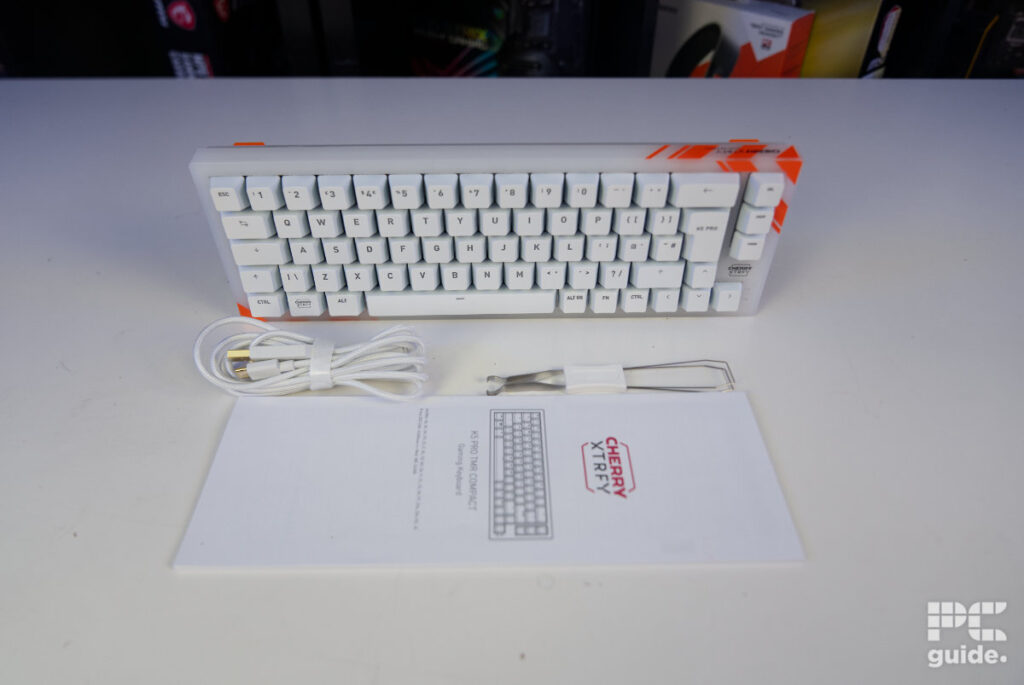
Immediately picking up the keyboard, it feels high quality and premium in its finish. Maybe not so much in terms of weight, as the board only weighs just over 570g. However, it still feels like a sturdy design. Despite having a plastic body, it features a rigid metal plate inside, along with multiple layers that help keep the keyboard feeling solid. Some of these additional layers are designed for sound dampening and stabilization, combining to create a well-built and satisfying-feeling construction.

Cherry K5 Pro TMR front, Image by PC Guide

Cherry K5 Pro TMR back, Image by PC Guide
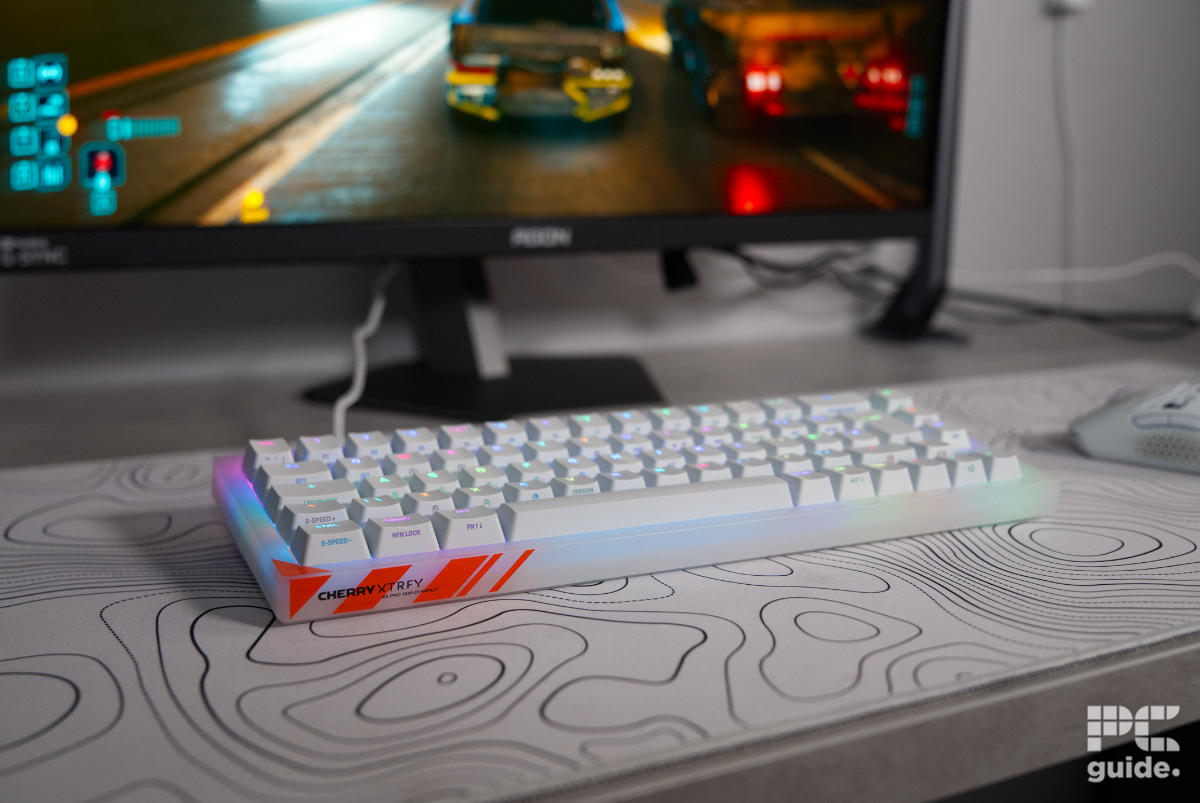
The outer shell of this white model K5 Pro TMR is slightly see-through. Acting as a diffusion layer for the RGB, it gives a cool look into the board, like some old-school hardware. Unfortunately, you don’t get to see any intricate circuitry, as it’s hidden deep inside. Otherwise, it features a rather plain, small border design, with highlights of orange stripes placed in a couple of corners. On the underside, however, it adds a crosshatch texture that you can certainly feel.

Cherry K5 Pro TMR front on, Image by PC Guide

Cherry K5 Pro TMR underside, Image by PC Guide
Moving to the underside of the board, there are a few features worth taking a closer look at. The main things are the feet of the keyboard; the bottom row is just two longer rubber stoppers. It also has a retractable angled stand with orange rubber tips, allowing you to raise the rear of the keyboard slightly.
The incline is only a couple of degrees, so it doesn’t dramatically change the typing angle. This is likely beneficial for keeping your wrists in a more comfortable, lower position, although it may not be ideal if you prefer a much steeper typing angle.

Cherry K5 Pro TMR bottom foot, Image by PC Guide

Cherry K5 Pro TMR top foot, Image by PC Guide
On the edges of the board, the top features the bold Cherry XTRFY logo on the left, with a background of orange stripes that help highlight it even further. On the opposite side is the USB-C port for connectivity, which does limit the direction the cable can be routed from.
The included 2m (6.5ft) cable is a good length and, thanks to its braided design, adds to the overall premium look and feel of the keyboard.

Cherry K5 Pro TMR back right, Image by PC Guide

Cherry K5 Pro TMR back port, Image by PC Guide
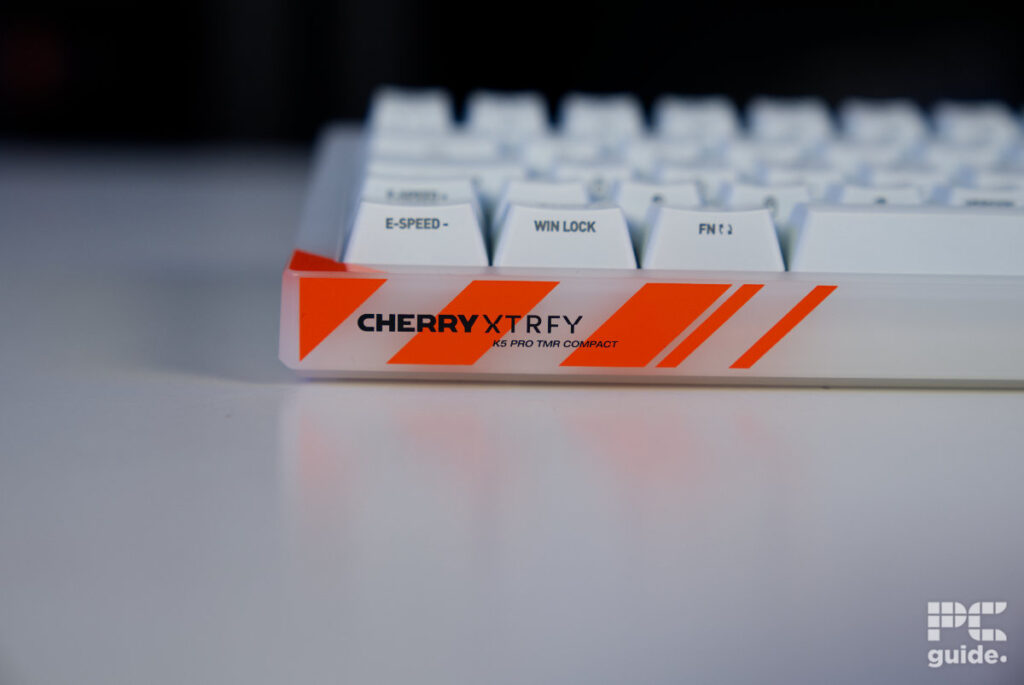
On the front leading edge, it mirrors the logo and design found on the rear, featuring the bold name and model branding against a background of orange stripes. The rest of the front maintains a simple white finish, continuing the empty and translucent plastic design.
What this does highlight, however, is the thickness of the board, as it already has a substantial height even without the raised feet extended.
For the keycaps, it uses thick ABS materials for a strong and sturdy finish across the whole board. When removing the keycaps, it reveals the grey stem of the MK Crystal Magnetic switches. This shows that they still use a cross-shaped stem design, providing excellent compatibility with a wide range of aftermarket keycaps. With north-facing RGB lighting, the board also benefits from a strong spread of illumination that can cover the entire keyboard.

Cherry K5 Pro TMR switches, Image by PC Guide

Cherry K5 Pro TMR keycaps, Image by PC Guide

Cherry K5 Pro TMR powered switches, Image by PC Guide
Taking out the switch, you can see it is rather simple and easy compared to standard ones with metal prongs sticking out. This instead has two guiding prongs to set it in place, with nothing else as the center, keeping it clear for the magnet inside to interact with the keyboard underneath. It does mean it can be rather wobbly if not inserted all the way down.

Cherry K5 Pro TMR switch front, Image by PC Guide

Cherry K5 Pro TMR switch back, Image by PC Guide

Cherry K5 Pro TMR switch, Image by PC Guide
When it comes to the layout of the board, it offers a good range of options while also making use of secondary functions across many keys. With direct controls built into the keyboard, it helps make up for the smaller 65% form factor by allowing access to additional functions through the secondary layer, including RGB controls.

Cherry K5 Pro TMR bottom left, Image by PC Guide

Cherry K5 Pro TMR right side, Image by PC Guide
Pricing
For the pricing and availability of the keyboard, the K5 Pro TMR Compact is available with a price tag of $149.99 or €149.99 over in Europe. A rather high price for just a wired keyboard, even with its higher build quality. However, this is the case with plenty of other magnetic switch keyboards on the market, as the newer technology inside often comes with a premium price tag.
The keyboard is available directly from the Cherry store, specifically for Europe. Amazon and Newegg both stock the various colors of the model in the US.
Performance
When it comes to using the keyboard, I used it across multiple days for a variety of tasks. From gaming to typing, I put it through its paces to see how good it was to use.

Cherry K5 Pro TMR setup gaming (1), Image by PC Guide

Cherry K5 Pro TMR setup gaming (2), Image by PC Guide

Cherry K5 Pro TMR setup gaming (3), Image by PC Guide

Cherry K5 Pro TMR setup gaming (4), Image by PC Guide
Putting my fingers on the keys, I immediately notice how slippery the keycaps are. The finish on the keycaps felt too smooth and wasn’t ideal for keeping my fingers firmly in place. Although they are concave, which helps keep your fingers positioned on the keys, they still felt like they would slide around initially. After spending more time with them, I did get used to the feel, but it was noticeably different from the keycaps I’m accustomed to.
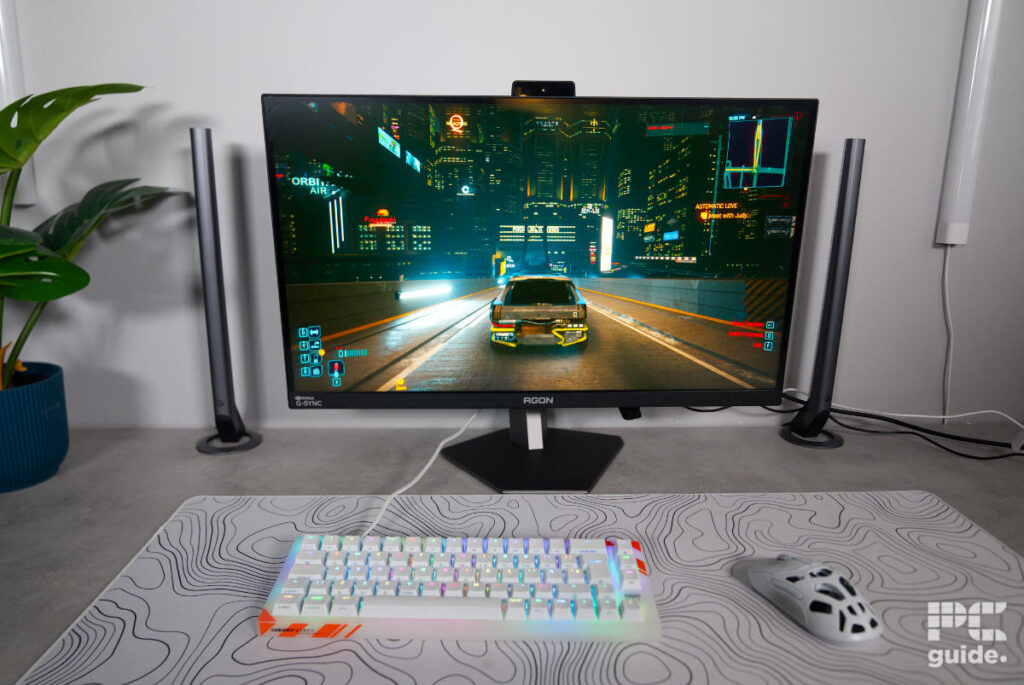
However, actually using it, the typing experience was very impressive. The layers of dampening, pre-lubed switches, and stabilizers do create a rather nice and full-bodied sound. No clangy noises from the keycaps bouncing back or hitting the board; it does have that premium sound to it straight out of the box.
Although some of the bigger keys, like the Enter and Spacebar, feel a lot more spongy than the smaller keys. Seemingly, the extra stabilization causes them to be a bit tougher to press. Taking off the Enter button, there was excess lubrication coming off the stem, so that could have been one of the causes, too.
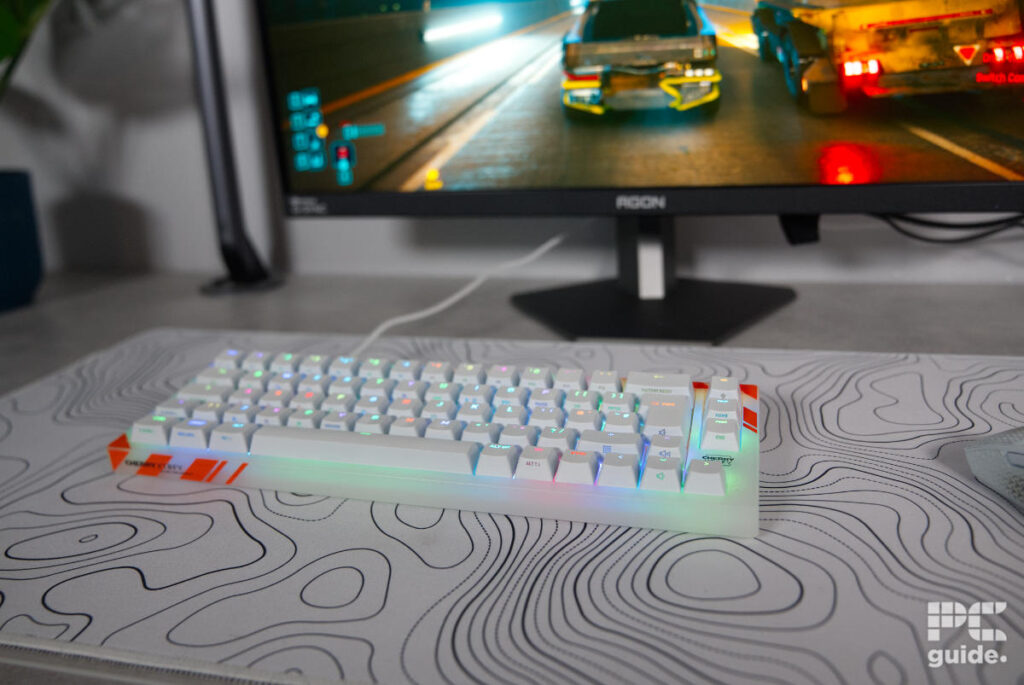
By default, the switches come with a 2 mm actuation point but can be adjusted down to 0.1 mm.
It does mean the keyboard can be adjusted to your preference, and the difference is certainly noticeable. Typing with a 0.1mm actuation point is quite an experience, as it requires a much lighter touch to avoid accidental inputs and mistyping. However, this setting is particularly beneficial for gaming, where achieving the fastest possible response times is the priority. That level of customization is just one part of what the accompanying software allows you to utilize.
As for actually using it by default, it was a great experience for typing and even controlling your PC. With the function layer on the left side also being able to control the mouse, the keyboard can handle a surprising amount of functionality. Most keys feature a secondary function that can be accessed, adding even more versatility to the compact layout. However, the keyboard only includes a function button on the right side by default, which does limit how easily you can access these features. Ideally, I would have preferred to see an additional function key on the left side as well.
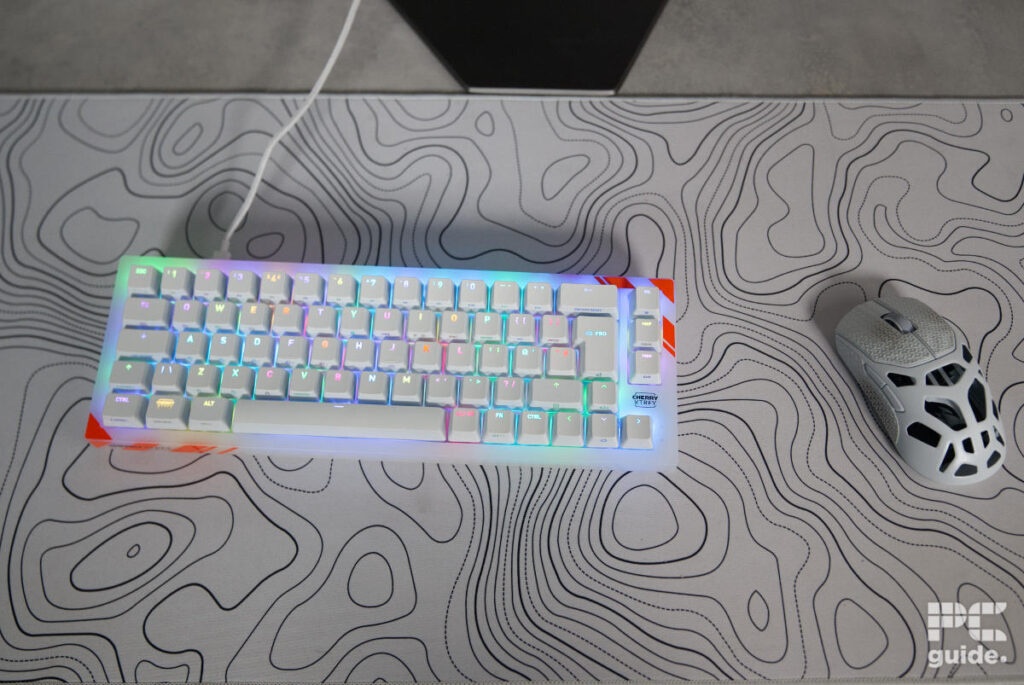
It did make using the smaller keyboard a bit easier for me, as I prefer a full-size or at least something like the Dark Mount to be able to adjust it. Weirdly enough, it has a third of the home keys too on the right, but at least the rest are on the function layer. This does make it a very versatile and capable keyboard from the get-go, with even more access available to it.
You can hear an excerpt of its sound below.
The software
Installing the MagCrate driver software isn’t necessary for its usage, but it does open up a wide range of the keyboard’s features. Firstly, the app is rather prominent and very different from many others; the curved corners and bright color do make it stand out a lot when open in Windows.
As for what’s inside, there are plenty of settings and options you can adjust. Starting with the keyboard settings and being able to adjust custom keys and macros, along with the switch settings themselves, with the actuation point adjustable to the key and 0.01 mm. Then there are the advanced keys that let you adjust the dynamic key travel, multi-toggle on the switches, and use the toggle switch.

Cherry XTRFY K5 Pro TMR MagCrate light settings, Image by PC Guide

Cherry XTRFY K5 Pro TMR MagCrate fn settings, Image by PC Guide

Cherry XTRFY K5 Pro TMR MagCrate advanced keys, Image by PC Guide

Cherry XTRFY K5 Pro TMR MagCrate switch settings, Image by PC Guide

Cherry XTRFY K5 Pro TMR MagCrate custom keys, Image by PC Guide

Cherry XTRFY K5 Pro TMR MagCrate Macro, Image by PC Guide

Cherry XTRFY K5 Pro TMR MagCrate app settings, Image by PC Guide

The further settings are a lot quicker and simpler. With the Fn layer adjustments offering a high level of customization, along with macro editing that allows you to record your own functions, there are plenty of ways to tailor the keyboard to your needs. Of course, there are also the lighting settings, which include a wide range of effects or the option to create your own, providing plenty of opportunities for RGB customization.
- Form factor: 65%
- Key switches: CHERRY MK Crystal Magnetic
- Keycaps: Thick ABS
- Connectivity: 2m detachable USB-C to USB-A cable
- Dimensions (LxWxH): 328 × 114 × 35 mm
- Weight: 568g
Conclusion
The Cherry XTRFY K5 Pro TMR is a sturdy and robustly built compact keyboard with an impressive design. The translucent plastic, combined with the diffused RGB lighting shining through the keys, gives it a striking appearance.
It isn’t a cheap keyboard, especially considering it is a wired-only board. However, the magnetic switches offer a high level of customization through the accompanying software, while the wealth of built-in controls provides plenty of functionality straight out of the box. It is certainly a great keyboard for a specific niche of users.
Written by
