


Table of Contents
Akko is a surprisingly competitive peripheral maker, offering a slew of low-priced mice and keyboards that bring a lot to the table, as I found in my reviews of the 3068B Plus and Mod007B Tokyo boards. With some intriguing designs and feature-rich builds, I’m now taking a look at its gaming mice.
In particular, I got my hands on the Akko Dash Master, the V9 model, which combines high polling rates and DPI with a lightweight design. So, here’s how it performed during my testing and what I think of it.


- Sensor: PixArt PAW3955
- DPI: 50-40,000 (65,000 overclocked)
- Weight: 40g
- Size (LxWxH): 117.56 x 60.91 x 37.01mm
- Buttons: 5
- Battery life: 220 hrs (1k continuous), 28 hrs (8K Esports), 84 days (2.4G 1k), 86 days (BT mode)
In general, the Akko Dash V9 Master is a great mouse for those with small hands. With a top-of-the-line sensor reaching 8K Hz and a DPI up to even 65,000, it has a lot of adjustability and precision to it. By default, it is slippery, with both the skates and finish, so it is nice that it has grips included, although they are hard and large to install with some overhang that can over time ruin it.
I find it bizarre that the extra skates included, apart from replacement, are little dots; that means you need a lot of them to ensure it’s a smooth feel and can cause problems with the sensor turning off as it loses contact. But for the price, it has some great specs and performance for those that it fits.
- Very lightweight yet durable design
- Impressively fast sensor, with plenty of DPI adjustments
- Web software with lots of customization
- Long-lasting battery life
- Reasonably priced for top-end specs
- Great range of included accessories
- Small build limits hand size support
- Disappointing scroll wheel tactility
- Included extra skate circles, not great for uniformity and smooth surface
- Grips a bit too big and make installation hard to avoid overhang
Design and features
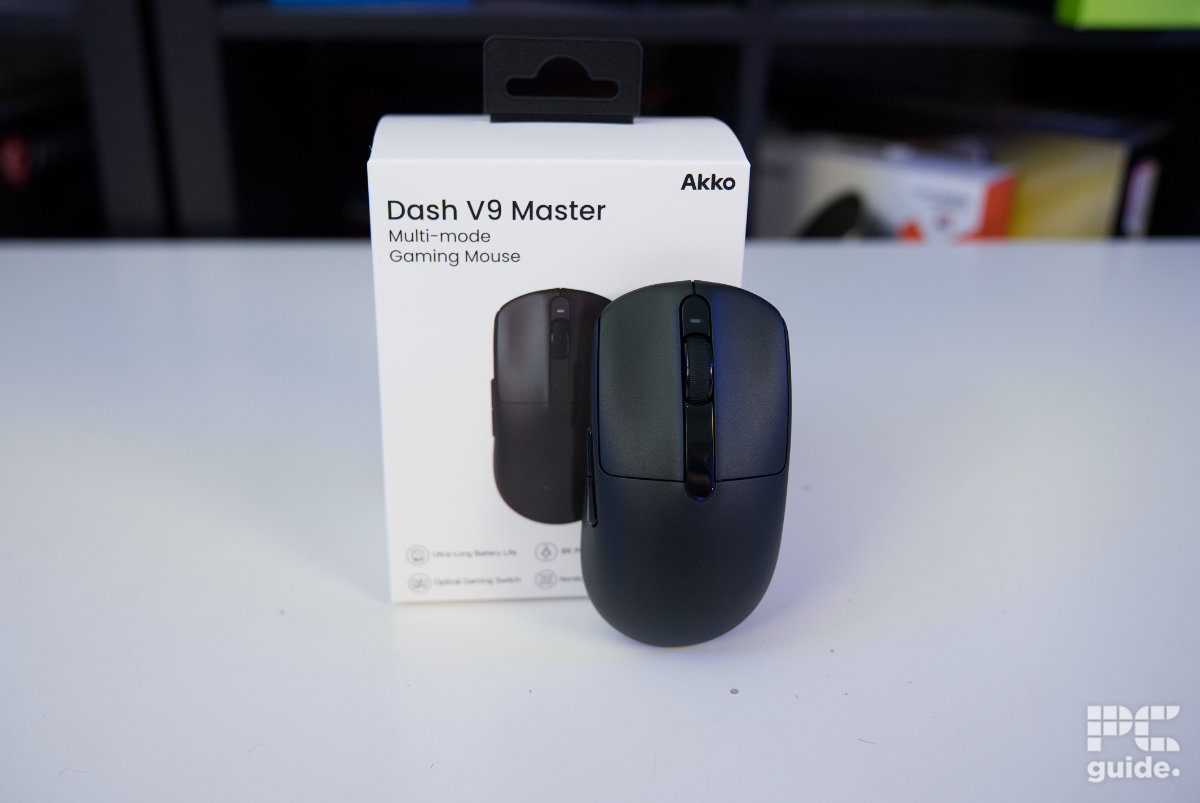
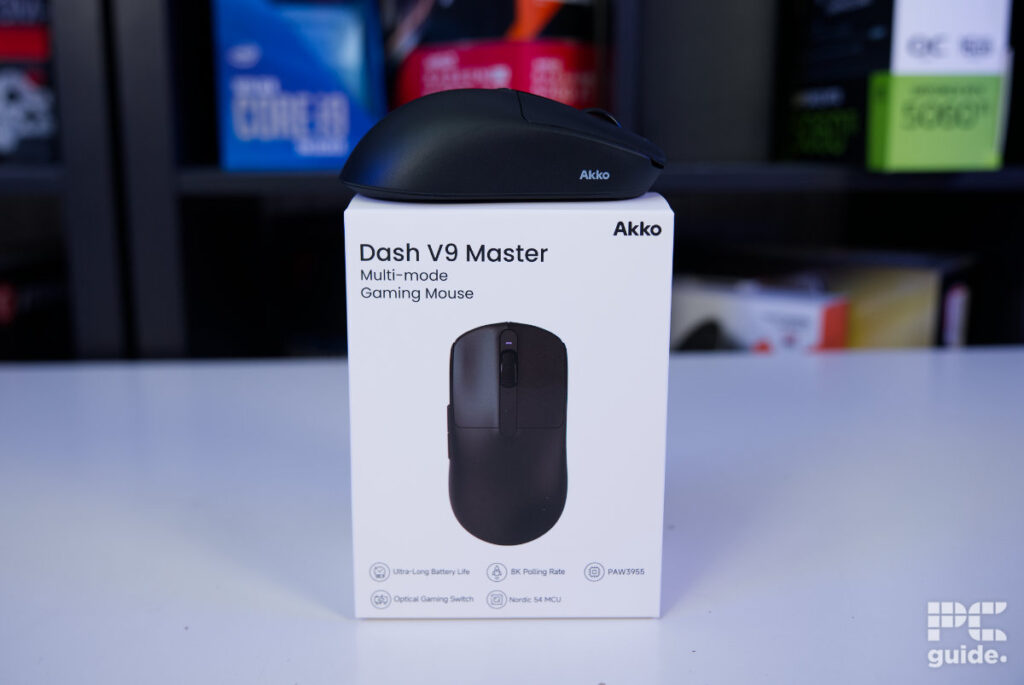
Starting with the packaging, the mouse comes in a rather large box for such a small device. The outer box features plenty of technical information, making it fairly informative at a glance. Inside, the mouse is presented in its own box, wrapped up and held securely in a cardboard insert.
Latest tech deals.
- AMD Ryzen™ 9 9900X 12-Core - was $499 now $331
- Sony INZONE M10S 27” - was $899 now $748
- Thermaltake LCGS View i1470S-170 - was $2,399 now $2,099
- Apple 2026 MacBook Air - was $1,999 now $1,891
- Bose QuietComfort Headphones - was $359 now $169
- LG 77-inch OLED C6 - was $2,499 now $1,999
- MSI Prestige 16 Flip - was $2,149 now $1,870
-
Hisense 85" U6 Pro Series-
Prices correct as of November 5th, 2026.

Akko Dash V9 Master box front, Image by PC Guide

Akko Dash V9 Master box side (2), Image by PC Guide

Akko Dash V9 Master box side (1), Image by PC Guide

Akko Dash V9 Master box side (1), Image by PC Guide

Akko Dash V9 Master box open, Image by PC Guide
Taking out the mouse reveals another compartment containing the included accessories. There are plenty of extras, including a nicely braided and flexible cable, a USB receiver and adapter. There’s also a simple sheet showing the controls, an information sheet, and a gift card for leigod.com, which research tells me is a game accelerator in China.
Lastly, there are three sheets of grips, a set of replacement skates for the mouse, and extra skate dots. This means you can replace the skates in the future or adjust how much glide you want, while the additional grips let you change the way the mouse feels in your hand. As the smaller mouse can be difficult to grip comfortably, you can choose from grips covering various surfaces of the mouse, although these will also add a little extra weight.

Akko Dash V9 Master mouse and contents, Image by PC Guide

Akko Dash V9 Master on box, Image by PC Guide

Akko Dash V9 Master box contents, Image by PC Guide
Taking out the mouse and holding it on its own, it really is a rather small device. Measuring 117.56 x 60.91 x 37.01 mm, it definitely isn’t ideal for larger hands and may require some adjustment to your grip to get it sitting comfortably. At the same time, it’s incredibly light. Despite retaining a solid chassis, it weighs just 44g on our scale. The cable adds another 23g, bringing the total to 67g, while the adapter adds a further 6g for a total package weight of 73g.

Akko Dash V9 Master weight alone, Image by PC Guide

Akko Dash V9 Master weight with cable, Image by PC Guide

Akko Dash V9 Master total weight, Image by PC Guide

Akko Dash V9 Master top, Image by PC Guide
From the top, the mouse has a symmetrical design. The rear half is relatively plain, with most of the visual design concentrated towards the front. The left and right buttons are split by a wide, shiny strip that houses the scroll wheel, with a power LED positioned just in front of it.
The scroll wheel is equally small to match the mouse’s compact design, with relatively narrow rubber grooves. This does mean dust and dirt can collect inside it, making it somewhat annoying to clean. The main buttons use OMRON optical micro switches.

Akko Dash V9 Master scroll and buttons, Image by PC Guide

Akko Dash V9 Master power LED, Image by PC Guide
Akko Dash V9 Master top, Image by PC Guide
Looking at it from the front, it shows the curve of the buttons of the mouse. Having a slope to keep your fingers in the right place and at an angle away from the center. Underneath those buttons, it has a recessed USB Type-C port for the cable it comes with. As for the back, it doesn’t have much there Looking at it from the front, you can see the curve of the mouse buttons, with a slope designed to keep your fingers in the right position and angled away from the center. Underneath the buttons is a recessed USB Type-C port for the included cable. Around the back, there’s not much going on either, with a hill-like structure designed to give your palm somewhere to rest.; it just shows the hill-like structure it has at the back intended for your palm to sit on.

Akko Dash V9 Master back, Image by PC Guide

Akko Dash V9 Master front, Image by PC Guide
Looking from the sides gives you a better view of the mouse’s overall shape, with a steep slope at the rear that gradually drops towards the front. On the right side, things remain simple, with a high wall and a white Akko logo. The left side uses the same electrical discharge machining (EDM) smooth finish, but features two very shiny buttons towards the top. These are the standard forward and back buttons, although they leave little room underneath, at around 17 mm.

Akko Dash V9 Master right side, Image by PC Guide

Akko Dash V9 Master left side, Image by PC Guide
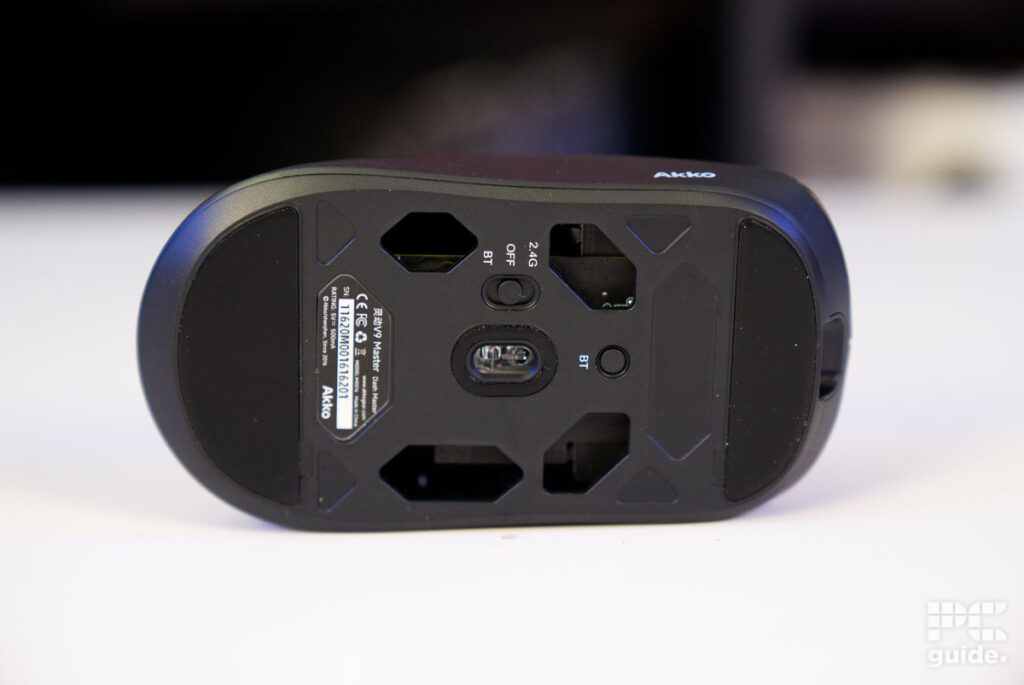
The underside of the Akko Dash Master showcases some of the weight-saving measures implemented into the design, with four prominent holes surrounding the central sensor. These provide a glimpse of the black PCB and internals, although they’ll also require some extra cleaning to keep dust from building up inside. It also bothers me slightly that the right hole is taller than the left, giving the underside an uneven appearance.
The left side also houses the power switch, allowing you to switch between 2.4GHz, Bluetooth, or turn the mouse off completely. This sits beside the PAW3955 sensor in the middle, while a simple circular button doubles as the Bluetooth pairing toggle and DPI switch. This lets you cycle through eight preset speeds, ranging from 400 all the way up to 40,000 DPI.
Pricing
When it comes to pricing and availability, the mouse sits towards the lower end of the market, although it’s somewhat limited in where you can buy it. On its own site, it is more broadly stocked at $69.99/£52.49 for the Dash Master with Omron Optical switches. You can also get it on Amazon US for $72.99.
At this price, it sits above some of the cheaper options available. It’s on par with the Razer Viper V3 HyperSpeed, although that model weighs 83g and costs $69.99/£69.99. The Logitech G PRO X Superlight 2, meanwhile, weighs 60g and comes in at $159.99/£139.99. Meanwhile, the Logitech G305 comes in at $49.99/£29.99, while the budget-friendly Redragon M725 is available for $22.99.
Performance
After taking a closer look at the mouse, I put it through its paces in both everyday use and gaming, testing how it felt to use and what the accompanying software offers for customization.
The first thing I noticed was the size. It’s clearly optimized for smaller hands, so I can’t exactly deduct points for that, but I did have to adjust my claw grip to get a better hold of the mouse. Once I got used to it, though, the low weight was immediately noticeable. At just 44g, I could barely feel it under my grip, and it was easy to flick around smoothly. Despite its lightweight construction, it also felt solid and held up well to my tougher grip.

Akko Dash V9 Master in use (3), Image by PC Guide

Akko Dash V9 Master in use (2), Image by PC Guide

Akko Dash V9 Master in use (1), Image by PC Guide
The finish is rather slippery, though, so I found myself gripping the mouse more firmly than usual to keep my palm from sliding. That’s where the included grips come in. Installing them was rather fiddly and required a fair amount of precision. They’re quite large and cover most of each section, meaning the grips on areas such as the mouse buttons can overhang and interfere with each other, even when I thought I’d installed them carefully. Over time, I could also see them coming away from the mouse or getting in the way.
The same applies to the side grips, where careful positioning is needed to prevent them from catching on your mouse mat. You may even need to trim them slightly. The good news is that installing all of the grips only added around 2g, bringing the mouse up to 46g. It still felt light and responsive, while providing good precision and control.
I also tried some of the extra skate dots, although I wasn’t as keen on these. As they’re individual dots, you can experiment with different levels of slipperiness, but they simply sit over the existing skates and raise the mouse slightly, which could potentially cause the sensor to cut out. They also don’t provide a uniform surface, meaning they can catch on rougher mouse mats or debris. I had to position them as close together as possible, although I would have preferred full-sized skates instead. They aren’t particularly heavy either, with the mouse weighing 46g and teetering on 47g with the bottom filled in.

Akko Dash V9 Master in use (4), Image by PC Guide

Akko Dash V9 Master in use (5), Image by PC Guide
With the grips in place, the mouse felt much better in use, even with the limited space for my larger hands. The OMRON optical switches also provide a great feel and sound, responding quickly to each press and giving the mouse a solid sense of quality. The scroll wheel is less satisfying, however, with slightly noticeable clicks that aren’t as deep or pronounced as something like the Be Quiet! Dark Perk Ergo.
When it comes to customization, Akko, like many other companies now, offers both a web and standalone version of its software. Connecting the mouse is straightforward, with it being picked up immediately once enabled, and all the settings are laid out on a single continuous page.
The extensive list of DPI settings can be adjusted, although, oddly, X/Y independence is enabled by default, allowing you to set each axis individually. The DPI settings aren’t set independently from the factory, though, and span a wide range, from 50 all the way to 65,000 if you ever need that kind of speed. You can also disable individual DPI settings, meaning you don’t have to cycle through all eight every time you want to change the DPI.
There are also options for the polling rate, lift-off distance, and other standard settings. The one that caught my eye was the sensor rotation dial, which lets you adjust horizontal movement depending on the angle at which you use the mouse. So, if you move your mouse horizontally at 90°, you can adjust it to instead move 30° further. It’s a useful option if you tend to use your mouse at an angle rather than sitting perfectly straight at your desk.

Akko Dash V9 Master online driver (1), Image by PC Guide

Akko Dash V9 Master online driver (2), Image by PC Guide

Akko Dash V9 Master online driver (3), Image by PC Guide

Akko Dash V9 Master online driver (4), Image by PC Guide

Akko Dash V9 Master online driver (5), Image by PC Guide

Akko Dash V9 Master online driver (6), Image by PC Guide
- Sensor: PixArt PAW3955
- DPI: 50-40,000 (65,000 overclocked)
- Weight: 40g
- Size (LxWxH): 117.56 x 60.91 x 37.01mm
- Buttons: 5
- Battery life: 220 hrs (1k continuous), 28 hrs (8K Esports), 84 days (2.4G 1k), 86 days (BT mode)
Conclusion
Overall, the Akko Dash Master is an impressive mouse. It combines a remarkably lightweight design with a solid, sturdy build, while its sensor and optical switches offer fast performance. The small dimensions won’t suit larger hands, but for those who can get comfortable with its compact shape, there’s plenty to like.
The Dash Master also offers a good level of customization, both physically through the included grips and skates and through Akko’s software. Being able to make these adjustments directly through a browser is particularly convenient, giving the mouse plenty of flexibility without making the setup process unnecessarily complicated.
Written by
