
Best GPU for Microsoft Flight Simulator 2024 – our top Nvidia and AMD picks

Reviewed By: Sebastian Kozlowski

Microsoft Flight Simulator is at the cutting edge of simulator games, and has had a reputation for pushing hardware to its limits even since it was originally launched way back in 1982.
For fans who own a copy of Microsoft Flight Simulator 2024, this means that you’ll need the beefiest GPU you can manage to handle the game, especially if you plan on playing at higher framerates and resolutions.
Since we review a lot of GPUs here, we’ve selected a few graphics cards that will meet the demands this game places on your system. Our in-house testing and reviews enable us to provide accurate information on real-world performance, allowing us to recommend the top cards that pair best with the best settings for MSFS 2024, thereby delivering the best experience.
Prime Day is here! We've found all the biggest and best deals from this year's event below.
- AMD Ryzen™ 9 9900X 12-Core - was $499 now $337
- CORSAIR 4000D PC Case - was $124.99 now $75.99
- Hisense 65" Class E6SR - was $549 now $377.99
- Apple 2026 MacBook Air - was $1,999 now $1,799
- Skytech Gaming PC Desktop (9850X3d) - was $3,699 now $3,199
- Apple Magic Mouse - was $79 now $59
- Samsung Galaxy Z Fold8 Ultra - was $2,099 now $1,699
- Amazon Fire HD 10 tablet - was $154 now $72
Prices correct as of October 6th, 2026.
Products at a glance
-
Best GPU for MSFS 2024
ROG Astral GeForce RTX 5080 OC
- GPU: GB203
- CUDA Cores: 10,752
- VRAM: 16GB GDDR7
- Memory Bus Width: 256 bit
- Base Clock Speed: 2,295 MHz
- Boost Clock Speed: 2,790 MHz

-
Best high-end GPU for MSFS 2024
MSI GeForce RTX 5090 SUPRIM SOC
- GPU: GB202
- CUDA cores: 21,760
- VRAM: 32GB GDDR7
- Memory Bus width: 512-bit
- Base clock speed: 2,010MHz
- Boost clock speed: 2,565MHz

-
Best AMD GPU for MSFS 2024
ASUS Prime RX 9070 XT OC
- GPU: Navi 48 XT
- Stream Processors: 4,096
- VRAM: 16GB GDDR6
- Memory Bus Width: 256-bit
- Base/Game/Boost clock speed: 1,660/2,400/2,970 MHz
- TBP: 304W
-
Best budget GPU for MSFS 2024
ASUS ROG Strix GeForce RTX 4060 OC
- GPU: AD107 die
- CUDA cores: 3,072
- VRAM: 8GB GDDR6 VRAM
- Bandwidth: 272 GB/s
- Memory bus width: 128-bit memory bus
- Base clock speed: 1830 MHz


How we picked
We researched the market and found various options from Nvidia and AMD. We filtered those options based on their price, compatibility, performance, and other features, such as DLSS and FSR.
In addition, we also conduct rigorous in-house testing of the cards. This gives us insight into how they’ll perform across various scenarios, whether in gaming or professional tasks. If you’re interested in learning about our testing process, head over to the PC Guide testing lab for more details.
Our top picks




- GPU: GB203
- CUDA Cores: 10,752
- VRAM: 16GB GDDR7
- Memory Bus Width: 256 bit
- Base Clock Speed: 2,295 MHz
- Boost Clock Speed: 2,790 MHz
- Improved performance across the board
- Well-designed cooler keeping temps under wraps
- Very quiet, with plenty of fans and onboard fan headers for synchronization
- Dual BIOS allows for easy switching
- Massive price increase over the 5080 MSRP
- Not a very big overclock at the end
- Huge card, that’s cumbersome and heavy
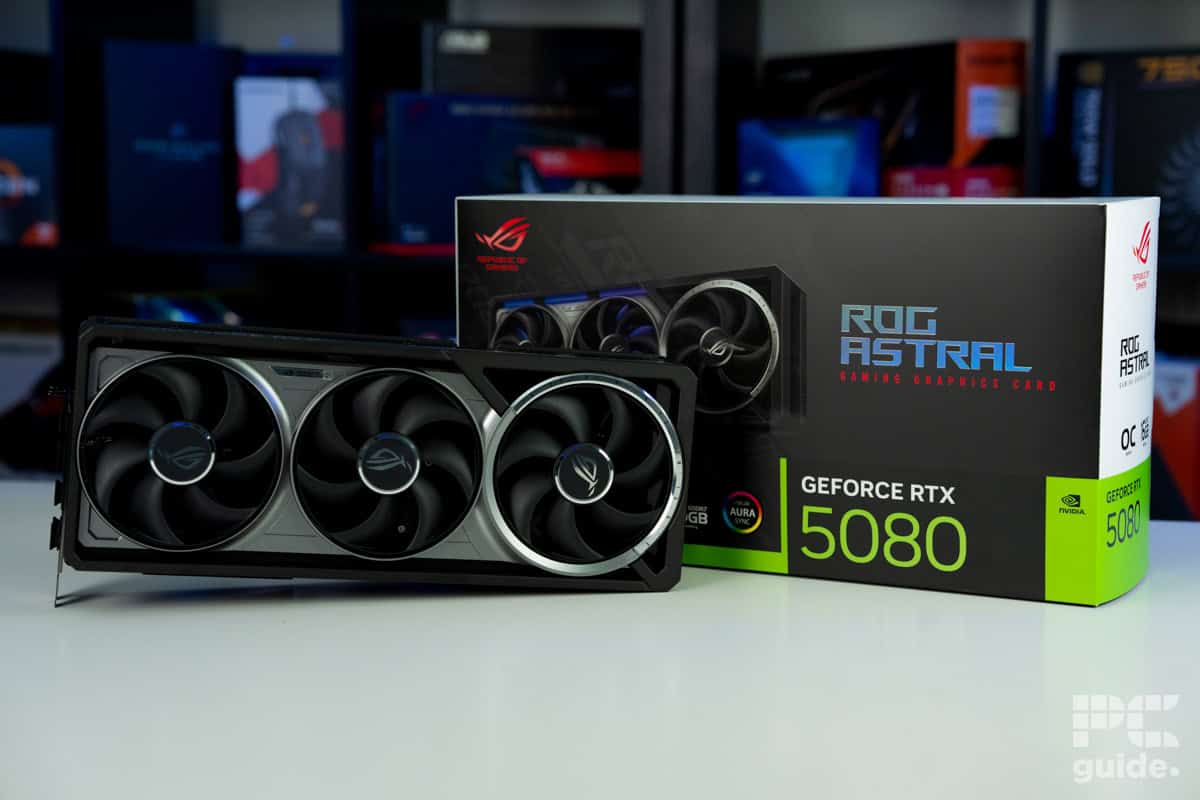
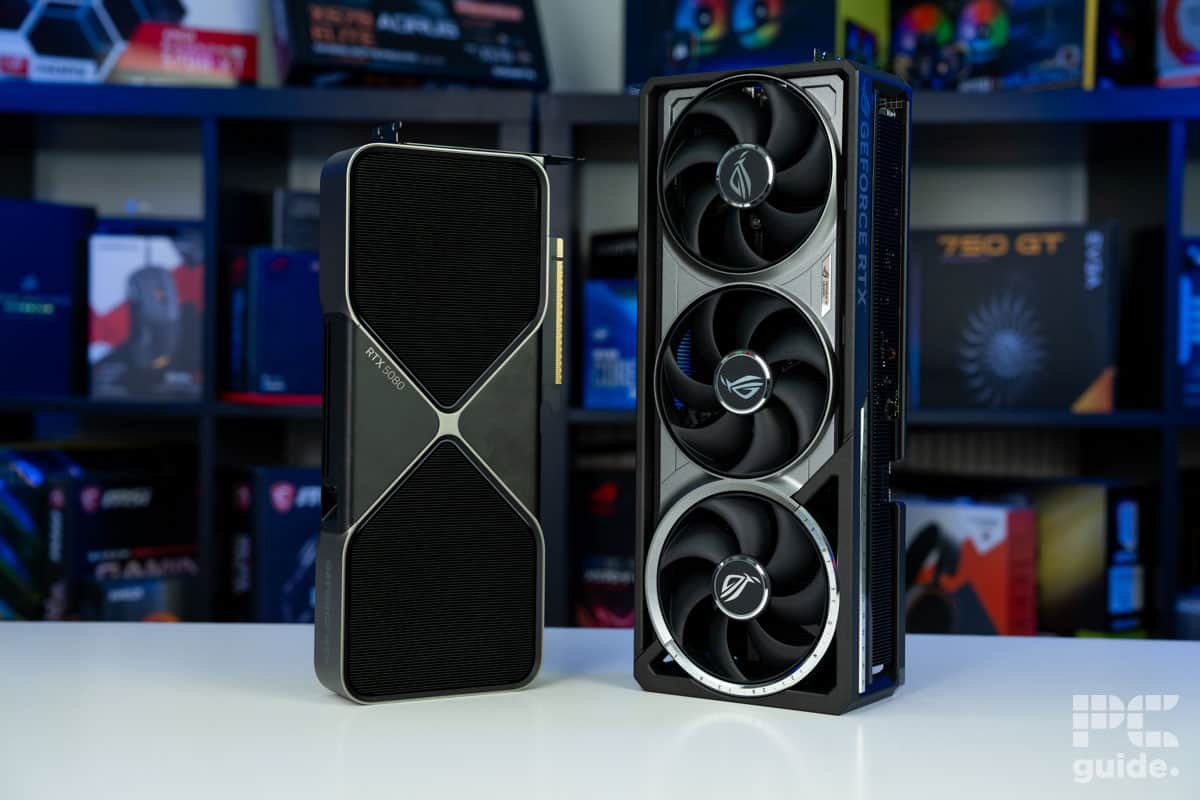
To play MSFS at its maximum potential, you will need the best graphics card you can get hold of. Microsoft Flight Simulator is a title where the raw numbers matter, and differences in GPU specification can really show. One of the top picks that we’ve had hands-on with is the ROG Astral RTX 5080, which we’ve reviewed.
The Nvidia GeForce RTX 5090 is a more powerful GPU, but it is substantially more expensive and harder to get hold of. The RTX 5080, though still on the expensive side, is significantly easier to find at retailers.
For the price, users get 10752 CUDA cores, a Base Clock speed of 2.3GHz, and a 256-bit memory bus. You will need a fairly substantial power supply, however, with the RTX 5080 TDP of 360W.
If you are willing to spend the cash and the time carefully checking stock trackers, the RTX 5080 can turn out some impressive performance figures. For instance, in F1 24 in 4K with DLSS turned on, the RTX 5080 could manage an astonishing 197 average FPS. In Indiana Jones and the Great Circle, 4K performance reached an average of 134 FPS.
These figures bode well for the demands placed on the GPU by MSFS since these games deal with realistic physics and cutting-edge graphics, respectively. Although we haven’t tested it in the game specifically, here are some other gaming benchmarks to compare.

ROG Astral RTX 5080 OC Cyberpunk 2077, Image by PC Guide

ROG Astral RTX 5080 OC Doom Eternal, Image by PC Guide

ROG Astral RTX 5080 OC Horizon Zero Dawn Remastered, Image by PC Guide

ROG Astral RTX 5080 OC CS2, Image by PC Guide

ROG Astral RTX 5080 OC Cyberpunk 2077 DLSS, Image by PC Guide

ROG Astral RTX 5080 OC F1 24, Image by PC Guide

ROG Astral RTX 5080 OC Indiana Jones The Great Circle, Image by PC Guide

ROG Astral RTX 5080 OC AC Mirage, Image by PC Guide


- GPU: GB202
- CUDA cores: 21,760
- VRAM: 32GB GDDR7
- Memory Bus width: 512-bit
- Base clock speed: 2,010MHz
- Boost clock speed: 2,565MHz
- Fastest GPU on the market
- Can support gaming up to 8K
- PCIe 5.0 support
- Incredible performance
- Eye-wateringly expensive
- Hard to find in-stock
- Very power-hungry
- Needs top-spec CPU and PSU to support it
For the absolute best performance you can possibly squeeze out of Microsoft Flight Simulator, you will want the best GPU that money can buy. At the moment, that is the Nvidia GeForce RTX 5090, and in our review of the RTX 5090, you can see why.
The Nvidia GeForce RTX 5090 comes with 21,760 CUDA cores, 32 GB of GDDR7 VRAM on a 512-bit memory bus, and a Boost Clock of 2407 MHz. By pretty much any measure, the RTX 5090 is a beast.
In our review, we checked the performance, even though it was not tested in MSFS 2024. We have instead put it through other games and benchmarks to test its performance across the board. One such example is its performance in Cyberpunk 2077, where it manages to achieve 231, 212, and 110 fps on average across 1080p, 1440p, and 4K resolutions at ultra settings. Then, turning on ray tracing, which was set to 153, 112, and 60fps, made it playable across the spectrum with exceptional image quality (even then, it has DLSS 4 to take advantage of).
It’s impressive 32GB of VRAM at GDDR7 speeds, pushing its ability beyond gaming, too. Along with the high processing cores it, the rendering and creative performance are top notch. As in the likes of Blender, the benchmark monster scene achieves 7,404.84 samples per minute, compared to 4,500 of the RTX 5080s we tested it against.
However, even Microsoft Flight Simulator fans with deep pockets might have difficulties buying an RTX 5090. The stock of these top-end GPUs has been extremely limited, with even big online retailers seeing few of them. This has pushed the prices of this already expensive card up even further.

MSI Suprim SOC RTX 5090 AC Mirage, Image by PC Guide

MSI Suprim SOC RTX 5090 Cyberpunk 2077, Image by PC Guide

MSI Suprim SOC RTX 5090 Doom Eternal, Image by PC Guide

MSI Suprim SOC RTX 5090 Indiana Jones Great Circle, Image by PC Guide

MSI Suprim SOC RTX 5090 F1 24, Image by PC Guide

MSI Suprim SOC RTX 5090 CS2, Image by PC Guide

MSI Suprim SOC RTX 5090 Horizon Zero Dawn Remastered, Image by PC Guide

MSI Suprim SOC RTX 5090 Cyberpunk 2077 DLSS 4, Image by PC Guide

MSI Suprim SOC RTX 5090 Thermals, Image by PC Guide


- GPU: Navi 48 XT
- Stream Processors: 4,096
- VRAM: 16GB GDDR6
- Memory Bus Width: 256-bit
- Base/Game/Boost clock speed: 1,660/2,400/2,970 MHz
- TBP: 304W
- Great performance even at 4K and reaching RTX 4080 levels
- Excellent MSRP makes it much more appealing against competition
- Incredible improvements over the previous generation
- Plenty of VRAM for the price
- Still falls behind in ray tracing, AI, and creative workloads
- Spiking and high power draw
- Features not as extensive as Nvidia
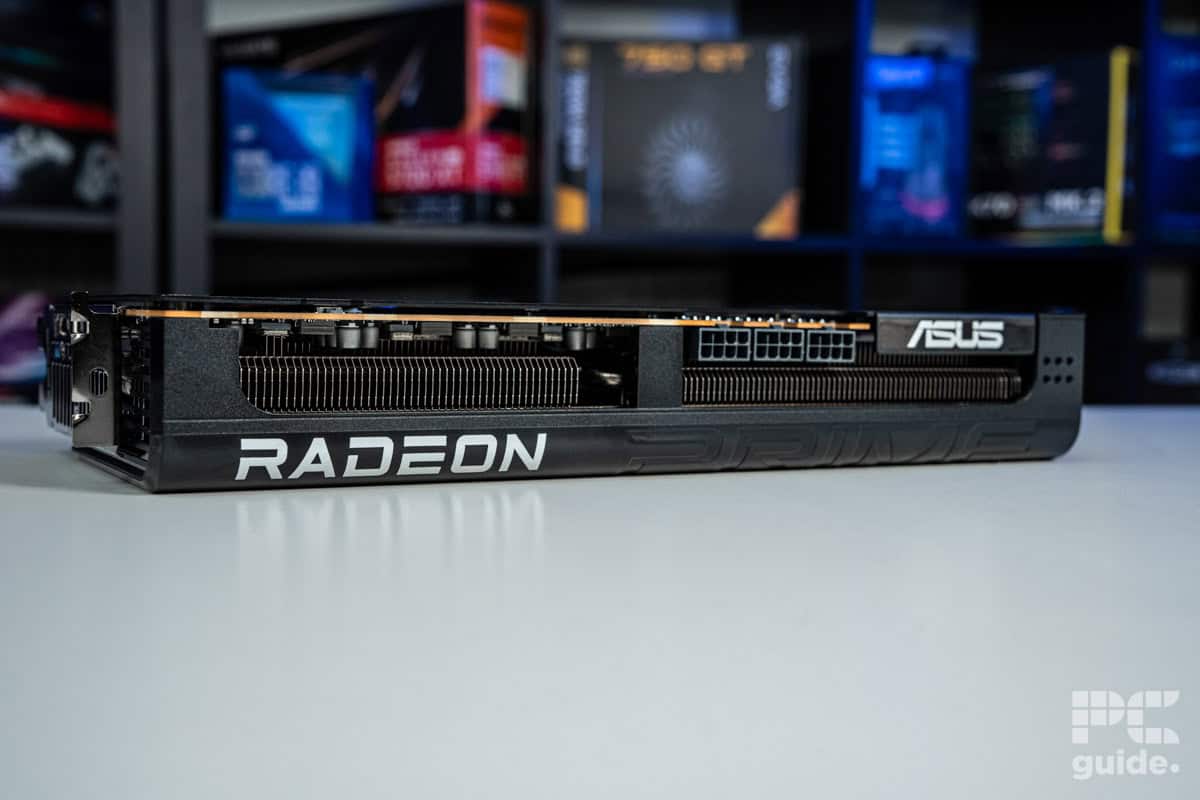
The AMD Radeon RX 9070 XT is the most popular graphics card that AMD has produced in a great many years. Demand for this card has been high, and reviews have been generally positive, including our own review.
The newly updated FSR 4 suite has provided a much-needed boost in terms of Ray Tracing, frame generation, and AI upscaling, even though Team Red still lags behind Nvidia slightly in this area.
If you are playing Microsoft Flight Simulator at 1080p or 1440p, then this card will have a chance to shine.
As an example, in F1 2024 on Ultra High settings, it produces an Average of 131 FPS at 1440p. This is compared to its direct rival, the Nvidia RTX 5070, which manages only 95 FPS. It can still pull respectable figures when pushed up to 4K as shown in Horizon Zero Dawn, where the RX 9070 displays 100 FPS compared to 64 FPS from the RTX 5070.
Despite the relative handicap when it comes to Ray Tracing, in Cyberpunk 2077 at 1440p with Ray Tracing turned on, the RX 9070 XT pushed out 129 FPS.
The RX 9070 XT is reportedly being regularly restocked and has a lower MSRP than its Nvidia rivals. If you want a reasonably priced GPU that can still deliver a decent experience, the RX 9070 XT is worth considering.

ASUS Prime RX 9070 XT OC F1 24, Image by PC Guide

ASUS Prime RX 9070 XT OC Cyberpunk 2077, Image by PC Guide

ASUS Prime RX 9070 XT OC Indiana Jones The Great Circle, Image by PC Guide
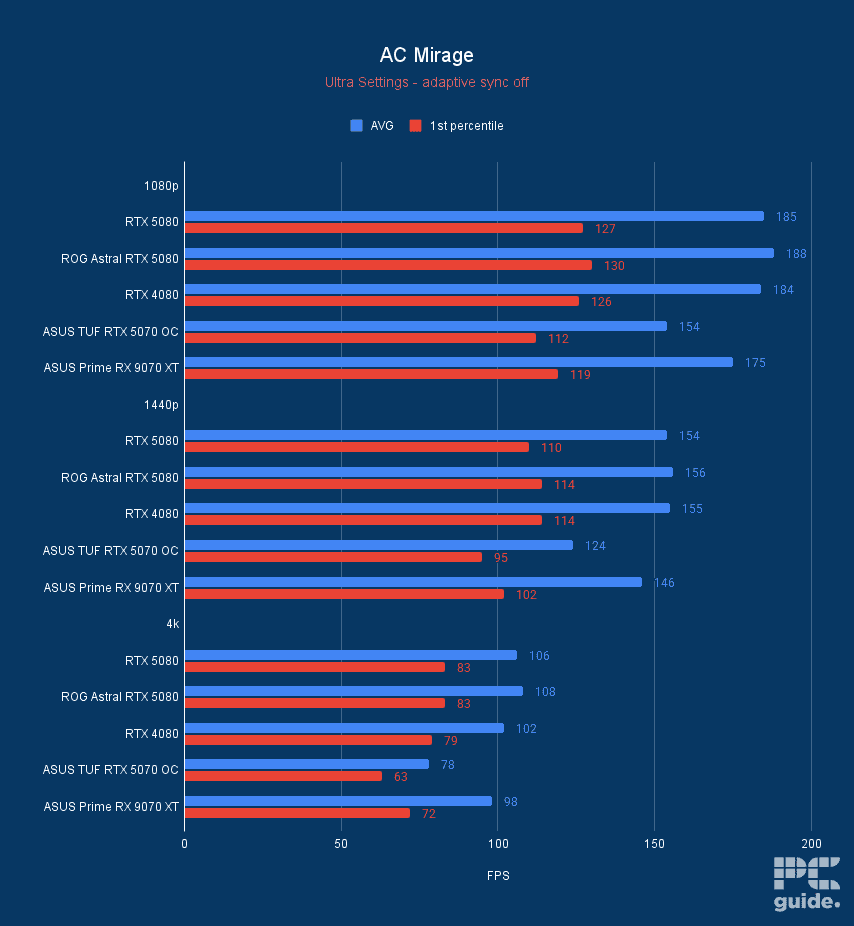
ASUS Prime RX 9070 XT OC AC Mirage, Image by PC Guide

ASUS Prime RX 9070 XT OC Horizon Zero Dawn Remastered, Image by PC Guide

ASUS Prime RX 9070 XT OC Cyberpunk 2077 DLSS FSR, Image by PC Guide

ASUS Prime RX 9070 XT OC Doom Eternal, Image by PC Guide

ASUS Prime RX 9070 XT OC CS2, Image by PC Guide


- Great in 1080p
- Better value than RX 7600
- DLSS 3 Frame Generation
- Not the card for 4K gaming
- Some AIBs are overpriced
For those operating on a budget, we recommend the RTX 4060, as it is an excellent GPU for 1080p and 1440p gaming. In our RTX 4060 review, it managed 77 and 48 FPS at 1080p and 1440p in Cyberpunk 2077. So, pushing 4K isn’t possible for this GPU, but that isn’t surprising, as it is an entry-level GPU.
The RTX 40 series may have been superseded by the RTX 50 series, but with careful shopping, it is possible to find older cards for a relative bargain.
Though it lacks DLSS 4, it can still use DLSS 3, which can ramp up its gaming potential. The RTX 4060 features 3,072 CUDA cores, a base and boost clock speed of 1,830 MHz and 2,670 MHz, and 8GB GDDR6 VRAM.
This means that it has decent hardware powering it, and you can overclock it to squeeze every bit of performance out of it. That said, to check its real-world performance, we ran a handful of benchmarking software and games. In Fire Strike (DX11), it managed 27,265 points in graphics and 26,353 overall.
So, while it might not be the most powerful GPU, it has decent performance given its price point and should be able to run Microsoft Flight Simulator 2024 at high settings.
How to choose the best GPU for Microsoft Flight Simulator 2024
Modern AAA titles like the Microsoft Flight Simulator 2024 require powerful GPUs if you want to play them at high resolutions and good framerates. However, that doesn’t mean that you throw top dollar at the first GPU you see.
There are many variables to consider before purchasing a GPU, and we’ve listed a few key factors that should help you make an informed decision.
Budget
The first and most important aspect you need to consider is your budget and what it allows you to purchase. To avoid overspending, it is best to filter the available options based on your budget and then choose one that offers a good balance between performance and value.
It is easy to spend more on GPUs when you look at the performance difference, and adding a bit of extra money gets you. However, that can’t impact your overall budget and cut into the funds for other products. However, even budget GPUs options like the RTX 4060 can outperform the recommended GPUs for Microsoft Flight Simulator 2024.
Usage
If you only want a GPU that can run Microsoft Flight Sim 2024 at a high resolution and good graphics, then you can opt for a mid-range GPU that will provide good performance and value, especially in gaming.
However, if you also work on the same rig and have resource-intensive tasks like 3D modeling, editing, and rendering to take care of, it’d be good to invest in a high-end GPU for excellent productivity and gaming output.
Resolution and refresh rate
Depending on which resolution you’re intending to run on your monitor, your graphics card will be vital to getting the best experience from it. Finding the best GPU for 1440p is significantly more expensive and challenging than simply selecting a budget card capable of 1080p. At the same time, 4K is a completely different beast to target.
In the same vein, the refresh rate is also a key target to consider. The higher it is, the faster the graphics card you need to reach it. Even if your monitor is 1080p, you still need a great GPU to be able to reach faster framerates.
What GPU do you need for Microsoft Flight Simulator 2024?
Microsoft provides a variety of system requirements for MSFS 2024. To start off, at a minimum, you need an AMD Radeon RX 5700 or Nvidia GTX 970 to even be able to run the game. While it is recommended you increase that to an RX 5700 XT or an RTX 2080. The ideal option is a lot more recent and relatively high-end, as it opts for an RX 7900 XT or RTX 4080.

Is Microsoft Flight Simulator CPU or GPU intensive?
Testing has shown the game is a mix of both; it is both intensive for the CPU and GPU. This is because the CPU is working on the simulations and calculations required for physics, weather, and world data. However, it also features astounding graphics that are quite intensive on your GPU as well.
That’s why, in the system requirements, both the CPU and GPU are rather mid-to-high-end, but the processor is definitely the one that stands out as being more powerful, with a high core count.
Which Nvidia driver enhances Microsoft Flight Simulator 2024 performance?
The Flight Simulator 2024 support team has posted that the GeForce Game Ready driver version 576.40 is recommended for all Nvidia GPU owners. This is because it resolves inevitable crashes plaguing the game, alongside improving general performance and stability. Anything newer should come with this benefit and plenty more, so it’s a good idea to keep your drivers up to date.
About the Author